Sketchbook vVARY
Sketchbook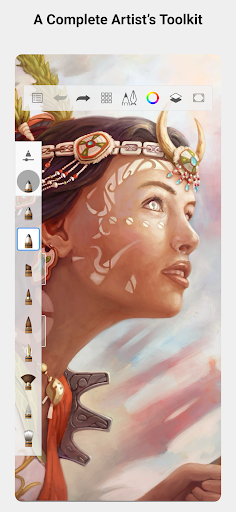



About this app
Sketchbook solves the problem of providing a digital drawing experience that mimics the feel and freedom of drawing on paper, benefiting artists, designers, and hobbyists alike. With over 100 million downloads and a 4.0-star rating, it stands out in the Art And Design category for its simplicity and effectiveness. Compared to alternatives, Sketchbook's minimalistic approach and lack of ads make it a refreshing choice, although some may find the in-app purchase model limiting. Its high download numbers and good rating indicate a well-received app, but the lack of significant updates may raise concerns about long-term support.
Pros
- With a massive user base of over 100 million downloads, Sketchbook has clearly resonated with a wide audience, indicating a high level of social proof and acceptance.
- The app's rating of 4.0 stars out of 5, based on a large number of reviews, suggests a generally positive user experience and a well-designed interface.
- Sketchbook's developer, Autodesk, is a reputable company with a long history of producing high-quality design software, which lends credibility to the app.
- The absence of ads in the app enhances the user experience, allowing artists to focus on their work without interruptions.
- The app's minimalistic design and intuitive interface make it accessible to users of various skill levels, from beginners to professionals.
Cons
- One concern is the in-app purchase model, which may limit access to certain features for users who are not willing or able to pay, potentially creating a barrier for some artists.
- The lack of significant updates to the app may indicate a lack of long-term support or investment from the developer, which could impact the app's performance and security over time.
- Some users may find the app's feature set to be limited compared to other digital drawing tools, which could be a drawback for those seeking more advanced functionality.
- The app's requirement for varying Android versions may lead to compatibility issues on certain devices, which could negatively impact the user experience.
Best for: The ideal user for Sketchbook is likely a creative individual, such as an artist, designer, or hobbyist, who values a simple, intuitive, and ad-free digital drawing experience, and is willing to potentially invest in in-app purchases to access additional features and tools to enhance their artwork.
Developer Description
Sketch and paint on your device with the feel and freedom of drawing on paper
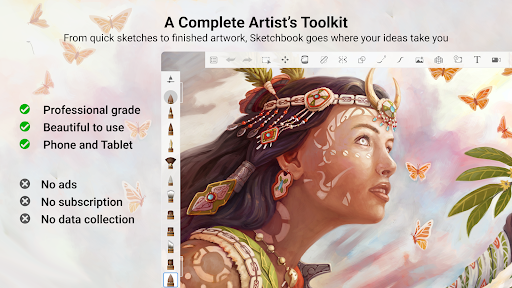
Sketchbook is an award-winning sketching, painting, and drawing app for anyone who loves to draw. Artists and illustrators love Sketchbook for its professional-grade feature set and highly customizable tools. Everyone loves Sketchbook for its elegant interface and natural drawing experience, free of distractions so you can focus on capturing and expressing your ideas.
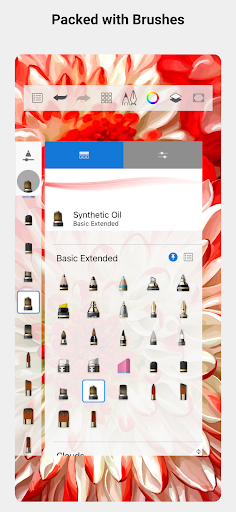
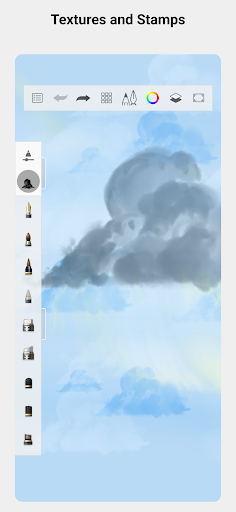
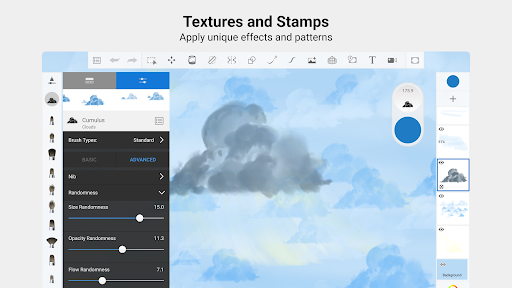
• A full complement of brush types: pencils markers, airbrushes, smear and more that look and feel just like their physical counterparts
• Brushes are highly customizable so you can create just the look you want
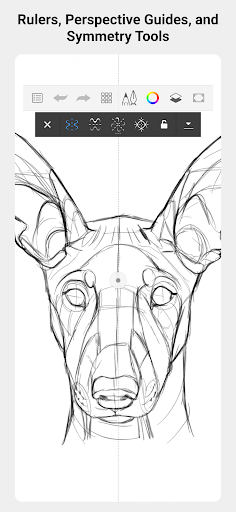
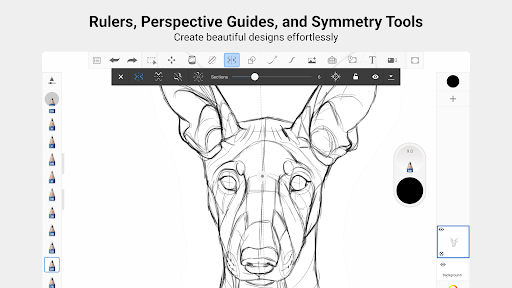
• Guides, rulers and stroke tools support precision when you need it
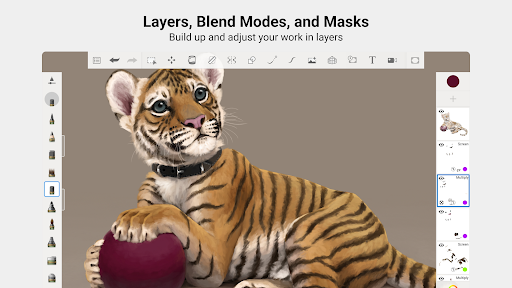
• Layers with a full complement of blend modes deliver the flexibility to build up and explore drawings and color
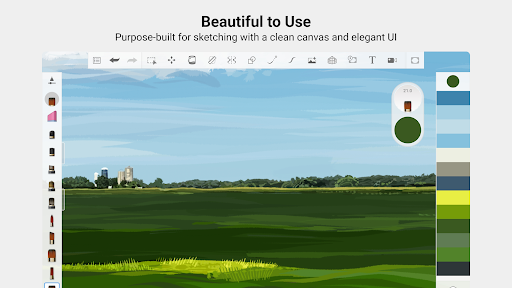
• Purpose-built for sketching, the interface is clean and unobtrusive so you can focus on drawing
Privacy
Given that Sketchbook requests zero permissions, it appears to be a very privacy-friendly app, with minimal risk of data collection or misuse. However, users should still be cautious when making in-app purchases and ensure they are using a secure payment method. It's also a good idea to review the app's terms of service and privacy policy to understand how any data that may be collected is used.
Tips
To get the most out of Sketchbook, users should start by exploring the app's various brush and tool options to find the ones that work best for them. Additionally, taking advantage of the app's intuitive interface and gesture-based controls can help streamline the drawing process and improve overall productivity. For optimal performance, it's also a good idea to regularly clear the app's cache and ensure that the device has sufficient storage space.
What's New
In-app purchases
$2.99 per item
Version Information
- Version
- -
- Downloads
- 100M+
- Updated on
- Dec 8, 2025
- Released
- Oct 8, 2014
- Requires
- Android Varies with device
Statistics
Google Play Rating History
Rating Distribution
Downloads Over Time
Sketchbook has been downloaded times. Over the past 30 days, it averaged downloads per day.
Shaded area shows 30-day prediction based on historical trends
Historical data collection started recently. More data points will be available over time.
Sketchbook - Google Play Rankings
Top Rankings
| Rank | Country | Category | List | Change |
|---|---|---|---|---|
| — |
Ranking History in
No ranking data available yet. Rankings are updated daily.
#8 in Top Free Art And Design in United States

#4 in Top Free Art And Design in South Korea
#5 in Top Free Art And Design in Russia

#5 in Top Free Art And Design in Germany

Sketchbook users say on Google Play
 Lillian Reid
It has a lot of features! And there are a ton of tutorials out there to help you achieve the medium type uou're going after. But I'm looking for comic-book or manga type of programs. You could probably achieve this with the paid version (which is a modest price) but I found a better ap for my needs. Still 5 stars, though, because I'll still use this for one-shot art. May even still pay for the full version.
 KittenRainy 14
I love it but there's no blur tool, and absolutely ZERO filtered available for free. No inverting it, no pixel art/pixel blur, etc. Kinda frustrating
 Mendoza Athan Cyrus
This is a nice app for creating digital arts, because it is very functional and easy to use. If you are a beginner at digital arts well in my opinion this is for you to use plus, it's very friendly to new users. One thing that is bad at this app is saving and exporting my art because when I save or export my art it will be doubled and one file says "file format not supported or corrupted" and if I deleted that I can't edit that art anymore ... Overall it's nice
 Margarette Shay A. Bathan
Lowkey pissed because I accidentally deleted the tiff file and now I can't retrieve my drawing. But it's still great
 Mike Feldmeier
It would be a great app if the device would simply fix the glaring bugs or actually respond to questions. Not being able to import images?? FIX IT!!!
ApkTrusted Ratings & Reviews
Similar Apps

Tayasui Sketches
Free

Picsart Color - Painting, Draw
Free

Infinite Painter
Free

ibis Paint X
Free

Clip Studio Paint
Free

FlipaClip: Create 2D Animation
Free

PaperColor
Free
Drawing Desk: Learn to Draw
Free

Sketch Pro: Draw & Create Art
Free

HiPaint: Sketch & Draw art
Free
InColor: Coloring & Drawing
Free

MediBang Paint:Draw Art, Comic
Free
Learn Drawing
Free

Picsart AI Photo Editor, Video
Free
Photoshop Express Photo Editor
Free

Concepts: Sketch, Note, Draw
Free
Scan this QR code to download

Forwarding you to the page at Google Play market in seconds...
Open Google Play market now