
Chase Point of Sale (POS)℠ v5.2.1
JPMorgan Chase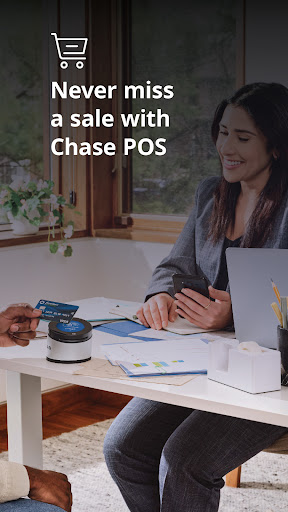




About this app
Developer Description
Take payments anytime, anywhere with a mobile POS system & optional card reader.
• Get started with payments in minutes by using your existing Chase for Business® log-in
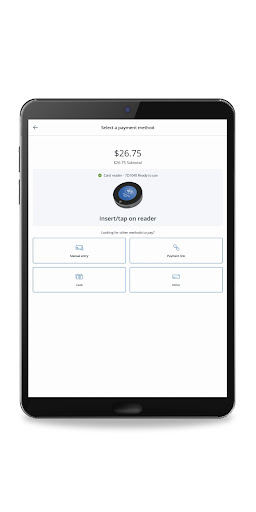
• Accept payments with convenient options for your business, including with the Chase Card Reader™ or secure payment links from your mobile phone
• View sales reports and track other forms of payment like cash or check
• Create a product catalog, manage inventory, set up tax, tip and discounts and text or email receipts with customer information securely stored in the cloud
• Empower your team to sell uninterrupted with employee accounts that stay logged in for up to 12 hours, synchronize transactions across devices and order a card reader directly in the app
• Access cash quickly with no-fee, same-day deposits¹ for Chase business checking account holders
• Unlock more powerful tools to manage and grow your business with Chase’s integrated banking and payments. Card acceptance, banking, free business analytics and more are all conveniently in one place
Need a card reader? Take card payments in-store or on-the-go with the sleek Chase Card Reader. This versatile reader provides a simple and secure way to accept cards and digital wallets like Apple Pay and Google Pay. Set the reader on top of the Chase Card Reader Base to elevate your payment experience at the counter and charge it at the same time.
Requirements: To process transactions, you must have a Chase Business Complete Banking® account or Chase Payment Solutions℠ account, and install the Chase POS app℠ on your mobile device.
• Already a Chase for Business customer and have an account? Get started quickly by signing into your account and activating payment acceptance through Chase Business Online. Use your banking credentials to log in to Chase POS app.
• New to Chase for Business? Get started with payments here: chase.com/acceptcards
Disclosure:
• For illustrative purposes only—not intended as an endorsement or recommendation.
• ¹Payments processed, approved, and completed by 5 PM Pacific Time (PT) / 8 PM Eastern Time (ET) are eligible for same-day deposits, 6 days a week, excluding Saturdays. All deposits are subject to the applicable Terms of Service, including risk assessment and fraud monitoring, which may result in delays. Payments processed, approved and completed by 5 PM PT / 8 PM ET, Sunday through Friday (including holidays), will be deposited into the business owner's Chase business checking account that night. Payments processed, approved and completed by 5 PM PT / 8 PM ET on Saturdays will be deposited into the business owner's Chase business checking account Sunday morning by 7:30 AM ET. There is no additional cost for same-day deposits, but standard rates and fees will apply for business checking and payment processing. Customers qualify for same-day deposits upon sign-up when processing payments through an eligible Chase Payment Solutions℠ or Chase Integrated Payments product and depositing into a Chase business checking account. Same-day deposits are available in the U.S. only. Additional exclusions may apply.
What's New
This app update includes:
• Improved visibility into the connection status of your Chase Card Reader on the New sale screen
• Minor bug fixes and improvements
Version Information
- Version
- 5.2.1
- Downloads
- 10K+
- Updated on
- Nov 11, 2025
- Released
- Nov 10, 2022
- Requires
- Android 11
Statistics
Google Play Rating History
Rating Distribution
Downloads Over Time
Chase Point of Sale (POS)℠ has been downloaded times. Over the past 30 days, it averaged downloads per day.
Shaded area shows 30-day prediction based on historical trends
Historical data collection started recently. More data points will be available over time.
Chase Point of Sale (POS)℠ users say on Google Play
 Bakhtier M
The transition fee is a bit expensive, but it works great 👍
 Chris Andre
too many touches
 AbdulHai Ali
The Chase POS app is often unreliable, causing transaction disruptions, and the new card reader's battery drains quickly, requiring multiple daily recharges. Despite being user-friendly when working, these issues significantly impact my business. I hope Chase resolves them soon.
 Queen Esther
I have had this machine and tried several times through this last year to use this app and it is garbage
ApkTrusted Ratings & Reviews
More from JPMorgan Chase
See more apps



Similar Apps

DCU Digital Banking
Free

Frost Bank
Free

Oriental Bank
Free

NB|AZ Mobile Banking
Free

Huntington Mobile Banking
Free

SDFCU Digital Banking
Free

OneMain Financial
Free

Westlake MyAccount
Free

Credit One Bank Mobile
Free

Till: Debit Card for Kids
Free

Cooper's Hawk
Free

Credit Union 1 Mobile Banking
Free

PNC Mobile
Free

Wealthfront: Save and Invest
Free
Scan this QR code to download

Forwarding you to the page at Google Play market in seconds...
Open Google Play market now