
To mp4 3gp webm Video Converte v3.9
Clogica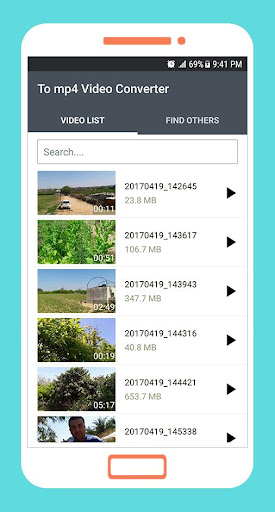
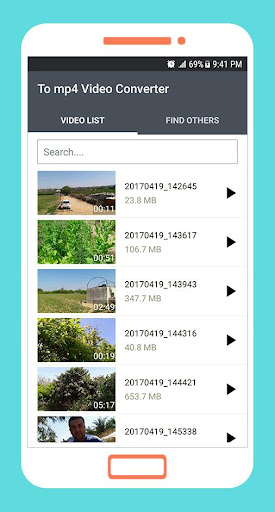
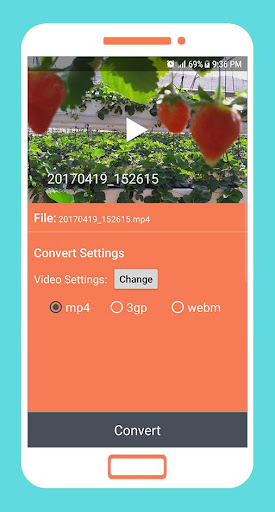


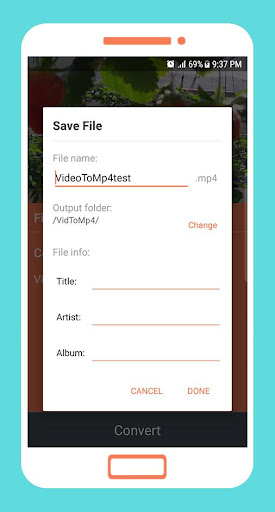
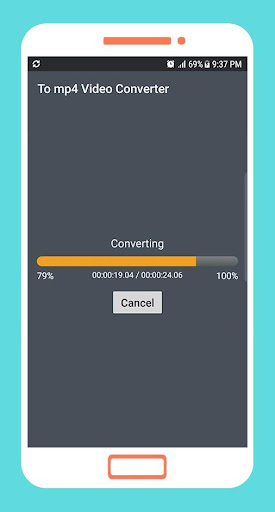
About this app
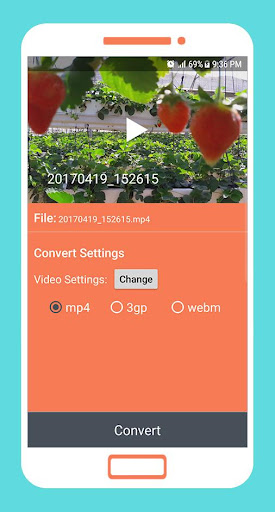
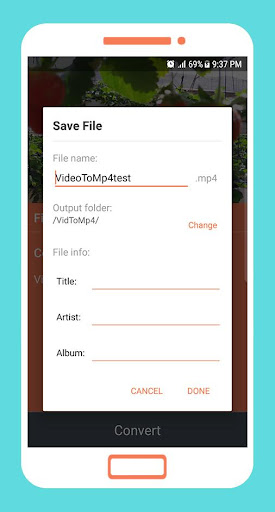
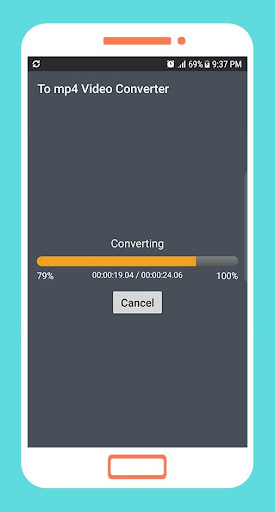
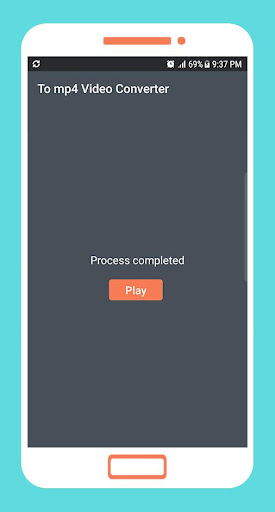
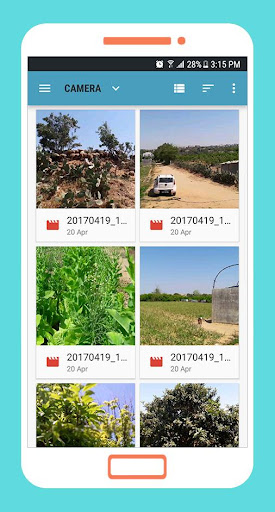
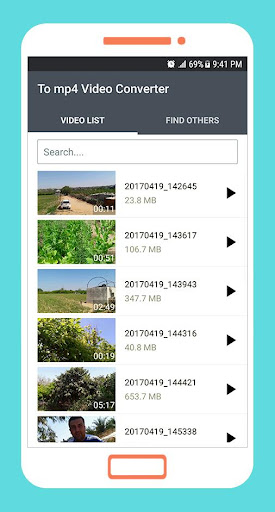
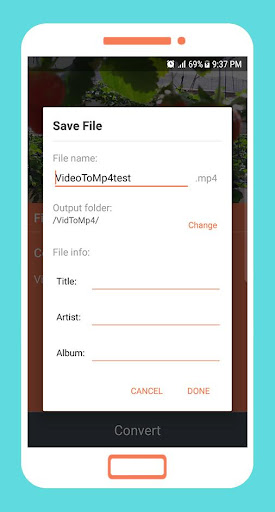
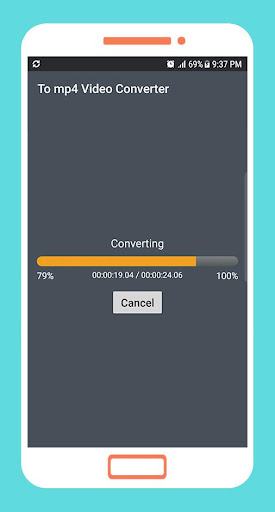
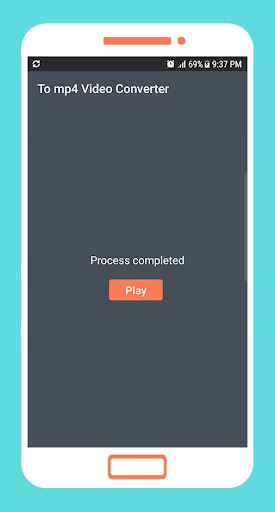
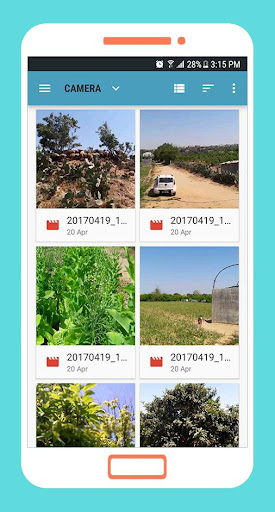
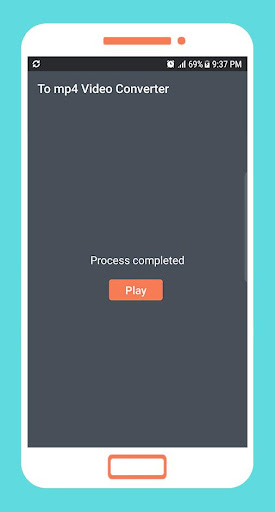
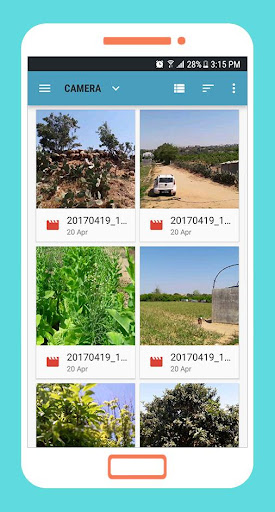
The To mp4 3gp webm Video Converte app solves the problem of incompatible video formats by providing a user-friendly tool for converting most popular video extensions into mp4, 3gp, and webm. This app benefits individuals who frequently work with videos from various sources, such as social media, messaging apps, or downloaded content. Compared to alternatives in the Tools category, this app stands out due to its simplicity and lack of required permissions, making it a more straightforward choice for those prioritizing ease of use and privacy. However, it falls short in terms of advanced features and customization options, which might limit its appeal for power users.
Pros
- With over 1 million downloads and a 3.7/5 user rating, this app has demonstrated its utility and reliability for a wide range of users, indicating a strong social proof.
- The app's simplicity, combined with its offline capability, makes it accessible for users who need to convert videos without an internet connection, enhancing its usability in various scenarios.
- The developer, Clogica, provides a professional website and contact email, suggesting a level of commitment to user support and potential for future updates and improvements.
- The absence of required permissions is a significant advantage, as it minimizes the risk of data collection and misuse, making it a more privacy-friendly option compared to other video converter apps.
- The option for in-app purchases at a relatively low cost of $1.99 per item offers users the flexibility to enhance their experience without committing to a full-priced upgrade or subscription.
Cons
- One of the primary concerns is the presence of ads, which, although understandable given the free model, might disrupt the user experience, especially for those converting multiple videos in one session.
- The app's limited feature set and lack of advanced options, such as batch conversion or detailed quality settings, might deter professional users or those requiring more sophisticated video editing capabilities.
- Although the app has a significant number of downloads, the relatively modest user rating of 3.7/5 suggests that some users may encounter issues or have unmet expectations, which could be due to the app's simplicity or the aggressiveness of the monetization model.
- The potential for in-app purchases to feel somewhat nickel-and-dime, given the low cost but piecemeal nature of these additions, might deter some users from fully engaging with the app's capabilities.
Best for: The ideal user for this app is likely an individual who frequently encounters videos in various formats, such as a social media enthusiast, a student working on multimedia projects, or a professional who needs to convert videos for presentations or training materials, and who values simplicity, ease of use, and privacy in a video conversion tool.
Developer Description
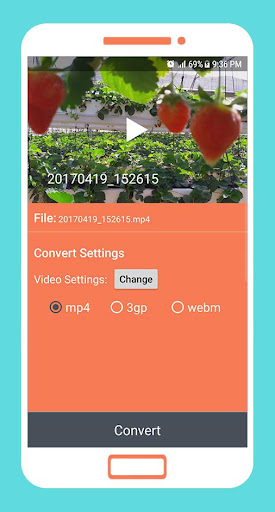
Convert most popular video extensions into mp4 3gp webm using this smart tool
Features:
- Sports most popular video extensions including 3gp, avi, mpg, wmv and more.
- Simple and powerful GUI.
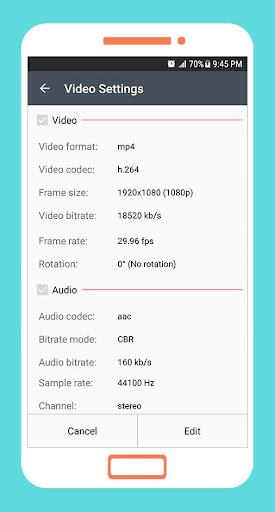
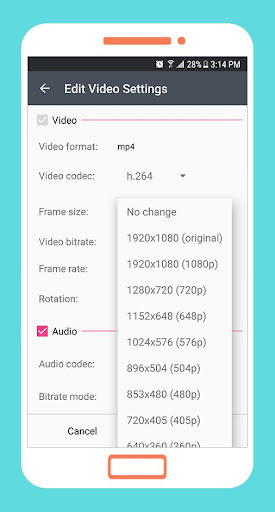
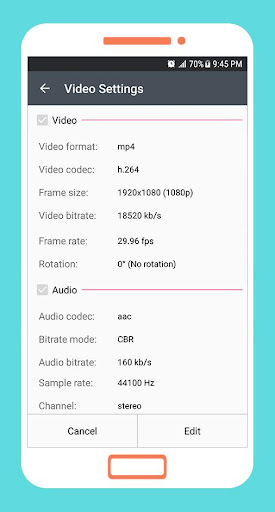
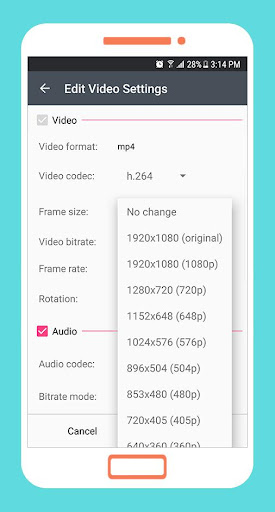
- You can choose output video settings like file format, codec, bit rate, frame rate, rotation and video dimension.
- You can choose the audio settings like file format, codec, bit rate, channels.
- Uses FFmpeg library the leading multimedia framework.
Uses FFmpeg under permission of LGPL.
Privacy
Given that this app requires no permissions, it presents a low risk in terms of data collection and privacy invasion. However, users should remain cautious of the ads displayed within the app, as clicking on them could lead to data collection by third-party advertisers. To minimize risk, users should avoid clicking on ads and consider the in-app purchases as an alternative to support the developer while reducing their exposure to advertising.
Tips
For optimal performance, users should ensure they have sufficient storage space on their device before converting videos, as the process can temporarily require additional space. Additionally, closing other resource-intensive apps while using the video converter can help prevent crashes and ensure smoother operation. Lastly, exploring the in-app purchase options can help users discover additional features that might enhance their video conversion experience.
What's New
In-app purchases
$1.99 per item
Version Information
- Version
- 3.9
- Downloads
- 1M+
- Updated on
- Oct 29, 2025
- Released
- May 20, 2017
- Requires
- Android 7.0
Statistics
Google Play Rating History
Rating Distribution
Downloads Over Time
To mp4 3gp webm Video Converte has been downloaded times. Over the past 30 days, it averaged downloads per day.
Shaded area shows 30-day prediction based on historical trends
Historical data collection started recently. More data points will be available over time.
To mp4 3gp webm Video Converte users say on Google Play
 Faris Iqram
Very good app at converting video,but it would have been better if it had batch processing feature so I could process more video easier.(edit:Its been two years since I ask this,but I will ask again,when you will or consider adding batch processing feature,I really needed it since I use this app ALOT.Anyway thanks for making this amazing converter)
 Md. Manik
It's free and easy to use .I like it so much.but I think they have to upgrade converting speed
 HB Bakibillah
ভালো
 Deep-Love
not properly work in background...after few minutes it's automatically close and video converting cancel after 50 to 60%.. tooo disappointment...
 Wojak
Wojak
it took 1 day to convert a 50mb music video
ApkTrusted Ratings & Reviews
More from Clogica
See more apps
LiteC Video MP3 Audio Extract
Free

Bluetooth App Sender APK Share
Free

Smart Video Compressor resizer
Free

Smart Video Rotate and Flip
Free

OGG MP3 AAC Audio Converter
Free

Smart Video Editor Trim Merge
Free

Replace Add Audio to Video
Free

VMER Video Merger Joiner
Free

MP3 Cutter and Audio Merger
Free

VEdit Video Cutter and Merger
Free

MP3 Music Amplifier & Booster
Free

Smart Video Crop - Video Cut
Free

MP3 Audio Merger and Joiner
Free

Fast & Slow Motion Video Maker
Free

Simple Todo List - Task List m
Free

Smart Money Manager
Free
Similar Apps

Video downloader: Vid Play
Paid

MP4Fix Video Repair Tool
Free

Smart Video Downloader
Paid

Video Recorder
Paid

Video Converter Pro
Paid

Video Downloader Stream Saver
Paid

Focus Video - Video Compressor
Free

ActionDirector - Video Editing
Free

TIKTOK Meme
Paid

Step-by-Step Fractions Guide
Paid

Status Saver App
Paid

Shashti Plus - Screen Recorder
Free

Al Quran- Qibla & Prayer Times
Free

PowerDirector - Video Editor
Free

Free Download Manager - FDM
Free

HQ Video Player & Casting
Paid
Scan this QR code to download

Forwarding you to the page at Google Play market in seconds...
Open Google Play market now