
GX IPTV Player Pro vVARY
Cloud Curry Studio













About this app
Developer Description
A smart IPTV player for Google TV, Android phone, tablet and Wear OS
Key Features:
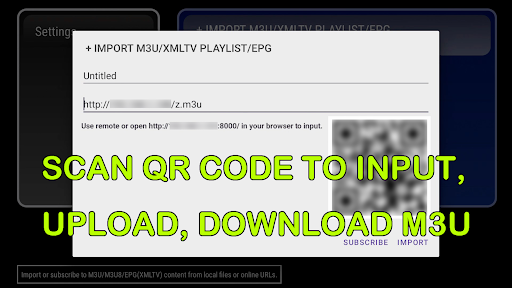
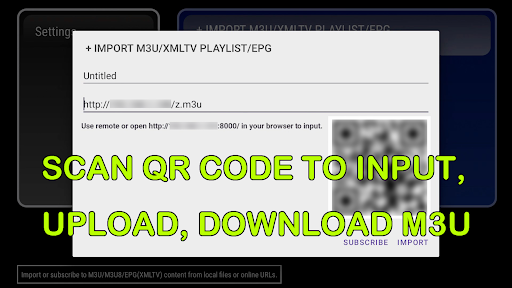
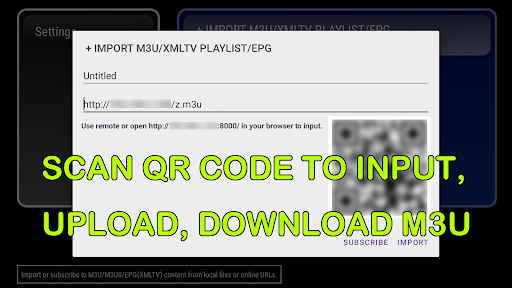
M3U and Video URL Import: GX IPTV Player offers multiple methods to import content, including web M3U playlist uploads, direct video URL input, file imports, and even the convenience of scanning QR code or the URL using your device's camera. (file import and QR code scanning are not available in Wear OS version)
* Here is a sample M3U playlist URL at http://tmnb.nl/x.m3u This playlist includes three HLS streams and one MP4 stream. Users can import this playlist into the app to test its features.
Auto Reload Subscriptions: Stay updated effortlessly with automatic reloading of M3U/EPG URLs subscriptions.
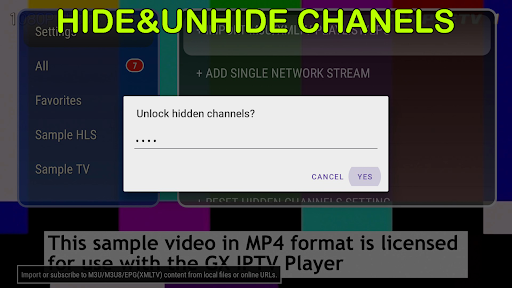
Enhanced Channel Security: Users can choose to hide specific video groups as needed and safeguard your channels with password protection for privacy.
Picture in Picture: Enjoy a seamless viewing experience by simultaneously watching two videos smarter, with the option to switch audio between these two streams effortlessly. One video appears as the main view, while the other plays in a smaller window.
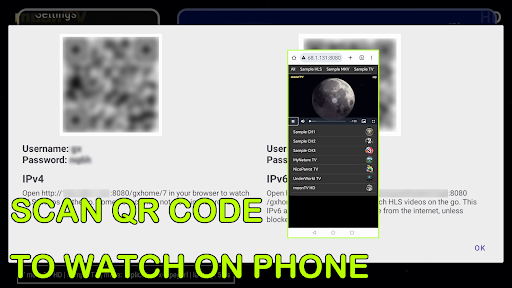
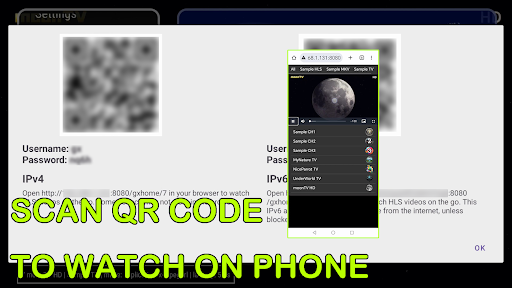
On-The-Go Streaming: Scan TV QR codes for browser HLS streaming on the go. Watch different channels on TV and browser. Works on iOS, Android, and PC.
IPv6 Compatibility: Stream videos from IPv6 addresses, and the browser viewing option also supports IPv6, enabling global end-to-end viewing (subject to firewall restrictions).
Multi-Format Support: Stream both IPTV (video) and RADIO (audio) content effortlessly.
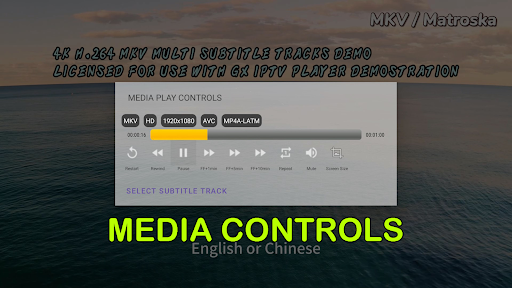
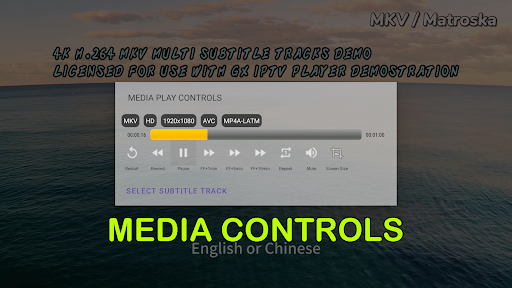
Advanced Playback Options: Select video tracks, audio tracks, and subtitle tracks during playback (if available) to customize your viewing experience.
Playlist Management: Easily manage your playlists within the app, allowing you to rename, delete, merge video groups, tag favorites, search for channels, and export M3U files.
Stream Verification: Verify channels listed in an M3U playlist automatically or manually, ensuring smooth playback.
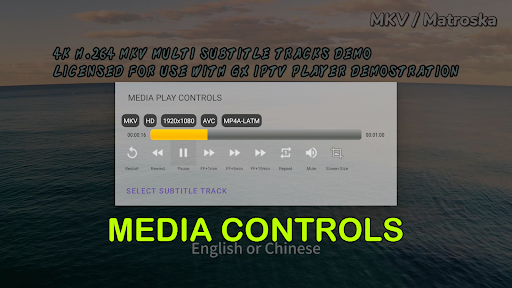
Media Controls: Enjoy comprehensive media control options, including restart, rewind, play, pause, mute, fast forward, aspect ratio adjustments, and tracking playback progress. (Seeking is not supported on all streams.)
XMLTV EPG Support: Load EPG data directly from M3U playlists and display program details such as title, description, and time, making it easy to keep track of what's on. (Note: Gzipped XML is not supported.)
User-Friendly Controls: Navigate with ease using both DPAD and touch controls for a personalized experience.
Control Guide:
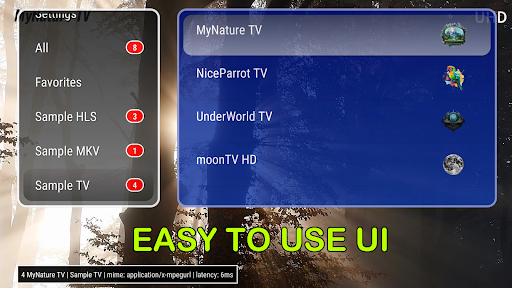
Main Menu:
Open the Main Menu: Press the OK button or tap the screen.
Channel Group Listing: Located on the left side.
Channels Listing: Found on the right side.
Context Menu: Hold the OK button or perform a long press on an item in either list to access options.
Group Selection: Tap on any group to choose it, and it will display the associated channels.
Channel Selection: Tap on any channel to start watching it.
Close Main Menu: Press the BACK button.
Video Playback View:
Access Media Controls: Press the left button or perform a double tap.
Switch Channels: Press up or swipe down to switch to the previous channel, and press down or swipe up to switch to the next channel.
Picture-in-Picture (PiP): If a PiP window is visible, press the right button or tap on the window to enlarge it and enable audio output.
Close PiP: Press the BACK button.
DISCLAIMER: This app is a video/audio player. It has no pre-installed content. Users should only download it from the Google Play Store.
What's New
2. player library has been migrated to media 3.
Version Information
- Version
- -
- Downloads
- 100+
- Updated on
- Dec 10, 2025
- Released
- Oct 12, 2023
- Requires
- Android 9
Statistics
Google Play Rating History
Rating Distribution
Downloads Over Time
GX IPTV Player Pro has been downloaded times. Over the past 30 days, it averaged downloads per day.
Shaded area shows 30-day prediction based on historical trends
Historical data collection started recently. More data points will be available over time.
GX IPTV Player Pro - Google Play Rankings
Top Rankings
| Rank | Country | Category | List | Change |
|---|---|---|---|---|
| — |
Ranking History in
No ranking data available yet. Rankings are updated daily.
#69 in Top Paid Video Players in Vietnam
 Subtitle Downloader Pro
GX IPTV Player Pro
Subtitle Downloader Pro
GX IPTV Player Pro
#69 in Top Paid Video Players in India
Subtitle Downloader Pro
 VLC Streamer
#69 in Top Paid Video Players in Saudi Arabia
Subtitle Downloader Pro
GX IPTV Player Pro
#70 in Top Paid Video Players in Egypt
Subtitle Downloader Pro
GX IPTV Player Pro
ApkTrusted Ratings & Reviews
More from Cloud Curry Studio
See more apps



Similar Apps

Nevix
Free

Peak Fighting
Free

kweliTV: Binge On The Culture
Free

IPTV Player: Watch 8K Live Tv
Paid

NSCA TV
Free

Google TV Home
Free

nzb360 - Media Server Manager
Free

Canon+
Free

UP NYC
Free

TrillerTV: Live Sports
Free

InBrowser - Incognito Browsing
Free
FX File Explorer
Free

IZZY - Stream Israel
Free

Victra
Free

NOVA Video Player
Free
NTD: Live TV & Breaking News
Free
Scan this QR code to download

Forwarding you to the page at Google Play market in seconds...
Open Google Play market now