
DriveWell Go™ vVARY
Cambridge Mobile Telematics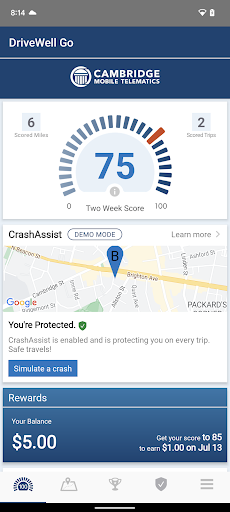

About this app
Developer Description
DriveWell Go gives feedback about your driving, helping you drive more safely.
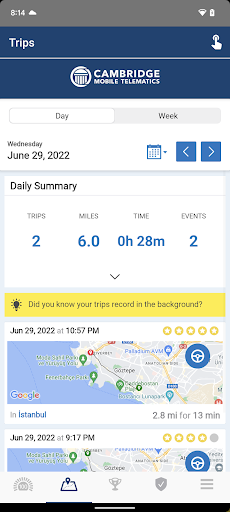
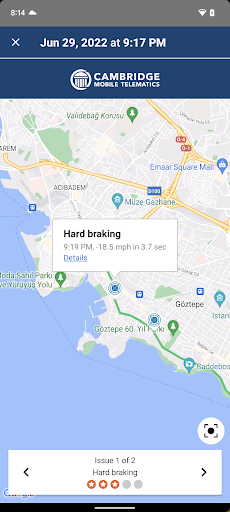
DriveWell Go automatically detects when driving starts and stops, and uses the phone’s sensors to measure your vehicle’s driving dynamics. It uses low-power sensing methods to reduce battery consumption. The app shows you trip summaries, details on maneuvers, and gives you useful feedback to become a better driver. It also acts a low-power logger of all of your driving trips.
This version of the application supports the DriveWell Tag device. By linking seamlessly with the smartphone app, the tag accurately calculates vehicle maneuvers. The DriveWell tag requires a bluetooth connection.
DriveWell Go runs in the background and uses GPS. Continued use of GPS running in the background can dramatically decrease battery life.
A valid registration token is needed to use this app.
Version Information
- Version
- -
- Downloads
- 10K+
- Updated on
- -
- Released
- Jun 24, 2013
- Requires
- Android Varies with device
Statistics
Google Play Rating History
Rating Distribution
Downloads Over Time
DriveWell Go™ has been downloaded times. Over the past 30 days, it averaged downloads per day.
Shaded area shows 30-day prediction based on historical trends
Historical data collection started recently. More data points will be available over time.
DriveWell Go™ users say on Google Play
 A Google user
Very easy to set up, and tracking and maps are accurate.
 Amanda Ingram
I feel like having this app as part of my insurance is a great idea. But, like with any app there are flaws. The phone usage is unfair. I use my phone to change my destination or use auto response when I'm parked in car line picking up my kids, it logs it against me and I lose a star. I agree with the awareness to using phones while driving. It's great, but needs to be better at this tracking 'distraction'. I use my phone for work and have to be aware when I get not. , which I do when stopped.
A Google user
It does what it says it does. However, the speed tracking seems to be off. I've been tracked going speeds I know that I wasn't doing, some of which aren't even possible in my sweet minivan. Accelerating up a fairly steep hill from 30 to 60 isn't something my whip can handle.
A Google user
It has some definite issues in that it relies on the phone being in the car. It rates distraction as phone use. If soneelse .. like you spouse ... Uses the phone for call or even navigation, it counts it as a distraction against your driving. There appears no way to tell it that the passenger is using your phone.
 Kadie Juskiewicz
It's way too sensitive. If you go around a corner-it doesn't matter how fast or slow it will mark off for cornering. If you sit in your parked car and are on your phone, it will mark off for phone use. Its too sensitive on acceleration as well. There's no way to dispute or adjust anything either. This is the worst app I've used for tracking driving. Much better ones exist. I don't recommend.
ApkTrusted Ratings & Reviews
More from Cambridge Mobile Telematics
See more apps





Scan this QR code to download

Forwarding you to the page at Google Play market in seconds...
Open Google Play market now