mconnect Player Lite – Cast AV v3.2.86
Conversdigital Co., Ltd.


About this app
Developer Description
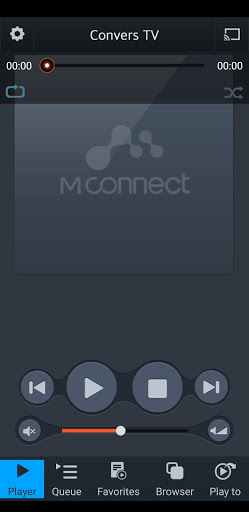
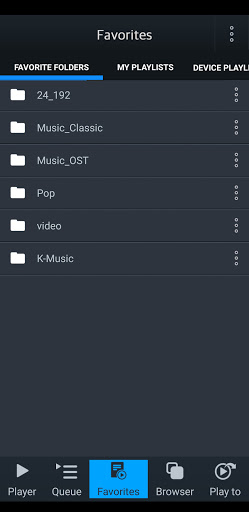
mconnect Player is a Media Player for Google Cast(Chromecast) & DLNA/UPnP.
mconnect Player is a media player app to support UPnP/DLNA and Google Cast(Chromecast).
- Send Video/Photo/Music to UPnP and Google Cast (Chromecast) devices.
- Play TIDAL, Qobuz and Bugs music & video to UPnP and Google Cast devices.
- Send MQA tracks (in TIDAL Master and local server) to UPnP compatible audio.
You can play media files from any Servers to any Playback Devices with mconnect Player.
[Media Servers]
- Your Phone and Tablet.
- UPnP compatible servers: PC and NAS.
- Internet Music integrated into App: TIDAL, Qobuz and Bugs.
- Cloud Server integrated into App: OneDrive and Dropbox.
[Playback Devices]
- Your Phone and Tablet.
- UPnP compatible renderers: Smart TV, UPnP supported Audio, UPnP receivers.
- Google Cast: Chromecast, Google Cast compatible Audio.
Note: If you send a media file to a remote playback device, the playable media format depends on the media decoder in the remote playback device.
Google Cast and Chromecast are registered trademarks of Google Inc.
DLNA is a trademark of Digital Living Network Alliance.
UPnP is a certification mark of the UPnP Forum in the United States and other countries.
TIDAL is a trademark of ASPIRO AB.
Qobuz is a trademark of XANDRIE SA.
Bugs is a trademark of NHN Bugs Corp.
What's New
Version Information
- Version
- 3.2.86
- Downloads
- 100K+
- Updated on
- Nov 4, 2025
- Released
- Jun 12, 2012
- Requires
- Android 5.0
Statistics
Google Play Rating History
Rating Distribution
Downloads Over Time
mconnect Player Lite – Cast AV has been downloaded times. Over the past 30 days, it averaged downloads per day.
Shaded area shows 30-day prediction based on historical trends
Historical data collection started recently. More data points will be available over time.
mconnect Player Lite – Cast AV users say on Google Play
 Rainer Maasik
For Hegel amp connection, to play tidal masters works very fine.
 Anthony Nelson
For those complaining about having to babysit hitting play every track, hit settings gear->gapless rendering and turning it off worked for me. Overall this app is good but the UI on the screen for chromecast is kind of ugly and doesnt tell you exactly what bit rate is actually being transferred. Other than that this app us wonderful.
 larry h (Larryh)
Qobuz Auto Play doesn't work. I tested it wit a single track and with an album. And yes, auto play was enabled with on the software (test on Android 13). Also, on iPad please enable the accelerometer. Using on iPad in phone mode is not comfortable with my case. Need to flip the display 180 degrees. Thanks. Update 12/9/23 Qubuz autoplay now works (Android 14). Not sure what development did, but sound quality is EXCELLENT. My new favorite Qobuz player, simply trounces the Wiim software for SQ.
 A Google user
App definitely needs an update.dont understand why limited to 48khz on tidal but says play tidal mqa. But will play qobuz 96khz.and no support for Amazon music.
 Taran S
Transcodes higher sampling rate down to 44 or 48khz before playing on upnp when using tidal master or mqa. Very disappointing
ApkTrusted Ratings & Reviews
More from Conversdigital Co., Ltd.
See more apps
Similar Apps





Scan this QR code to download

Forwarding you to the page at Google Play market in seconds...
Open Google Play market now