
Watch Face CUE151 vVARY
Creation Cue
About this app
Developer Description
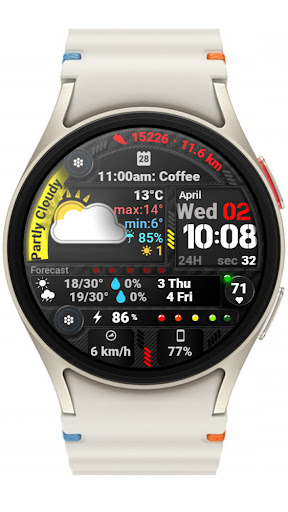
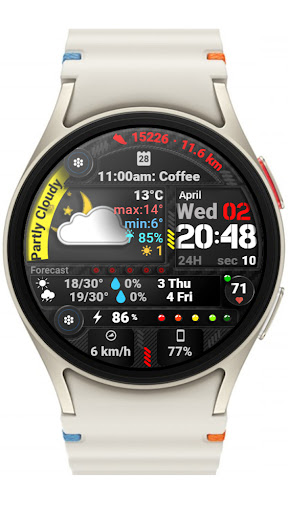
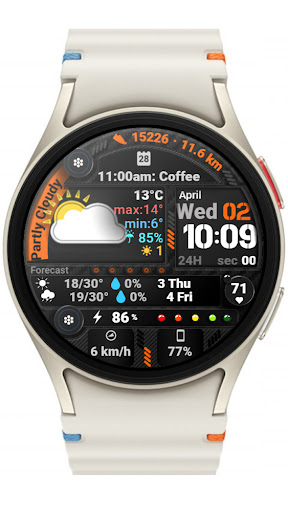
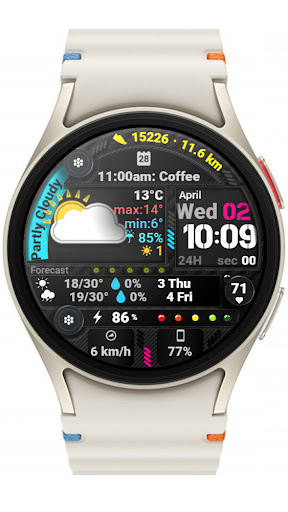
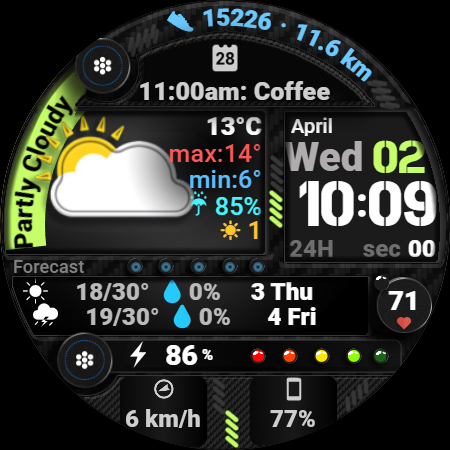
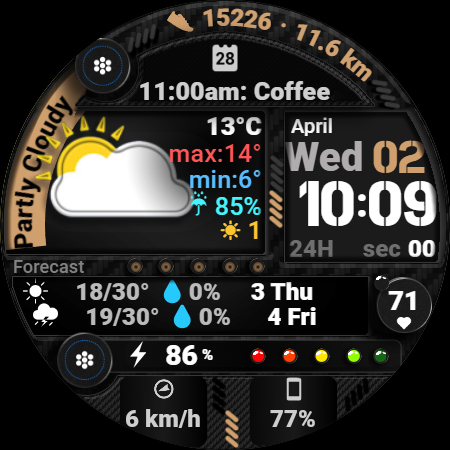
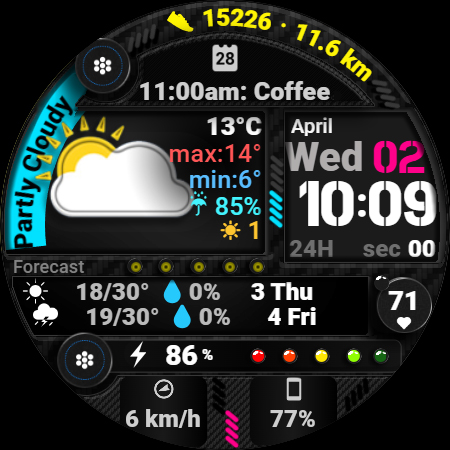
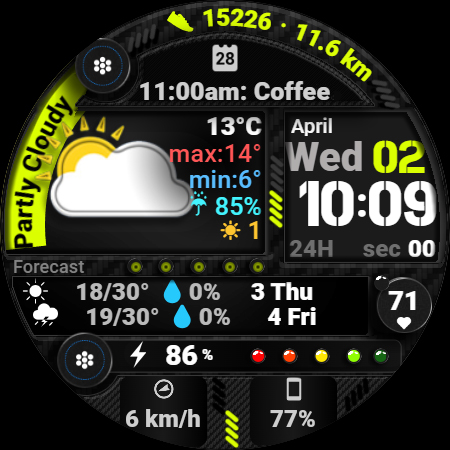
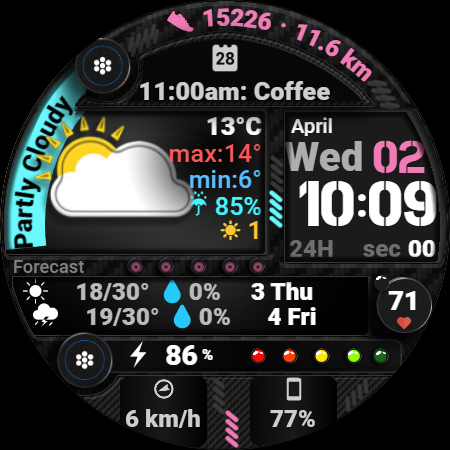
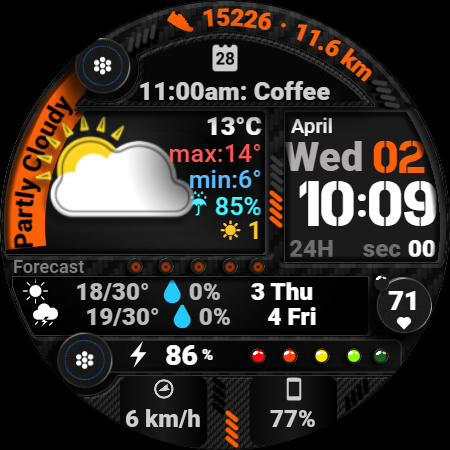
Sporty and modern Watch Face with a busy, high-tech layout and detailed weather.
Key Features:
▸24-hour format or AM/PM for the digital display.
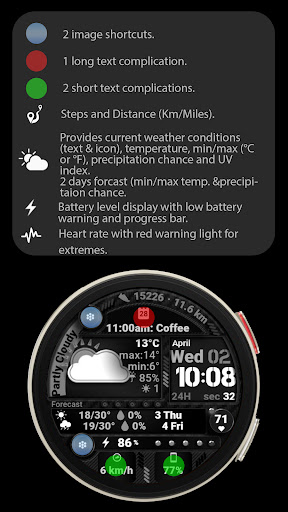
▸Heart rate display with red marker for High/Low zones.
▸Steps and distance-made display in km or miles.
▸ Current weather display with temperature, UV index, precipitation chance and weather condition (text & icon).
▸ Next two days' weather forecast shown with icons.
▸Battery power indication colors with low battery red flashing warning light and background plus charging indication.
▸You can add 2 short text complications, 1 long text complication and 2 image shortcuts on the Watch Face.
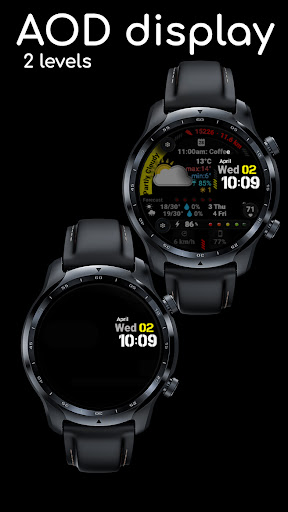
▸Two AOD dimmer options.
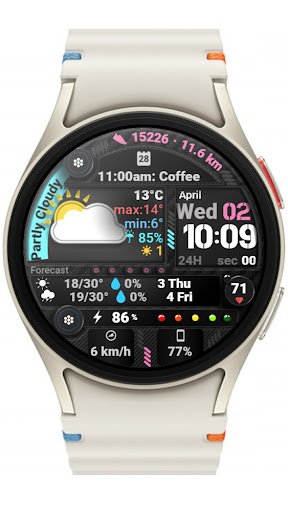
▸Multiple color themes available.
All details like the weather and date will automatically appear in the language set as default on the system.
🌦️ Weather Info Not Showing?
If the weather data doesn’t appear, make sure your watch is connected to your phone via Bluetooth and that location permissions are enabled in both the phone and watch settings. Also, ensure the default Weather app on your watch is set up and working. Sometimes it helps to switch to another watch face and then back. A few minutes may be needed for the data to sync.
Feel free to experiment with the different areas available for custom complications to discover the optimal placement that suits your needs and preferences.
🌦️ Weather Info Not Showing?
If the weather data doesn’t appear, make sure your watch is connected to your phone via Bluetooth and that location permissions are enabled in both the phone and watch settings. Also, ensure the default Weather app on your watch is set up and working. Sometimes it helps to switch to another watch face and then back. A few minutes may be needed for the data to sync.
If you encounter any problems or installation difficulties, please contact us so we can assist you with the process.
✉️ Email: support@creationcue.space
What's New
▸Now includes more color options.
▸Charging indication added.
▸Updated to comply with Google Play’s new guidelines.
Version Information
- Version
- -
- Downloads
- 1K+
- Updated on
- Jul 2, 2025
- Released
- Apr 1, 2025
- Requires
- Android Varies with device
Statistics
Google Play Rating History
Rating Distribution
Downloads Over Time
Watch Face CUE151 has been downloaded times. Over the past 30 days, it averaged downloads per day.
Shaded area shows 30-day prediction based on historical trends
Historical data collection started recently. More data points will be available over time.
Watch Face CUE151 users say on Google Play
 Ryan C (Weird.Wacky.UAP.Phenomena)
awesome designs and interface!
 adam T
awesome but the forecast doesn't work on ultra 2
 Marli Campbell
please send a coupon Hun and I will update my review afterwards. I'm sorry I don't understand this stuff and it isn't fair to you you worked hard on this I am sure
ApkTrusted Ratings & Reviews
More from Creation Cue
See more apps
Digital Watch Face CUE111
Paid
Digital Watch Face CUE108
Free

Digital Watch Face CUE100
Paid

Digital Watch Face CUE105
Paid
Digital Watch Face CUE024
Paid

Digital Watch Face CUE101
Paid

Digital Watch Face CUE102
Paid
Digital Watch Face CUE103
Paid

Digital Watch Face CUE104
Paid

Digital Watch Face CUE099
Paid

Digital Watch Face CUE106
Paid

Digital Watch Face CUE107
Paid

Digital Watch Face CUE098
Paid

Digital Watch Face CUE109
Paid
Digital Watch Face CUE110
Paid

Digital Watch Face CUE097
Paid
Similar Apps
![[KNA015] CRESCENT icon](https://play-lh.googleusercontent.com/ti1orTMCEZwaoCbG-MDyiq7CwLLTJGZ-lYBocqpGIQ4G1crZ-k03Ck1XVG4wPP_u8mk)
[KNA015] CRESCENT
Paid

Weather watch face W7.5
Paid
Weather Watchface Watch7/ultra
Paid

PW106 MultiFunction Watch Face
Paid

ES WR0017
Paid

Informative WearOS 5 NTV576
Free

DF087
Paid

ES WR0015
Paid

N-SPORT704 Weather Time Watch
Paid

SamWatch Digital Weather
Paid

N-SPORT750 DigitalWeather Face
Paid

Weather info
Free

Digital Weather D Sport NTV580
Free

HMK WD133
Paid

SamWatch Digital Weather 4
Paid

Futorum H6.5 Digital watchface
Paid
Scan this QR code to download

Forwarding you to the page at Google Play market in seconds...
Open Google Play market now