BeadStudio: Fuse bead designer v11.17
datscharf



About this app
BeadStudio: Fuse bead designer is an innovative app that solves the problem of creating melty bead designs by providing a digital platform for users to express their creativity. This app benefits crafty individuals, particularly children and adults who enjoy DIY projects, by offering a unique and engaging way to design and create bead patterns. Compared to other entertainment apps, BeadStudio stands out with its niche focus and user-friendly interface, but may fall short in terms of broad appeal. The app's high rating and lack of ads or in-app purchases are notable advantages.
Pros
- With a 4.4/5 rating and over 5,000 downloads, BeadStudio has demonstrated its quality and appeal to users, indicating a well-designed and enjoyable experience.
- The app's paid model, priced at $2.49, is reasonable and ad-free, ensuring an uninterrupted creative experience for users.
- The developer's reputation, as evident from their website and email support, suggests a commitment to user satisfaction and potential for future updates and improvements.
- BeadStudio's offline capability and lack of permissions requests enhance user privacy and security, making it a trustworthy choice for users of all ages.
- The app's focus on creativity and self-expression can be beneficial for users looking for a relaxing and engaging hobby or activity.
Cons
- One concern is the app's limited appeal, as it may not be of interest to users who are not into crafting or DIY projects, potentially limiting its user base.
- The app's small download numbers, although indicative of a niche audience, may also suggest limited community engagement or support compared to more popular apps.
- Some users may find the app's features or design options limited, potentially leading to repetitive or uninspiring designs over time.
- The lack of free version or trial may deter some users from trying the app, potentially limiting its reach and adoption.
Best for: The ideal user for BeadStudio is a crafty individual, likely between the ages of 8 and 60, with a basic understanding of digital interfaces and a passion for DIY projects, melty bead art, or other creative pursuits, who is looking for a fun, relaxing, and engaging way to express their creativity and bring their designs to life.
Developer Description
Create melty bead designs by numbers, photos or your imagination
BeadStudio enables you to craft creative and beautiful designs and patterns before transferring them to real pegboards making them permanent by ironing the fuse beads.
Explore new ideas and designs in the comfort of your sofa, backseat of the car or in the bus - not easily done with real melty beads.
Many different people are already using BeadStudio - from kids to artists - using it as a tool for their own designs, photorealistic artworks or pixel arts or just for recreation and meditation.
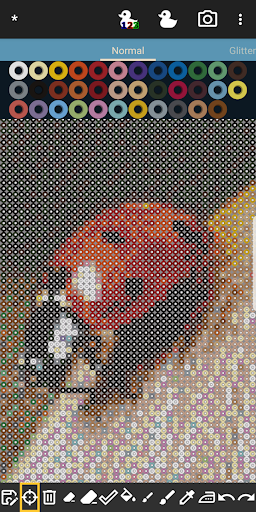
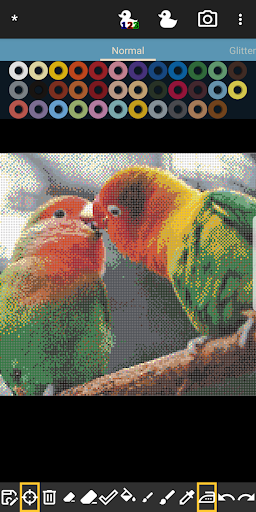
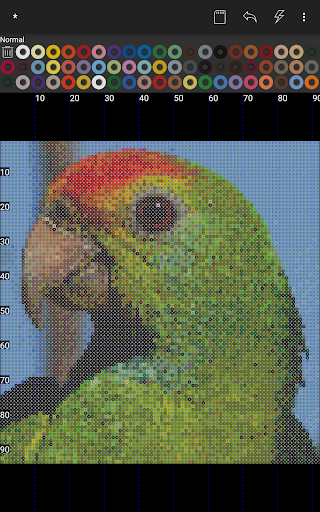
Use the built-in photo to bead conversion tool and transform your family photos, cat or landscape into designs using exactly the brand and colors of beads you have available.
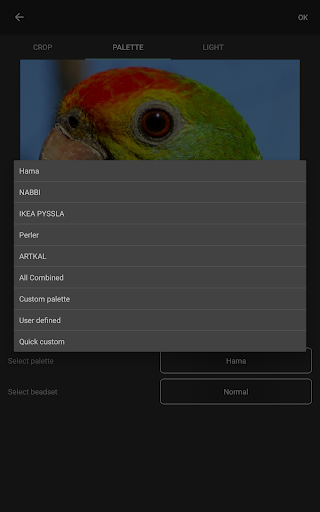
BeadStudio supports all the major brands of fuse beads such as Hama Beads, Perler Beads, Artkal Beads, Nabbi Beads or Pyssla Beads in freehand artworks, figures like unicorns, bunnies, dinosaurs etc. and when making photorealistic designs.
BeadStudio supports mixing different types of beads in one single custom palette. You need that special green from brand A in your otherwise perfect brand B set of melty beads? No problem just make a custom palette!
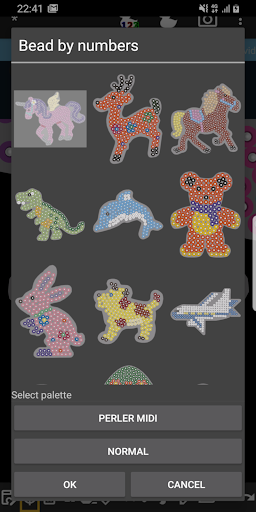
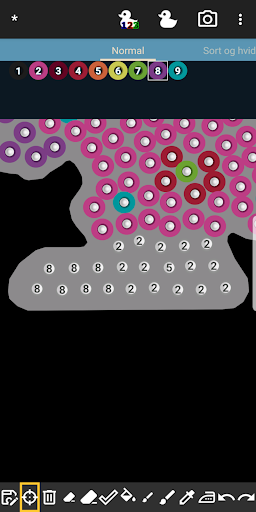
Try out the new entertaining, meditative and calming feature: Bead By Numbers which is very similar to Paint By Numbers. Chose a variety of readily available figures, shapes and animals such as bunny, unicorn, butterfly, dinosaur, dog and many more. Each peg is numbered, select the matching fuse bead from the palette and start filling out the pattern.
Bead by numbers helps kids improve their motor skills and stimulates them to try out other similar designs using the basic design as inspiration, just with different colors. Zooming in makes the beads big enough for even the smallest fingers - BeadStudio is easy to use for kids and adults alike.
Fuse beads can be used for many different designs and projects - inspiration is all around the internet with fun and beautiful ideas like Christmas ornaments, alphabets, jewelry, necklaces, keychains, fridge magnets and even bowls baked in the oven. All perfect gifts for parents and grand-parents.
Fuse beads has been around for a long time and will continue to be a creative and entertaining pastime for all ages where in the later years melty beads has become a cool, hip and trendy thing where dedicated groups of grown-ups around the world are cultivating this hobby celebrating a nostalgic trip back to their childhood.
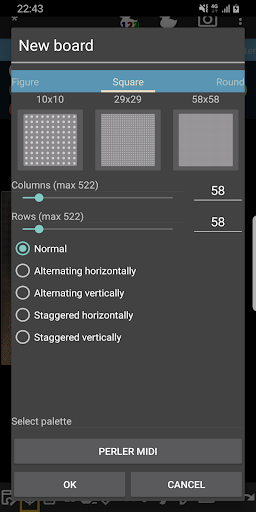
Using BeadStudio is as simple as finger painting. Create a new standard rectangular board or chose from many of the readymade templates, shapes and figures. If you want to change the design into real beads afterwards you should chose the brand of beads you have available such as Hama Beads, Perler Beads, Artkal Beads, Nabbi Beads or Pyssla Beads. If you don’t have all the colors then just make your own palette with the colors you have, where mixing beads from different brands is possible. Use the different tools available for placing single beads at a time or drawing/painting with the brush tool. Making mistakes is part of it; this is where undo/redo and the eraser tool comes in handy.
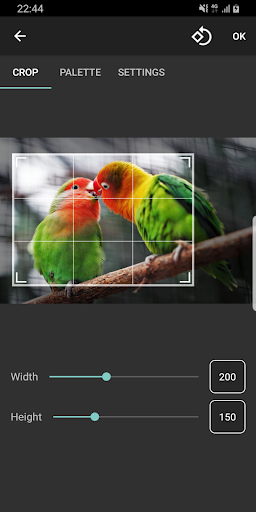
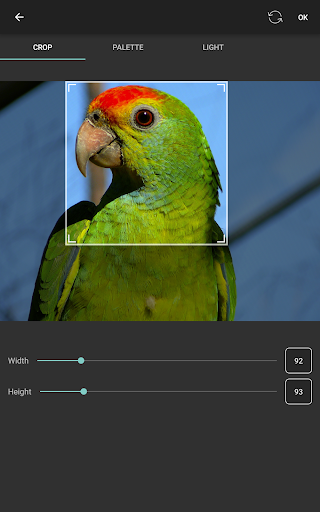
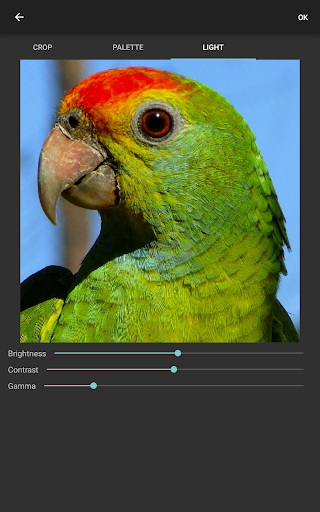
Generating boards from photos can make some marvelous designs, and you can control many aspects of the image before conversion such as dithering, coloring and lighting. Use the crop tool to select which area of the photo you want to convert, just set the size of the board you want to make first (such as 58x58 beads) and then the aspect ratio of the cropping area is fixed. You can now select the area and zoom in and out to your liking; it’s really simple and easy to use!
Any questions or suggestions don’t hesitate to contact me at datscharf@gmail.com
BeadStudio needs internet and external storage permissions to convert images from web storage and loading and saving designs to internal flash.
Privacy
Given that BeadStudio requests no permissions, users can be assured that their data and device are secure. However, as with any app, it's essential to monitor battery and data usage, especially during extended creative sessions. Users should also be cautious when visiting the developer's website or contacting support via email, ensuring they are using secure connections and providing minimal personal information.
Tips
To get the most out of BeadStudio, users should start by exploring the app's design tutorials and examples to understand its full potential. Regularly saving designs and experimenting with different patterns and colors can also help prevent creative blocks and inspire new ideas. Additionally, users can optimize performance by closing other resource-intensive apps and ensuring their device is fully charged before extended use.
What's New
• Added new colors SE01-SE17 and missing S152
Version Information
- Version
- 11.17
- Downloads
- 5K+
- Updated on
- Oct 27, 2025
- Released
- Dec 8, 2013
- Requires
- Android 5.0
Statistics
Google Play Rating History
Rating Distribution
Downloads Over Time
BeadStudio: Fuse bead designer has been downloaded times. Over the past 30 days, it averaged downloads per day.
Shaded area shows 30-day prediction based on historical trends
Historical data collection started recently. More data points will be available over time.
BeadStudio: Fuse bead designer - Google Play Rankings
Top Rankings
| Rank | Country | Category | List | Change |
|---|---|---|---|---|
| — |
Ranking History in
No ranking data available yet. Rankings are updated daily.
#13 in Top Paid Entertainment in United Kingdom


#65 in Top Paid Entertainment in Saudi Arabia

#66 in Top Paid Entertainment in India


#66 in Top Paid Entertainment in Argentina

BeadStudio: Fuse bead designer users say on Google Play
 A Google user
Great so far, would love the following two features. 1. No limit to zooming in. I place the pegboard directly above my phone to try and line up the squares with each pixel, since i dont use printed sheets, but the display is barely big enough to evenly line up. Zooming in further would fix this. 2. Would be nice if there was a toggle button that would basically change each bead on the board into its pixel counterpart, so instead of showing the round bead shape it would show a full square (pixel).
 Brianne Potter
I really love this app for bead design. A few kinks are easily worked around. However, Support for the PAID version is nonexistent. I have emailed the developer and have never had a response. As others have stated, getting a pic to fit your bead constraints is torture. There seems to be no way to crop it correctly, so most pics you can only crop maybe 50% of the image. Works great for freehand. I have not found a way to transfer files from one device to another so it opens in the 2nd device app
 Nathan
Lost all my saved projects
 danao avila
It has many options and the color palette of different brands seems super complete, although it does not have an option that suggests the size that best suits your projects, which makes it difficult to start. Edit: After I used for a long time I watch a big and terrible problem with the is color match with the palette colors and the original image, for some reason the app add a lot of variety of colors who didn't exist in the original image, I loaded a image whit literally 10-15 colors and the app create the design with more than 30 colors and the worst part ir that colors dont even match in a bit. (IDKif I'm using it wrong) Other problem is the PNG formart not is exactly perfect for be printed but this is just an opinion
A Google user
It crashes everytime I want to save my pattern. It is useless if you cannot save your work.
ApkTrusted Ratings & Reviews
More from datscharf
See more apps


Similar Apps

CDC HEADS UP Rocket Blades
Free

Bubbles & Friends
Free

Magic Mitten
Free

Wondaer Interactive Kids Books
Free

TappyBooks: First Baby Words
Free

Maneno
Free
Christmas Coloring Pages
Free

Little Monster Home
Free

Pupila Kids Books & Stories
Free
St. Ives: book & nursery rhyme
Free

The Circle of Giving
Free
Scan this QR code to download

Forwarding you to the page at Google Play market in seconds...
Open Google Play market now