
AirCast:Cast to TV via AirPlay v1.3.2
Delta Software




About this app
Developer Description
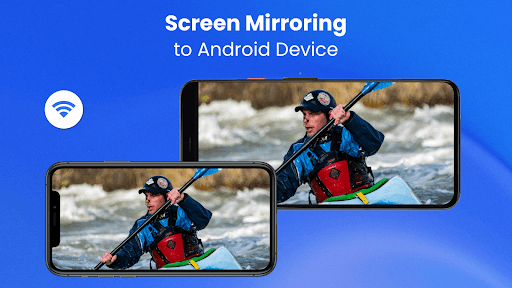
iPhone screen mirroring, web cast,all screen cast to your Android TV via AirPlay
AirCast:TV Casting via AirPlay is a powerful screen mirroring app that you can install on your Android TV. It allows you to stream web videos, music, films, games and photos from iOS devices over Wi-Fi using Apple AirPlay free technology.
FEATURES
▶️ iPhone screen mirroring to Android TV in high-definition quality.
▶️ Real-time screen casting of web videos, images and music.
▶️ Freely adjust resolution and frame rate to match your network and display.
▶️ Automatically adapts to portrait or landscape display mirroring.
▶️ No extra devices needed. Experience stable airplay TV casting with ease.
With AirCast:TV Casting via AirPlay, you can:
1. Play music directly from your iOS device to Android TV and enjoy a fuller sound experience.
2. Mirror workout or tutorial videos to your TV for easier viewing and better learning.
3. Share movies and shows by screen mirroring cast to TV, perfect for family nights.
4. Display your presentations on a large screen during meetings or classrooms.
5. Quickly cast your photos or recordings to your Smart TV to relive memories.
How to Use AirCast:TV Casting via AirPlay?
1. Download and open the AirCast app on your Android TV.
2. Ensure your iOS device and TV are connected to the same Wi-Fi.
3. Enable AirPlay on your iPhone.
4. Select your TV name from the available devices list.
5. Your screen will now be mirrored.
6. Enjoy smooth screen mirroring cast across your home.
AirCast works similarly to well-known casting tools such as AirServer, LonelyScreen, MirrorMeister, and AllCast for iPhone, but is optimized specifically for Android TV usage. Whether you're familiar with Fast Cast, Smart Mirror, or WebCaster, this airmirror app offers a smooth and intuitive alternative for TV casting & screen mirroring.
Troubleshoot:
1. Compatible with smart TV screen mirroring app features and works seamlessly with Android cast systems.
2. If connection issues occur, restarting your Apple device or reinstalling AirCast app fixes most problems.
If you have any thoughts, questions, or suggestions, please contact us:
feedback@deltasoftware.com.cn
Terms of Use: https://www.deltasoftware.cc/terms-of-use
Privacy Policy: https://www.deltasoftware.cc/privacy-policy
What's New
* Improving user experience
* Cast & Mirror from your Apple devices to Android Devices!
In-app purchases
$1.99 - $4.99 per item
Version Information
- Version
- 1.3.2
- Downloads
- 100K+
- Updated on
- Dec 17, 2025
- Released
- Dec 12, 2023
- Requires
- Android 6.0
Statistics
Google Play Rating History
Rating Distribution
Downloads Over Time
AirCast:Cast to TV via AirPlay has been downloaded times. Over the past 30 days, it averaged downloads per day.
Shaded area shows 30-day prediction based on historical trends
Historical data collection started recently. More data points will be available over time.
AirCast:Cast to TV via AirPlay users say on Google Play
 Roni Biswas
good
 Lawrence Atkinson
Cast MacBook with no virtual of screen, only audio on Google TV.
 Wilf T
free version only streams for 5 minutes
ApkTrusted Ratings & Reviews
More from Delta Software
See more apps
Similar Apps

HeadTrack
Paid

Lorex Classic
Free

Philips Hue
Free

Govee Home
Free

GHome work with Gosund
Free

Philips Air+
Free

Home Assistant
Free

Stream Vision 2
Free

Castro Premium - system info
Paid
Homey — A better smart home
Free

HQ Video Player & Casting
Paid

Home V
Free
Home + Control
Free

Plume Home
Free
Nest
Free

Airthings
Free
Scan this QR code to download

Forwarding you to the page at Google Play market in seconds...
Open Google Play market now