Philips Air+ v3.16.1
Versuni Netherlands B.V.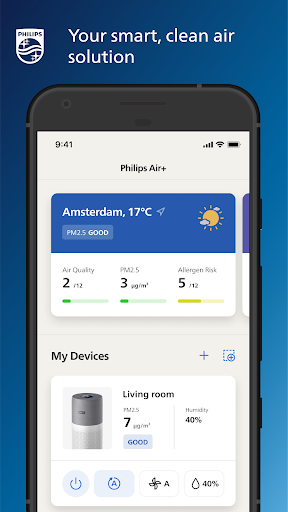

About this app
The Philips Air+ app solves the problem of air quality monitoring and management, benefiting individuals who prioritize clean air and health, particularly those with respiratory issues. Compared to alternatives in the Lifestyle category, Philips Air+ stands out for its seamless integration with Philips air purifiers, making it a top choice for users invested in the Philips ecosystem. However, its limited features and lack of compatibility with other air purifier brands may fall short for some users. Overall, the app's user-friendly interface and positive user reviews make it a solid choice for those seeking a straightforward air quality management solution.
Pros
- With over 500,000 downloads and a 3.8-star rating, Philips Air+ has demonstrated moderate social proof and a generally positive user experience, indicating a well-designed and functional app.
- The app's lack of ads and in-app purchases ensures a distraction-free experience, allowing users to focus on monitoring and managing their air quality without interruptions or additional costs.
- As a product from a reputable developer like Philips, users can expect a certain level of quality and reliability, which is reflected in the app's overall performance and user reviews.
- The app's simplicity and ease of use make it accessible to a wide range of users, including those who may not be tech-savvy, allowing anyone to monitor and manage their air quality effectively.
- Regular updates from the developer ensure that the app stays compatible with the latest Android versions and security patches, providing users with a secure and up-to-date experience.
Cons
- Despite its positive aspects, Philips Air+ lacks compatibility with air purifiers from other brands, limiting its usefulness for users who have invested in different ecosystems or prefer other brands.
- Some users may find the app's feature set limited compared to more comprehensive air quality management solutions, which could offer more detailed analytics or customizable settings.
- Although the app has a good user rating, some users have reported issues with connectivity and synchronization with their Philips air purifiers, which could be frustrating for those relying on the app for consistent monitoring.
- The app requires Android 9 or later, which may exclude some users with older devices, potentially limiting its reach and accessibility for those who cannot or prefer not to update their operating system.
Best for: The ideal user for Philips Air+ is someone who values clean air, possibly has respiratory issues, and is already invested in the Philips ecosystem, particularly those who own Philips air purifiers and are looking for a straightforward, user-friendly app to monitor and manage their air quality without the need for extensive customization or compatibility with other brands.
Developer Description
Your smart, clean air solution
The app keeps track of all indoor and outdoor pollutants and automatically adjust your device’s performance, so you don’t have to. Air+ keeps you in control, at home or away, with a device remote and notifications about all your air concerns including pollutants, allergies and gas. And by staying in the know with insights into your air quality data from past to present, you are in full control of breathing the clean, healthy air you deserve.
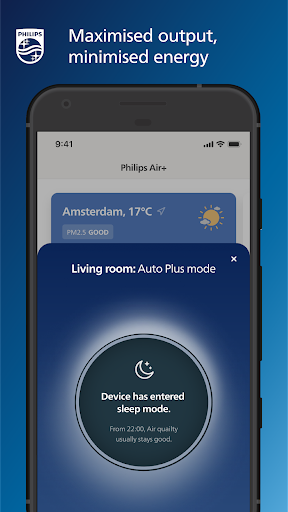
Auto Plus mode - the smartest way to clean air
Once you activate Auto Plus mode in the Air+ app, your indoor air will automatically be cleaned to keep pollutants at bay. This Self-adaptive Technology, powered by Artificial Intelligence, considers the readings of the smart sensors, room size, outdoor data and behavioral patterns to maximize
performance.
Disclaimer: Auto Plus mode will be released in winter 2022 for most Philips Air devices.
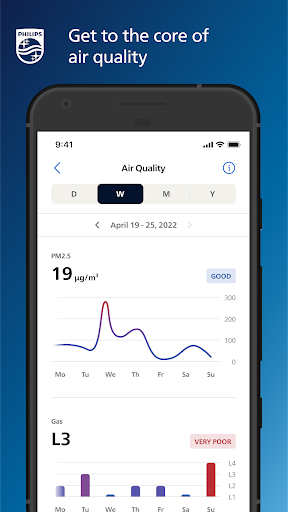
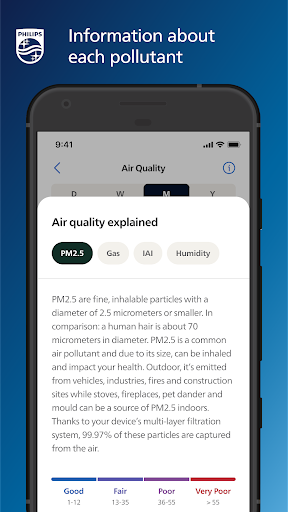
Get to the core of air quality
Thanks to the smart device sensors, Air+ provides you with real-time, indoor air quality data. Ranging from high-level snapshots to detailed views, all data is available to you up until a year ago. More information about each pollutant and their causes are included so you can make well informed decisions about your indoor air.
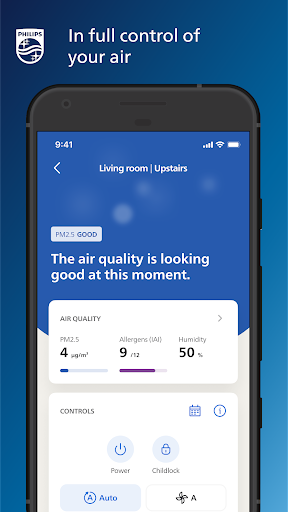
In full control of your air, at home or away
Air+ features a built-in remote so you are in full control of your device’s performance. Seamlessly switch between different modes, fan speeds and other features to tailor the device settings to your needs. Great for turning your device off when you’re away or on when you’re heading home, or to make changes without being near your Air device.
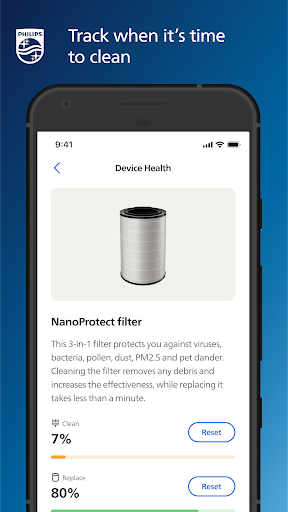
Easy upkeep for maximized output
Air+ tracks when it’s time to clean or replace certain parts of you Air device to make sure it runs at peak performance. Messaging and notifications alert you when the low-effort maintenance should be taken care of, and Air+ has step-by-step instructions handy if you need them. Plus, in most cases, you can buy new filters straight from the app.
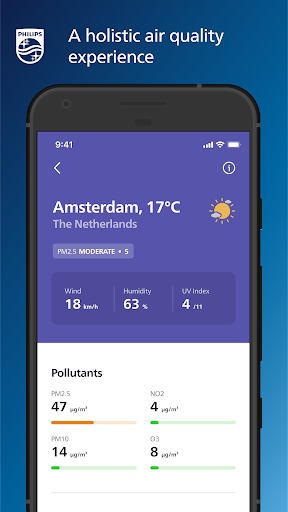
A holistic air quality experience with outdoor data
As outdoor air quality can have a big impact on the indoor levels, Air+ includes a comprehensive overview of real-time outdoor readings. Additionally, Air+ provides a quick snapshot of the current weather at each location. You can add up to five cities to keep you in the know about the air quality conditions near and far.
Air+ also supports a smarter experience with Philips Robot Vacuum Cleaners.
Privacy
Given that Philips Air+ requests no permissions, it poses minimal risk to user privacy and security, making it a safe choice for those concerned about data collection. However, users should still be cautious when setting up their Philips air purifiers and ensure they follow the manufacturer's guidelines for secure connectivity. Additionally, users should regularly review and update their app to ensure they have the latest security patches and features.
Tips
To get the most out of Philips Air+, users should initially set up their air purifier according to the manufacturer's instructions and then connect it to the app for seamless monitoring and control. For optimal performance, ensure your device and air purifier are connected to the same Wi-Fi network and consider placing your air purifier in a central location to maximize its effectiveness. Regularly checking the app for updates and cleaning the air purifier according to the manufacturer's schedule can also help maintain its efficiency and prolong its lifespan.
What's New
Version Information
- Version
- 3.16.1
- Downloads
- 500K+
- Updated on
- Nov 24, 2025
- Released
- Nov 22, 2019
- Requires
- Android 9
Statistics
Google Play Rating History
Rating Distribution
Downloads Over Time
Philips Air+ has been downloaded times. Over the past 30 days, it averaged downloads per day.
Shaded area shows 30-day prediction based on historical trends
Historical data collection started recently. More data points will be available over time.
Philips Air+ - Google Play Rankings
Top Rankings
| Rank | Country | Category | List | Change |
|---|---|---|---|---|
| — |
Ranking History in
No ranking data available yet. Rankings are updated daily.
#39 in Top Free Lifestyle in Netherlands

Philips Air+ users say on Google Play
 Pratyaksh Jha
Really helpful app when you are away from home and need to turn on/off your air purifier. It also shows the AQI and the pm2.5 readings in your area, which is good to compare your room with outside air.
 shivam gupta
Please add a custom mode to set a PM2.5 target (e.g., 35) so the purifier auto-maintains air quality within that level. Please show AQI along with PM2.5 for clearer understanding. The graph scale jumps from 50 to 500; please add intermediate values like 10, 200, and 400 for easier reading.
 Chun Wei
The app itself is not bad, but it has a lot of problems trying to connect to the device randomly sometimes. I wish there were smarter features around scheduling. Maybe if it could read from the sensor every interval (30m or an hour), and turn on the humidifier if it dropped below a certain %. It would also be great if the light can also be turned on and off based on schedule. And customize it so we're able to turn off the beep sound after a certain time.
 James Evans
Connecting to a device takes ages. I have an air purifier, and the app takes minutes to connect to it, if it even connects, or better yet, if it even displays it exists in the app. when it works (1/10 times) it's totally adequate. 9/10 times it's software waste.
 Xx Xx
Xx Xx
Sometimes cannot connect to my devices via the app and instead I have to use Alexa to control them. Edit: Beyond junk. Can't login to control my air purifier. Another "Philips" outsourced piece of junk. EDIT: Support team were clueless as to the issue. Terrible app and product combination; avoid! EDIT: I can't believe this app STILL doesn't work, it's an absolute joke.
ApkTrusted Ratings & Reviews
More from Versuni Netherlands B.V.
See more apps


Similar Apps

Philips Hue
Free

GHome work with Gosund
Free

ConnectLife
Free

Tuya - Smart Life,Smart Living
Free
SmartHome (MSmartHome)
Free

Hue Essentials
Free

Oral-B
Free
Philips Avent Baby Monitor+
Free

Govee Home
Free

Aqara Home
Free

Miele app – Smart Home
Free
SmartLife - Smart Living
Free

MyDyson™
Free

DREO
Free
eufy Clean(EufyHome)
Free

Brightline
Free
Scan this QR code to download

Forwarding you to the page at Google Play market in seconds...
Open Google Play market now