eufy Clean(EufyHome) v3.17.1
Anker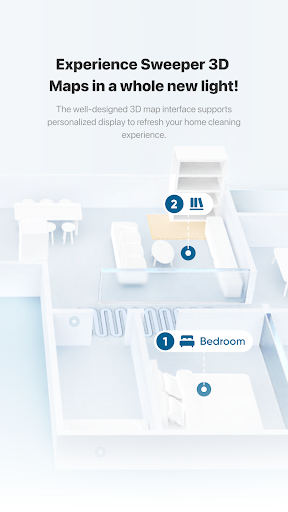






About this app
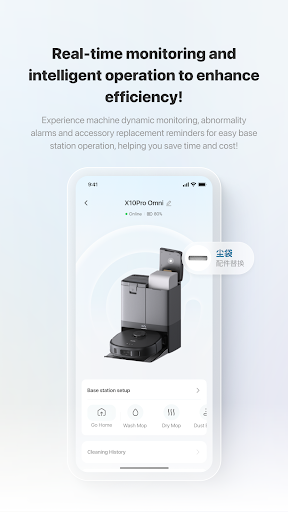
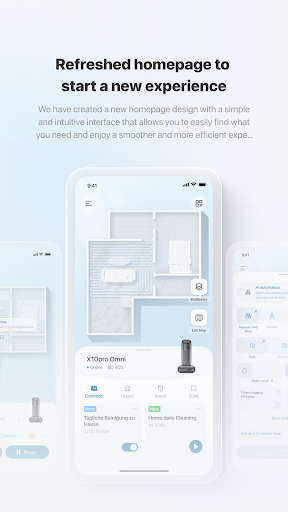
The eufy Clean app, also known as EufyHome, solves the problem of managing and controlling smart home devices, particularly those related to cleaning and lifestyle, by providing a centralized platform for users to monitor and adjust their devices remotely. This app benefits most those who have invested in the Eufy ecosystem of smart devices, looking for a seamless and integrated experience. Compared to alternatives in the Lifestyle category, eufy Clean stands out due to its focus on smart home cleanliness and its lack of ads and in-app purchases, making it a more straightforward and user-friendly option. However, it may fall short in terms of compatibility with devices outside the Eufy brand.
Pros
- With over 1 million downloads and a 4.4/5 rating, eufy Clean demonstrates strong social proof and a high level of user satisfaction, indicating a well-designed and functional app.
- The absence of ads and in-app purchases enhances the user experience, making it more enjoyable and less intrusive.
- Eufy's reputation as a developer of innovative smart home devices translates into a robust and reliable app that integrates well with their hardware.
- The app's requirement for Android 7.0 ensures that it can leverage more modern Android features, potentially leading to better performance and security.
- Regular updates, as indicated by the versioning, suggest that the developer is committed to maintaining and improving the app over time.
Cons
- One potential concern is the app's dependency on the user having Eufy devices, which might limit its appeal and functionality for those with devices from other manufacturers.
- Although the app does not request any permissions, it's essential for users to be aware of the data collection practices of the developer, especially in the context of smart home devices that can potentially monitor and report on user activities.
- Some users might find the app's features limited if they are looking for a more comprehensive smart home management solution that integrates with a wide range of devices from different brands.
- The lack of information on data encryption and security protocols for remote access could raise concerns among privacy-conscious users.
Best for: The ideal user for the eufy Clean app is a tech-savvy individual, likely between the ages of 25 and 50, who has already invested in Eufy's smart home devices and is looking for a streamlined way to manage and control their cleaning and lifestyle devices, valuing the convenience, efficiency, and innovative features that the app and associated devices offer.
Developer Description
eufy Clean - Live Well. Live Smart.
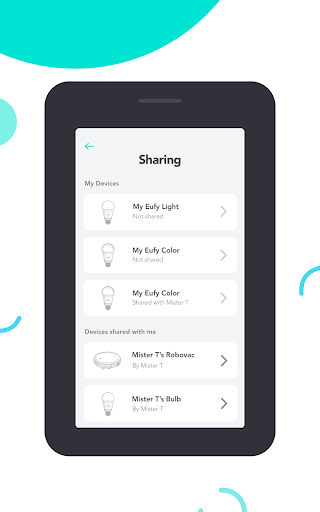
You can also share Eufy smart home devices with family members, so everyone can set their own personal preferences for each device.
How to use eufy Clean:
- Registering your account: After downloading the app, create and register an account with your Email address. (Or directly log in with your EufyLife account)
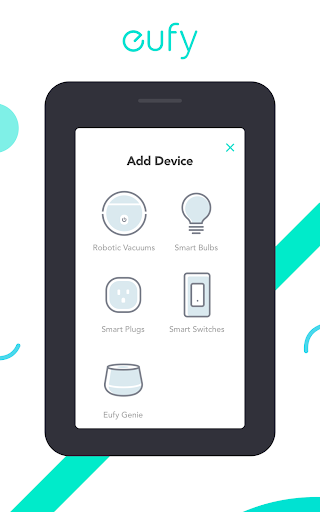
- Adding devices: Open the eufy Clean app and follow the intuitive setup procedure to pair new devices with your smartphone. If a device has already been setup by another family member, you can request control access to operate that device from that family member.
- Using devices: After successfully pairing the new device, it will show up in the device list. Simply tap the icon you wish to use and start enjoying the Eufy smart home experience.
Contact Us:
• Email: support@eufylife.com
• Website: eufylife.com
• Facebook: @EufyOfficial
Privacy
Given that the eufy Clean app does not request any permissions, the primary safety concern revolves around the data it might collect as part of its functionality, such as usage patterns and device information. Users should review the developer's privacy policy to understand how their data is handled and consider using a VPN for enhanced security when accessing the app remotely. It's also crucial to keep the app and associated devices updated to protect against potential vulnerabilities.
Tips
To get the most out of the eufy Clean app, users should start by thoroughly reviewing the setup process to ensure all devices are correctly integrated and configured for optimal performance. Additionally, exploring the app's settings can reveal hidden features or customization options that enhance the smart home experience. For optimal battery and data usage, consider adjusting the app's update frequency and enabling notifications only for critical events.
What's New
Key Updates:
- Fixed bugs and enhanced user experience.
What features would you like to see? Tell us at: support@eufylife.com
Version Information
- Version
- 3.17.1
- Downloads
- 1M+
- Updated on
- Dec 23, 2025
- Released
- May 27, 2017
- Requires
- Android 7.0
Statistics
Google Play Rating History
Rating Distribution
Downloads Over Time
eufy Clean(EufyHome) has been downloaded times. Over the past 30 days, it averaged downloads per day.
Shaded area shows 30-day prediction based on historical trends
Historical data collection started recently. More data points will be available over time.
eufy Clean(EufyHome) - Google Play Rankings
Top Rankings
| Rank | Country | Category | List | Change |
|---|---|---|---|---|
| — |
Ranking History in
No ranking data available yet. Rankings are updated daily.
#51 in Top Free Lifestyle in Netherlands
eufy Clean(EufyHome) users say on Google Play
 Janet Strong
brilliant thanks
 Filipe Governa
Somewhat limited, but excellent hardware and support (once you get past the virtually-useless AI bot).
 Matt Shadle
multi mapping simply doesn't work. it sits there saying there is a new map and click to confirm and when you click to confirm it says updated but it still says new map and you cannot see both maps when you go into the maps section
 R V
R V
Not sure what happened. This once smart robot vacuum (G32 Pro), all of a sudden can't connect to Google home router. It will still vacuum when manually pressing button but I won't be able to view it on the app or properly set commands. also seems to hit the corners a bit harder than usual. Hope the firmware update fixes it.
 M A
M A
The recent update seems to have broken the app. I can no longer see the map even though the robovac is still able to follow it. This is preventing me from doing zone cleaning and am forced to have the robovac clean the entire house
ApkTrusted Ratings & Reviews
More from Anker
See more apps








Similar Apps

Roborock
Free
CloudEdge
Free
GHome work with Gosund
Free
DREO
Free
Kasa Smart
Free

eWeLink - Smart Home
Free
iRobot Home (Classic)
Free

Tuya - Smart Life,Smart Living
Free
TP-Link Tapo
Free
Smart Home Manager
Free

Govee Home
Free

VeSync
Free

Reolink
Free
ECOVACS HOME
Free

tado°
Free

Philips Hue
Free
Scan this QR code to download

Forwarding you to the page at Google Play market in seconds...
Open Google Play market now