
Philips HomeRun Robot App v1.4.1
Versuni Netherlands B.V.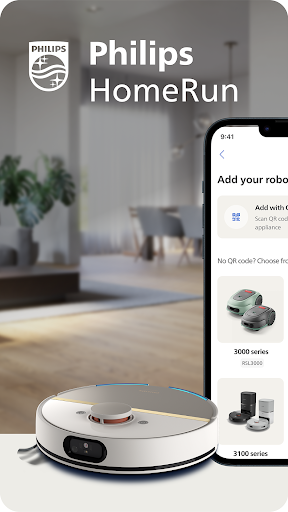




About this app
Developer Description
Maintain your spaces, your way. Set it up once, enjoy pristine floors and lawns.
With the Philips HomeRun Robot app you can:
● Start, pause or stop cleaning and mowing remotely
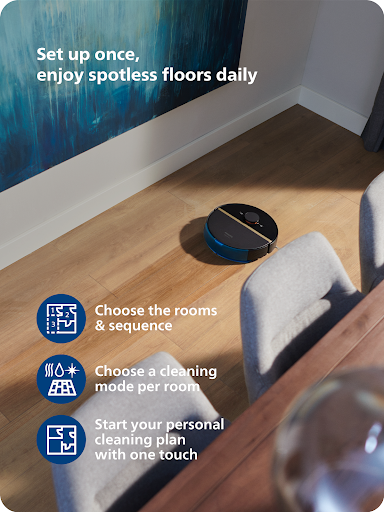
● Make a precise map of your home to clean each room in no time
● Control where your robot cleans and mows
● Choose a cleaning mode per room and mowing mode per lawn
● Set up once, enjoy spotless floors and lawns daily
● Custom clean and mow for specific situations
● Get step-by-step guidance to set up easily
● Receive progress updates on each clean and mow
● Keep your data secure
Start, pause or stop your robot remotely
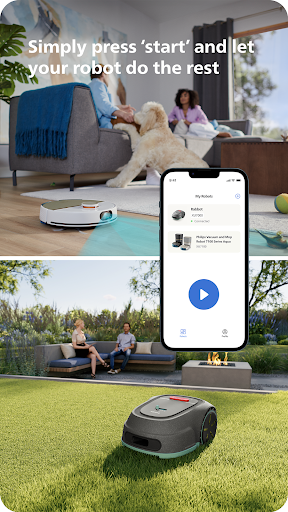
Come home to clean floors and a perfect-looking garden every day by using your Philips HomeRun vacuum, mop, and lawn mowing robot in combination with the app. Set it up once—to clean each room and mow your lawn just the way you like it—touch ‘Start’, anytime, anywhere, and let your robot do the rest.
On its first run, your robot will map your floor plan and garden. Now you have an interactive map of your home that you can use to tell your robot how and when to clean each room or to monitor how your lawn is mowed. The robot vacuum cleaner can store up to five maps.
Control where your robot vacuum cleaner cleans
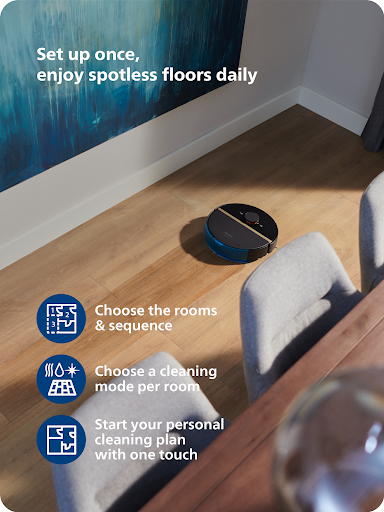
Only want your robot to clean the kitchen, bathroom, living room? With the app, you can tell your robot which rooms you want cleaned, and in what order. If there are areas or things you’d like it to avoid—like precious items or a rug in an area you want to mop—you can tell it where not to go, or not to mop, as well.
Choose a cleaning mode for each room and mowing mode for each lawn
Give each room unique attention with one of the cleaning modes and mowing modes for your lawn. Use Dry mode to vacuum the bedroom and Wet & Dry mode to vacuum and mop hard floors. Put your robot on Quiet mode if, say, you have a meeting, or give the kitchen an extra thorough clean by using Intensive mode. Choose a mowing mode for your lawn to get the perfect looking garden.
Set up once. Enjoy spotless floors and lawns every day
Once you’ve created a cleaning and mowing plan, clean floors and perfectly mowed lawns are always a tap away. Tap ‘Start’ when you want your robot to begin - every day if you like, and at a time that suits your schedule.
Custom clean for specific situations
Had friends over and need an extra thorough clean? Or maybe the dog left paw prints in your hallway. Again. Schedule a custom clean and mow that targets specific rooms, areas.
Get step-by-step guidance to setup easily
From connecting to Wi-Fi to the first clean and mow, we’ll guide you through every step of getting started. You’ll find easy-to-follow instructions and how-to-videos as well.
Always have support at your fingertips
Have extra questions about the HomeRun app and robot? You’ll find a user manual in the app, answers to FAQs and easy access to Customer Care if need be.
Receive progress updates
As your robot cleans and mows, you’ll receive in-app updates. See where your robot currently is in your home and what the robot mowing progress is in your garden. Check on its battery levels and, most importantly, get notified as soon as the cleaning run or mowing is done
Maintain high performance
Get the best performance from your robot by replacing parts on time. Our app lets you know when it’s time to replace parts like filters, mops, and blades, and makes it easy to order them.
Keep your data secure
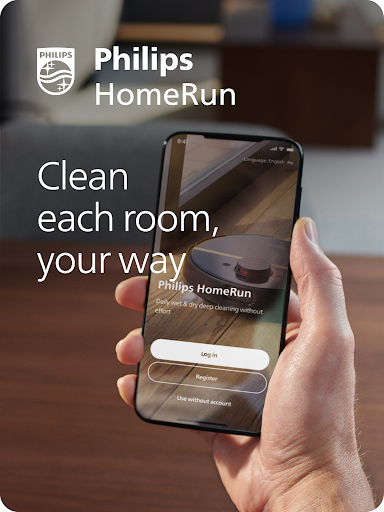
Philips adheres to a strict privacy policy. We recommend creating an account to ensure you can save your preferences. If you prefer, you can use the app as a guest.
WiFi
Philips HomeRun robot vacuum cleaners have dual band Wi-Fi so they are easy to connect to your home Wi-Fi, whether it's to 2.4 or 5.0GHz. Robot lawn mowers only connect to your 2.4GHz home Wi-Fi.
Need help?
Visit www.Philips.com to find answers to our most frequently asked questions, or get in touch with our Consumer Care team.
What's New
Version Information
- Version
- 1.4.1
- Downloads
- 100K+
- Updated on
- Jan 12, 2026
- Released
- Jan 17, 2024
- Requires
- Android 6.0
Statistics
Google Play Rating History
Rating Distribution
Downloads Over Time
Philips HomeRun Robot App has been downloaded times. Over the past 30 days, it averaged downloads per day.
Shaded area shows 30-day prediction based on historical trends
Historical data collection started recently. More data points will be available over time.
Philips HomeRun Robot App - Google Play Rankings
Top Rankings
| Rank | Country | Category | List | Change |
|---|---|---|---|---|
| — |
Ranking History in
No ranking data available yet. Rankings are updated daily.
#19 in Top Free House And Home in Turkey

#52 in Top Free House And Home in Netherlands


#74 in Top Free House And Home in Poland

#92 in Top Free House And Home in Vietnam

Philips HomeRun Robot App users say on Google Play
 Damon Butler
life is a lot easier now
 Kevin Adams
A tip for anyone having trouble setting up. I found the app not getting past the part where it would add the robot, I traced the issue to Duck Duck Go App tracking protection, I put an exception in for this app and it connected immediately, the room maps worked fine and I've linked it to Alexa and Google so I can send the robot on its way (or tell it to stop and it returns home).
 Francisco Teixeira
It never saves the rooms sequence order nor the cleaning settings (suction levels, mop wetness, etc). -- UPDATE: These issues have been fixed. The rest is the same. 3 stars now. -- These should also be the very basic info to show on the History panel but nope, you just get a map with the zones cleaned and that's all. Doesn't even show how much battery % it spent on it. The robot itself is fine, the app seems like it was pushed to production in a hurry and never looked at again. Terrible UX
 Ramje Vasanthananthan
It's functional, but doesn't have support for Google Home integration. It's the biggest flaw. Every other RoboVacuum works with Google Home or Apple Homekit except Philips. The app doesn't support dark mode. Very slow reaction times on input. So much room for improvement.
 Berkay Çinkaya
Are your UI/UX designer blind? Do you test your application before your updates? I've got 8 room in room list and when I try to change their order I couldn't push apply button. So I stucked random room order and I couldn't change it. Does your product benefits finish when you sell the product? You have to give reliable and functional mobile application to your customer. If you don't, your robots are useless.
ApkTrusted Ratings & Reviews
More from Versuni Netherlands B.V.
See more apps


Similar Apps

SharkClean
Free
Philips Lumea IPL
Free

Roborock
Free

ecobee
Free
eufy Clean(EufyHome)
Free

eufy-original eufy Security
Free
GHome work with Gosund
Free

Philips Hue
Free

Aqara Home
Free

Oral-B
Free

iRobot Home (Classic)
Free

Reolink
Free

VeSync
Free
Philips Avent Baby Monitor+
Free

DREO
Free

eufy Baby
Free
Scan this QR code to download

Forwarding you to the page at Google Play market in seconds...
Open Google Play market now