D-Link Wi-Fi v1.4.10 build 1
D-Link Corporation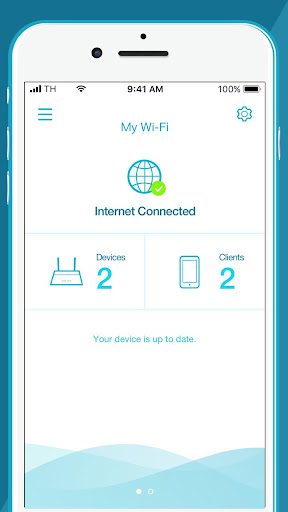
About this app
Developer Description
The smarter way to get more out of your network.
https://support.google.com/accounts/answer/6179507
Managing your home network can get complicated. That's why we made the new D-Link Wi-Fi app more friendly and functional. Packed with a range of smart features, the D-Link Wi-Fi app gives you the power to setup and manage your D-Link wireless network effortlessly using your smartphone or tablet.
Network Management, Made Smarter.
WONDERING WHAT'S UP WITH YOUR WI-FI?
• View your entire network at a glance
• Check your connection status
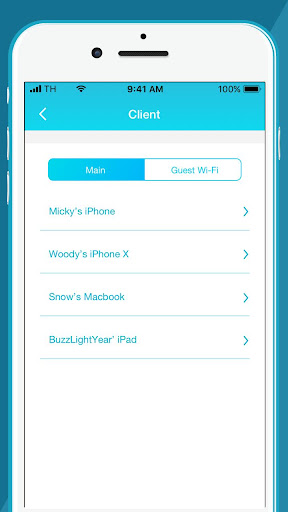
• Find out who/what is connected to your network instantly
NETWORK MANAGEMENT IN THE PALM OF YOUR HAND
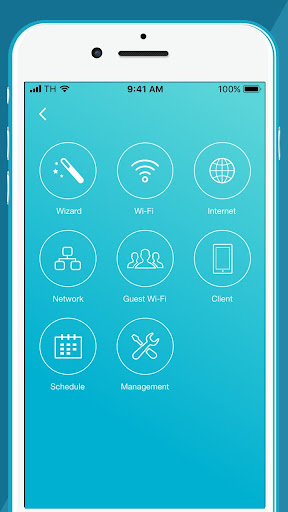
• The new D-Link Wi-Fi makes it easy to setup and control your home network without having to turn on your computer
• Intuitive interface lets you find what you need quickly
• Find out who's on your network with your mobile device
INTERNET INTERFERING WITH FAMILY CONNECTIONS?
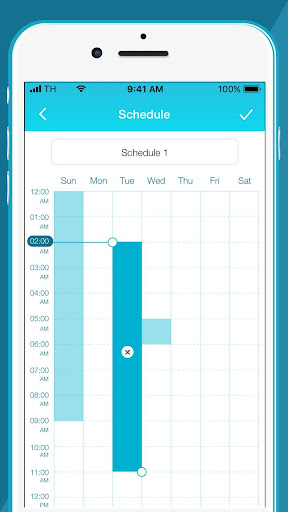
• Make room for more family time with access Schedules
• Restrict your kids' device access with Parental Controls
GUESTS COMING OVER?
• Enable Guest-Wi-Fi without exposing your main Wi-Fi password
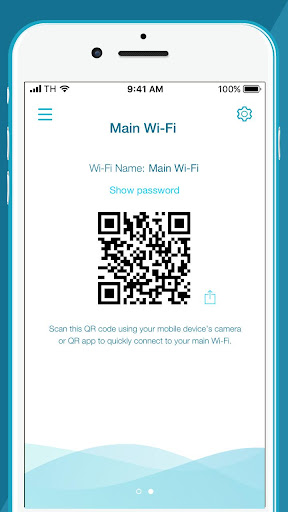
• Tap and share your Guest Wi-Fi instantly with QR Code or messaging apps
FIRMWARE UPGRADES WON'T AFFECT YOUR DAILY USAGE
• Device firmware upgrades are scheduled at less active times to let you fully enjoy streaming, online gaming, and fast file transfers.
Notes:
The D-Link Wi-Fi app is for local access only. Your smartphone or tablet must be connected to your Wi-Fi system to use this app.
To access advanced features of the Wi-Fi System, you should use the web interface by going to http://covr.local./ or http://dlinkrouter.local./ from a computer or mobile device connected to the system.
System Requirements:
Android 4.3 or later.
If you are experiencing issues, contact mydlinksupport@dlinkcorp.com.
What's New
Version Information
- Version
- 1.4.10 build 1
- Downloads
- 1M+
- Updated on
- Dec 22, 2025
- Released
- Jul 6, 2017
- Requires
- Android 8.0
Statistics
Google Play Rating History
Rating Distribution
Downloads Over Time
D-Link Wi-Fi has been downloaded times. Over the past 30 days, it averaged downloads per day.
Shaded area shows 30-day prediction based on historical trends
Historical data collection started recently. More data points will be available over time.
D-Link Wi-Fi users say on Google Play
 Xiara Betancourt
so far so good. I'm glad I'm able to add parental control to each connected device and create a schedules.
 Tanvir Zawad
Ma-sha-Allah. Good but slow.
 James Green
after updating the app is stuck on the loading screen won't open
 Igor Ribeiro Sucupira
The connectivity between the devices is almost acceptable, but the connectivity with the app is a joke. My phone is connected to the wi-fi (as are MANY other devices in the house), but the app can't find any of the routers in the mesh. Device password often doesn't work unless I reboot the device.
 jamie Hill
horrific products. i bought a DAP 1820, a few years ago, sometimes it takes hours to set up, sometimes 10-15min all because the app likes to exit when you are required to leave to open your wifi settings. and after all this headache, it disconnects constantly, its usually 2-3m away from the router. i recently looked and people have issues with various models. it also doesnt remember your device after a few days of setting it up.
ApkTrusted Ratings & Reviews
More from D-Link Corporation
See more apps







Scan this QR code to download

Forwarding you to the page at Google Play market in seconds...
Open Google Play market now