
Super 16 | 16mm Film Сamera v3.0.35
Dmitry Shatilov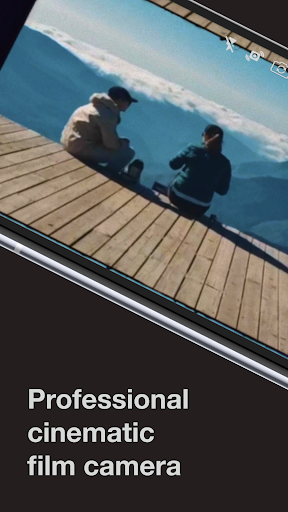
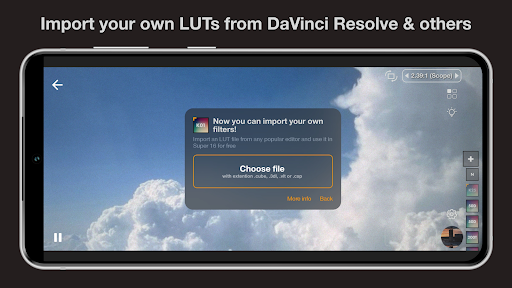
About this app
Developer Description
Professional 16mm, 8mm vintage film camera for filmmakers and more
Powerful color adjustment
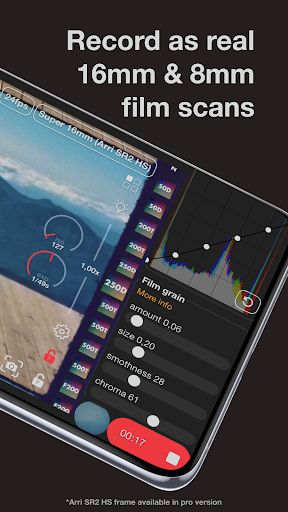
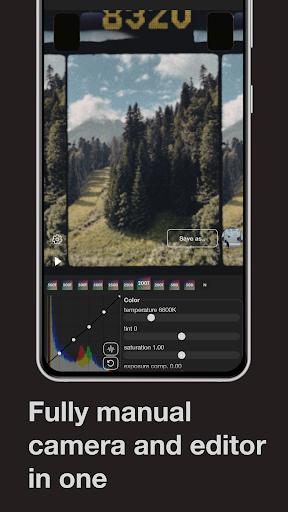
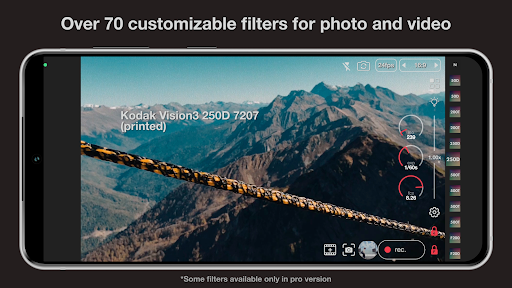
The application provides a set of >70 filters containing profiles of popular vintage Kodak Vision3 films, black-and-white filters and filters for cinema post-processing. You also have the option of manually preprocess color by changing the temperature, tint, saturation and color correction curve. You can track all changes in the distribution of colors in a frame using a color histogram or waveform monitor.
Physical film emulation
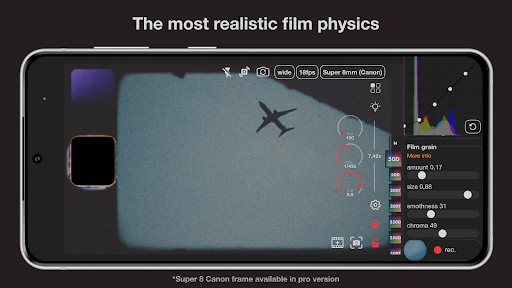
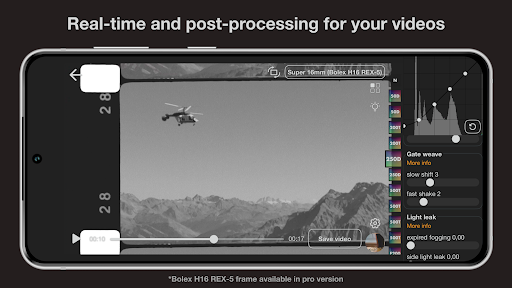
The application allows you to emulate such aspects of analog film shooting as stains and scratches, frame shake (gate weave), flicker, grain, uneven emulsion coating etc. Using pause/continue while recording leaves realistic distortion on frames. You can even choose overscanned film mode to see edges and film strip with holes, and apply film burn at any time you want.
Professional shooting options
Super 16 allows you to change the focus and exposure settings, adjust the zoom for better shooting of various scenes. Camera shoots at authentic 24fps that creates movie effect (if your device supports it). All parameters (including processing features) can be changed during the recording.
Convenience of use
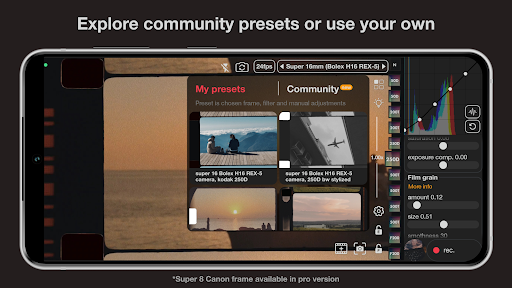
You can create your own presets based on the available processing options. This allows you to immediately use the camera in the configuration you need, without having to re-configure. It is also possible to process existing video files with built-in video editor.
Follow us on Instagram:
Instagram: @super16mm_camera
What's New
You can now adjust the size of the main area buttons in the app (Settings → Main area buttons scale). This makes it easier to operate the camera in real-world shooting conditions, especially when quick and precise control is needed.
In-app purchases
$2.49 - $26.99 per item
Version Information
- Version
- 3.0.35
- Downloads
- 1M+
- Updated on
- Jun 18, 2025
- Released
- Nov 25, 2019
- Requires
- Android 6.0
Statistics
Google Play Rating History
Rating Distribution
Downloads Over Time
Super 16 | 16mm Film Сamera has been downloaded times. Over the past 30 days, it averaged downloads per day.
Shaded area shows 30-day prediction based on historical trends
Historical data collection started recently. More data points will be available over time.
Super 16 | 16mm Film Сamera users say on Google Play
 Bryan García
would be amazing if rather a subscription plan, could just buy the pro version into the app.
 Sumeet Chhatbar
I like the app overall... But at ₹220 in INR its very expensive. No glitches so far though encountered one issue which might be with my phone only i.e I cannot have longer exposures. If I shoot at 24 fps then the exposure is maximum at 1/24. I cannot have 1/12 or 1 min exposure times for blurry shots. Is this a limitation?
 l l
l l
Although the app does its job, the UI is absolutely not helpful for real shooting scenarios despite the store description claims it's aimed for professionals. For example, there is no way to control white balance. UI buttons maybe look good on a monitor of a developer, but they are hard to use with a real touch screen. Author isn't responsive at all. So if you buy this, you're on your own.
 David Libson-Hochenberg
Works great for footage shot in app, but when importing videos into the app you get these very digital looking bars flashing up across the screen which get saved into the video when exported. If anyone knows a work around for this I'd much appreciate it 🙏
 Davide Burattin
It's fine that it's free with some limitations, but it's a real shame that almost all of these video apps are subscription-based, so for me they're a definite no-go. I've never subscribed to an app, and never will. It would be the perfect app for video... It's a pity.
ApkTrusted Ratings & Reviews
More from Dmitry Shatilov
See more apps
Similar Apps

FIMO - Analog Camera
Free

Camera FV-5 Lite
Free

3D Photo: Imager
Paid

Video Recorder
Paid

mcpro24fps manual video camera
Paid

eZy Watermark Photos Pro
Paid

Framelapse 2 Time Lapse Camera
Free
POV – Disposable Camera Events
Free

LoFi Cam: Film Digital Camera
Free
Polarr: Photo Filters & Editor
Free

MiX Camera for Mi Camera
Free
Cameringo Lite. Filters Camera
Free

Manual Camera DSLR (Lite)
Free

celebrate: share photo & video
Free

Wuta Camera - Nice Shot Always
Free

VSCO: Photo Editor
Free
Scan this QR code to download

Forwarding you to the page at Google Play market in seconds...
Open Google Play market now