
ArcGIS Navigator v24.1.0
Esri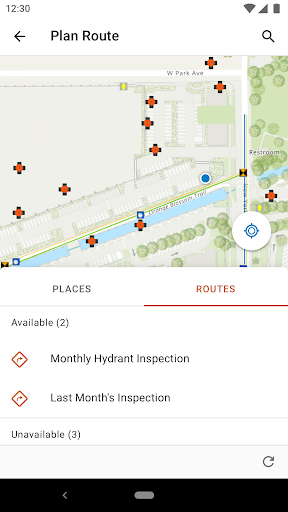



About this app
The ArcGIS Navigator app solves the problem of navigation for users who require precise and reliable directions, particularly in areas with limited internet connectivity. It benefits professionals and individuals who work in fields such as surveying, mapping, and emergency response, where accurate navigation is crucial. Compared to other apps in the Maps And Navigation category, ArcGIS Navigator stands out with its offline capability and integration with Esri's mapping technology, but falls short in terms of user ratings and overall user experience. The app's low rating of 2.6/5 suggests that there are significant issues that need to be addressed by the developer.
Pros
- The app's offline capability is a significant advantage, allowing users to navigate even in areas with limited or no internet connectivity, making it a reliable choice for fieldwork and emergency response situations.
- Esri's reputation as a leading provider of geographic information system (GIS) technology lends credibility to the app's mapping and navigation capabilities, ensuring that users receive accurate and up-to-date information.
- The app's integration with other Esri products and services provides a seamless experience for users who are already invested in the Esri ecosystem, allowing for easy sharing and collaboration of maps and data.
- The absence of ads and in-app purchases ensures a distraction-free user experience, allowing users to focus on navigation and mapping tasks without interruptions.
- The app's compatibility with Android 8.0 and later ensures that it can run on a wide range of devices, making it accessible to a broad user base.
Cons
- The app's low user rating of 2.6/5 is a significant concern, suggesting that there are underlying issues with the app's performance, usability, or functionality that need to be addressed by the developer.
- The lack of transparency regarding the app's data collection and usage policies raises concerns about user privacy, and users should be cautious when using the app, especially when sharing location data.
- The app's limited download numbers, with only 50,000+ downloads, may indicate a lack of awareness or interest in the app, which could impact its long-term support and development.
- The app's zero permissions may seem unusual for a navigation app, which typically requires access to location services and other device features, and users should be aware of potential limitations in the app's functionality.
Best for: The ideal user for the ArcGIS Navigator app is a professional or individual who requires precise and reliable navigation in areas with limited internet connectivity, such as surveyors, emergency responders, or outdoor enthusiasts, and has a moderate to advanced level of technical skill and familiarity with GIS technology and mapping concepts.
Developer Description
Get Where You Need to Be
Key Features:
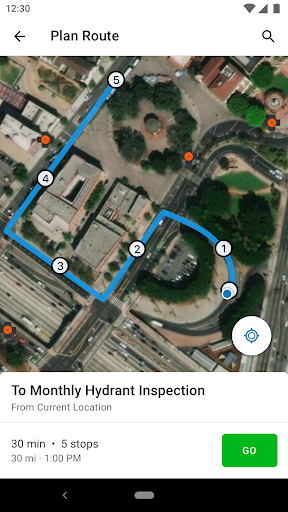
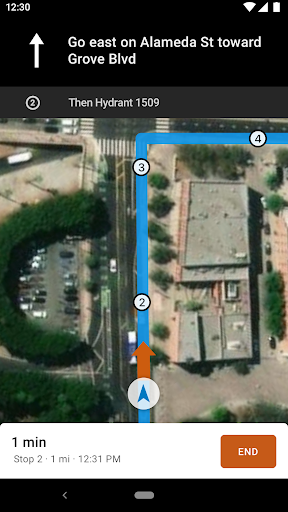
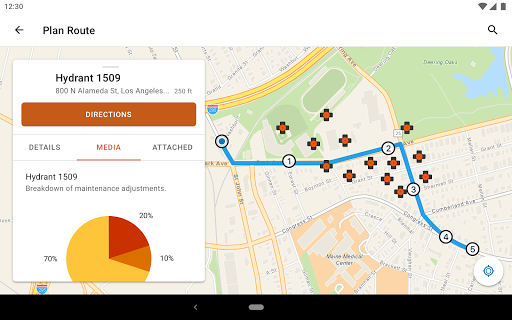
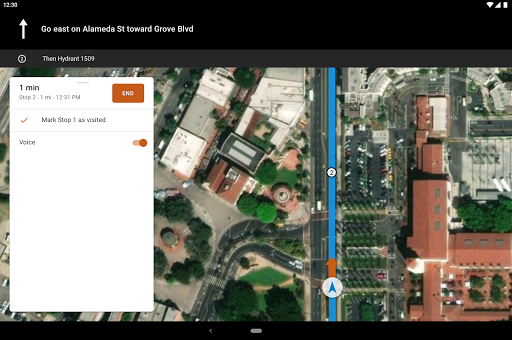
- Use voice-guided turn-by-turn directions with automatic route recalculation
- Navigate completely offline with locally stored data
- Access Esri's navigation maps or use your own maps
- Search your assets, route on your roads, and view your layers
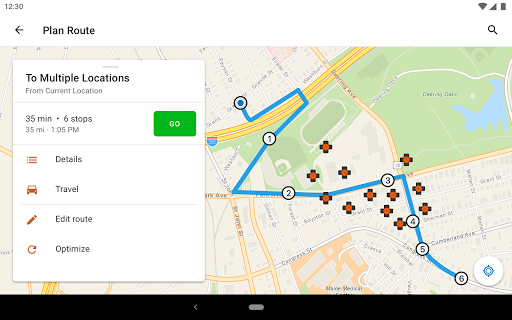
- Complete stops one at a time, or create a work list for an entire day's work
- Use vehicle-specific travel modes
- Receive stops from your own app, or other ArcGIS apps such as Collector for ArcGIS
To use Navigator, you must have an ArcGIS named user account and a Navigator license. To try it out for free, go to esri.com/navigator and click 'free trial'.
Privacy
Given the app's zero permissions, it is likely that the app does not collect any sensitive user data, but users should still be cautious when using the app, especially when sharing location data. Users should review the app's terms of service and privacy policy to understand how their data is being used. Additionally, users should ensure that their device's location services are enabled and configured correctly to ensure accurate navigation.
Tips
To get the most out of the ArcGIS Navigator app, users should first ensure that their device's location services are enabled and configured correctly, and then download the necessary maps and data for offline use. Users can also customize the app's settings to optimize performance and battery life, such as reducing the frequency of location updates or disabling unnecessary features. Furthermore, users can explore the app's integration with other Esri products and services to enhance their mapping and navigation experience.
What's New
Version Information
- Version
- 24.1.0
- Downloads
- 50K+
- Updated on
- Oct 25, 2024
- Released
- Nov 15, 2016
- Requires
- Android 8.0
Statistics
Google Play Rating History
Rating Distribution
Downloads Over Time
ArcGIS Navigator has been downloaded times. Over the past 30 days, it averaged downloads per day.
Shaded area shows 30-day prediction based on historical trends
Historical data collection started recently. More data points will be available over time.
ArcGIS Navigator users say on Google Play
 A Google user
It's a different experience than other navigation apps, but it lets the head office determine your route (think snow plow drivers or ambulances). It also integrates with the other Esri apps.
A Google user
Using with a licensed ArcGIS account and so far so good! We are digitizing our own roads and uploading the network dataset to ArcGIS Online, the only issue are some inconsistencies between label properties of the ArcPro project vs the Mobile mapping package (mmpk). Seems like some other comments are here bc people don't have Esri accounts so it wouldn't work lol
A Google user
I downloaded this app, but when prompted to add my ArcGIS online info upon logging in, and I do, the app does nothing.
A Google user
This is predatory junk. There is no functionality of any kind, just a sign in screen with no indication of what you're signing in to or how or where to set up accounts. Beyond that, if you try to sign in, it demands access to your contacts or it won't run at all. A navigation app doesn't need your friends emails and phone numbers to navigate. I'd avoid this.
ApkTrusted Ratings & Reviews
More from Esri
See more apps
ArcGIS Runtime SDK Sample View
Free

ArcGIS Companion
Free

ArcGIS QuickCapture
Free

Esri Support
Free
ArcGIS Survey123
Free

ArcGIS Field Maps
Free

ArcGIS Earth
Free

ArcGIS Indoors
Free

ArcGIS IPS Setup
Free

ArcGIS Field Maps Beta
Free

ArcGIS Responder 11.1
Free

ArcGIS Maps SDK Sample Viewer
Free

ArcGIS StoryMaps Briefings
Free

ArcGIS Maps .NET MAUI Samples
Free
Similar Apps

Mergin Maps: QGIS in pocket
Free

Mapway: Maps & Transit Planner
Free

GPS Essentials
Free

Gaia GPS: Offline Trail Maps
Free

Rome2Rio: Trip Planner
Free

AlpineQuest Explorer Lite
Free

Avenza Maps: Offline Mapping
Free

SmartGuide: Digital Tour Guide
Free

Maistra
Free

Multi-Stop Route Planner
Free

Kizeo Forms, Mobile forms
Free

OsmAnd — Maps & GPS Offline
Free

what3words: Navigation & Maps
Free

DIG - Doha Insurance Group
Free

HERE WeGo: Maps & Navigation
Free

Guru Maps Pro & GPS Tracker
Paid
Scan this QR code to download

Forwarding you to the page at Google Play market in seconds...
Open Google Play market now