
Word Breaker Full v7.11.4
Firecracker Software LLC




About this app
Developer Description
Word game helper for Words with Friends, Scrabble Go and more!
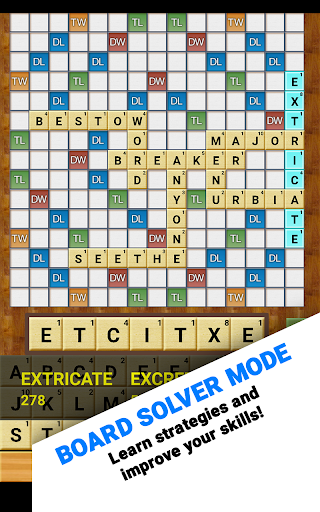
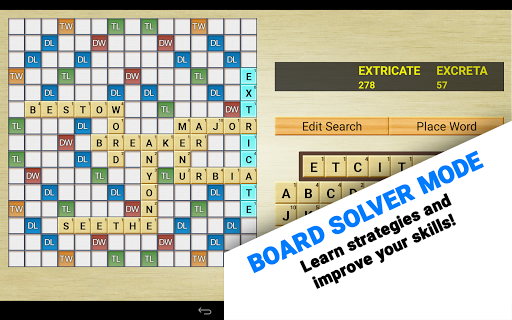
Aside from its ability to build words, Word Breaker is also a learning and optimization tool. Learn to strategize using the Board Solver, discover how to get multiple crosswords in a single play, and always have an idea of what tiles have yet to be played. You can also use it to solve everyday problems, puzzles, and anagrams. Word Breaker has even been used in the classroom to teach English - something we think is just amazing!
TOP FEATURES:
- NEW: 3 themes including a brand new dark and light theme. Love the old look? We still include the classic wood grain in the Classic theme.
- Lightning fast!
- Screenshot importing reads your game board directly into Board Solver! Easily check what words you missed using this powerful feature.
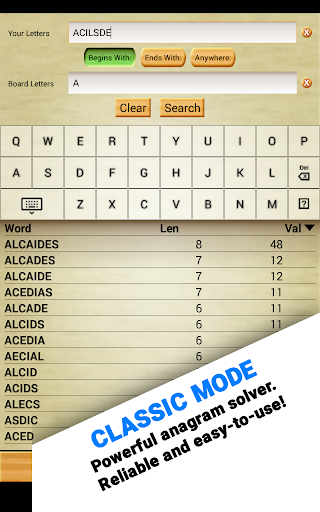
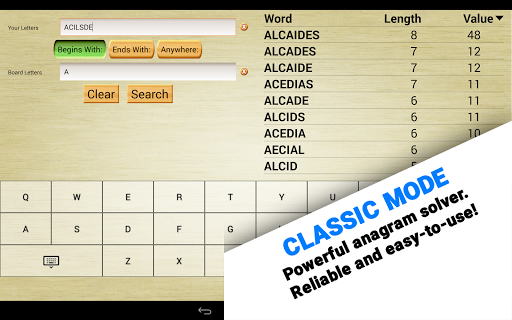
- Even better! The classic solver mode can work with anything! Try it with word jumbles, crosswords, hangman, and more.
- Our original and still ground-breaking Ghost Mode allows you to peek at the game underneath!
- Local dictionary! You never have to be online to use Word Breaker. Download your favorite dictionaries and take them on the road! Also, like everything else, dictionaries are free!
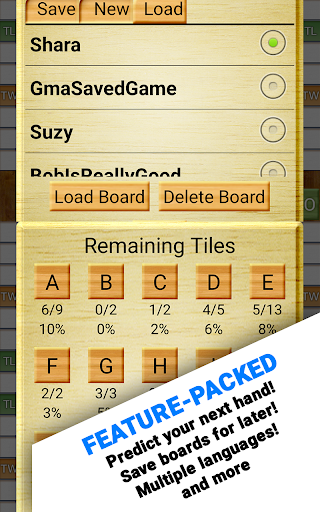
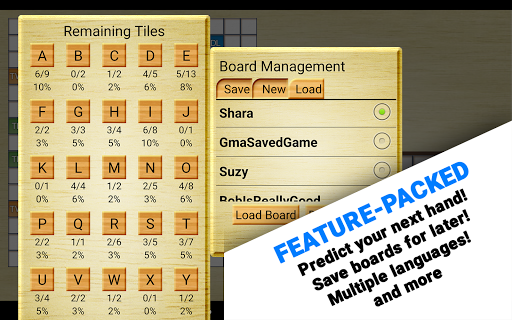
- Track what’s left in the bag! Our exclusive “Remaining Tiles” screen helps you predict what letters you’ll get next!
- Supports wildcards and blank tiles! Even better, you can easily tell Word Breaker what location and patterns to look for.
- Highly customizable, including filters for word length!
- Available is SEVEN languages, including English, Nederlands, Français, Deutsch, Italiano, Español, and Português!
★ How to take a screenshot:
- Press and hold “Volume Down” and “Power” for one full second.
- On certain phones, this combination is “Home” and “Power.”
★ Having trouble with Screenshot Importing?
1) Completely zoom out before taking a screenshot. This way, the whole board is visible and Word Breaker can properly scan every tile.
2) Make sure all of your playable tiles are on the tile rack, not on the game board. This ensures the results you get are valid.
3) Make sure nothing is obscuring the game. Facebook Chat Heads, app trays, and notification pop-ups can all interfere with Word Breaker.
Privacy Notice: This app collects your device’s IP address, advertising ID, and other partner specific identifiers. These identifiers enable personalized ads and analytics to improve our app. Opt-out or learn more by visiting our Privacy Center, accessible from the app's settings.
What's New
Improved screenshot reading for WWF and Wordfeud.
Version Information
- Version
- 7.11.4
- Downloads
- 10K+
- Updated on
- Nov 7, 2025
- Released
- Feb 24, 2011
- Requires
- Android 6.0
Statistics
Google Play Rating History
Rating Distribution
Downloads Over Time
Word Breaker Full has been downloaded times. Over the past 30 days, it averaged downloads per day.
Shaded area shows 30-day prediction based on historical trends
Historical data collection started recently. More data points will be available over time.
Word Breaker Full - Google Play Rankings
Top Rankings
| Rank | Country | Category | List | Change |
|---|---|---|---|---|
| — |
Ranking History in
No ranking data available yet. Rankings are updated daily.
#19 in Top Paid Word in Mexico


#20 in Top Paid Word in Indonesia
#20 in Top Paid Word in Turkey
#20 in Top Paid Word in India
Word Breaker Full users say on Google Play
 GenericAssUsername
This app is a very useful training assistant. One of the concepts of Scrabble and WWF that people often overlook is the utilization of space. This is blocking opponent use of bonus tiles and enabling your own use. The top scoring word is not always the best word, especially when it gives your opponent access to bonus tiles or sacrifices high scoring letters that could have been used more effectively later. This app is great for visualizing that during analysis (or during play if you're naughty).
 Allen Turner
Intermentent problems with erroneous letters appearing and not properly identifying tiles. When this happens I have to uninstall and reinstall app so that it will function correctly.
 A Google user
ok app, can still find bigger words without it though, not too good on the full version is it??? Further to your reply, i use both board solver and classic. No, using board solver mode. Sorry, still missing words on scrabble, using both both methods of checking. I will contact you directly next time with an example.
 tripp wojohn
Usually gives good suggestions, but frequently puts "T"s in seemingly random places on the board, then uses the imaginary letters to make suggested words
 Šimun-Fridrik Collins
No longer works on Words With Friends. It keeps alerting me that there are unknown tiles and does not import the screenshot. Please fix this bug, you are aware of it!
ApkTrusted Ratings & Reviews
More from Firecracker Software LLC
See more apps




Similar Apps




Scan this QR code to download

Forwarding you to the page at Google Play market in seconds...
Open Google Play market now