
Word Breaker v7.11.4
Firecracker Software LLC




About this app
Developer Description
Screenshot cheat for Words with Friends & More!
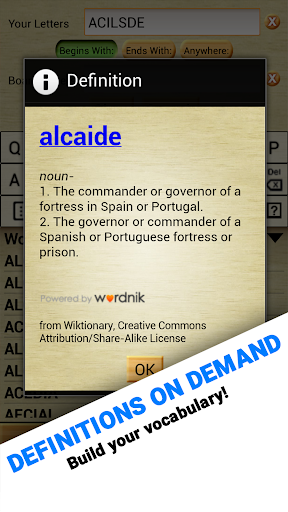
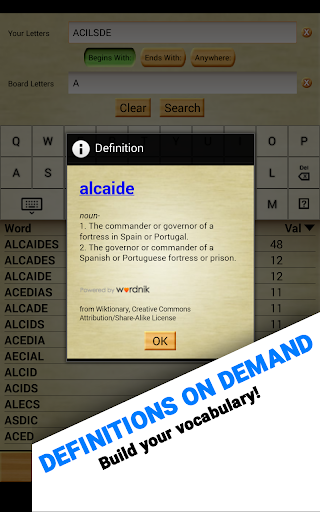
Aside from its ability to build words, Word Breaker is also a learning and optimization tool. Learn to strategize using the Board Solver, discover how to get multiple crosswords in a single play, and always have an idea of what tiles have yet to be played. You can also use it to solve everyday problems, puzzles, and anagrams. Word Breaker has even been used in the classroom to teach English - something we think is just amazing!
TOP FEATURES:
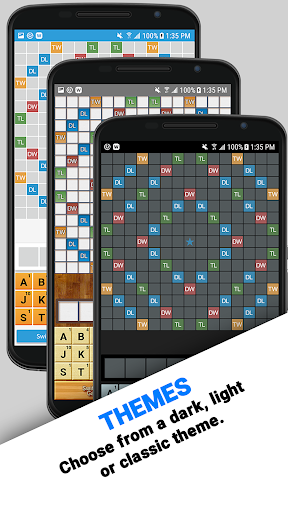
- NEW: 3 themes including a brand new dark and light theme. Love the old look? We still include the classic wood grain in the Classic theme.
- Lightning fast!
- Screenshot importing reads your game board directly into Board Solver! Easily check what words you missed using this powerful feature.
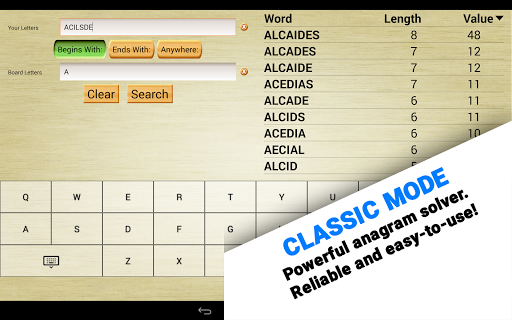
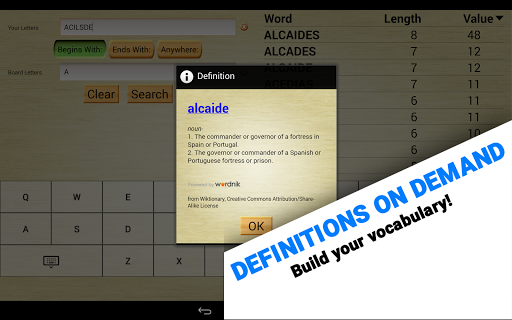
- Even better! The classic solver mode can work with anything! Try it with word jumbles, crosswords, hangman, and more.
- Our original and still ground-breaking Ghost Mode allows you to peek at the game underneath!
- Local dictionary! You never have to be online to use Word Breaker. Download your favorite dictionaries and take them on the road! Also, like everything else, dictionaries are free!
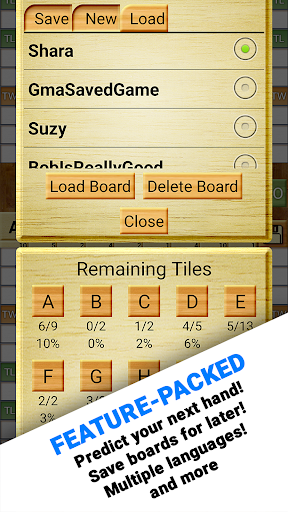
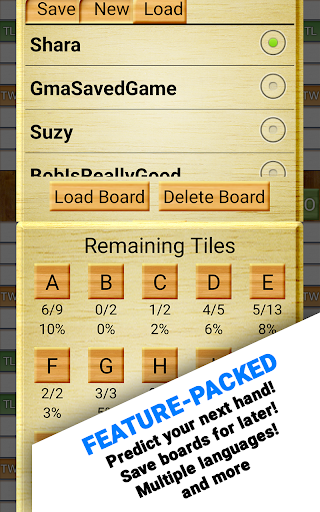
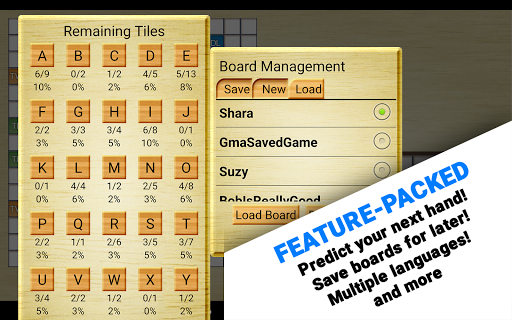
- Track what’s left in the bag! Our exclusive “Remaining Tiles” screen helps you predict what letters you’ll get next!
- Supports wildcards and blank tiles! Even better, you can easily tell Word Breaker what location and patterns to look for.
- Highly customizable, including filters for word length!
- Available is SEVEN languages, including English, Nederlands, Français, Deutsch, Italiano, Español, and Português!
★ How to take a screenshot:
- Press and hold “Volume Down” and “Power” for one full second.
- On certain phones, this combination is “Home” and “Power.”
★ Having trouble with Screenshot Importing?
1) Completely zoom out before taking a screenshot. This way, the whole board is visible and Word Breaker can properly scan every tile.
2) Make sure all of your playable tiles are on the tile rack, not on the game board. This ensures the results you get are valid.
3) Make sure nothing is obscuring the game. Facebook Chat Heads, app trays, and notification pop-ups can all interfere with Word Breaker.
Privacy Notice: This app collects your device’s IP address, advertising ID, and other partner specific identifiers. These identifiers enable personalized ads and analytics to improve our app. Opt-out or learn more by visiting our Privacy Center, accessible from the app's settings.
What's New
Improved screenshot reading for WWF and Wordfeud.
In-app purchases
$4.99 per item
Version Information
- Version
- 7.11.4
- Downloads
- 1M+
- Updated on
- Nov 7, 2025
- Released
- Feb 22, 2011
- Requires
- Android 6.0
Statistics
Google Play Rating History
Rating Distribution
Downloads Over Time
Word Breaker has been downloaded times. Over the past 30 days, it averaged downloads per day.
Shaded area shows 30-day prediction based on historical trends
Historical data collection started recently. More data points will be available over time.
Word Breaker users say on Google Play
 Alexander van Bart
i run into problems which made the app useless but after excellent customer support i now have an easy work around (landscape orientation instead of portrait) and the promissed to look in to it Thanks guys
 Taylor Koepf
This app is super helpful! I love that you can just import a screenshot and it gives you all the possible words you can make with what's on your board. My only complaint is there's no way to mute the ads without turning my phone volume down. Please consider adding this feature in the future. I don't mind watching the ads, I just don't want the sound to blare when I'm in a public place
 Yusuf Hardwarewala
"The app was working very well until the recent updates. Now I’m facing too many errors — it often recognizes the letter ‘E’ as ‘A’ and vice versa. Because of this, I get wrong word suggestions and have to manually correct the letters each time."
 Mo Aloha
I've used this app for years. At first it was great! No ads at all. Then the ads started coming, which were fine. I understand, and I'm willing to watch them to use the app. But now it seems as though they are in a competition with Words with Friends to see how many ads they can shove at us. Looking elsewhere now.
 Panda m
Do not use this app. It now has malicious ads that open Chrome with fake giveaways or virus warnings. The ads at the bottom of the screen cause this when misclicked. This used to be a great app, but now it’s adware. Update: The developers claim this is 'not true' (in 5 mins of my comment) and that ads can be removed. That doesn’t change the fact that the free version serves deceptive, harmful ads. Instead of dismissing user reports, they should investigate.
ApkTrusted Ratings & Reviews
More from Firecracker Software LLC
See more apps




Similar Apps
Word Tower - Premium Puzzle
Paid

Word Wise
Free
Word Play – connect & search
Free
Dice Words - Fun Word Game
Free
Word Stacks
Free
Crosswords With Friends
Free
Wordfeud Premium
Paid
Word Wiz - Connect Words Game
Free
Word Blitz
Free

Word Adventure: Search
Paid
Classic Words With Friends
Free
Word Domination
Free

Highrise Heroes Word Challenge
Paid
Word Search Game: Offline
Paid
Word Wars - Word Game
Free

Boggle With Friends: Word Game
Free
Scan this QR code to download

Forwarding you to the page at Google Play market in seconds...
Open Google Play market now