
Gallery Pro - Photos & Videos vVARY
Picture Gallery App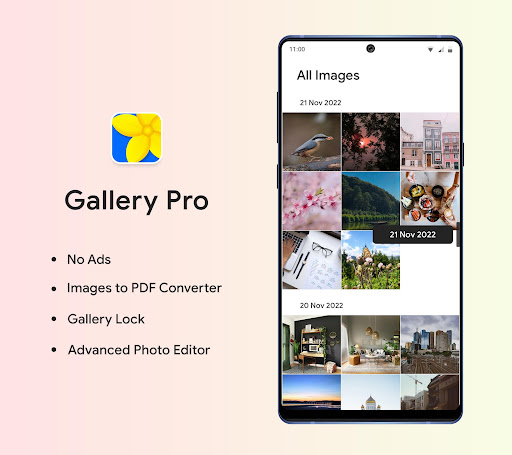


About this app
Developer Description
View, Manage, Edit, Share your photos and videos using Gallery pro app.
Now keeps your favorite media handy. Just set any media as a favorite and you will see all media in favorite folder.
Gallery app also include dark mode. It adjust mode automatically as per your device mode or also manually change mode.
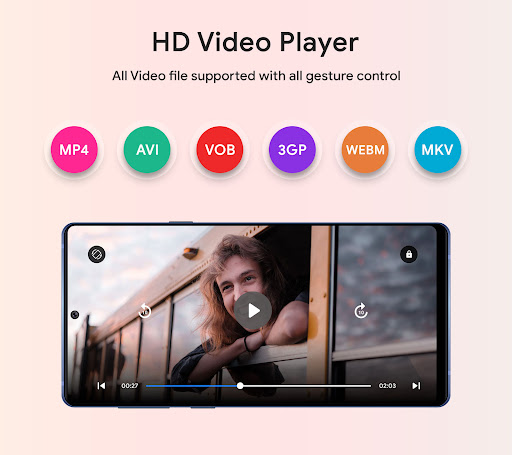
We had also put some smart gesture control in video player. So video control like volume up-down, fast forward- backward, brightness control using gestures.
Gallery shows All media files as well as also group them in albums so its easy to recognize. you can also customize grid count of media and albums view.
The gallery pro supports various types of files including JPEG, PNG, WEBP, MP4, MKV, RAW, SVG, GIF, Panoramic photos and many more.
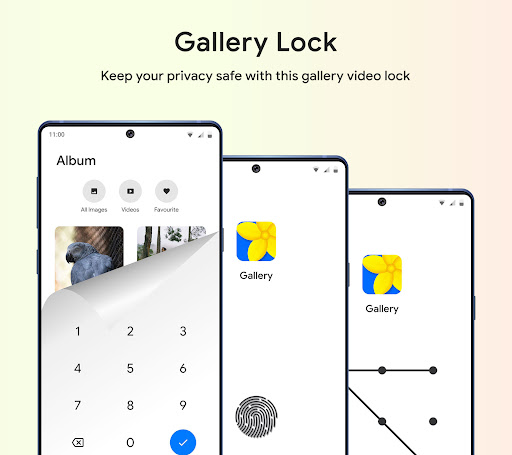
Gallery Pro includes additional features with highly customizable design allows you make Images to PDF Converter and advanced Photo Editor with no ads.
Version Information
- Version
- -
- Downloads
- 5K+
- Updated on
- -
- Released
- Feb 11, 2022
- Requires
- Android Varies with device
Statistics
Google Play Rating History
Rating Distribution
Downloads Over Time
Gallery Pro - Photos & Videos has been downloaded times. Over the past 30 days, it averaged downloads per day.
Shaded area shows 30-day prediction based on historical trends
Historical data collection started recently. More data points will be available over time.
Gallery Pro - Photos & Videos - Google Play Rankings
Top Rankings
| Rank | Country | Category | List | Change |
|---|---|---|---|---|
| — |
Ranking History in
No ranking data available yet. Rankings are updated daily.
#56 in Top Paid Tools in India


#62 in Top Paid Tools in United Kingdom


Gallery Pro - Photos & Videos users say on Google Play
 MANUEL ALBERT MARTINEZ JR. (Dj.JINX_)
Updated: +This app is truly amazing it is one of a kind it's almost the original authentic Android Samsung gallery app, but even better, that I used to have on my Galaxy Note 7&10+Win 8 System I installed this Gallery Pro on my Motorola Moto g stylus and is totally amazing, I miss app! gallery pro is truly amazing and tons of extras, thank you again Google for letting me share to the 🌎🙏
 Paul Coder
Needs an option to add a folder. Have to go onto laptop and make a folder then add it to my phone in the Gallery app. Big pain in the butt. Other than that I would.give it 5 stars
 Colin Wilson
Poor file handling and file selection. (1) You can't delete redundant directories with unwanted data (2) You have to select images individually for actions like deletion or moving them elsewhere - you can't highlight a range of images with one swipe Dev query - I thought my wife's phone had an AI feature that would allow it to delete duplicates without user interaction when I installed it there, but I might be mistaking it for another app, does yours do this, and if so, how do I enable it ?
 Tyler Bucholtz
It's lacking the most important tool to edit. The paint brush or marker. I wasted a dollar to find out it didn't have this feature when it was the entire reason I got it so I can cover names and information of screenshots or photos. Please add this feature.
 Arun Dhara
Purchased this app two days ago, was working fine, liked the minimalist design. But two days later the photos cannot be seen in full resolution, looks blurry and cannot be zoomed fully by double clicking. Whatever the price is, afterall I purchased this app, not a free one, so I hope the devs do something about this.
ApkTrusted Ratings & Reviews
More from Picture Gallery App
See more apps
Similar Apps

Simple Gallery Pro
Paid

LockMyPix Photo Vault PREMIUM
Paid

Gallery
Free

eZy Watermark Photos Pro
Paid

Video Recorder
Paid

Gallery - photo gallery, album
Free

celebrate: share photo & video
Free

Ares Dark Icon Pack
Paid

Photobook: Photo Books & Gifts
Free

PRIVARY Secure Photo Vault
Free

Smart Gallery - Photo Manager
Free

Calculator
Free

Printicular: Print Photos
Free

ASTRO File Manager & Cleaner
Free

Personio
Free

PhotoPills
Paid
Scan this QR code to download

Forwarding you to the page at Google Play market in seconds...
Open Google Play market now