
Compass PRO v3.9
Gamma Play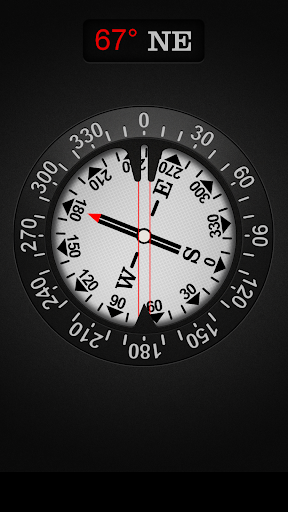
About this app
Developer Description
Precise, accurate & essential. When you need it, where you need it. Get it NOW!
Compass is one of the most if not the most essential app every Android should have installed. Compass is the most precise compass app on Google Play. Compass app is compass in your pocket. Use it on camping trips, to navigate in unknown territory or when you get lost. You never know when it might come handy. It might even save your life one day!
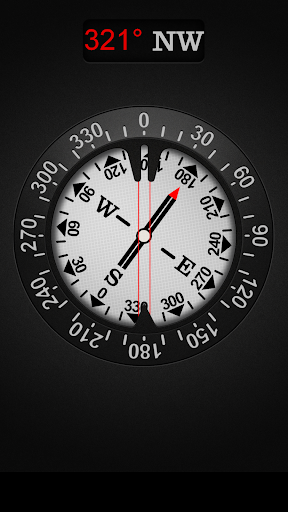
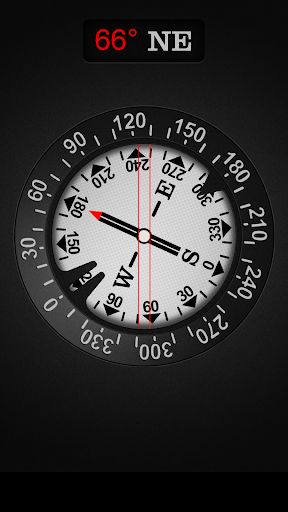
Compass is easy to use; just use it like a real compass. Compass app is more than just showing degrees and north, south, east and west. I have designed Compass with user experience in mind, large numbers and easy to read design. Compass also allows you to set your directions by rotating the bezel for easier and professional navigation.
How to use?
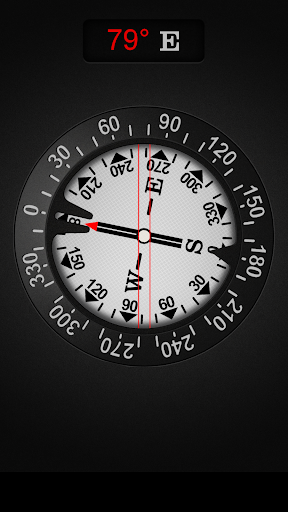
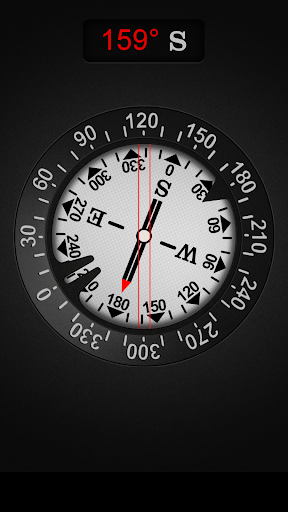
First we’ll need to cover a little bit of compass jargon first. The part of Compass that moves and always points north is called the card (with N,S,E, and W indicated, and a beveled edge with a series of numbers on it). There is a movable ring around the edge of the compass, called the bezel. A red double line across the top of the compass is called the lubber line, and finally, there is a little window above the compass which is often named as side-window (as it is on the side of a real compass).
Side-window navigation couldn’t be simpler. You point the lubber line on top of your compass at where you want to go. Now as long as you hold your compass flat in front of you with the lubber line pointing in the direction you’re going, you should always see the same number in your window as long as you’re going the right way. If you see a different number, turn until you see the same number.
The downside of the side window method is that you need to remember your number.
Navigating with bezel works essentially the same as using the side window, but your bezel remembers your number for you. All you do is, point the lubber line on top of your compass at where you want to go, and then wait until the card settles down and stops moving. Then turn your bezel until the double triangle on the edge of the bezel (the notch right by the number zero on the bezel) is bracketing the north arrow on the card. Now as long as you hold your compass flat in front of you with the lubber line pointing in the direction you’re going, you should always see the north arrow inside the notch, as long as you’re going the right way. If not, turn until you see the north arrow inside the notch.
Notice that if you’ve adjusted the bezel correctly, the number in the side window is also the number directly across from you at the front end of the lubber line. In other words, if you turned the bezel counterclockwise until the notch bracketed the north arrow, the 120 on the bezel would be at the far end of the lubber line. Notice that on the card, the number showing in the side window is 120. If you were holding this compass and going in the direction of the lubber line, you’d be on a heading of 120.
Now you should have learned how to go to desired direction. But how do you get back? Easy! If you’re thinking in terms of the bezel, simply turn until the north arrow faces not to the notch, but to the single triangle that’s exactly across from the notch. Now you’re pointed back where you came.
The really tricky part of using your compass isn’t learning what the numbers mean and how to adjust the bezel. The most common mistakes are not holding your compass flat, and not actually going in the direction your lubber line is pointing.
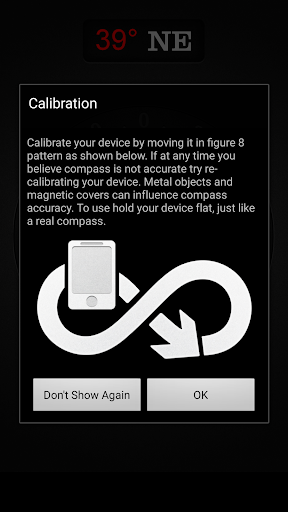
Large iron and steel objects can influence the magnetic sensor in your Android device, causing it to point in the wrong direction. This is called deviation. If you suspect this is happening, simply move away from the object several feet and the problem should correct itself.
What's New
Version Information
- Version
- 3.9
- Downloads
- 100K+
- Updated on
- Aug 21, 2025
- Released
- Mar 10, 2015
- Requires
- Android 6.0
Statistics
Google Play Rating History
Rating Distribution
Downloads Over Time
Compass PRO has been downloaded times. Over the past 30 days, it averaged downloads per day.
Shaded area shows 30-day prediction based on historical trends
Historical data collection started recently. More data points will be available over time.
Compass PRO users say on Google Play
 Timothy Alvaro
Works fine, accurate with no ads @$1.99. It's a backup/checkup for my old fashioned military grade Compass, I've had since Marine 0311, active duty-1980.
 Timothy Morgan
This is a nice phone compass. I use an actual compass for maps and mapping, but this suits what I use it for perfectly. It is a good looking compass, easy to use and pretty accurate. If you are looking for a nice phone compass, look no further. You're here! My compass says so. 😁
 Klaatu58
Description reads, "We bring updates to Google Play regularly to constantly improve speed, reliability, performance and fix bugs," yet the last update was over two years ago. Also reads, "This is ad free (no ads) version of my compass" but the link is to the free (ads) version. Rather careless. At least their English is decent.
 Ron Holland
I just bought this. To get more than one screen it costs another $10. t/he outer hub of the dial reads 0 when the compass points south. No settings or other screens. I already had a true north compass for free that works far better. Very dissapointed in this app.
 Vincent Granville
Rendering issue in Android 14. Right side edge of the compass is clipped. Issue ongoing now since April 2023. Please fix this issue, it is a paid app and should be prioritised. Thanks. EDIT: I cannot believe some of us idiots actually paid for this app that's very clearly now unsupported. No regular updates and last one was over 1 year ago. This app should be pulled from Play Store.
ApkTrusted Ratings & Reviews
More from Gamma Play
See more apps
Bubble Level PRO
Paid

Jigsaw Puzzles & Puzzle Games
Free
Find the Difference: Pictures
Free

QR & Barcode Scanner
Free

PDF Reader - PDF Scanner
Free
Checkers
Free
Find the Difference 1000+
Free
Bubble Level
Free
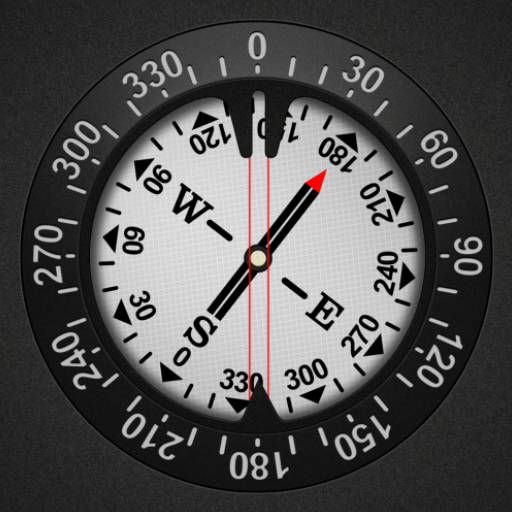
Compass
Free

Solitaire
Free
QR & Barcode Scanner PRO
Free

Tic Tac Toe
Free
Voice Recorder - Sound Recorde
Free
Jigsaw Puzzle Of The Day
Free

Worm Run!
Free
Sawdoku - Sudoku Block Puzzle
Free
Similar Apps

Qibla Direction- GPS Compass
Paid
Compass Steel
Free
My Emotional Compass
Paid

Socratic AI: Math Help, Solver
Paid
Digital Compass
Free

MATS - Training Platform
Free

G Band
Free

Applied Ballistics Quantum
Free

Orca: Boat GPS, Charts, Routes
Free
Compass Steel 3D
Free

Sword And Scale
Free

QR & Barcode Scanner
Paid

Earth Map App - Live Cam View
Paid

Chargeway
Free

FarOut
Free

ZenAlarm: Smart Wake Up
Paid
Scan this QR code to download

Forwarding you to the page at Google Play market in seconds...
Open Google Play market now