
Huion Note : Easy note-taking v2.2.1
Huion


About this app
Developer Description
Simple note-taking & annotation
Students, teachers, and professionals use Huion Note daily to find inspiration, capture ideas.
Huion Note can work with a smart digital notebook of the same name to offer a smooth writing experience during note-taking and enable you to read and edit the notes on your phone or tablet in real time and to get digital notes more easily than taking photos or scanning paper documents.
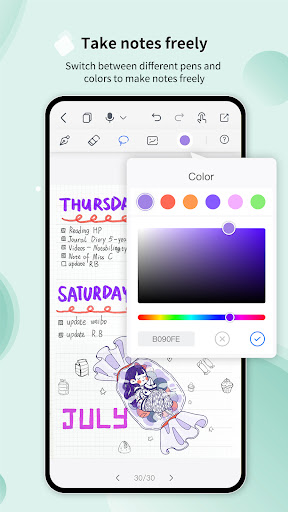
Diverse editing tools such as pens, eraser, lasso tool, and so on are available in Huion Note to help you take class notes conveniently, write memos quickly, and create beautiful diaries.
Features:
[Handwrite Naturally ]
- Ink is fine-tuned for the M-Pencil & S Pen & OPPO Pencil for the most responsive, precise writing experience.
- Erase freehand ink or shapes with varied brush sizes.
[Sync To Your Phone And Tablet Simultaneously]
- Note down on Huion smart digital notebook and sync your handwriting to a phone or tablet so you will never lose them.
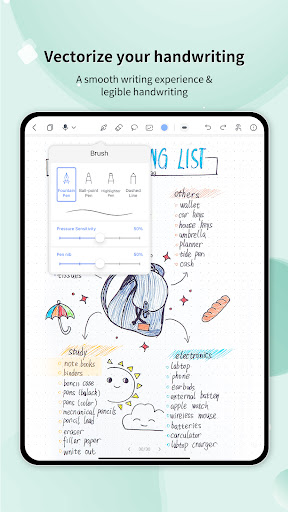
- Vectorize your handwritten notes to keep them legible despite zooming in or out.
[Design Your Notes Freely]
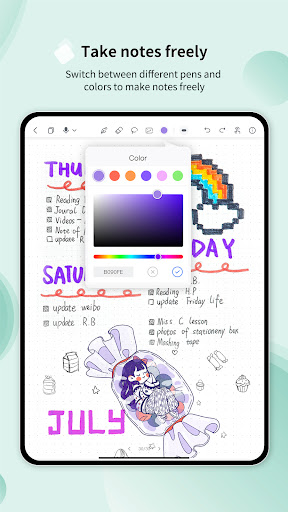
- Apply diverse pens and colors to highlight and mark different parts of a note.
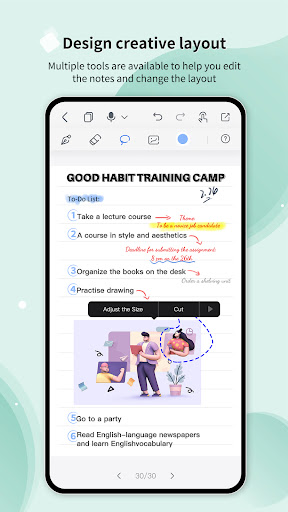
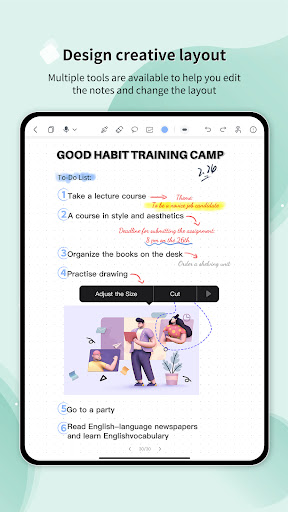
- Design the layout of your notes with multiple editing tools such as an eraser and lasso tool or insert pictures to create unique and beautiful diaries.
- Choose from a great number of paper templates including ruled paper, squared paper, dot paper, Cornell paper, etc.
[Record Audio With One Tap]
- Record more details (not only words but also the sounds) during a lesson or a meeting.
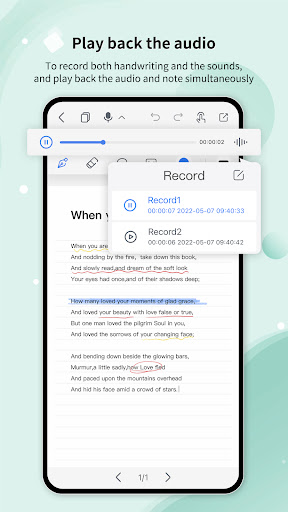
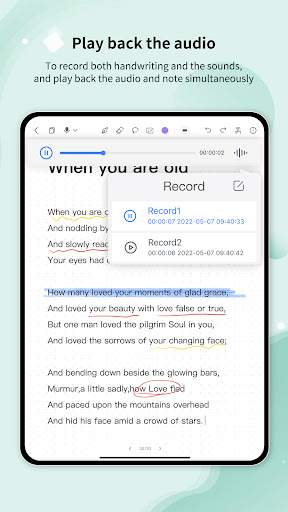
- Make a recording while simultaneously writing on a notebook in Huion Note. Tap a certain word or mark in the note, and the audio will jump to the corresponding point.
- Record in sections, and the total duration of a recording within a notebook is up to 5 hours.
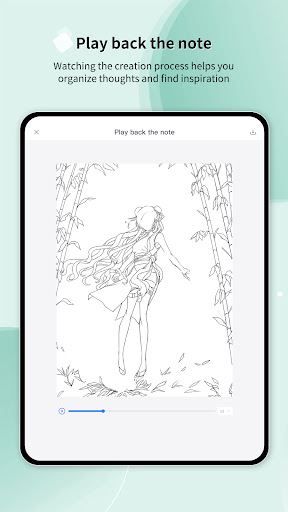
[Play Back The Creation Process Of Your Notes]
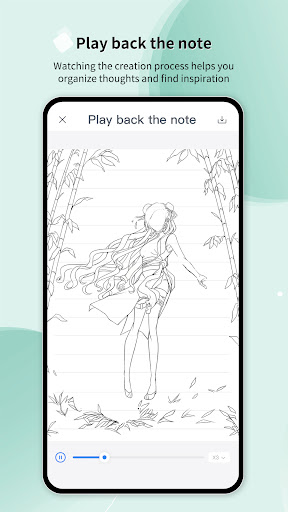
- Record the creation process of a note and save it as a video in the album of your phone for you to review at any moment and organize thoughts.
[Share Your Inspiration And Ideas Anytime]
- Export digital notes as PDFs, JPGs, Videos, or Huion Note format files to share your brilliant inspiration with others anytime.
Your feedback is important to us. Welcome to feedback your problems and suggestions on Feedback (Settings > Feedback) within Huion Note or send us an email (notesupport@huion.cn.). We will keep improving to serve you better. Thank you for your support!
Version Information
- Version
- 2.2.1
- Downloads
- 500K+
- Updated on
- Nov 20, 2025
- Released
- Mar 16, 2022
- Requires
- Android 7.1
Statistics
Google Play Rating History
Rating Distribution
Downloads Over Time
Huion Note : Easy note-taking has been downloaded times. Over the past 30 days, it averaged downloads per day.
Shaded area shows 30-day prediction based on historical trends
Historical data collection started recently. More data points will be available over time.
Huion Note : Easy note-taking users say on Google Play
 Red Broad
I am an illustrator I had the Bamboo slate which was awful to navigate and I lost a lot of work. This HUION is amazing!! I'm so impressed and very happy with the product. It looks great, feels great and does a brilliant job. Highly recommend to note takers and doodlers.
 Muhammad Daffa Haidar Ilmy Suherli
only if this note can make a 'dot' i will rate 5, but still, you have to slightly move the pen, which is not a 'dot', more like a short 'coma'..
 Molly Revis
it's fine, it's fun for small doodles nothing serious and honestly, I remember seeing the advertisements for it being about drawing or it helping traditional artists with digital art while it still feels like traditional art, there is only 5 pen types, you can't adjust a lot, no layers which I thrive on it, and I wanted to use it for serious art, I think I might stick to the weird screen texture for that, I'm quite disappointed with it please add more stuff for the artists, cause I am one
 Nat
Nat
Was going great, as I found this app easy to navigate, pleasant to look at, with a decent amount of penmanship and essential note-taking features. What killed it was the inability to make the lined paper lines more narrow, or change the templates to something more suitable for my note taking needs. While it does come with a handful of decent templates, the lackluster ability to customize or even change anything at the bare minimum, made it a hard "no" for me.
 Aims Mo
when registering for the app on my phone it would not send me the verification code. I checked my spam and tried resending it. the whole set up for the huion note x10 has been very difficult. the instructions were not helpful at all.
ApkTrusted Ratings & Reviews
More from Huion
See more apps

Similar Apps

Jnotes: Note-Taking, AI, PDF
Free

Squid: Take Notes, Markup PDFs
Free

DrawNote: Drawing Notepad Memo
Free
Kilonotes-Notes & Mark up PDF
Free

MyScript Notes (Nebo)
Free

Noteshelf 3: Digital Notes
Free

Flexcil Notes & PDF Reader
Free

touchnotes
Free

StarNote: Handwriting & PDF
Free

Notewise - AI Notes, PDF, Docs
Free

Goodnotes: AI Notes, Docs, PDF
Free

Notes : Color Folders & Lists
Free

Mind Notes: Note-Taking Apps
Free
Inkpad Notepad & To do list
Free

Notepad Lock - Notebook
Free

Color Notes, Notebook, Notepad
Free
Scan this QR code to download

Forwarding you to the page at Google Play market in seconds...
Open Google Play market now