PixelLab - Text on pictures v2.1.6
App Holdings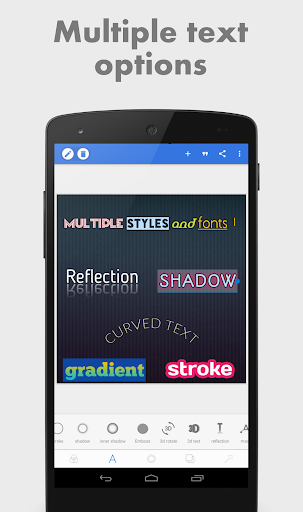
About this app
Developer Description
Easily draw, add simple and 3D text and stickers, and edit your images for free!
If you want to see the app in action, here is a YouTube playlist that contains some tutorials : https://www.youtube.com/playlist?list=PLj6ns9dBMhBL3jmB27sNEd5nTpDkWoEET
Features:
Text: add and customize as much text objects as you want…
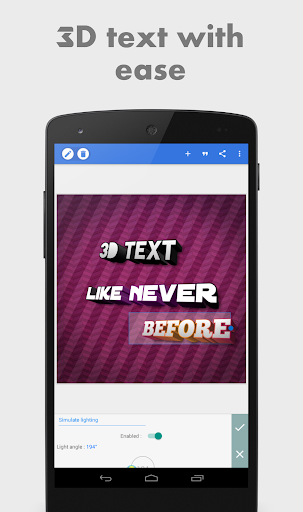
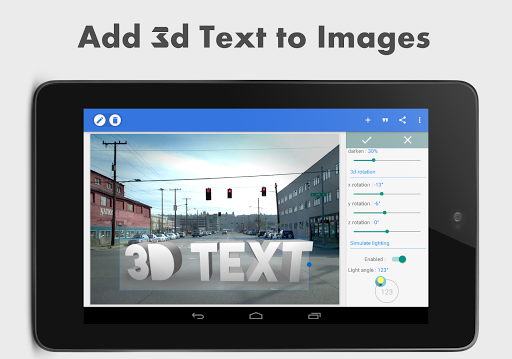
3D Text: create 3d texts and overlay them on top of your images, or have them stand on their own in a cool poster…
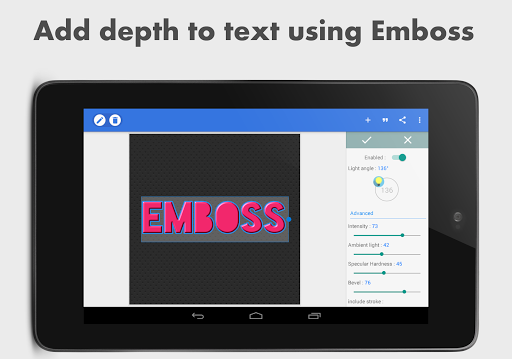
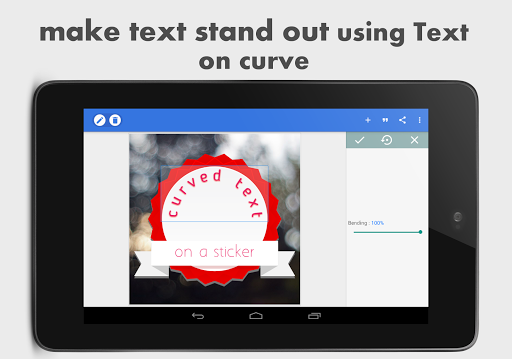
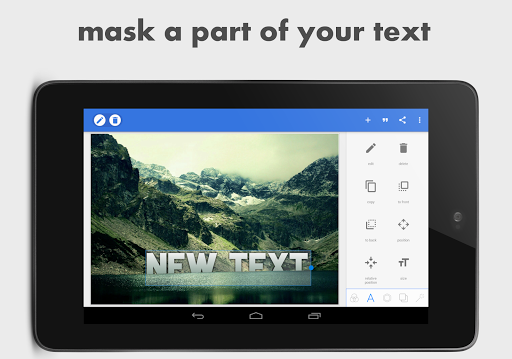
Text effects: make your text stand out with dozens of text effects like : Shadow, Inner Shadow, Stroke, Background, Reflection, Emboss, Mask, 3d text...
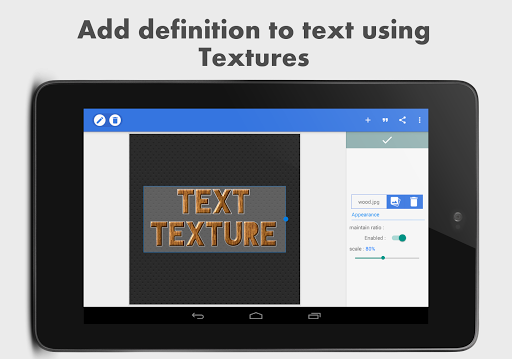
Text color: Set your text to any fill option you want, be it a simple color, a linear gradient, a radial gradient, or an image texture.
Text font: choose from 100+, hand picked fonts. Or use your own fonts !
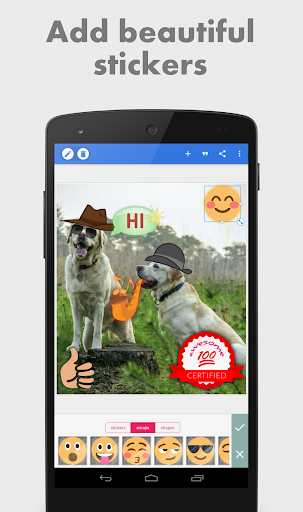
Stickers: add and customize as much stickers, emojis, shapes, as you want...
Import images: add your own images from gallery. This could come in handy when you have your own stickers, or you want to composite two images...
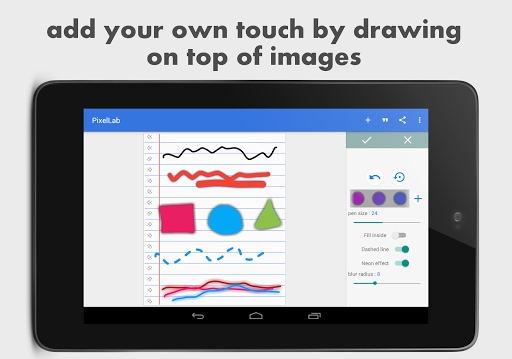
Draw: pick a pen size, a color, then draw anything you want. after that the drawing acts like a shape and you can resize it, rotate it, add shadow to it...
change the background: with the possibility of making it : a color, a gradient or an image.
Save as a project: you can save anything you do as a project. It'll be available for use even after closing the app!
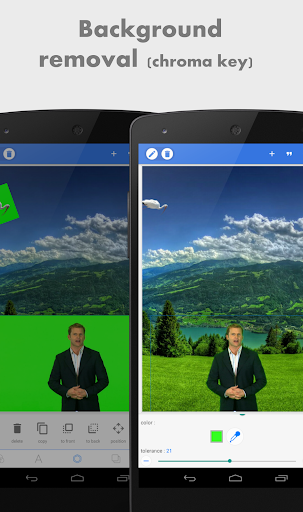
Remove the background: be it a green screen, a blue screen or simply a white background behind an object in an image that you found on Google images; PixelLab can make it transparent for you.
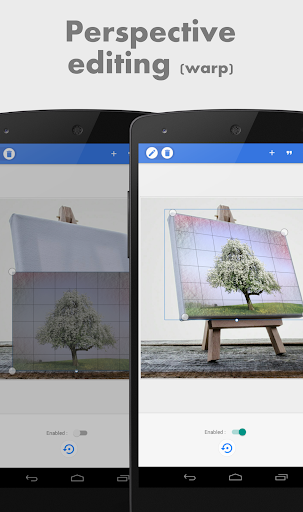
Edit image perspective: you can now perform perspective editing (warp). Handy for, replacing a monitor's content, changing a road sign's text, adding logos on boxes...
Image effects: enhance your pictures' look by applying some of the available effects, which include vignette, stripes, hue, saturation...
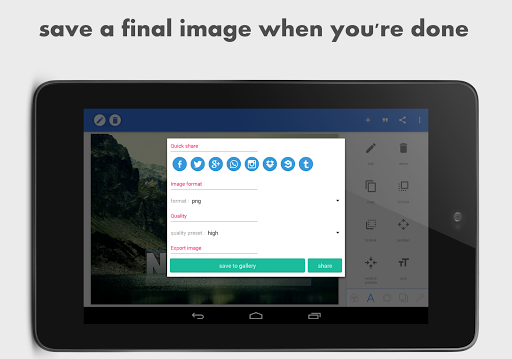
Export your Image: save or share at any format or resolution you want, For easy access you can use the Quick Share buttons to share the image to social media apps with a click of a button (ex : facebook,twitter, instagram...)
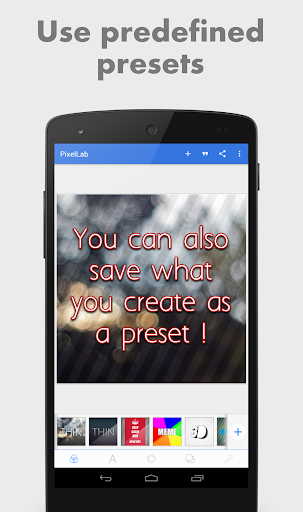
Create memes: using the provided meme preset, you can easily have your memes ready for sharing in matter seconds.
Browse quotes and insert anything you like, into what you're making !
If you have a suggestion, a question or you want to report a bug please use the provided feedback function or contact me directly via emails...
In-app purchases
$2.99 per item
Version Information
- Version
- 2.1.6
- Downloads
- 100M+
- Updated on
- Jan 2, 2026
- Released
- Apr 10, 2015
- Requires
- Android 6.0
Statistics
Google Play Rating History
Rating Distribution
Downloads Over Time
PixelLab - Text on pictures has been downloaded times. Over the past 30 days, it averaged downloads per day.
Shaded area shows 30-day prediction based on historical trends
Historical data collection started recently. More data points will be available over time.
PixelLab - Text on pictures - Google Play Rankings
Top Rankings
| Rank | Country | Category | List | Change |
|---|---|---|---|---|
| — |
Ranking History in
No ranking data available yet. Rankings are updated daily.
#17 in Top Free Photography in Indonesia

#17 in Top Free Photography in India
 Falling Filter: Loop Me Effect
PixelLab - Text on pictures
Falling Filter: Loop Me Effect
PixelLab - Text on pictures
 Digital Camera Filter: Cam HD
#28 in Top Free Photography in Saudi Arabia

#34 in Top Free Photography in Pakistan


PixelLab - Text on pictures users say on Google Play
 Trish F
When I don't need AI, this is the first app I open for image editing, every time. Super easy to use for layering and fine-tuning images, text, and simple vector objects. Perfectly smooth operation (no lag at all!), and beautifully high-res output. There's a gap or two in its toolbox, but I'll hop onto another app for a minute to get that missing effect, then come right back to PixelLab to perfect the final result. Also, I recently reported a bug, and it was fixed the same day! Truly exceptional.
 Copper
I've been using the app for years. Runs smoothly and has everything I need for photo editing. But recently I've noticed the edit buttons(font, size,etc.) are gone... Has there been any updates that might cause this?
 Richard Lonnee
Still not completely fixed. Bottom of layer menu, still behind bottom of phone bar.
 ARUN ADHIKARY
In the app 'EMBROSS' feature option are not working in my Galaxy A7(2018). it's glitching and distract the selected pictures or text font.
 Socialism Sucks
This app no longer hides the Android navigation bar at the bottom of the screen, so all the tools for this app are suddenly hidden behind the Android nav bar, making the app totally useless. This issue just randomly started happening today after years of working fine.
ApkTrusted Ratings & Reviews
More from App Holdings
See more apps
Music Player - MP3 Player
Free
Pi Music Player: Offline Music
Free

Life: Period Tracker Calendar
Free
Escape Alcatraz
Free
Dead Effect
Free
Wolf: The Evolution Online RPG
Free
Habit Tracker
Free
Horse Quest
Free
Horse Paradise: My Dream Ranch
Free
Plumber 3
Free
HonorBound RPG
Free
AI Chat App - AI Chat bot
Free

Drive Simulator
Free
Dead Effect 2
Free
Glycemic Index. Diabetes diary
Free
Chain Reaction
Free
Similar Apps

Background Eraser Photo Editor
Free

Add Text: Text on Photo Editor
Free

Background remover - remove.bg
Free
Pixelcut AI Photo Editor
Free
Logo Maker : AI Logo Generator
Free
PicsKit Photo Editor & Design
Free

Pexels: HD+ videos & photos
Free
Magic Eraser - Remove Objects
Free
Alight Motion
Free
Photo Editor - Collage Maker
Free

Logo maker Design Logo creator
Free
Snapseed
Free

Lightroom Photo & Video Editor
Free
Presets & Filters - Koloro
Free

Picsart AI Photo Editor, Video
Free
VistaCreate: Graphic Design
Free
Scan this QR code to download

Forwarding you to the page at Google Play market in seconds...
Open Google Play market now