Snapseed vVARY
Google LLC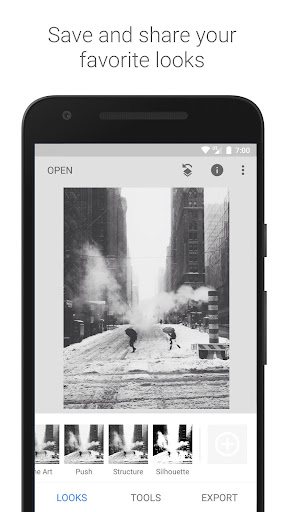
About this app
Snapseed solves the problem of complex photo editing by providing professional-quality tools in a user-friendly interface, benefiting photographers and casual users alike who seek to enhance their mobile photos without extensive editing experience. Compared to alternatives in the Photography category, Snapseed stands out with its comprehensive feature set and lack of ads or in-app purchases, making it a preferred choice for those valuing an uninterrupted editing experience. However, it may fall short for users seeking a more social or community-driven experience. Its professional-grade features and Google's backing make it a top contender in its category.
Pros
- With over 100 million downloads and a 4.0-star rating, Snapseed boasts significant social proof, indicating a well-received and reliable app that has met the needs of a vast user base.
- The app's professional-quality editing tools, such as its selective adjustments and filters, cater to a wide range of users, from beginners to professionals, offering versatility and depth in editing capabilities.
- Snapseed's lack of ads and in-app purchases ensures an uninterrupted editing experience, allowing users to focus on enhancing their photos without commercial interruptions or additional costs.
- The app's offline capability allows for editing on the go, making it a convenient option for users who need to work on their photos anywhere, regardless of internet connectivity.
- Google's reputation for security and privacy adds a layer of trust for users, ensuring that their data and photos are handled responsibly.
Cons
- Despite its comprehensive feature set, some users might find the interface overwhelming, especially those new to photo editing, which could lead to a steeper learning curve.
- The absence of social features might be a drawback for users who enjoy sharing their editing progress or learning from a community, limiting the app's appeal to those seeking a more interactive experience.
- While Snapseed is highly rated, some users have reported issues with the app's performance on lower-end devices, which could affect its accessibility for all potential users.
- The variability in required Android version might lead to compatibility issues for users with older devices, potentially excluding them from accessing the app's features.
Best for: The ideal user for Snapseed is likely an individual with a keen interest in photography, ranging from hobbyists to professionals, who values high-quality editing tools and seeks a comprehensive, ad-free experience to enhance their mobile photos without needing extensive editing software knowledge or a computer.
Developer Description
Professional quality photo edits with the new Snapseed.
== KEY FEATURES==
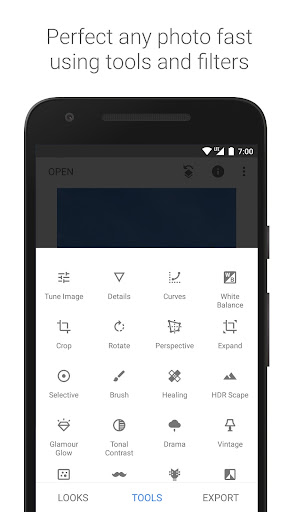
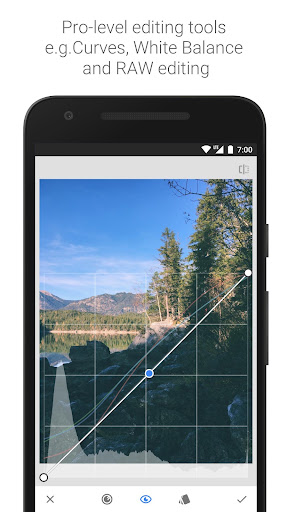
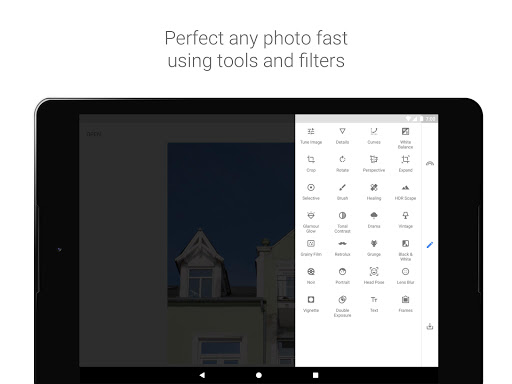
• 29 Tools and Filters, including: Healing, Brush, Structure, HDR, Perspective (see list below)
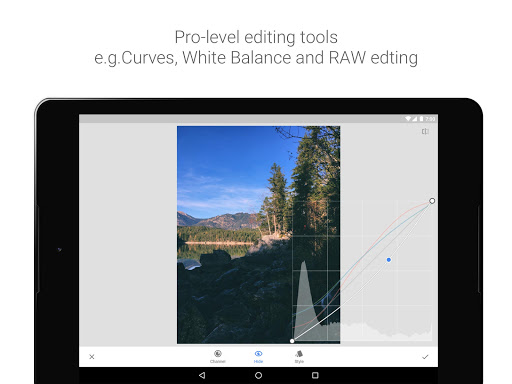
• Opens JPG and RAW files
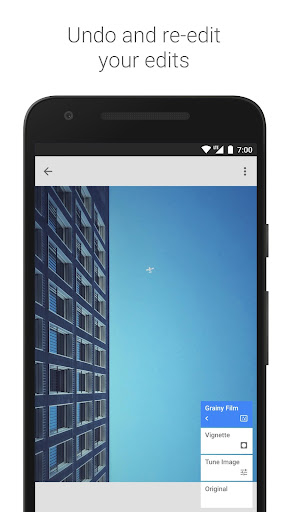
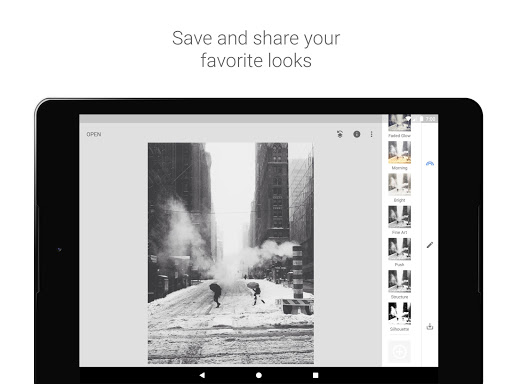
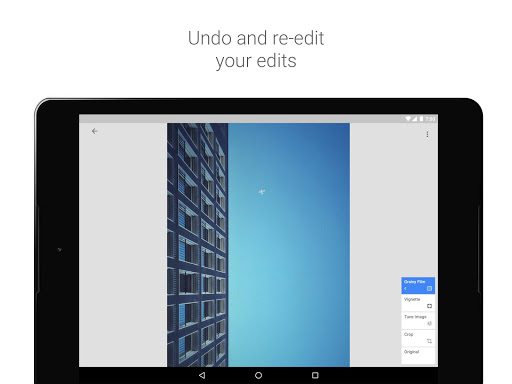
• Save your personal looks and apply them to new photos later
• Selective filter brush
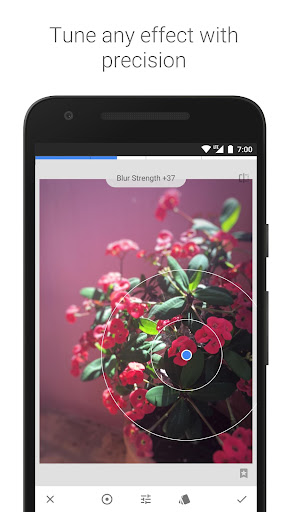
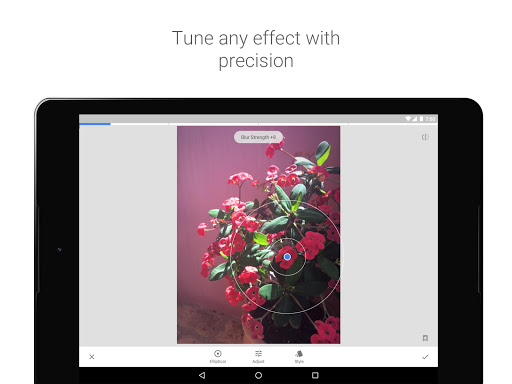
• All styles can be tweaked with fine, precise control
== TOOLS, FILTERS AND FACE ==
• RAW Develop – open and tweak RAW DNG files; save non-destructively or export as JPG
• Tune image – adjust exposure and color automatically or manually with fine, precise control
• Details – magically brings out surface structures in images
• Crop – crop to standard sizes or freely
• Rotate – rotate by 90°, or straighten a skewed horizon
• Perspective – fix skewed lines and perfect the geometry of horizons or buildings
• White Balance – adjust the colors so that the image looks more natural
• Brush – selectively retouch exposure, saturation, brightness or warmth
• Selective – the renown “Control Point” technology: Position up to 8 points on the image and assign enhancements, the algorithm does the rest magically
• Healing – remove the uninvited neighbor from a group picture
• Vignette – add a soft darkness around the corners like a beautiful, wide-aperture would do
• Text – add both stylized or plain text
• Curves - have precise control over the brightness levels in your photos
• Expand - increase the size of your canvas and fill up the new space in smart ways with content of your image
• Lens Blur – add a beautiful Bokeh to images (background softening), ideal for photographic portraits
• Glamour Glow – add a fine glow to images, great for fashion or portraits
• Tonal Contrast – boost details selectively in the shadows, midtones and highlights
• HDR Scape – bring a stunning look to your images by creating the effect of multiple exposures
• Drama – add a hint of doomsday to your images (6 styles)
• Grunge – an edgy look with strong styles and texture overlays
• Grainy Film – get modern film looks with realistic grain
• Vintage – the style of color film photo from the 50’s, 60’s or 70’s
• Retrolux – go retro with light leaks, scratches, film styles
• Noir – Black and White film looks with realistic grain and the “wash” effect
• Black & White – classic Black and White look straight out of the darkroom
• Frames – add frames with adjustable size
• Double Exposure - blend two photos, choosing from blend modes that are inspired by shooting on film and by digital image processing
• Face Enhance – add focus to the eyes, add face-specific lighting, or smoothen skin
• Face Pose - correct the pose of portraits based on three dimensional models
Privacy
Given that Snapseed requests no permissions, it presents a minimal risk in terms of data collection and privacy invasion. However, users should still be cautious when saving and sharing edited photos, ensuring they are not inadvertently sharing personal or sensitive information. It's also advisable to keep the app updated to leverage the latest security patches and features.
Tips
To get the most out of Snapseed, users should explore the app's selective adjustments feature, which allows for precise editing of specific areas of a photo. Additionally, saving frequently while editing can prevent loss of work in case of an app crash or device issue. For optimal performance, closing other resource-intensive apps while using Snapseed can also help.
What's New
• Bug fixes
Version Information
- Version
- -
- Downloads
- 100M+
- Updated on
- May 22, 2024
- Released
- Dec 6, 2012
- Requires
- Android Varies with device
Statistics
Google Play Rating History
Rating Distribution
Downloads Over Time
Snapseed has been downloaded times. Over the past 30 days, it averaged downloads per day.
Shaded area shows 30-day prediction based on historical trends
Historical data collection started recently. More data points will be available over time.
Snapseed - Google Play Rankings
Top Rankings
| Rank | Country | Category | List | Change |
|---|---|---|---|---|
| — |
Ranking History in
No ranking data available yet. Rankings are updated daily.
#24 in Top Free Photography in United States

#8 in Top Free Photography in Netherlands

#13 in Top Free Photography in Germany

#16 in Top Free Photography in Italy


Snapseed users say on Google Play
 KING Akhil
good experience with no ads
 Murali Jummu
It's a very good app but sometimes it was stopping automatically that's the only problem, the app was totally crashing waste of time
 Sharan Kumar
In the previous release there were some film presets added and it was really useful. But I don't know why it is removed now
 m f g
m f g
loved this app for a long time but 2 years without an update is wild. it's great in some ways, but you can't export filters in any efficient way and Google photos keeps making it making it harder to open from there
 jayson king
are we finally getting an android update? now you have pandered to apple users first?
ApkTrusted Ratings & Reviews
More from Google LLC
See more apps
Chrome Beta
Free

Chrome Dev
Free

Chrome Canary (Unstable)
Free

Magnifier
Free

Fitbit
Free

Lookout - Assisted vision
Free

Test DPC
Free

Google Chrome
Free

Accessibility Scanner
Free

Compose Material Catalog
Free

Action Blocks
Free

Sound Amplifier
Free

Switch Access
Free

Reading mode
Free

Pixel Camera
Free

Android AICore
Free
Similar Apps

Remini - AI Photo Enhancer
Free

Lightroom Photo & Video Editor
Free
Photoshop Express Photo Editor
Free

AI Photo Editor - Polish
Free

Picsart AI Photo Editor, Video
Free

Presets for Lightroom — FLTR
Free

Remove Objects - Photo Editor
Free
Polarr: Photo Filters & Editor
Free

EPIK - AI Photo & Video Editor
Free

Background Eraser Photo Editor
Free

Magic Eraser - Remove Objects
Free
Collage Maker | Photo Editor
Free

VSCO: Photo Editor
Free

AI Photo Editor - Lumii
Free

Presets & Filters - Koloro
Free
FaceApp: Perfect Face Editor
Free
Scan this QR code to download

Forwarding you to the page at Google Play market in seconds...
Open Google Play market now