
iMyTrans - Phone Transfer App v2.5.2
Wheatfield Guard Technology Co., Ltd.












About this app
Developer Description
Easily Transfer WhatsApp/Business Data Between Android and iPhone Without a PC!
As a professional between Android and iOS Chat App transfer app, iMyTrans - Phone Transfer App can effortlessly and quickly help you transfer all Chat App and Business chat data to a new phone from an old phone with only one original charging cable.
Key Features:
🚫 PC-Free Transfer: Effortlessly move Chat App and Business chat data between Android and iOS without using a computer.
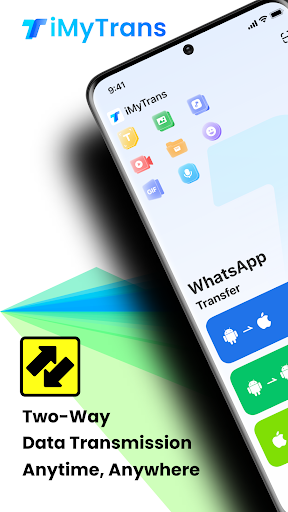
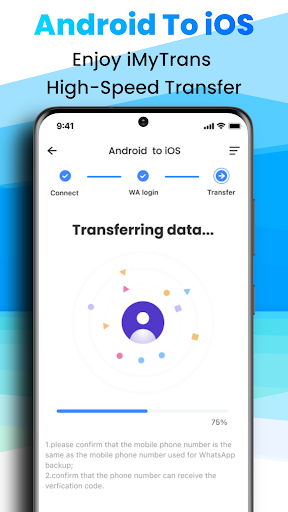
🔄 Two-Way Transfer: Quickly transfers Chat App and Business chat data from Android to iPhone.
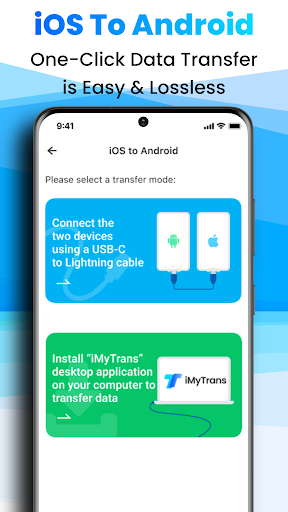
🔌 Direct Connection: Using the original charging cable transfers all Chat App and Business chat data between iOS and Android.
💬Merge chats: Merge chat records with one click and easily integrate all conversations!
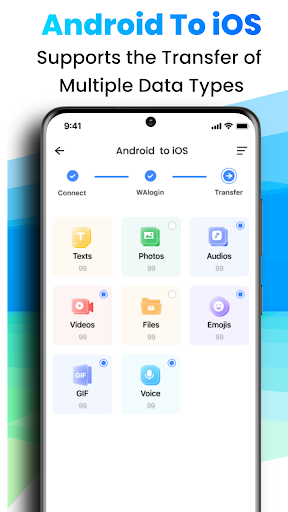
📂 Multiple Data Types: Support for up to 8 data types, including texts, photos, audio, videos, files, emojis, and more.
👥 Multi-Account Support: Transfer data across multiple Chat Apps and Business chat data accounts.
✨ New: Now supports iOS 18 and iPhone 16 series!
Fully compatible with the latest iOS 18 and iPhone 16 series. Enjoy the fastest, smoothest data transfer between Android and iOS!
Effortless Data Transfer: Skip the Factory Reset!
❓️Question 1: What about transferring from Android to iOS? Do I need to reset my iPhone???
⚠️Answer: No need! Our product allows direct transfers without resetting your iPhone. While official methods require the iPhone to be new or factory reset, our solution saves you time by avoiding these limitations.
❓️Question 2: Can I transfer data from iOS to Android without a factory reset???
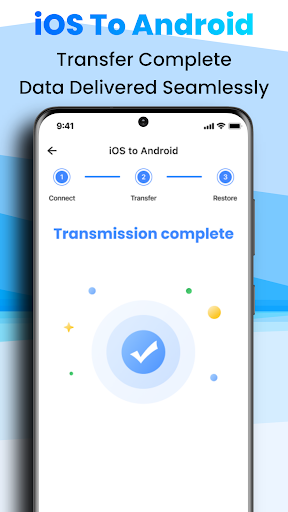
⚠️Answer: Yes, you can use our app! Unlike official methods that only support Samsung, Google phones, or Android 12+ and require a factory reset, our app works with all Android phones and requires no factory reset. It's easy and hassle-free!
Why Choose the iMyTrans - Phone Transfer App?
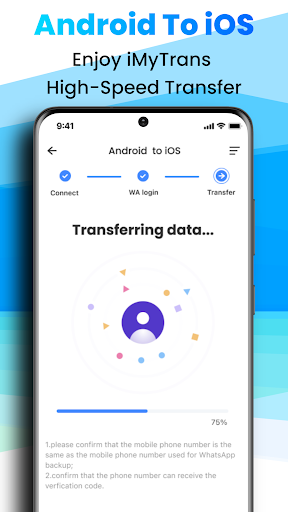
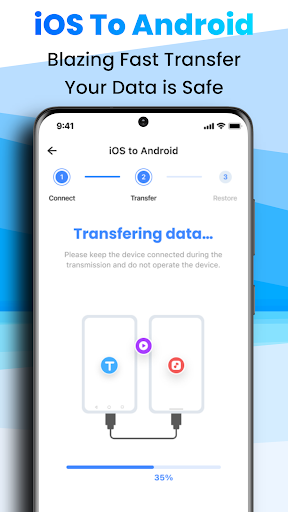
✅️ Fast: The iMyTrans Chat App transfer app can bring unprecedented data transfer speed. Compared to Move to iOS App or AnyTrans for iOS, the transmission speed of iMyTrans - Phone Transfer App is faster and more stable.
✅️ Convenience: Only one original charging cable transfers Chat App and Business chat data between Android and iOS without a PC.
✅️ Simplicity: We keep the interface clean and provide clear tutorials to help you get through it.
✅️ Security: We highly value your privacy and keep it confidential.
✅️ Unlimited: You can restore multiple file types for transfer without restrictions on their type and size.
How do you transfer Chat App and Business Chats data to a new iPhone from an old Android phone with the iMyTrans Phone Transfer App?
Step 1: Search "iMyTrans" in Google Play on your Android phone, then install the iMyTrans Chat App Transfer app.
Step 2: Connect iPhone and Android devices with an original charging cable.
Step 3: Transfer multiple Chat apps and Business chat data (messages, images, photos, videos, files, etc.) between iOS and Android.
Experience seamless Chat App and Business chat data transfers with our new automated accessibility feature in iMyTrans.
🛠️ Effortless Handling: This feature effortlessly handles Chat App and Business Chats data backup and turns off two-step verification, fully compliant with Chat App's guidelines.
🔒 Data Security: Your data is our priority! iMyTransApp ensures all data is used only for transmission and never stored or shared with third parties.
iMyTrans is developed by Wheatfield Guard Technology Co., Ltd. and is not affiliated with Meta or Chat App.
📚 Need help with how to do it?
•Step-by-Step Guide:https://www.imyfone.com/transfer-backup-restore-whatsapp/guide/
•YouTube How-to Video Guide: https://www.youtube.com/watch?v=QPQeHcjBL10
•Additional Help Guidelines: https://www.imyfone.com/support/imyfone-itransor-go/
•Feedback Email: support@imyfone.com
What's New
1. Performance optimization
2. Transmission improvement
In-app purchases
$9.99 - $69.99 per item
Version Information
- Version
- 2.5.2
- Downloads
- 100K+
- Updated on
- Jul 27, 2025
- Released
- Aug 30, 2022
- Requires
- Android 8.0
Statistics
Google Play Rating History
Rating Distribution
Downloads Over Time
iMyTrans - Phone Transfer App has been downloaded times. Over the past 30 days, it averaged downloads per day.
Shaded area shows 30-day prediction based on historical trends
Historical data collection started recently. More data points will be available over time.
iMyTrans - Phone Transfer App users say on Google Play
 Assed Lussak
To work well, choose direct transfer from phone (android - Note20) to phone (ios - iphone15). If using download from Gdrive, the app in ios keeps restarting
 mickey corp mp
Transfer is free but requires registration. All else is not free
 Andrew Giblin
Too expensive
 Andrea Arenz
App did not work for it's intended purposes. I downloaded the app more than a week ago, since then everyday I have tried to transfer my whatsapp back up from Android to iPhone. The transfer process commences but never completes successfully.
ApkTrusted Ratings & Reviews
More from Wheatfield Guard Technology Co., Ltd.
See more apps
AI Kiss Video & AI Hug-LitAI
Free

AI Danza-AI Video Editor&Maker
Free

AI Song & Music Maker-Musicful
Free

D-Back Pro: Recover Lost Files
Free

ChatsBack - Chat Recovery
Free

ChatsBack See Deleted Messages
Free

D-Back: Data Recovery Tool
Free

AnyRecover-Data Recovery
Free

MagicPic AI Photo Editor
Free
iTransor for LINE
Free
Similar Apps

Mutsapper - Chat App Transfer
Free

Smart Switch - File Transfer
Paid

Data Transfer - MobileTrans
Free

WaiverForever - Online Waiver
Free

WeTransfer : File Transfer
Free

UltData: Photo & Data Recovery
Free

Constant Contact Marketing App
Free

Trendy Transfers
Free

Pushbullet: SMS on PC and more
Free

Send Anywhere (File Transfer)
Free

Phone Clone Tool: Switch data
Free

Sindhi Poetry Sindhi Status
Free
MobiSaver: Data&Photo Recovery
Free

Quo (formerly OpenPhone)
Free

Smart Transfer: File Sharing
Free
eloomi
Free
Scan this QR code to download

Forwarding you to the page at Google Play market in seconds...
Open Google Play market now