Web Video Cast | Browser to TV v5.12.7
InstantBits Inc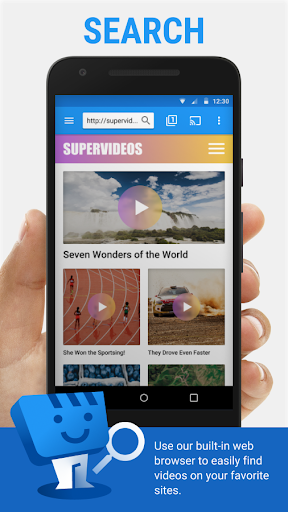
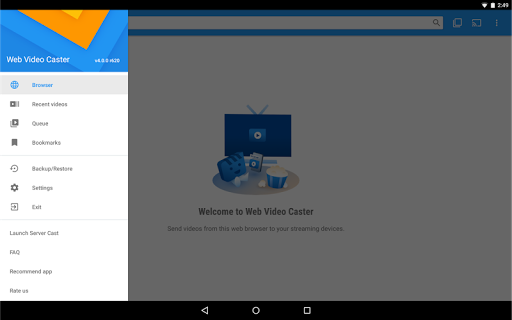
About this app
Developer Description
Cast movies, tv shows and live streams to Chromecast, Roku, DLNA, Fire TV & more
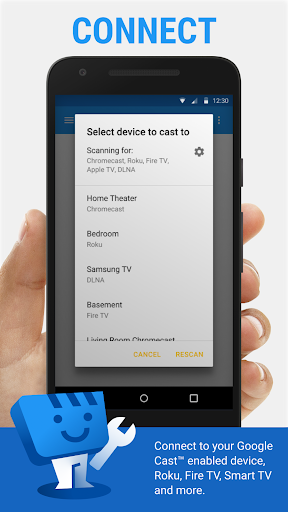
SUPPORTED STREAMING DEVICES
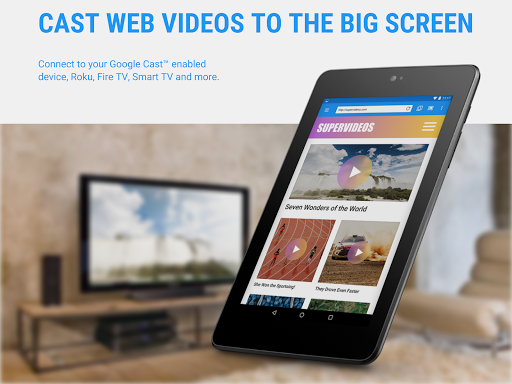
Web Video Caster® supports the most popular streaming devices, allowing your TV to stream videos directly from the web.
• Chromecast.
• Roku.
• DLNA receivers.
• Amazon Fire TV and Fire TV Stick.
• Smart TVs: LG Netcast and WebOS, Samsung, Sony, and others*.
• PlayStation 4 - by using its web browser.
• Most web browsers by visiting http://cast2tv.app (PS4, Smart TVs, other consoles and set top boxes).
• And more.
*If you experience compatibility issues, contact us and include the brand and model number.
SUPPORTED MEDIA
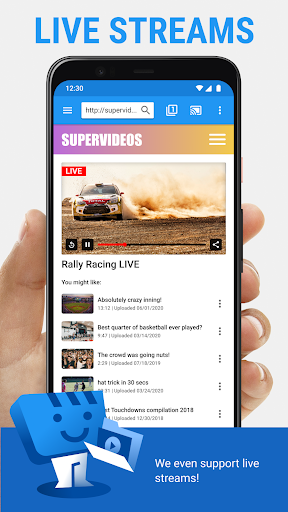
• HLS live streams in M3U8 format, where supported by your streaming device.
• Movies and TV shows.
• MP4 videos.
• Live news and sports.
• Any HTML5 videos*.
• Photos.
• Audio files including music.
*Your streaming device must be capable of decoding the video you are playing. Web Video Cast™ does not perform any video/audio decoding or transcoding.
GET STARTED
Follow these simple step-by-step instructions to start streaming:
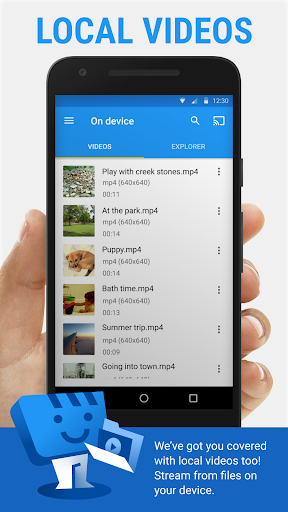
1.- Browse the web or the local file explorer to find the video, audio or photo you want to cast to your tv.
2.- If the video or audio is on a website, try to play the video inside the web page. If it is a photo, you can long press on it to cast it.
3.- Connect to your streaming device to cast the video, music, or picture.
PREMIUM FEATURES**
• No in-app advertising.
• Bookmarks.
• Home page setting.
• Video history.
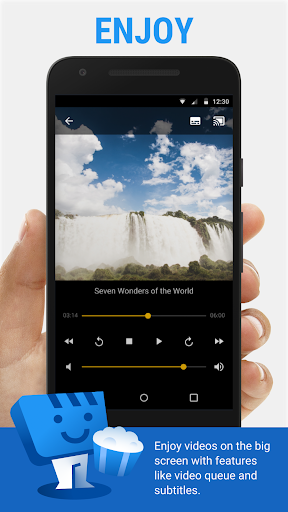
• Queue.
• Homescreen shortcut.
• Most visited site.
**This functionality does not apply universally to all streaming devices.
LIMITATIONS & DISCLOSURES
As with all apps, there are some limitations we are aware of and want you to know about up front.
• We are in no way associated with any web media providers and we do not have control over the content they provide.
• The app does not support tab casting, like the Chromecast extension for the PC web browser.
• We cannot do anything to fix issues that arise on the server side (media content provider) such as failure to play or buffering, which is especially common during heavy load times and weekends.
• Refunds are only issued within 24 hours of purchase and you must submit the order number in text, not a screenshot.
PERMISSIONS
• Phone state - To allow the pausing of videos on incoming phone calls.
• Wi-Fi connection information - Required for streaming devices and for the browser.
• Photos/Media/Files (storage in general) - Required for the download functionality.
• In-app purchases - For premium version.
• Wake-lock - To keep phone awake while routing videos through phone. Should only affect live streams and authenticated videos.
• Accounts/Identity - Required by Google Play Services (7.5+).
• Location - This is only requested on devices with Android 6+ so the user gets a chance to decide and it is only requested when the website you are browsing wants to know your location. You can always say deny it, it will not affect anything other than that website.
What's New
Other small bug fixes.
In-app purchases
$1.49 - $7.49 per item
Version Information
- Version
- 5.12.7
- Downloads
- 50M+
- Updated on
- Nov 24, 2025
- Released
- Mar 7, 2014
- Requires
- Android 5.0
Statistics
Google Play Rating History
Rating Distribution
Downloads Over Time
Web Video Cast | Browser to TV has been downloaded times. Over the past 30 days, it averaged downloads per day.
Shaded area shows 30-day prediction based on historical trends
Historical data collection started recently. More data points will be available over time.
Web Video Cast | Browser to TV - Google Play Rankings
Top Rankings
| Rank | Country | Category | List | Change |
|---|---|---|---|---|
| — |
Ranking History in
No ranking data available yet. Rankings are updated daily.
#26 in Top Free Video Players in United States


#62 in Top Grossing Video Players in United States


#12 in Top Free Video Players in Mexico

#13 in Top Free Video Players in Egypt


Web Video Cast | Browser to TV users say on Google Play
 Daniel Jegede
I'm impressed fr to have this kind of app into existence, which makes streaming easier from phone to smart television And can even play media files from phone search for subtitles in compatible videos and stuffs like that... keep it up our wonderful developers
 fade sam
good job
 TJae Williams
Was working amazing until the most recent update. At random times it just crashes and stops playing with roku returning to the home screen
 Bahadur sir
It lacks the casting option.
 Googel Minus
edit: i emailed developer as per request, no response, not in spam folder, they just want to appear to help, do not purchased. have to give 1 star. often won't play audio track. i paid for the app too. save your money
ApkTrusted Ratings & Reviews
More from InstantBits Inc
See more apps
Similar Apps

VIDAA Smart TV
Free

HQ Video Player & Casting
Paid

Cast for Chromecast & TV Cast
Free

The Roku App (Official)
Free
Visha-Video Player All Formats
Free

Yatse: Kodi remote and cast
Free

TV Time - Track Shows & Movies
Free

Smart Connect
Free

Send files to TV
Free

KMPlayer - All Video Player
Free

RTÉ Player
Free

Kodi
Free

Plex: Stream Movies & TV
Free

Streaming Guide TV & Movies
Free

Movie Pal
Free

Amazon Fire TV
Free
Scan this QR code to download

Forwarding you to the page at Google Play market in seconds...
Open Google Play market now