
Consorsbank SecurePlus v1.7.3
BNP Paribas S.A. Niederlassung Deutschland







About this app
Developer Description
Consorsbank SecurePlus App - securely and conveniently release banking transactions
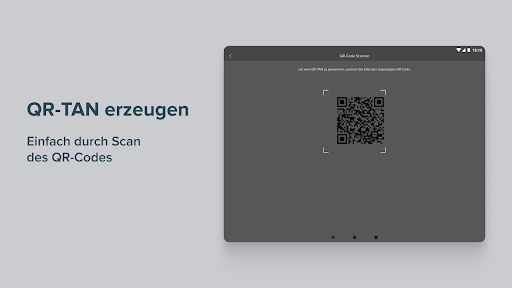
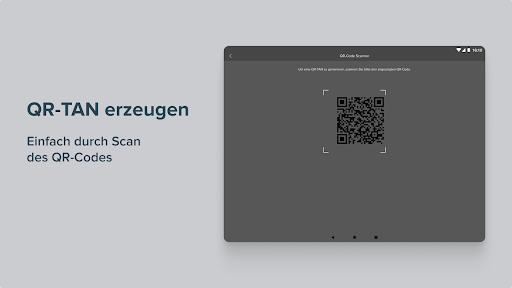
In order to activate the app, certain settings must be allowed when it is initially started. The permission to manage phone functions is required for identification and device binding and is a security feature of the app. Camera authorization is required to photograph QR codes in order to generate the required TAN. Storage authorization is required to store configuration data.
Important functions at a glance:
• You can generate a TAN at any time for your login and your orders such as transfers and securities transactions.
• Use the Consorsbank SecurePlus app worldwide both online and offline.
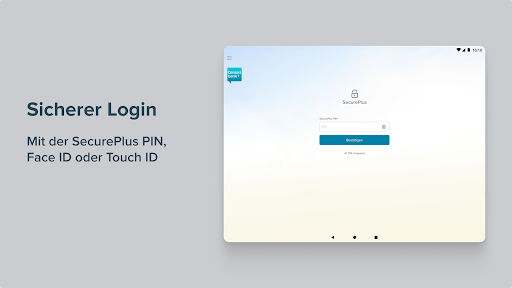
• In addition to secure login with the SecurePlus PIN, you can activate fingerprint or face recognition.
Download and Activation
Step 1: Download the Consorsbank SecurePlus app from the Google Play Store.
Step 2: Open the SecurePlus app and start activation.
Step 3: First, please log in at www.consorsbank.de. To activate, call up the QR code in the menu "My account & depot > Settings > Security" under "Activate SecurePlus app now". If you do not have access data for your account, you can request the activation code by telephone. This will then be sent to you by post.
If you have just opened your first account with Consorsbank, you will receive the activation code by post.
Step 4: Then scan the QR code with the Consorsbank SecurePlus app. You can also enter the activation data manually.
Step 5: Now assign a personal SecurePlus PIN. To do this, simply follow the instructions in the app. You will need the SecurePlus PIN in future to log into the SecurePlus app.
Please remember your SecurePlus PIN and do not pass it on to third parties.
Hints
Compatible from Android version 6.0
Further information on the Consorsbank SecurePlus app is available at www.consorsbank.de/secureplus
What's New
- TAN wird nicht akzeptiert
Version Information
- Version
- 1.7.3
- Downloads
- 1M+
- Updated on
- Aug 12, 2025
- Released
- Sep 7, 2019
- Requires
- Android 7.1
Statistics
Google Play Rating History
Rating Distribution
Downloads Over Time
Consorsbank SecurePlus has been downloaded times. Over the past 30 days, it averaged downloads per day.
Shaded area shows 30-day prediction based on historical trends
Historical data collection started recently. More data points will be available over time.
Consorsbank SecurePlus users say on Google Play
 NA NA
NA NA
Copy and paste would be a thing, it's really crappy to use without on the phone. Especially when the code now disappears when changing the app to write the code down.
 ËL
ËL
Works good. I miss a biometric fingerprint login
 Roberto Arias
Crashes on Android 9, it eventually worked in an old phone. I like Consors but this is unusable. Moving to Comdirect now, the App works there! Update: Works now, after a few months waiting 🐌
 M Rye
M Rye
Takes very long to open and confirm transactions.
 A Google user
Does not work anymore since version 1.3.7 ☹️ Opens and then closes immediately on my Zenfone2 with Android 7.1.2. The phone is *not* rooted. Couldn't find any older working versions of the app.
ApkTrusted Ratings & Reviews
More from BNP Paribas S.A. Niederlassung Deutschland
See more apps





Scan this QR code to download

Forwarding you to the page at Google Play market in seconds...
Open Google Play market now