
DAB SecurePlus v1.0.10
BNP Paribas S.A. Niederlassung Deutschland




About this app
Developer Description
With our DAB SecurePlus app you can easily generate TANs and QR-TANs.
With our DAB SecurePlus app you can easily generate QR-TANs and thanks to modern encryption you are always on the safe side.
Overview of important functions:
• You can generate a TAN or QR-TAN at any time for your login and your orders such as transfers and securities transactions.
• Use the DAB SecurePlus app both online and offline worldwide.
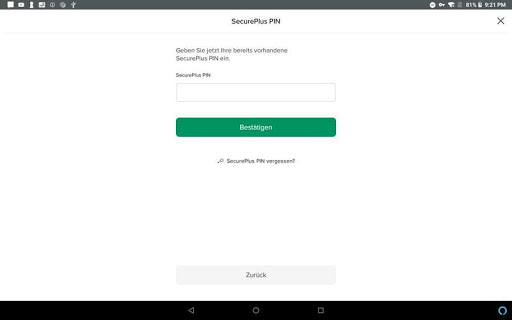
• In addition to secure login with the SecurePlus PIN, you can activate Touch ID or Face ID.
Download and activation
Step 1: Download the DAB SecurePlus app from the App Store.
Step 2: After activating the SecurePlus app via your online banking access, you can use the QR-TAN procedure.
You need the QR-TAN to log in to your account / deposit and to confirm online transactions. The QR-TAN is generated on your SecurePlus device after you have scanned the QR code displayed during the respective process.
All active SecurePlus devices are displayed under the menu item "Administration> SecurePlus Administration" in your online banking account.
What's New
1. Aktivierungsbrief bestellen
2. SecurePlus PIN zurücksetzen
Version Information
- Version
- 1.0.10
- Downloads
- 100K+
- Updated on
- Jul 18, 2025
- Released
- Jul 19, 2020
- Requires
- Android 7.1
Statistics
Google Play Rating History
Rating Distribution
Downloads Over Time
DAB SecurePlus has been downloaded times. Over the past 30 days, it averaged downloads per day.
Shaded area shows 30-day prediction based on historical trends
Historical data collection started recently. More data points will be available over time.
DAB SecurePlus users say on Google Play
 Helge
Helge
Works as expected. The issue w/ Pixel 6 has been fixed.
 Wolfgang Welz
Does what it should.
 F Biltz
Hi DAB Team, the app can not be used for scaning qr code on the same mobile phone, because the link on website for the app, is linked to google play store instead of dab secureplus app. Please investigate the bug and need solution!
 Florian Ko
seit ich einen zweiten Benutzer angelegt habe klappt die Authentifizierung per Fingerprint nicht mehr... *** since I created a second user I can no longer authenticate via fingerprint :(
 Gero
Gero
Unusable on my Pixel 6, crashes immediately. This renders my brokerage account completely unusable and should never, ever happen with such a simple, ostensibly secure and crucial app. Edit: Fixed in the June 20th update, finally. After support promised the fix for May 10th...
ApkTrusted Ratings & Reviews
More from BNP Paribas S.A. Niederlassung Deutschland
See more apps




Scan this QR code to download

Forwarding you to the page at Google Play market in seconds...
Open Google Play market now