
To Do Checklist: Task Manager v4.6
Komorebi Inc.








About this app
To Do Checklist: Task Manager solves the problem of disorganization and forgetfulness by providing a simple and intuitive task management system, benefiting students, working professionals, and individuals with busy schedules. Compared to alternatives in the Tools category, this app stands out with its excellent user rating and moderate download numbers, indicating a loyal user base. However, its lack of permissions raises questions about its ability to integrate with other apps or provide notifications. Overall, the app's simplicity and effectiveness make it a strong contender, but its limitations may deter power users.
Pros
- To Do Checklist: Task Manager has an excellent user rating of 4.6/5, indicating a high level of user satisfaction and trust in the app's functionality.
- The app's moderate download numbers of 100,000+ suggest a loyal user base and social proof, making it a more attractive option for new users.
- The developer, Komorebi Inc., has a professional website and email support, providing a sense of security and accountability for users.
- The app's small size and lack of permissions make it a lightweight and private option for users concerned about data collection and battery drain.
- The in-app purchases are relatively affordable at $7.99 per item, providing a flexible monetization model for users who want to support the developer
Cons
- The app's simplicity may be a double-edged sword, as some users may find it too basic or lacking in features compared to more comprehensive task management apps.
- The presence of ads may be annoying for some users, and the in-app purchases may not be necessary for all users, potentially affecting the overall user experience.
- The lack of permissions may limit the app's ability to integrate with other apps or provide notifications, which could be a drawback for users who rely on these features
- Some users may be deterred by the fact that the app requires Android 9 or later, which may not be compatible with older devices
Best for: The ideal user for To Do Checklist: Task Manager is a busy student or working professional aged 18-45, with a moderate level of technical skill, who needs a simple and intuitive task management system to stay organized and focused, and is willing to pay for in-app purchases to support the developer and access additional features.
Developer Description
Simple ToDo Task Manager: List Reminder & Organizer for Study, Work & Shopping
Key Features:
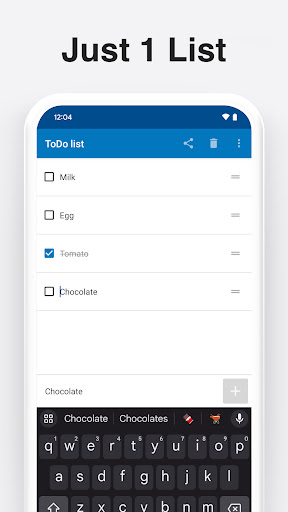
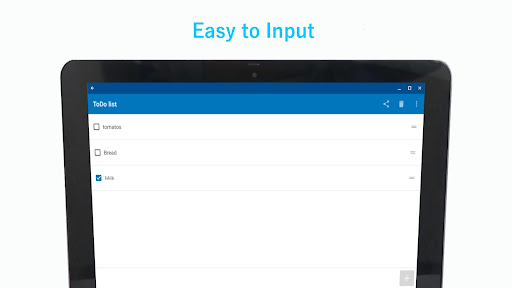
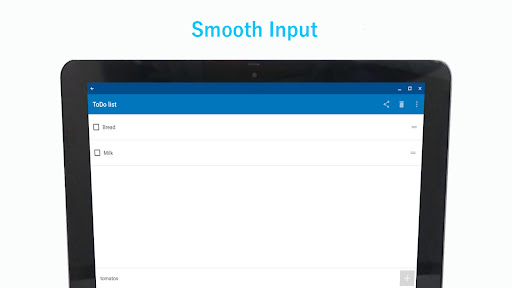
* Add tasks with a single tap: Quickly add tasks with just one tap. There's no need for complex menus—everything is designed for fast task creation and management.
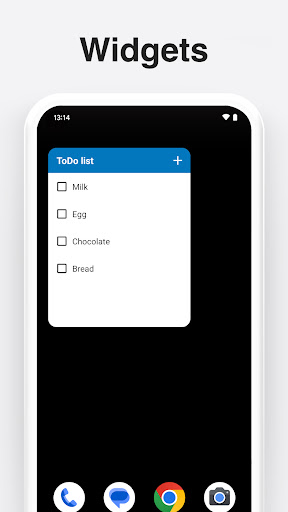
* Home screen widgets: Add tasks directly from your home screen using widgets, without having to open the app. It’s perfect for managing your to-do list on the go.
* Clear finished tasks easily: Clean up completed tasks with a simple tap on the trashcan button, keeping your task list tidy and focused.
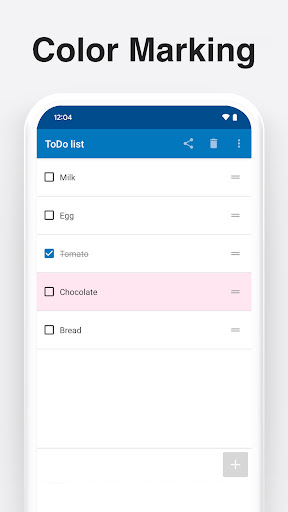
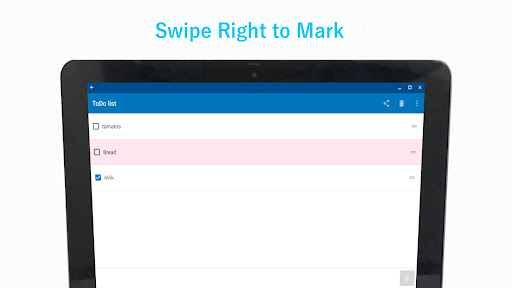
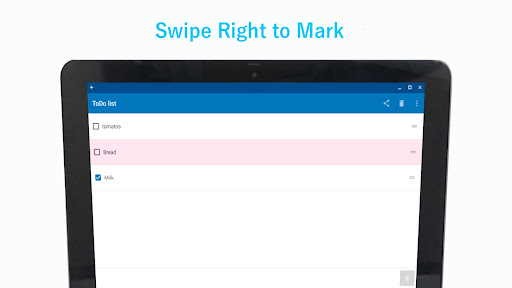
* Color-code your tasks: Swipe right on any task to assign one of six colors, making it easier to prioritize or categorize tasks visually.
Why Simple To-Do List?
* Minimalist design: The single-list, single-screen approach ensures you have everything you need in one place, without distractions. It’s perfect for users who want an intuitive and clutter-free experience.
* Boost your productivity: By focusing on essential features, Simple To-Do List helps you stay productive without the distraction of unnecessary tools.
* Instant task management: Add, edit, and delete tasks quickly, whether for work, study, or personal use. The app’s simplicity lets you manage your time efficiently.
* Task prioritization: Use the color-coding feature to mark important tasks or group similar ones, making it easier to stay organized and focus on what’s important.
Perfect for Business and Productivity:
Simple To-Do List is an ideal solution for both personal and professional task management. Whether you’re managing work projects or organizing daily errands, this app provides essential features to help you stay productive.
Designed for efficiency, Simple To-Do List is suitable for professionals, students, or anyone who wants to keep track of tasks without getting bogged down by unnecessary features.
Compatibility and Convenience:
* Supports all modern Android versions
* Lightweight and won’t take up much space on your device
* Includes widgets for easy task management from your home screen
Whether you’re managing work tasks, personal goals, or everyday errands, Simple To-Do List is the perfect tool for staying organized and productive. It streamlines your workflow, ensuring you spend less time managing tasks and more time getting things done.
Why Choose Simple To*Do List?
* Simplifies task management with a single, easy-to-use list
* Add tasks with one tap, saving time and effort
* Easily delete completed tasks for a clean, focused list
* Prioritize tasks using intuitive color-coding
Privacy
Given the app's lack of permissions, it is unlikely to collect sensitive user data, and the developer's professional website and email support suggest a commitment to user privacy. However, users should still be cautious when making in-app purchases and review the terms and conditions carefully. To further protect their privacy, users can review the app's terms of service and privacy policy on the developer's website.
Tips
To get the most out of To Do Checklist: Task Manager, users should start by setting up their task lists and due dates, and explore the app's features, such as the reminder and organizer functions. Users can also optimize the app's performance by closing unnecessary apps and adjusting their device's settings to reduce battery drain. Additionally, users can integrate the app with their Google Calendar or other task management apps to enhance its functionality.
What's New
In-app purchases
$7.99 per item
Version Information
- Version
- 4.6
- Downloads
- 100K+
- Updated on
- Oct 9, 2025
- Released
- Apr 3, 2018
- Requires
- Android 9
Statistics
Google Play Rating History
Rating Distribution
Downloads Over Time
To Do Checklist: Task Manager has been downloaded times. Over the past 30 days, it averaged downloads per day.
Shaded area shows 30-day prediction based on historical trends
Historical data collection started recently. More data points will be available over time.
To Do Checklist: Task Manager users say on Google Play
 A Google user
very simple and easy, if you're looking for just a list to make, check off when completed and finally delete. Nothing else just what i have been searching for. Great App!
A Google user
Good in terms of small task list
A Google user
This app is really good and really helpful but I just feel like it needs like calendar on date or something that we can use it daily
A Google user
View of the to do List should be in consolidated and stable form
A Google user
download and use this app . but don't rate this app. once you rate this app, from that moment,advertisement starts to pop up and disturbing to use
ApkTrusted Ratings & Reviews
More from Komorebi Inc.
See more apps
Shopping List: My Grocery List
Free

Notes - Simple notepad, memo
Free

MoneyNote: Expense Tracker
Free
N Calendar: Planner, Schedule
Free
My Calendar - Simple Planner
Free
Simple Calendar - easy planner
Free
Spinning Wheel + Roulette
Free
QR Code Reader - Barcode Scan
Free

Simple Diary - journal w/ lock
Free

SmartDiet Daily Weight Tracker
Free
Barcode Scanner - QR Code Read
Free

Small Biz Budget - Accounting
Free

QR Code Reader Pro - Barcode
Paid

Notepad Pro - notes & memo app
Paid

白色申告Kaikei Lite
Free
Similar Apps

Screen Time for Focus -Blockin
Free

Nothing Pomodoro Timer
Paid
Taskito: To-Do List & Planner
Free

Progressive Pomo: Focus Timer
Paid

xTiles: notes, tasks, projects
Free

Workflowy |Note, List, Outline
Free

MeisterTask - Task Management
Free

UpNote - notes, diary, journal
Free

Notepad Lock - Notebook
Paid
Inkpad Notepad & To do list
Free
SupaTask - Daily Planner, Todo
Free

Gratitude Garden: Journal
Free
Scan this QR code to download

Forwarding you to the page at Google Play market in seconds...
Open Google Play market now