Speed Camera Radar (PRO) v3.2.41
Road Soft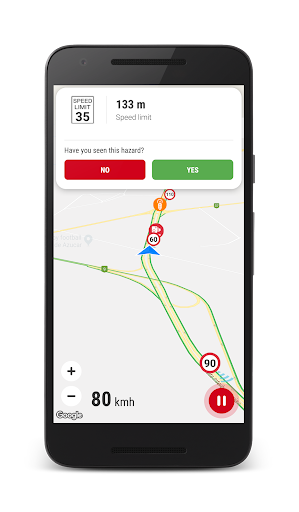

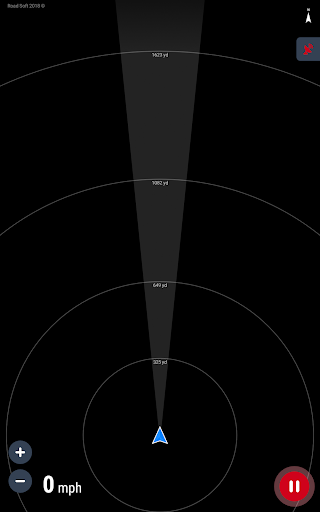
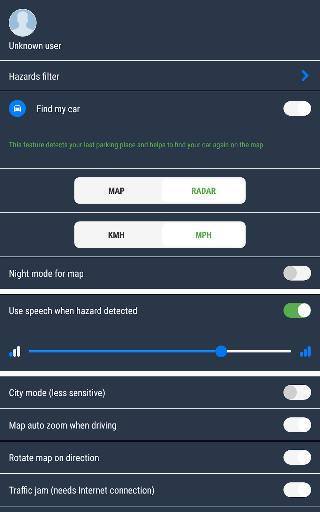

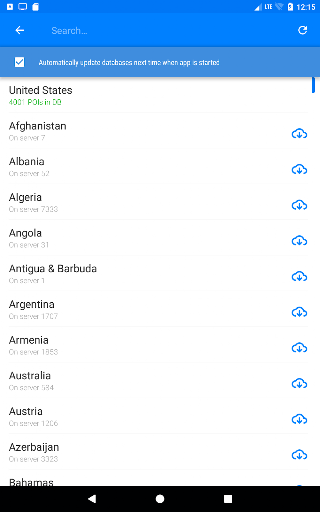
About this app
Developer Description
Keep in car your own GSP speed cameras radar
Try our free version of app at first:
https://play.google.com/store/apps/details?id=com.lelic.speedcam&hl=en
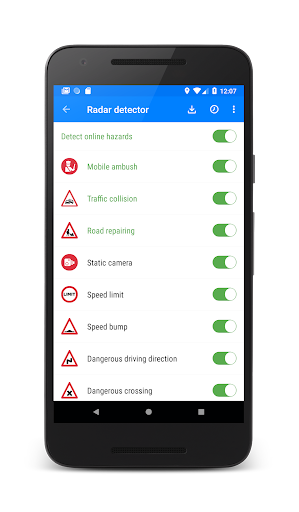
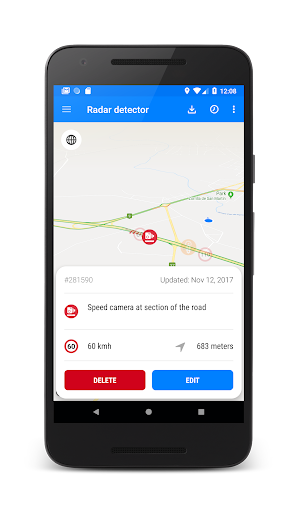
Speed Camera Radar application was created for drivers to detect hazards on the road, such as speed cameras (mobile ambush, static speed cameras, red light cameras), speed bumps, bad roads and etc.
This application uses database of POI and hazards previously detected by other users.
Application requires enabled GPS to detect hazards during driving.
Application supports all the countries of the world!
Any registered user can add hazard to shared database. Also user can influence on rating of hazard (when user get danger alert he can define whether danger exists or not in fact).
Registered users have more permissions to manage POI objects (danger) on the map, for instance, user can explicitly delete irrelevant POI from common database.
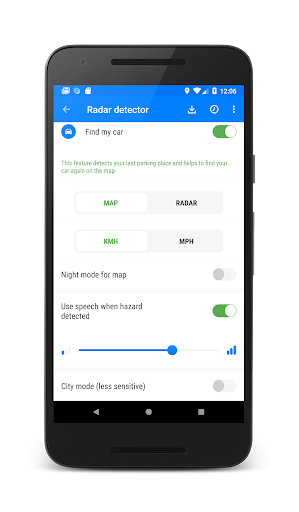
The application may run in the background (even when the screen is off), just enable option "Use speech when hazard detected".
How to use app?
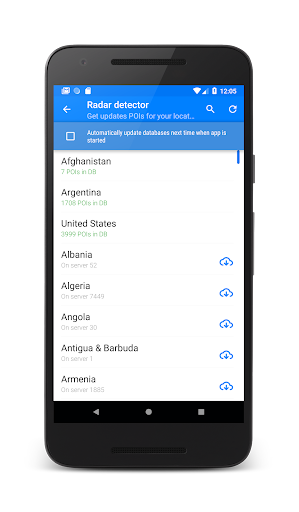
1. If you just installed the app you will need to go to menu "Update databased" to download and install the latest database of speed camera for your region (country).
2. To enable radar, press the "Start" button at the bottom right of the screen.
3. The application notifies only the dangers that are along your route.
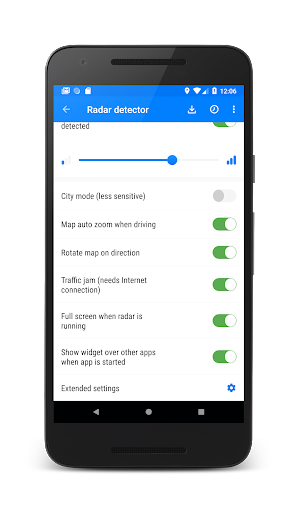
4. You can call main setting, swiping from the left edge of the screen to the right.
5. You can call dangers filter that you want to discover swiping from the right edge of the screen to the left.
Features:
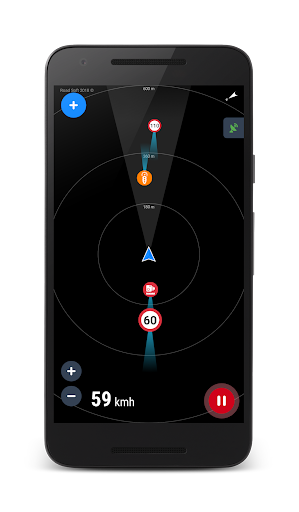
★ Map or Radar view mode (no need Internet to render data)
★ Night mode for Map is supported (enabled in settings)
★ Night mode adjustment on screen
★ 3D tilt on map support (3D buildings)
★ Map auto zoom and rotation map along the way
★ Shows traffic jams on the map
★ Dashboard with current speed
★ 300 000 active hazards POIs around the world
★ Daily database updates!
★ Support voice alerts
★ Support of working in background or with other Navigation APPs
★ You can add their own POI to shared database
★ The application plays the sound and shows hazard on the map and distance to this hazard
Be careful on the road and good luck!
What's New
Version Information
- Version
- 3.2.41
- Downloads
- 100K+
- Updated on
- Sep 29, 2025
- Released
- Dec 10, 2013
- Requires
- Android 6.0
Statistics
Google Play Rating History
Rating Distribution
Downloads Over Time
Speed Camera Radar (PRO) has been downloaded times. Over the past 30 days, it averaged downloads per day.
Shaded area shows 30-day prediction based on historical trends
Historical data collection started recently. More data points will be available over time.
Speed Camera Radar (PRO) - Google Play Rankings
Top Rankings
| Rank | Country | Category | List | Change |
|---|---|---|---|---|
| — |
Ranking History in
No ranking data available yet. Rankings are updated daily.
#36 in Top Grossing Maps And Navigation in Saudi Arabia

Speed Camera Radar (PRO) users say on Google Play
 A Google user
I love this app, But it does not show cameras in many locations can you please update database. Also do you have update new moblie detection cameras.
A Google user
Clear maps. It might save your licence.
A Google user
Promising but Needs a lot of improvements. 1- submitting the poi only while driving is very dangerous and doesn't meet the driving conditions, you must review this option. 2- add button position must be changeable to help both right and left handed pepole 3- while adding a POI, using the drop down menus is very time consuming while driving, add an option to most reacent options or favorite poi 4- while adding a speed pump I may not know the road max speed, so we shouldn't add a mandatory speed limit for some poi 5- remove the confirmation message before adding a poi, and enable editing or deleting my poi I wish this will help you to improve the app, thank you and well done
 Sameeir Bhargava
Samsung has option to use seperate sound source for different apps. When selected for the app only beeps sound through phone rest all is with car Bluetooth.
 Adam Cook
Didn't detect any camera out of 6 minimum I went through or past. Asked for a refund. Ghosted by developer. Avoid.
ApkTrusted Ratings & Reviews
More from Road Soft
See more apps



Similar Apps

ABAX Admin
Free

Gaggle Paragliding, Ultralight
Free

SIGNALERT
Free

ATPL Questions
Free

DeRadar
Paid

Optibus Driver
Free

Froling Connect
Free

YourSweep
Free

BlackVue
Free

Fothong Pass - Pass Manager
Free

VesselFinder
Free

Navimow
Free

Auto Agent
Free

GinaEx - Travel & Shipping
Free

Windmate
Paid

Airthings
Free
Scan this QR code to download

Forwarding you to the page at Google Play market in seconds...
Open Google Play market now