LoMag Barcode Scanner to Excel v1.46
Longint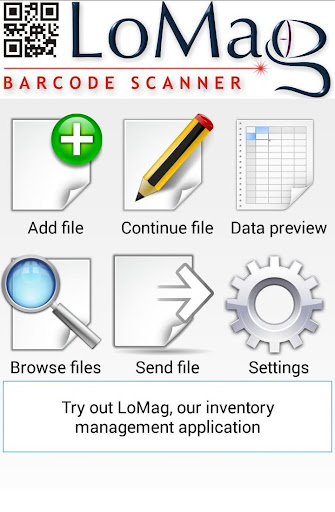






About this app
Developer Description
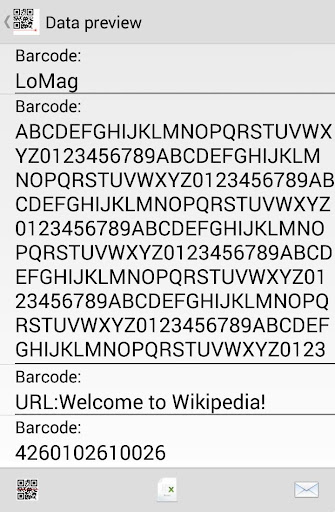
A completely free barcode scanner enabling you to save data to Microsoft Excel.
The barcode reader supports the following code formats:
- codes on products: EAN-13, EAN-8, ISBN, UPC-A, UPC-E
- industrial codes: Codabar, Code 128, Code 93, Code 39, ITF, RSS
- 2D codes: QR Code, Data Matrix
The most important functions of the application:
- Continuous scanning of successive barcodes with quantity 1
- Barcode scanning and input of quantity from keybord
- Barcode scanning and input of quantity and price
- Scanning of barcode and serial number
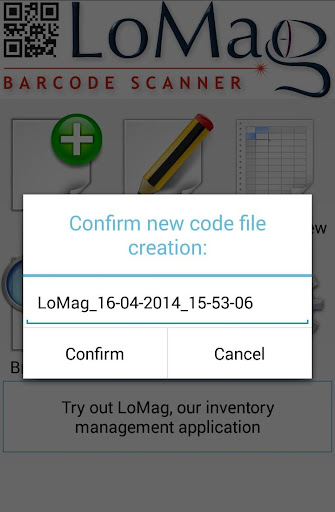
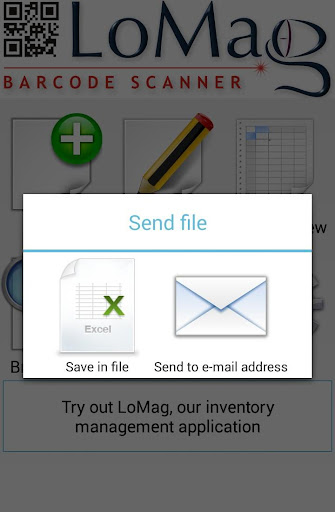
Support of many data sets, which may be named and browsed. Data sets may be saved in Microsoft Excel format compatible with version 97 and newer. The app allows you to send files via e-mail or save them on an SD card.
There is also a possibility of continuing the scanning in the selected data set.
The Excel files created by LoMag barcode scanner are fully compatible with LoMag Inventory Management.
Basing on the files, you can create the following documents in LoMag:
- GRN (Goods Received Note), e.g. delivery of a given item to the warehouse;
- GIN (Goods Issued Note), e.g. sale of an item;
- GRN correction (Return to supplier), e.g. return of a faulty batch of items;
- GIN correction (Return from customer), e.g. return from a customer as a result of a claim;
- Stock level correction note, e.g. loss of item at the warehouse;
- Interbranch Transfer e.g. transfer of a part of a given stock to another building:
- Discount document (Change in the item’s value), e.g. a decrease in prices resulting in a drop in the value of a given item;
- Internal GRN (Internal Goods Received Note), e.g. reception of an item of own production;
- Internal GIN, e.g. issuance of a given item to an employee;
- Inventory sheet, which forms a basis for inventory-making
- Inventory of the whole warehouse
- Opening Balance, i.e. the initial stock level upon the commencement of operations with the program.
Please note:
To perform the scan, your device needs to be equipped with a camera with autofocus function.
Privacy:
http://www.longint.com/PrivacyPolicy.html
Reservations:
The barcode scanner used in the app operates on ZXing library.
https://github.com/zxing/zxing
What's New
Version Information
- Version
- 1.46
- Downloads
- 500K+
- Updated on
- Apr 12, 2024
- Released
- Apr 17, 2014
- Requires
- Android 4.4
Statistics
Google Play Rating History
Rating Distribution
Downloads Over Time
LoMag Barcode Scanner to Excel has been downloaded times. Over the past 30 days, it averaged downloads per day.
Shaded area shows 30-day prediction based on historical trends
Historical data collection started recently. More data points will be available over time.
LoMag Barcode Scanner to Excel users say on Google Play
 A Google user
I love the app but the camera on my WASP device is sometimes slow and the app crashes at times. Would buying the Pro version help with this issue? Also, I have a scanner on the front of the device that is separate from the camera that scans 2D/3D barcrodes, how can I switch to that?
A Google user
Love it. I don't have to go around the market to search for a decent barcode scanner that's reasonably priced anymore. Sometimes it takes a while though to read.
A Google user
I thought this was the app I needed and it might still be since it can save to an excel file. However unless I am missing something when I open the file on my PC to search the item code in this case isbn numbers, they are not recognized.
A Google user
Looks useful, but doesn't work with Xiaomi Mi 4c
A Google user
does not work
ApkTrusted Ratings & Reviews
More from Longint
See more apps
Similar Apps

Kizeo Forms, Mobile forms
Free

QR & Barcode Scanner
Paid
ArcGIS Survey123
Free

ConstructionOnline
Free

CamCard AI Scanner, Transcribe
Free

CalcTape Calculator with Tape
Free

Salesforce
Free

Darwinbox
Free
ODK Collect
Free

CamCard-AI Scanner, Transcribe
Paid

CRM Mobile: Pipedrive
Free

Infobric Field
Free

CSV File Viewer - Smart CSV
Free

SAP Concur
Free

Toddle Family
Free

Stock and Inventory Simple
Free
Scan this QR code to download

Forwarding you to the page at Google Play market in seconds...
Open Google Play market now