
Video to MP3 Converter v2.7.108
Convenient & Easy Apps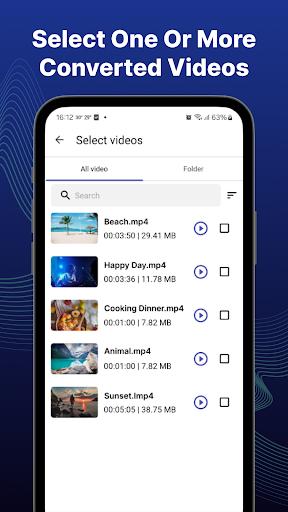

About this app
The Video to MP3 Converter app effectively solves the problem of extracting audio from video files, benefiting users who need to convert music videos or lectures into audio format for easier listening. With over 1 million downloads and a 4.6-star rating, it stands out in the Video Players category for its simplicity and high-quality conversions. Compared to alternatives, this app's lack of permissions required is a significant advantage, ensuring user data privacy. However, its limited functionality might fall short for users seeking more advanced video editing features.
Pros
- The app's high user rating and large download numbers indicate a well-regarded and reliable tool for video to MP3 conversions, suggesting a smooth and efficient user experience.
- With no permissions required, users can feel secure that their personal data is not being accessed unnecessarily, which is a significant advantage over other apps that may request excessive permissions.
- The developer's reputation, as indicated by their website and email support, suggests a level of professionalism and accountability, which can be reassuring for users.
- The app's offline capability allows for conversions without an internet connection, making it useful in areas with poor internet connectivity.
- The simplicity of the app makes it accessible to a wide range of users, including those who are not tech-savvy, allowing anyone to easily convert videos to MP3 format.
Cons
- The presence of ads might be intrusive for some users, potentially disrupting the conversion process or causing annoyance, which could be a significant drawback for those seeking an ad-free experience.
- The app's limited functionality, focusing solely on video to MP3 conversions, might not meet the needs of users who require more comprehensive video editing capabilities.
- There is a potential for the app to consume significant battery life or data, especially for large video files, which could be a concern for users with limited data plans or battery life.
- The lack of in-app purchases or premium features means that users cannot opt out of ads or access additional functionality, which might limit the app's appeal for some users.
Best for: The ideal user for the Video to MP3 Converter app is likely an individual who frequently needs to extract audio from video files for personal use, such as students, music enthusiasts, or podcast creators, and values simplicity, efficiency, and data privacy in their mobile applications.
Developer Description
Convert video to audio fast, easily, high quality with Video MP3 converter
Our app is a good choice for you.
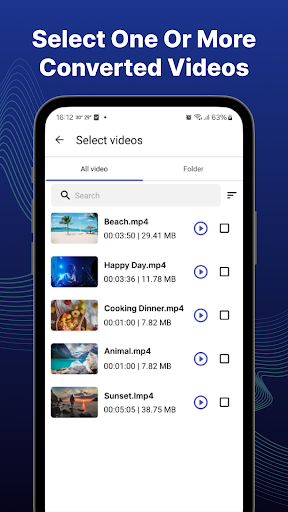
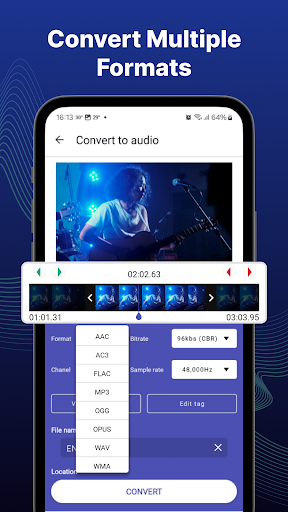
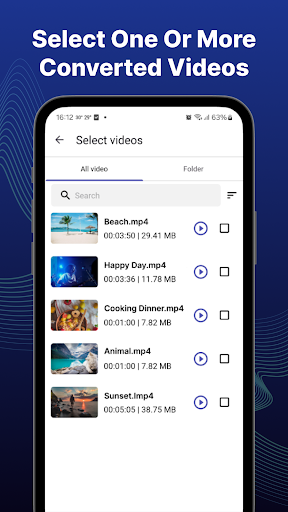
With video to mp3 converter app, you can cut/trim video files and convert video to audio with many options in a few seconds. You can extract high quality songs from video and converting one or more videos simultaneously.
Outstanding features
- Provide variety of input video formats: MP4, 3GP, WEBM, MKV, FLV, AVI, MOV, MPG, OGV, WMV, M4V ...
- Allow you to choose your favorite part of the video which you want to extract.
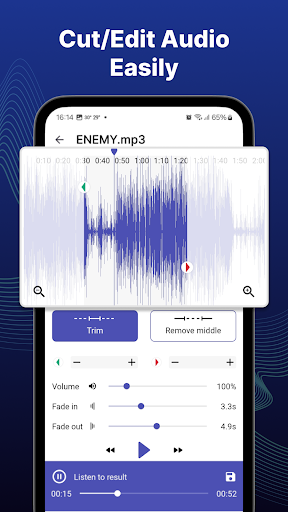
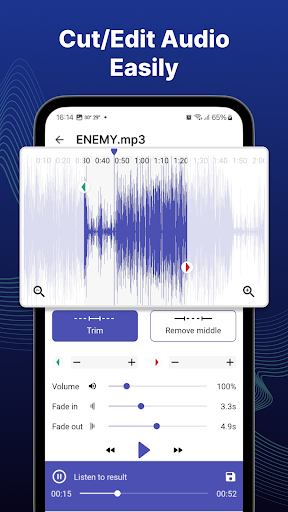
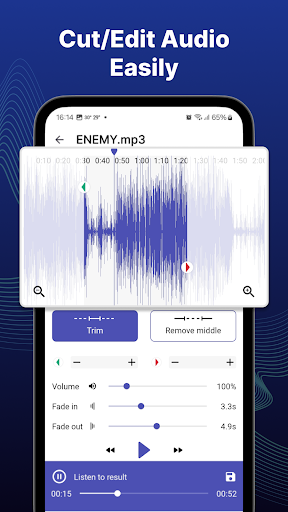
- Cut/trim video or audio file.
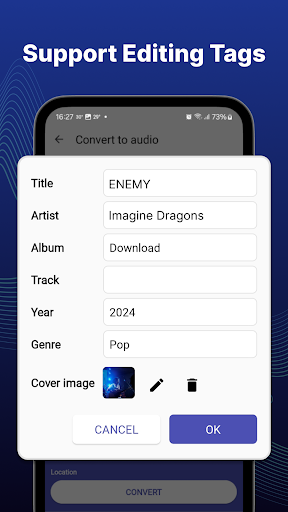
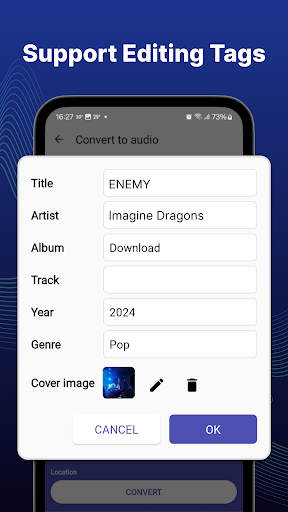
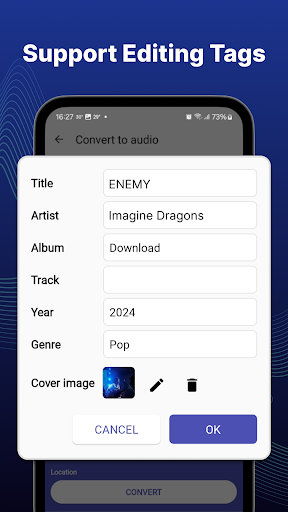
- Use edit tag function to change/edit MP3 file information
- Set audio as a ringtone
- Convert videos to audios very easy, fast and high quality
- And some other features
Conversion features:
- Cut/trim video.
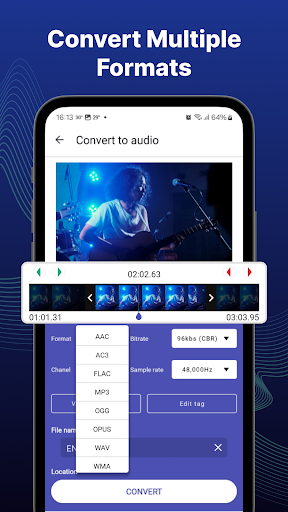
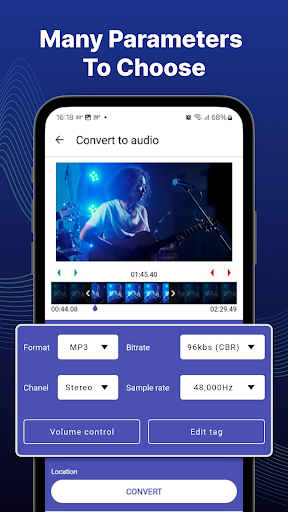
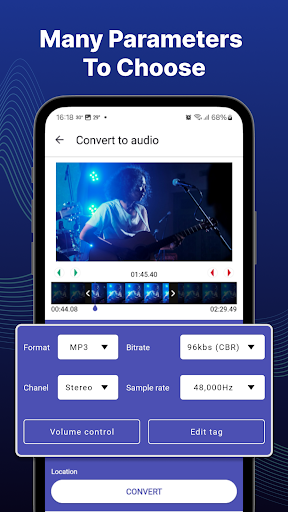
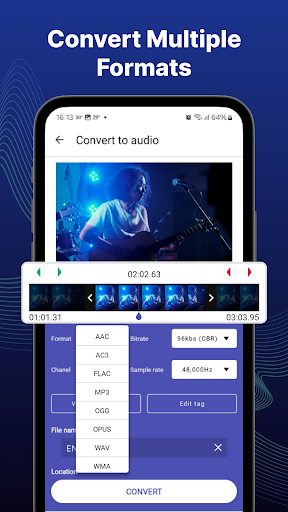
- Provide many audio formats: MP3, AAC, AC3, WMA, FLAC, WAV, OGG or OPUS.
- Support many sample rates: 8000, 12000, 16000, 24000, 48000, 64000Hz and etc.
- Support a variety of bitrates: 32, 64, 96, 128, 192, 256kbs and etc.
- Select the audio channel Mono/ Stereo
- Allow you to change volume and fade in/fade out effects
- Allow adding/changing information from converted audio files (Title, artist, album, genre, ...)
Manage converted files:
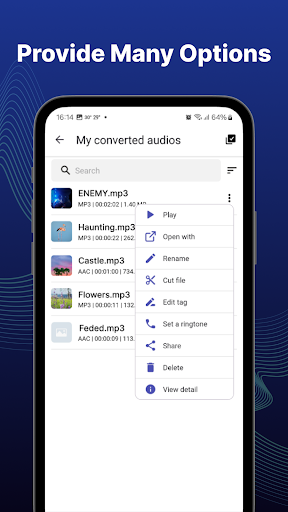
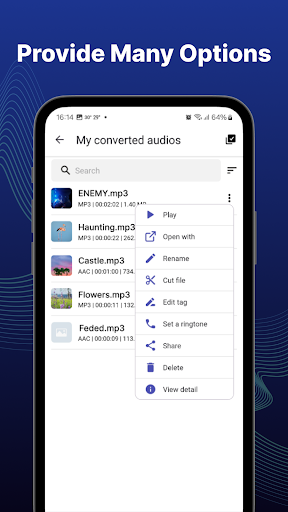
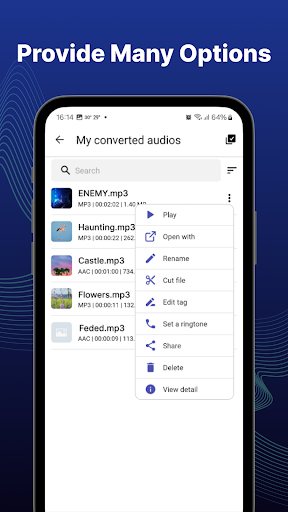
- Easily search and manage all converted audio files, can rename them, view details, share or delete files that are no longer needed.
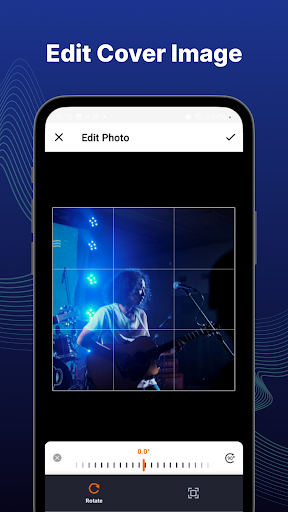
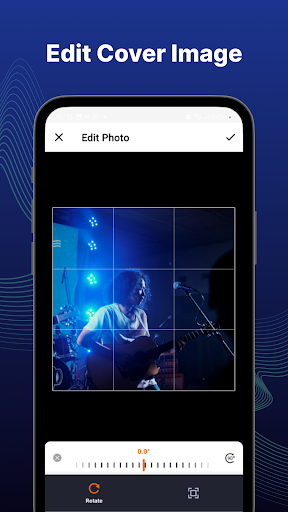
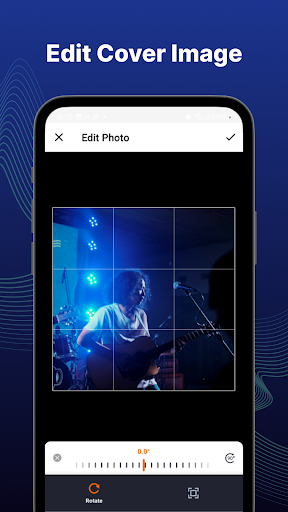
- Change/edit the title, genre, artist, album, cover image of your audio.
- Trim audio: cut or remove excess in the audio file for the best part.
- Create a ringtone: just choose your favorite song and set it as a ringtone.
- Share the new music you just made with your friends
With video to mp3 converter app - Convert video to audio is very easy, fast, it certainly won't let you down. Download now, experience it and enjoin high quality songs. The video to mp3 converter app is FREE.
If you have any questions or ideas about the app, please send the email via musicstudio5.ltd@gmail.com. We are always happy to listen to your opinion!
Privacy
Given that the app requires no permissions, the risk of data collection or privacy breaches appears to be minimal. However, users should still be cautious when installing apps, ensuring they are downloading from trusted sources like the official Play Store. It's also advisable to review the developer's privacy policy, available on their website, to understand their data handling practices.
Tips
For optimal performance, users should ensure they have sufficient storage space on their device before converting large video files. Additionally, closing other resource-intensive apps can help prevent slowdowns during the conversion process. Users can also explore the app's settings to customize output quality and format according to their preferences, enhancing their overall experience.
Version Information
- Version
- 2.7.108
- Downloads
- 1M+
- Updated on
- Oct 22, 2025
- Released
- Dec 18, 2024
- Requires
- Android 6.0
Statistics
Google Play Rating History
Rating Distribution
Downloads Over Time
Video to MP3 Converter has been downloaded times. Over the past 30 days, it averaged downloads per day.
Shaded area shows 30-day prediction based on historical trends
Historical data collection started recently. More data points will be available over time.
Video to MP3 Converter - Google Play Rankings
Top Rankings
| Rank | Country | Category | List | Change |
|---|---|---|---|---|
| — |
Ranking History in
No ranking data available yet. Rankings are updated daily.
#96 in Top Free Video Players in South Korea


Video to MP3 Converter users say on Google Play
 Enow Grace Nkongho
i love it so much cause it helps convert my videos to audios easily and it has no ads, it is fast, reliable, helpful as it reduces expenditure to download videos and audio by conversing, so just keep up and also improve the more
 Lowie Claes
I live the app it's just, when I open it with Spotify the picture I selected doesn't show. I would appreciate it if you would fix it.
 Iwumbwe sumaya
amazing app
 Greg Owens
Software I'm trying to load the converted mp3's into shows them as mp4's, so I can't use them.
ApkTrusted Ratings & Reviews
More from Convenient & Easy Apps
See more apps



Similar Apps

Video to MP3 - Video to Audio
Free

Add Music To Video & AI Editor
Free
Music Player
Free

Video Player All Format
Free
Video Player for Android
Free
Audio Editor & Music Editor
Free

Music Player - Mp3 Player
Free

AI Video Editor - VideoShow AI
Free

Music Player
Free
Music Audio Editor, MP3 Cutter
Free

Smart Video Crop - Video Cut
Free

Music Player - MP3 Player
Free

Video Editor VideoShowLite
Free
Music Player - Hash Player
Free

Music Player - MP3 Player
Free
Visha-Video Player All Formats
Free
Scan this QR code to download

Forwarding you to the page at Google Play market in seconds...
Open Google Play market now