
Planning Center Services v6.7.4
Planning Center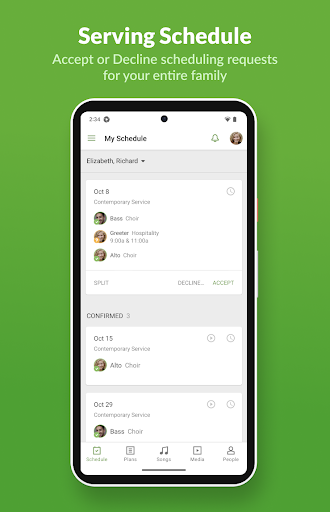



About this app
Developer Description
Service Planning & Scheduling
===== Planning Center Services: ======
Planning Center Services is an online scheduling and worship planning application to keep your staff and volunteers connected.
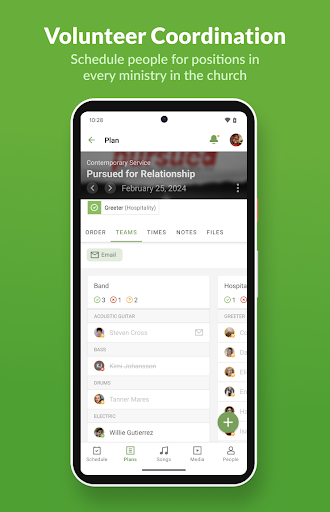
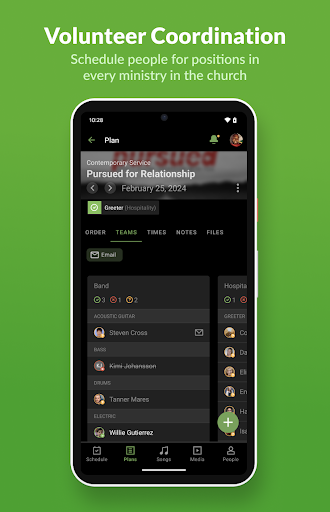
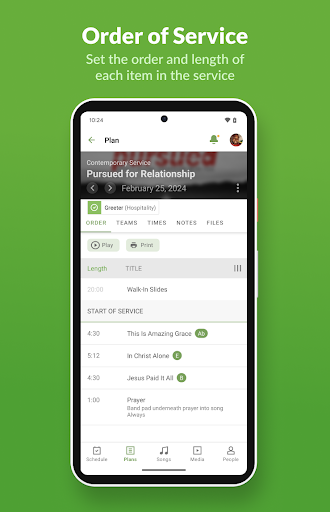
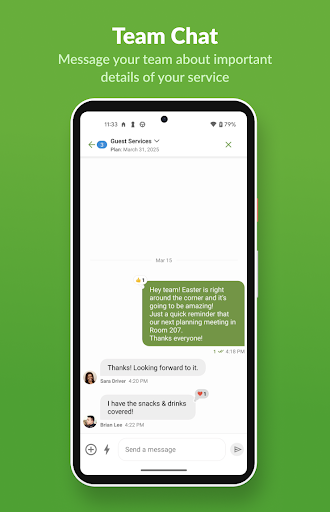
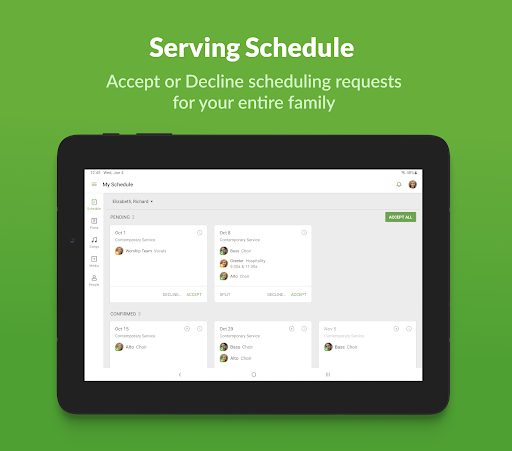
With our native Android app, you get an optimized Planning Center Services experience wherever you are! You can manage your schedule, accept or decline requests, blockout dates, or upload your profile picture. Musicians can use the built-in media player or attachments section to access and rehearse their music. Schedulers can add users to schedules, check for conflicts, and email their teams at any time. Easily add to, reorder, and edit your plans.
Plan pages and your personal schedule will live update to show you the latest information.
What's New
* Chat improvements
* Bug fixes: key display, icons on older phones, and previewing a song before saving
Version Information
- Version
- 6.7.4
- Downloads
- 1M+
- Updated on
- Jan 14, 2026
- Released
- Sep 29, 2010
- Requires
- Android 5.0
Statistics
Google Play Rating History
Rating Distribution
Downloads Over Time
Planning Center Services has been downloaded times. Over the past 30 days, it averaged downloads per day.
Shaded area shows 30-day prediction based on historical trends
Historical data collection started recently. More data points will be available over time.
Planning Center Services users say on Google Play
 Lara Noack
This is a great app for singing at church and knowing when I'm supposed to do what it's just good for knowing when and where and how I need to do everything at church but I guess I'm supposed to have a bunch of features at the bottom of the screen that I don't see. I'm supposed to see the schedule the plan the songs media and people but I don't have that and we can't figure out why. But otherwise it's a great app
 Emi Reinhardt
I like this app a lot but having an issue with the apple version (I have android phone). When using the iPad, I can see my assigned day but when I go to it, it just takes me to the music library. when using my phone and I go to a specific day it takes me to the page where I can see the songs assigned, keys, music, etc. Think it's a bug, was hoping for a seamless transition with the app on different devices.
 Patches13
The Pro Presenter Services app has the functionality to add calendar appointments, but these events are not appearing in the Samsung Calendar. While the app can add the events, they refuse to display. However, if the calendar appointments are added on a Windows 10 computer, they will sync and appear on the phone. Currently, this is the only way to get the calendar from the Services app to populate in the Samsung Calendar.
 Mark
Mark
My church security team started using this. My one HUGE complaint is the messaging system. You can't just reply to a message like every other app on planet Earth. You have to separately log in to the planning center website and click "email team leader," and reference the previously sent message. Just make it so you can reply directly to messages in the app!!! Like every other app in existence! Will update review if this MAJOR flaw gets fixed.
 Curtis Gabrielson
Dec 2025. Super long terms of service and privacy policy forced to be agreed to before login. Please explain in simple terms what were agreeing to since it's so long. Issues are STILL unresolved: Moving several days using the arrows in a schedule on a service eventually leads to it not loading days. You must back out of the schedule and go back in. The interface can be painfully slow. However, it's great to be able to manage schedules and even get notifications for my own position in one app.
ApkTrusted Ratings & Reviews
More from Planning Center
See more apps






Similar Apps

Setmore Appointment Scheduling
Free

Deputy: Employee Scheduling
Free

Jira Cloud by Atlassian
Free

monday.com - Work Management
Free

QuickBooks Workforce
Free

Salesforce
Free

Homebase: Employee Scheduling
Free
Site Audit Pro
Paid

Basecamp - Project Management
Free

Workday
Free

Smartsheet: Projects & Teams
Free

Dayforce
Free

JobNimbus: All-In-One Roof App
Free

Agendrix Employee Scheduling
Free

Wrike - Where Work Flows
Free

Timeshifter Jet Lag
Free
Scan this QR code to download

Forwarding you to the page at Google Play market in seconds...
Open Google Play market now