
Tide Watch: Wear OS Tide Times vVARY
Nalokine Games


About this app
Developer Description
High & low tide times on your wrist. Live stations or a classic tide clock.
This app includes both a phone app and a Wear OS watch app, and both must be installed for Tide Watch to work properly.
🌐 TWO WAYS TO GET TIDE DATA
1. Live Tide Stations (US • UK • CA • NO • NL)
Choose an official tide station in the companion phone app. Your watch will then show:
• Upcoming high and low tides
• A progress-style tide gauge
• Optional station time offsets for local fine-tuning
Supports over 4,000 official stations across the United States, United Kingdom, Canada, Norway, and the Netherlands.
2. Manual Mode (Tide Clock Style)
No nearby station? Enter the time of a recent high or low tide. The watch then mimics a classic tide clock using an average tidal cycle. Resync occasionally for best accuracy.
💡 WORKS GREAT WITH WATCH FACES
• Clean, compact tide gauge works beautifully in an info ring or data slot (“complication”)
• Perfect with our Genteel Plus watch face
• Compatible with many Wear OS faces that support customizable progress / info rings
🚀 QUICK SETUP
Install Tide Watch on both your phone and your watch.
Open the phone app and pick your source: United States, United Kingdom, Canada, Norway, or Netherlands.
Select your station (or choose Manual mode).
On your watch, add the tide gauge to your favorite face:
– Long-press the watch face → Customize
– Select an info slot (often under Range / Progress)
– Choose Tide Watch
– Done!
Your watch will now show the next tides at a glance.
✨ EXTRA TOUCHES
• Follows your 12/24-hour setting
• Fine-tune stations with optional offsets
• No accounts, no ads
• Battery-friendly & minimal data use
📝 NOTES
• Station-mode coverage: US, UK, CA, NO, NL
• Accuracy depends on official station data (station mode) or your resync timing (manual mode)
• Requires a Wear OS watch and compatible Android phone
Enjoy the tides on your wrist 🌊
Version Information
- Version
- -
- Downloads
- 10+
- Updated on
- -
- Released
- Nov 29, 2025
- Requires
- Android Varies with device
Statistics
Google Play Rating History
Rating Distribution
Downloads Over Time
Tide Watch: Wear OS Tide Times has been downloaded times. Over the past 30 days, it averaged downloads per day.
Shaded area shows 30-day prediction based on historical trends
Historical data collection started recently. More data points will be available over time.
Tide Watch: Wear OS Tide Times - Google Play Rankings
Top Rankings
| Rank | Country | Category | List | Change |
|---|---|---|---|---|
| — |
Ranking History in
No ranking data available yet. Rankings are updated daily.
#51 in Top Grossing Weather in Argentina
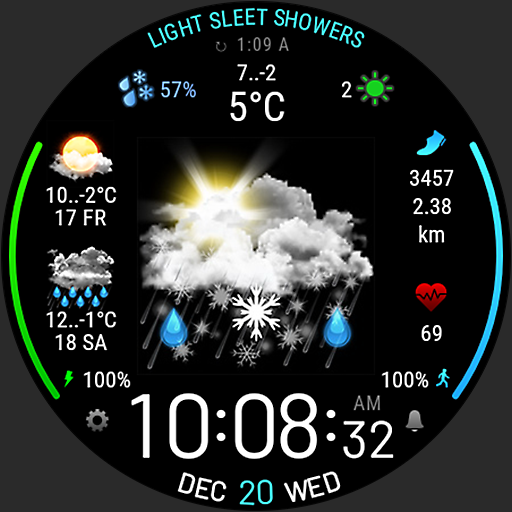

Tide Watch: Wear OS Tide Times users say on Google Play
 Henno Marais
On Source I get none. Not sure what to do next. I have now paid but nothing works. I am based in South Africa.
ApkTrusted Ratings & Reviews
More from Nalokine Games
See more apps


Similar Apps
Orca: Boat GPS, Charts, Routes
Free

Qibla Direction- GPS Compass
Paid

Seably
Free

Windmate
Paid

Wavve Boating: Marine Boat GPS
Free
BassForecast: Fishing Forecast
Free
Rivercast - River Levels App
Free

ATMOS : Online dive logbook
Free

WeatherX Forecast
Free
Windfinder Pro: Wind & Weather
Paid

Nautide: Tides, Wind, Waves +
Free
My Emotional Compass
Paid

Hydrawise
Free

Rain Bird Resources
Free

WeFish | Your Fishing Forecast
Free
Garmin Golf
Free
Scan this QR code to download

Forwarding you to the page at Google Play market in seconds...
Open Google Play market now