
iPhotoVR : SBS VR Photo Viewer v6.0
Panagola Private Limited


About this app
Developer Description
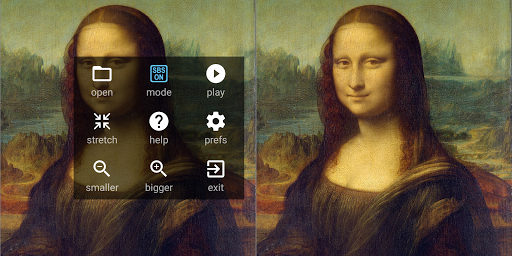
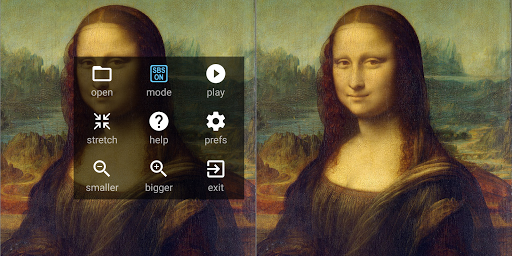
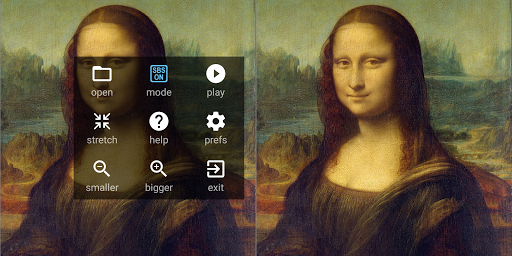
Tiny SBS Photo Viewer for VR Headsets. Side-by-side VR Slideshow Viewer.
NOTE: This app is only for viewing normal photos through VR headset. It is NOT for 180 or 360 type VR photos.
FEATURES
- View any photo in SBS format
- Can be accessed from your file manager
- Supports slideshow of photos
- Works on all phones
- Mode for normal, non-SBS display as well
- Lightweight, Ad-free, No unwanted permissions
A few points to note:
- Only the popular image formats (jpg, png etc.) are supported
- It does not display web images
- It does not use the magnetic navigator controls, head tracking etc.
- There may be a slight lag when loading high resolution photos in weaker devices.
If you need only a Slideshow Viewer without VR support, checkout our iShow Digital Frame app.
https://play.google.com/store/apps/details?id=com.panagola.app.ishow
What's New
Version Information
- Version
- 6.0
- Downloads
- 100K+
- Updated on
- Aug 7, 2025
- Released
- Jun 8, 2016
- Requires
- Android 5.0
Statistics
Google Play Rating History
Rating Distribution
Downloads Over Time
iPhotoVR : SBS VR Photo Viewer has been downloaded times. Over the past 30 days, it averaged downloads per day.
Shaded area shows 30-day prediction based on historical trends
Historical data collection started recently. More data points will be available over time.
iPhotoVR : SBS VR Photo Viewer users say on Google Play
 A Google user
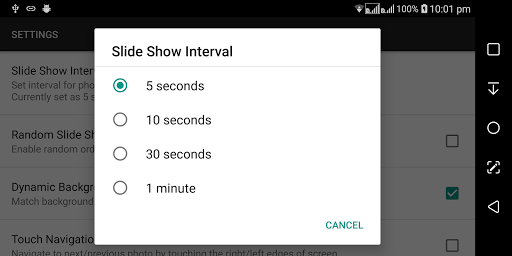
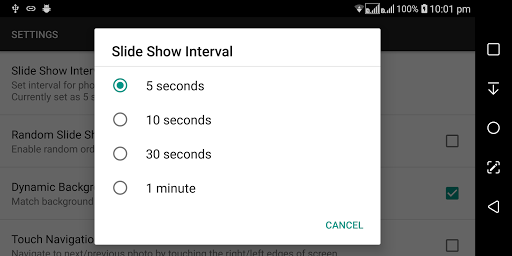
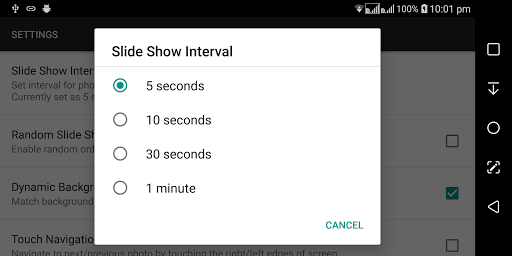
First, I'm new to the VR thing. That being said I wasn't sure of the price of a basic VR headset, but was happy to find one with a built-in sound, and a control, for gaming and navigation I assume. Best $10 bucks I ever spent. I have tried it all now, but, I had wondered if I would be able to look a my photos also. With this very very small app I can, and it has a few good options, that I like. Random slide show, how long each picture is displayed, and a few more, but you folks really need to try this thing out. It is, for me at least, a new way of seeing your pictures. Just try it out! My requests for this would be to have another time to display at 2 minutes. The other would be to use the controller to slide to the next, but where it is as of right now 5☆ all the way, AND this was the first app I tried, and my last....Perfect!
A Google user
Like it very much. My favorite. But need improvement required list 1) required sensor based navigation to photo. 2). View every folder and close to next folder is irritating. Requires view main folder+sub folder on same image list may reduce navigation time. 3) zooming images is missing
A Google user
Pinch zoom not available...
A Google user
Cannot rotate pictures, cannot prerotate and load pictures... They appear SBS vertically then. Maybe there's a way, but I couldn't find it in 10 minutes. Pixel 2
A Google user
No longer works for side by side view on my S8+ after update. The app is now set to full screen mode and you can't change it because it is "Optimized" for full screen mode but it's not. When looking at pics side by side through my VR they no longer match up.
ApkTrusted Ratings & Reviews
More from Panagola Private Limited
See more apps
Meditate ॐ OM Pro
Paid

Chakra Meditation
Free

Safe Notes Pro
Paid

Meditate Om: Mantra Meditation
Free

Notepad Pro
Paid

Shop Calc Pro : Shopping List
Paid

Digital Clock Pro
Paid

NOTEPAD
Free

Cash Counter Count Note & Coin
Free

Safe Notes : Notepad Password
Free

Digital Clock : Bed/Desk Clock
Free

iPlayVR Pro
Paid

iWebVR Pro
Paid

iPlay VR Player SBS 3D Video
Free

iWebVR Trial
Free

Tiny Browser : Light Mini Web
Free
Similar Apps

Video Recorder
Paid

Smart Video Downloader
Paid

Banano Pro İmage Generator
Paid

mcpro24fps manual video camera
Paid

DreamBuild: Sketch to 3D
Paid

VUDE
Paid

Viome
Free

Text & Image to Video AI Gen
Paid

DramaFlix: Stream Drama Short
Paid

XPENG
Free

Video Converter Pro
Paid

PixaGen: Ai image generator
Paid
Scan this QR code to download

Forwarding you to the page at Google Play market in seconds...
Open Google Play market now