
Popsa | Print Your Photos v5.84.4
Popsa




About this app
Popsa | Print Your Photos solves the problem of easily creating physical copies of cherished memories, benefiting individuals who value tangible photo keepsakes, such as families, travelers, and photography enthusiasts. Compared to alternatives in the Photography category, Popsa stands out with its user-friendly interface and variety of printing options, including photobooks, photo boxes, calendars, and prints. However, its lack of editing features may fall short for users seeking more advanced photo manipulation capabilities. With its excellent user rating and significant download numbers, Popsa has established itself as a top-tier app in its category.
Pros
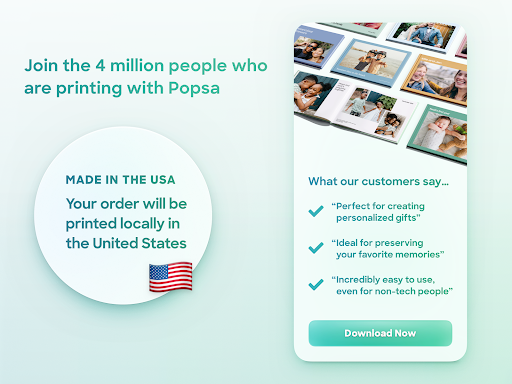
- With over 5 million downloads and an excellent user rating of 4.7/5, Popsa has demonstrated its reliability and effectiveness in delivering high-quality printing services, making it a trustworthy choice for users.
- The app's intuitive interface allows users to create beautiful photobooks, photo boxes, calendars, and prints in just a few minutes, making it an ideal option for those short on time or without extensive design experience.
- Popsa's developer has a professional website and provides a dedicated email address for support, indicating a commitment to customer service and responsiveness to user concerns.
- The app's lack of ads and in-app purchases ensures a seamless and distraction-free user experience, allowing users to focus on creating their desired prints without interruptions.
- Popsa's compatibility with Android 7.0 and later ensures that a wide range of devices can access its features, making it a versatile option for users with different hardware configurations.
Cons
- One potential drawback of Popsa is its limited editing capabilities, which may not satisfy users seeking more advanced photo manipulation features, such as those found in dedicated photo editing apps.
- Although Popsa does not request any permissions, some users may be concerned about the potential for data collection or usage tracking, despite the developer's professional reputation and transparent support channels.
- The app's focus on printing services may not appeal to users who prefer digital photo storage or sharing, potentially limiting its appeal to a narrower audience.
- As with any printing service, users should be aware of the potential environmental impact of their printing choices and consider the sustainability of Popsa's practices.
Best for: The ideal user for Popsa | Print Your Photos is likely an individual with a strong appreciation for physical photo keepsakes, such as a family member, traveler, or photography enthusiast, who values ease of use, quality printing, and a user-friendly interface, and is willing to invest time in creating personalized photobooks, photo boxes, calendars, or prints to treasure their memories.
Developer Description
Create Photobooks, Photo Boxes, Calendars and Prints — in just 5 minutes
• Each order takes just 5 MINUTES on average
• Print up to 600 photos
• Across up to 150 pages
• Prices start from just $12
__________
INSTANT LAYOUTS
Popsa does the fiddly bits for you – instantly.
Once you’ve picked your photos, our super-fast app creates your layout automatically. It does it all:
• Picks the perfect template
• Crops your pictures
• Groups similar pictures together
• Chooses the best colour scheme
__________
FRAMED PHOTO TILES
Create your own stickable photo tiles in seconds with Popsa.
• No nails required! Our picture tiles come with adhesive backs for your walls
• All of our photo tiles come ready-framed in high-quality black or white frames
• Stick and restick as many times as you like
• Mix and match – our photo tiles look great in groups
• Add captions to your tiles (if you like!)
• Made from an eco-friendly mix of 50% recycled polymers
__________
CUSTOM CALENDARS
It’s easy to make your own calendars with Popsa, too.
• Our photo calendars come on 250gsm paper stock as standard
• That’s seriously high quality paper – thicker than our photobooks! – and it makes every calendar feel special
• Our photo calendars come uncoated, making them easy to scribble on
• Your personalized calendar can cover any 12-month period. Whether it’s a late 2020 calendar that stretches into 2021, or a brand new 2021 calendar, you can make them all with Popsa.
__________
AND THERE’S MORE
Popsa has even more ways to enjoy your photos.
• Create high-quality, individual photo prints
• 7 sizes available
• Choose from matte or gloss
• Or turn your photos into Christmas ornaments!
• Made from high-quality, polished acrylic
__________
ALL YOUR PHOTOS IN ONE PLACE
With Popsa, you can use photos from:
• Your phone
• Google Photos
• Dropbox
No more messing around with lots of different apps and accounts – with Popsa, it’s all under one roof.
And with Google Photos, you can even search for specific images using keywords. ‘Greece 2020’. ‘Ginger kitten’. ‘Mum and Dad’.
__________
PERFECT GIFTS
Popsa photobooks and photo prints are thoughtful, personalized gifts for friends and family. And the best part? You did the hard work when you took the pictures!
Just select your favorite memories:
• Wedding snaps
• Baby pictures
• Family holidays
• Birthday photos
• Pet pics
• ...It’s completely up to you
And for the finishing touch, we can even gift box your photobook or ornaments for you. Just select the option at checkout.
NOTE: We don’t include receipts with your delivery, so if it’s a gift, you can ship your photo album directly to the recipient.
__________
QUALITY PRINTING
Our state-of-the-art printers are renowned for their high quality standards.
Choose from:
Softcover Photobook
• 200gsm paper
• Medium and Large sizes
• Matte or Gloss paper
• 20-150 pages
• From $18
Hardback Photobook
• 200gsm luxury paper
• Medium, Large and Extra Large sizes
• Matte or Gloss paper
• 20-150 pages
• From $24
Photobooklet
• 200gsm paper
• 12-20 pages
• From $12
__________
APP FEATURES
• Create a photobook in just 5 minutes
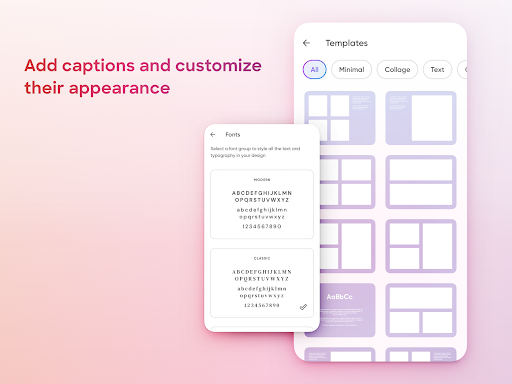
• Add captions to every page
• (And emojis, too!)
• See your book in 3D before you order
• Choose from a wide range of templates
• And hundreds of themes
• Drag and drop photos in seconds
• Pay in your preferred currency
• Receive voucher-code discounts
• Save your delivery addresses for future use
• Pay with Google Pay
• Securely store your card details for 1-tap payments
• Track your order seamlessly
__________
SUPPORT
We have a great support team on standby to help you out in the unlikely event that something goes wrong. Contact support@popsa.com and we’ll be with you as soon as possible.
Happy printing!
Popsa
__________
Orders are currently being dispatched as normal.
Privacy
Given that Popsa does not request any permissions, users can be relatively confident in the app's respect for their privacy, but it is still essential to review the developer's terms of service and privacy policy to understand any potential data collection or usage practices. To further protect their privacy, users should ensure they are using a secure internet connection when uploading photos to the app. Additionally, users should be cautious when sharing their printed photos, as they may contain personal or sensitive information.
Tips
To get the most out of Popsa, users should start by organizing their photos into albums or folders, making it easier to select and upload the desired images to the app. Users can also optimize their printing experience by ensuring their device has sufficient storage space and a stable internet connection, allowing for smooth uploads and processing. Furthermore, users can explore Popsa's various printing options and templates to find the best fit for their needs and preferences.
What's New
Reminders are a great way to keep track of birthdays, anniversaries, and baby due dates.
Just tap the calendar icon on the top of the home screen, then Add an Event.
As the day approaches, you’ll see a countdown to it in the Reminders section. We’ll send you email and push reminders too.
You’ll never miss a chance to celebrate an important date with your favourite photos.
Version Information
- Version
- 5.84.4
- Downloads
- 5M+
- Updated on
- Nov 24, 2025
- Released
- Nov 12, 2018
- Requires
- Android 7.0
Statistics
Google Play Rating History
Rating Distribution
Downloads Over Time
Popsa | Print Your Photos has been downloaded times. Over the past 30 days, it averaged downloads per day.
Shaded area shows 30-day prediction based on historical trends
Historical data collection started recently. More data points will be available over time.
Popsa | Print Your Photos - Google Play Rankings
Top Rankings
| Rank | Country | Category | List | Change |
|---|---|---|---|---|
| — |
Ranking History in
No ranking data available yet. Rankings are updated daily.
#20 in Top Free Photography in Netherlands


#24 in Top Free Photography in Italy


#30 in Top Free Photography in France

#35 in Top Free Photography in United Kingdom


Popsa | Print Your Photos users say on Google Play
 Mylia Liddell
I love how easy the templates work. I have ordered a lot of photo books and have been very happy with the product.
 Ross Carswell
Quality feel but limited writing. I made two books, one cheap, one most expensive. The cheap one was great for £40. The £120 book was amazing quality but really upset with the words, it had autocorrected the names of countries wrong and I hadn't realised so they're misprinted. The text also was very limited. I could only write in one size, I wanted a title and then text but it would look silly if all the same size.
 Nicola Coomansingh
Hopefully the photo albums and photos will print ok because the layout of photos kept changing and is hard to zoom in or out of photos if you put together an album on your phone, 1rather than a computer.
 Andrew Peake
fairly easy to use but quite expensive to use and the first order 50% discount is misleading
 Dawn Ashdown
Gave up. Was trying to create a photobook but while selecting photos the app kept closing and going back to the front page. Nowhere near photo or page limit. Tried uninstalling and reinstalling. Same. Tried on a different device. Same. Gave up after about 20 attempts ended up the same way.
ApkTrusted Ratings & Reviews
Similar Apps
Snapfish: Prints + Photo Books
Free

Lalalab - Photo printing
Free

CHEERZ- Photo Printing
Free

FamilyAlbum - Photo Sharing
Free

Shutterfly: Prints Cards Gifts
Free

Once Upon: Photo book prints
Free

Frameo: Share to photo frames
Free

FreePrints
Free

Easy-PhotoPrint Editor
Free

Amazon Photos: Photo & Video
Free

Sponge - Gallery Cleaner
Free

Photo Scan App by Photomyne
Free

celebrate: share photo & video
Free

Journi Blog - Travel Diary
Free

PicCollage: Photo Video Editor
Free

Polarsteps
Free
Scan this QR code to download

Forwarding you to the page at Google Play market in seconds...
Open Google Play market now