
FamilyKeeper Parental Control v1.12.2
Reason Labs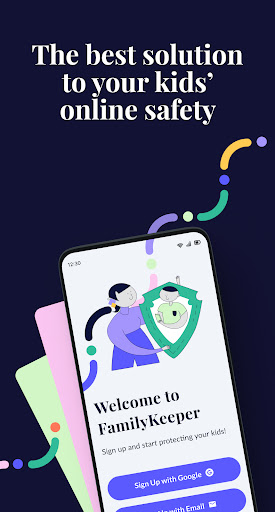
About this app
Developer Description
Parental Control - manage screen time, location tracker, app monitor & blocker
FamilyKeeper parental control app is powered by state-of-the-art AI technology. FamilyKeeper is designed to help parents keep their kids safe online by combatting digital threats such as the viewing of offensive content, cyberbullying, screen time overload, and more. A one-stop shop for child safety on all fronts, It also includes a GPS tracker to keep you informed of your child’s location.
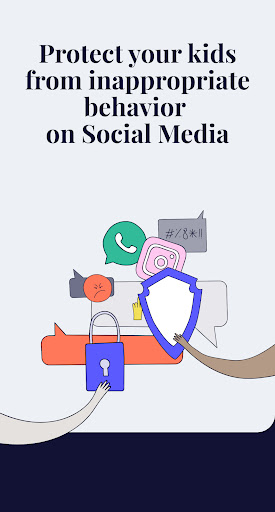
FamilyKeeper assists you in monitoring online activity and behavior, social media interactions, and texts with real-time notifications if something is amiss. Protecting kids from cyberbullying is one of our main goals - so while your kids are socializing online, exploring new territory, and learning to exert their independence, you can do your part by protecting them from any online threat or damage.
Key Features of FamilyKeeper:
Parental Control for Security
👍Allows you to customize which online content your child has access to
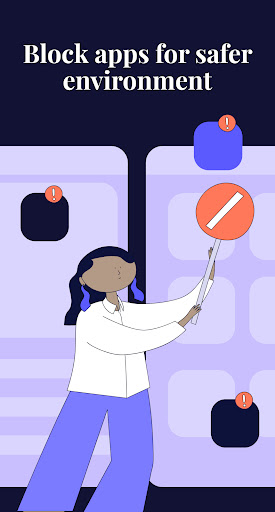
👍Filters inappropriate apps, sites, and browser usage
👍Blocks harmful sites and malicious content
👍Monitors new photos and saved images on your child’s phone
👍Battery tracker - notifies you when your child’s battery is running low
Cyberbullying Prevention
👍Uses AI to detect worrying behavioral patterns and recognize potential cyber threats
👍 Alerts you to offensive language by identifying incendiary keywords across most social media platforms
Screen Time Schedule
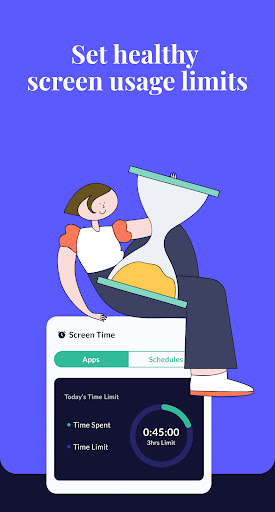
👍Combat screen addiction by limiting the amount of time spent online
👍Track screen time history
👍Customize your family’s screen time schedule by allocating fixed times when your child can use their device
GPS Alerts
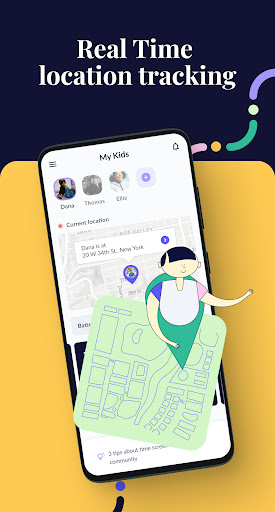
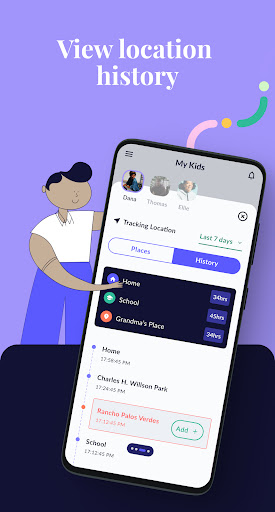
👍Location tracking for peace of mind
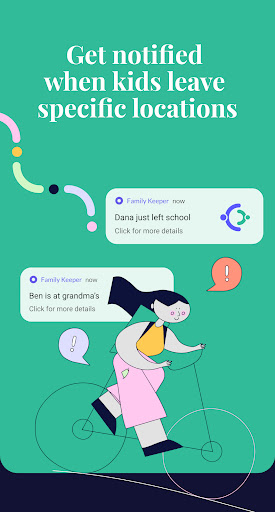
👍Receive notifications when your child enters or leaves a specific area
👍View location history
Real-Time Alerts for Age-Inappropriate Activities
👍Available on most social media platforms
👍Helps protect from online predators
👍Alerts you if unknown numbers or profiles attempt to contact your child
FamilyKeeper is free to download and install, so there’s no better time to start using it!
How do I install the Family keeper app?
➡️Download and register the FamilyKeeper app on your device
➡️Download and register the FamilyKeeper Kids app on your kid's device
➡️Quickly and conveniently pair the Parent & kid apps using your unique pin code
Parenting is a daunting task - we’re here to help make it easier!
If you have any questions about working and installing the Family keeper app, you can find help and online support at www.familykeeper.co or email support@familykeeper.co
What's New
In-app purchases
$9.99 - $119.99 per item
Version Information
- Version
- 1.12.2
- Downloads
- 100K+
- Updated on
- Mar 13, 2025
- Released
- Nov 22, 2022
- Requires
- Android 6.0
Statistics
Google Play Rating History
Rating Distribution
Downloads Over Time
FamilyKeeper Parental Control has been downloaded times. Over the past 30 days, it averaged downloads per day.
Shaded area shows 30-day prediction based on historical trends
Historical data collection started recently. More data points will be available over time.
FamilyKeeper Parental Control users say on Google Play
 A Google user
FamilyKeeper Parental Control has completely transformed the way I manage my children's device usage. With its comprehensive features, I can now easily set up schedules for screen time, limit app usage, and even remotely lock their devices. It has helped me strike a perfect balance between allowing them to explore the digital world while ensuring their safety and well-being. I can't recommend this app enough!
A Google user
FamilyKeeper Parental Control has changed the way I parent in the digital age. With its easy-to-use interface and robust features, I can effortlessly keep track of my child's online activities and ensure they're not exposed to any inappropriate content. The app's intuitive design makes it a breeze to set up and navigate, making it perfect for parents of all tech skill levels.
 HONEST
THE RISK IS UP TO YOU!!! ZERO ⭐ 4RM ME.....JUST DOWNLOADED TODAY, MARCH 25,2023. PURCHASED SUBSCRIPTION. I WANT A REFUND ASAP!! DOES NOT DELIVER ANYTHING IT SAYS. FOR WHAT IT DOES DO I HAVE A FREE APP ON MY PHONE THAT DOES IT FOR FREE(IE LOCATING MY CHILD). & I WILL EDIT TO LET EVERYONE KNOW HOW MY REFUND PROCESS WENT! .... EDIT: MY EDIT AS PROMISED...4 ⭐ for prompt customer service. I received my refund without any problems. I changed my review to 3 ⭐ for overall customer service experience.
 Jessica Wesley
Have to pay for everything
 Kylee Sparlin
Used to have a different look and had a whole lot more things you could control on your child's phone. since the update, it has been nothing but disappointing. also, it's not blocking screen time and he's able to change settings himself on his phone. also used to be free. had way more things when it was free and worked 100 times better. now we have to pay, and the app sucks
ApkTrusted Ratings & Reviews
More from Reason Labs
See more apps


Similar Apps

Pinwheel Caregiver
Free

ParentSider
Free

Cubtale Baby Tracker
Free

OurFamilyWizard Co-Parent App
Free

Sitaara: Parenthood Simplified
Paid

TalkingParents: Co-Parent App
Free

Anaesthesia Vault
Paid

FAX Desk: Send Fax from Phone
Free

CHORELINKS
Paid

Fergus Go
Free

Co-parenting
Free

Indy: Your ADHD Copilot
Free
Scan this QR code to download

Forwarding you to the page at Google Play market in seconds...
Open Google Play market now