
To the stars Watch Face vVARY
RazorSharp Studio





About this app
Developer Description
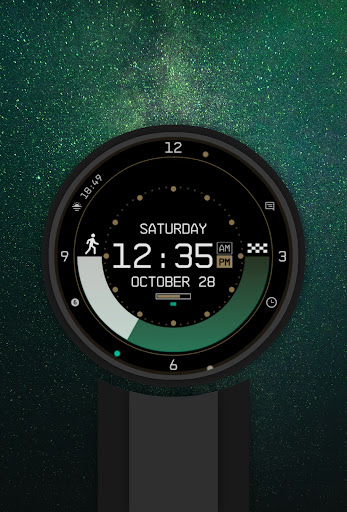
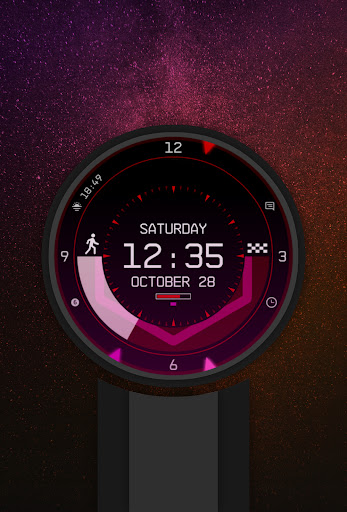
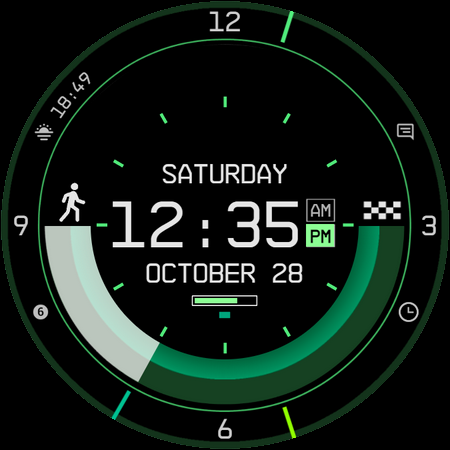
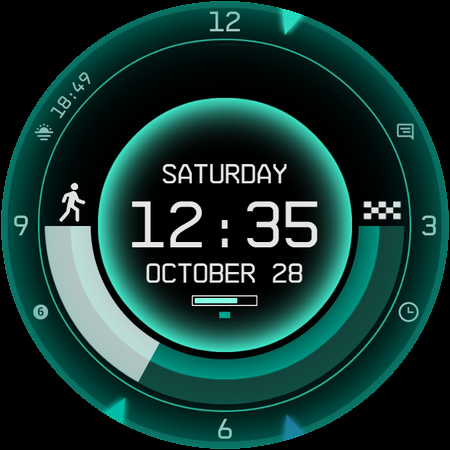
A cosmic, precise, customizable digital & analog watchface, for space explorers!
Introduction
This is a native, standalone Wear OS watchface. This means that it can be installed on many smartwatches running this OS (like Samsung, Mobvoi Ticwatch, Fossil, Oppo and more).
It is completely handcrafted, to be unique.
Features
The watchface includes:
◉ 30 color schemes
◉ Many different customizations
◉ 12/24 hours format support, auto date format
◉ A lot of information at a glance
◉ Customizable UI, hands, AOD and foreground effects
◉ Clean, futuristic and nasa punk style
◉ Custom chart style while charging!
◉ 5 customizable complications of different sizes!
◉ Easy to use (and removable of course) companion app
Installation
The installation is pretty easy and straightforward, don't worry!
Here's the procedure, step by step and a quick Q&A:
◉ Install this app in your smartphone
◉ Open it, and connect your Wear OS smartwatch to your device
◉ If the watch is correctly connected, you will be able to tap the "view and install on smartwatch" button. (if not, refer to the Q&A below)
◉ Check your watch, you should see my watchface and the install button (if you see the price instead of the install button, refer to the Q&A below)
◉ Install it on your smartwatch
◉ Long press on your current watchface
◉ Swipe until you see a "+" button
◉ Look for the new watchface, tap on it
◉ Done. If you want, you can safely uninstall the companion app on your smartphone now!
Q&A
Q - I'm being charged twice! / The watch is asking me to pay again / you're a [derogatory adjective]
A - Keep calm. This happens when the account you’re using on the smartphone is different from the account used on the smartwatch. To avoid being charged twice, you have to use the same account (else, Google has no way to know that you already bought the watchface).
Q - I can't press the button in the companion app even if my smartwatch is connected, why?
A - Most probably, you're using an incompatible device, like the old Samsung smartwatches or any other non-Wear OS smartwatch/smartband. You can easily check on Google if your device runs Wear OS before installling any watchface. If you're sure you have a Wear OS device and still you can't press the button, just open the Play Store on your watch and search for my watchface manually!
Q - I have a Wear OS device, I swear, but it's not working! I'm gonna leave a one star review 😏
A - Stop right there! Most definitely is an issue on your side while following the procedure, so please just send me an email (i usually reply during the weekends) and don't damage me with bad and misleading reviews!
Q - The [name of a feature] is not working!
A - Try setting another watchface and then set mine again, or try allowing the permissions manually (on the watch obviously). If it still doesn't work, there's an handy "email button" in the companion app!
Support
If you need help or you have a suggestion/bug report, feel free to send me an email, I'll do my best to reply and help.
I usually reply during the weekend because I'm just one person (not a company) and I have a job, so please be patient!
This app is constantly supported and updated to fix bugs and add new features. The overall design won't change obviously, but it will surely be improved over time!
I know that the price isn't the lowest, but I worked a lot of hours on each watchface and the price also includes the support and the updates, if you think about it. And i assure you, I'll invest any earning on useful things and to help my family. Oh, and thanks for reading the full description! Nobody does it!
What's New
- New outer circle style
- Fixes, latest WFF standards
Version Information
- Version
- -
- Downloads
- 10K+
- Updated on
- May 23, 2025
- Released
- Jun 15, 2023
- Requires
- Android Varies with device
Statistics
Google Play Rating History
Rating Distribution
Downloads Over Time
To the stars Watch Face has been downloaded times. Over the past 30 days, it averaged downloads per day.
Shaded area shows 30-day prediction based on historical trends
Historical data collection started recently. More data points will be available over time.
To the stars Watch Face users say on Google Play
 G3helper
Although Bethesda dropped the ball. This dev certainly didn't, this is indeed the starfield watch face but 10 times- no scratch that, 100 times better then the collector's edition watch, and believe me I know this from experience, the amount of customization is "breathtaking" (sorry) you can design this watch to be any theme that you'd want! Currently I'm rocking a black/blue/yellow scheme (helldivers ;>) with all kinds of widgets. Give it a whirl, its only like a dollar.
 Randy Novak
I'm giving this four stars for one simple reason. This is a great watch face! Plenty of complications to add, with a lot of options for each (5 comps on the watch). Preset color palets are decent, but the SF one is a bit off on the blue, looks a bit more purple than it should. Overall, solid work and looks and functions well! Why four instead of 5 stars? The SF logo is only seen in Ambient mode, and only for a second as you flip your wrist. This symbol needs to actually be on the watch!
 Crystal Janecek
The step tracker now tracks what your actual step goal is set to and some more colors and options have been added in. I still wish you could pick the 3 colors rather than a preset palette though. I feel like I can't tell the difference in the Ambient mode style, all the options look the same to me. Also since the last update I can no longer pick any compilations as all 5 options are blank of any choices. Even so this is still my favorite watch face and I haven't stopped using it since purchase.
 Sam Xǔ
I wish I can change the step counter as watch battey. Also wish the Ambient mode can display different planets or black and white logo (save battery life) with clock instead of just the colored logo. Additionally Ambient mode have some weird glitches that only half graphic goes ambient mode and other half stuck on normal display mode. Edit: after some fiddle, I found that crown sensitivity is way to high during customization, therefore I thought there was only 2 mode for each options.
 Angel Louise-Thomson
Not loading at all
ApkTrusted Ratings & Reviews
More from RazorSharp Studio
See more apps


Similar Apps

Starfield LPV6 SE Watch Face
Paid
Star Field Moon Phase Watch
Paid

StarMark
Paid

Digital Watch Face Pro Black
Free

Watch Face Digital Sport
Paid

Digital Watch Face Premium
Free

star explorer watch face
Paid

BRN125 - royo
Paid

EXD095: Neo Quantum Watch
Paid
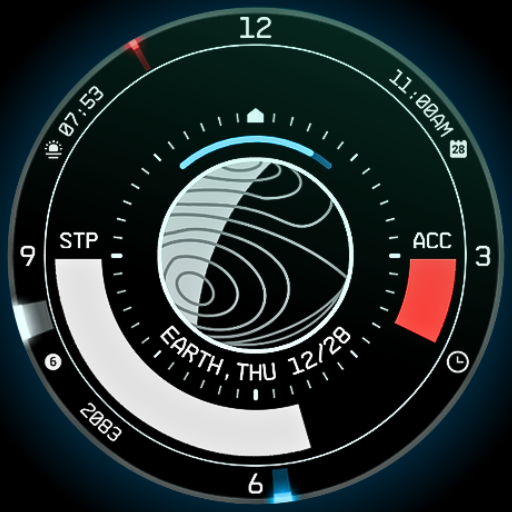
Planet in stars Watch Face
Paid

Diablo Function ZKin Watch
Paid

Timeframe
Paid

SG-130
Free

WR 021 Hybrid Watch Face
Paid
SG-154
Free
Retro NASA Space Watch Face
Paid
Scan this QR code to download

Forwarding you to the page at Google Play market in seconds...
Open Google Play market now