
Good Lock v3.0.14.2
Samsung Electronics Co., Ltd.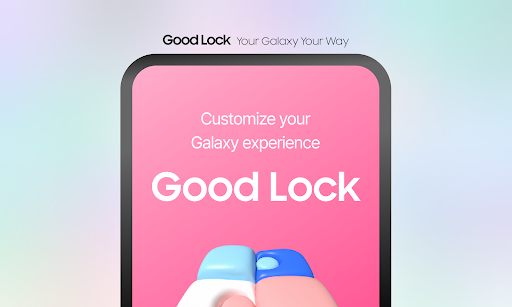


About this app
Good Lock is a powerful tool that solves the problem of limited UI customization on Samsung devices, benefiting Galaxy users the most by providing them with a range of features to personalize their home screen, lock screen, and notification shade. Compared to other apps in the Tools category, Good Lock stands out due to its seamless integration with Samsung devices and its ability to offer features that are not available on other devices. However, it falls short in terms of compatibility with non-Samsung devices, limiting its user base. With over 5 million downloads and a 3.7-star rating, Good Lock has established itself as a popular choice among Samsung users.
Pros
- Good Lock offers a wide range of customization options, allowing users to personalize their device to suit their preferences, which is a major advantage over other apps in the Tools category.
- The app has a large user base, with over 5 million downloads, which is a testament to its popularity and social proof, indicating that many users have found it useful and reliable.
- Good Lock is developed by Samsung Electronics Co., Ltd., a reputable company with a strong track record of producing high-quality apps, which ensures that the app is well-maintained and updated regularly.
- The app does not contain ads or in-app purchases, providing a seamless and uninterrupted user experience, which is a significant advantage over other free apps that often rely on aggressive monetization strategies.
- Good Lock's offline capability allows users to customize their device without requiring an internet connection, making it a convenient option for users who are often offline or have limited data plans.
Cons
- One of the major concerns with Good Lock is its limited compatibility with non-Samsung devices, which restricts its user base and may not be suitable for users who switch devices frequently or use non-Samsung devices.
- Some users have reported that the app can be resource-intensive, which may affect device performance, particularly on lower-end devices, and may require users to adjust their settings to optimize performance.
- The app's lack of transparency regarding data collection and usage may be a concern for users who are sensitive about their privacy, and it is essential for users to review the app's terms and conditions before installing it.
- Good Lock's updates can sometimes be slow to roll out, which may leave users waiting for bug fixes or new features, and may not be suitable for users who require the latest features and updates.
Best for: The ideal user for Good Lock is a tech-savvy Samsung device owner who values customization and personalization, is likely between the ages of 18 and 40, and has a good understanding of Android devices and their capabilities, allowing them to fully utilize the app's features and customize their device to suit their needs.
Developer Description
Powerful UI customization and convenience features - most loved by Galaxy users
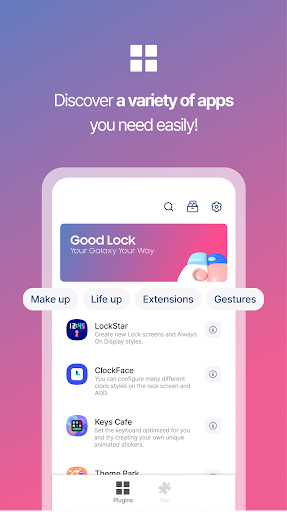
With Good Lock’s plugins, users can customize the UI of the status bar, Quick Panel, lock screen, keyboard, and more, and use features such as Multi Window, audio, and Routine more conveniently.
Good Lock’s main plugins
- LockStar: Create new lock screens and AOD styles.
- ClockFace: Set various clock styles for the lock screen and AOD.
- NavStar: Conveniently organize navigation bar buttons and swipe gestures.
- Home Up: It provides an improved One UI Home experience.
- QuickStar: Organize a simple and unique top bar and Quick panel.
- Wonderland: Create backgrounds that move based on how your device moves.
There are many other plugins with various features.
Install Good Lock and try out each of these plugins!
[Target]
- Android O, P OS 8.0 SAMSUNG devices.
(Some devices may not be supported.)
[Language]
- Korean
- English
- Chinese
- Japanese
Privacy
Since Good Lock does not request any permissions, users do not need to worry about their data being collected or compromised, but it is still essential to review the app's terms and conditions to understand how it uses data. However, users should be cautious when installing apps from unknown sources and ensure that they only download apps from trusted sources like the Google Play Store. Additionally, users should regularly review their device's settings to ensure that Good Lock is not consuming excessive resources or data.
Tips
To get the most out of Good Lock, users should first explore the app's various customization options, including the ability to personalize their home screen, lock screen, and notification shade. Users can also optimize their device's performance by adjusting Good Lock's settings, such as disabling features that are not frequently used, and can integrate Good Lock with other Samsung apps to enhance their overall user experience. Furthermore, users can customize their device's theme and layout to suit their preferences, making it easier to navigate and use their device.
What's New
Version Information
- Version
- 3.0.14.2
- Downloads
- 5M+
- Updated on
- Oct 31, 2025
- Released
- Jan 20, 2025
- Requires
- Android 12
Statistics
Google Play Rating History
Rating Distribution
Downloads Over Time
Good Lock has been downloaded times. Over the past 30 days, it averaged downloads per day.
Shaded area shows 30-day prediction based on historical trends
Historical data collection started recently. More data points will be available over time.
Good Lock - Google Play Rankings
Top Rankings
| Rank | Country | Category | List | Change |
|---|---|---|---|---|
| — |
Ranking History in
No ranking data available yet. Rankings are updated daily.
#16 in Top Free Tools in South Korea

#76 in Top Free Tools in France


#79 in Top Free Tools in Canada


#96 in Top Free Tools in Australia


Good Lock users say on Google Play
 Alex
Alex
amazing suite of apps; essentially gives me a lot of the customizable options I had Nova Launcher pro for. One feature I'd like to see on NotiStar or whichever application is relevant is the ability to see my notification history from the dropdown menu My last phone was a Pixel and when I pulled down the status bar and it said "no notifications" I just clicked on the blank space and it took me directly to the history. 5 stars, it's really smart to have the stock UI and then these as optional.
 Gwenaviere
love this app! easy to use (after a little learning) and my screen is sooo cute now! only thing is i wish we could edit or change the icon app names, and i wish i could add more than 20 stickers at a time. (im veryyy decorative.)
 Shannon Statzer
I have not played with all the options, my favorite is NavStar... but my problem is that the screen shots show options that do not match the screen in the app itself... Also, most of the time my Nav bar is white on black or white on grey, but sometimes it is white on white or black on black. I don't know why, & I don't know how to fix it.
 Kimchi Kat
it's such a cool app but some features don't work. please help me! Fix DIY homescreen please!
 Tim Johnson
AOD notification icons are way too small on the Zfold 7, on both displays, to the point of barely being readable. This is such an obvious flaw. Please make them larger or let us choose how big they are! Update1: in addition, there is no separate control for AOD brightness. To make the AOD suitably bright, you have to increase the display brightness so much that the display is too bright.
ApkTrusted Ratings & Reviews
More from Samsung Electronics Co., Ltd.
See more apps
Smart Tutor for SAMSUNG Mobile
Free
POWERbot-S
Free
Samsung WE VoIP
Free

Galaxy Buds Core Manager
Free
Samsung Accessory Service
Free
Galaxy Buds+ Manager
Free
Galaxy Buds2 Pro Manager
Free

Galaxy Buds FE Manager
Free
Galaxy Buds Pro Manager
Free
Galaxy Buds2 Manager
Free

Galaxy Buds3 Manager
Free

Galaxy Buds Manager
Free

Samsung Plus 2
Free
POWERbot-E
Free

Galaxy Buds3 Pro Manager
Free
Galaxy Buds3 FE Manager
Free
Similar Apps
Smart Launcher 6 ‧ Home Screen
Free
OneUI Widgets
Paid
Widget Lab:Wallpapers & Themes
Free

Clock Widget: Photo & Music
Free
Muviz Edge: AOD & Edge Lights
Free

Everything Widgets
Paid
Niagara Launcher ‧ Home Screen
Free

Xiaomi Community
Free
DNA Launcher
Free
MyICON - Icon Changer, Themes
Free

StandBy Mode Pro Smart Display
Free

OxygenOS 16 Icon pack
Free

Action Launcher: Pixel Edition
Free

Backdrops - Wallpapers
Free

dynamicSpot - Dynamic Island
Free

Nova Launcher
Free
Scan this QR code to download

Forwarding you to the page at Google Play market in seconds...
Open Google Play market now