Yono Lite SBI - Mobile Banking v8.2.0
State Bank of India
About this app
Developer Description
Anywhere Personal is now Yono Lite. Manage your Bank accounts from your Mobile
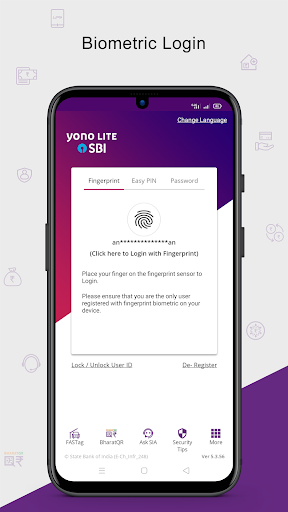
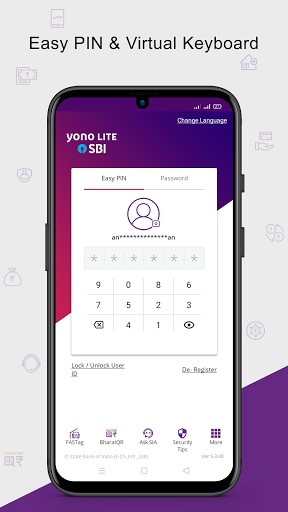
Yono Lite is SBI’s retail internet banking-based application for your smartphones. A safe, convenient, and easy to use application with a host of features to help users manage your finances on the move.
Please complete the one-time registration process to start using the application.
New Registration process:
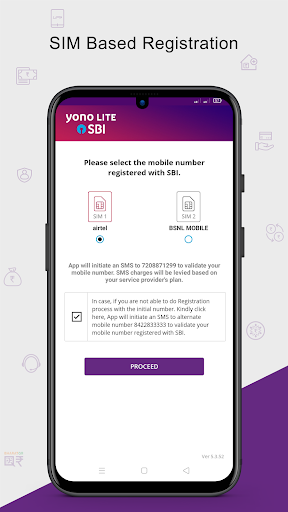
- A message will be shown on the screen regarding initiating an SMS to +917208871299 from the mobile device for validating user's mobile number. Users has to send this app generated encrypted SMS manually. Users have an option to retry sending SMS to an alternate number 8422833333.
- Click on ‘Proceed’ button and an SMS containing a unique code will be sent from the device to a predefined number. Kindly note that for sending SMS will incur standard SMS charges as per your telecom SMS plan.
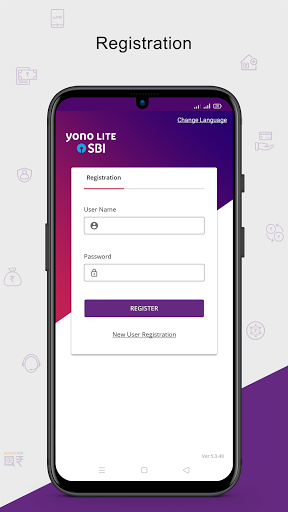
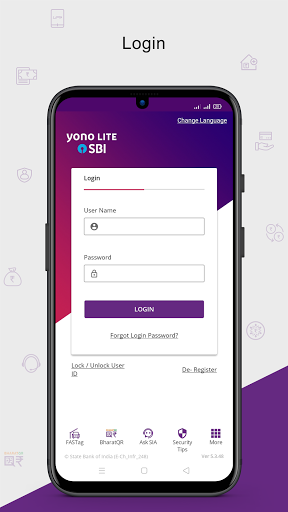
- On registration screen, please enter Username and Password and click REGISTER button.
- Accept the Terms & Conditions for registration by selecting the check box and click ‘Ok’ button.
- An activation code will be sent to the registered mobile number. User has to complete the activation by inputting the Activation code in the app.
- User can now login to Yono Lite application.
Features:
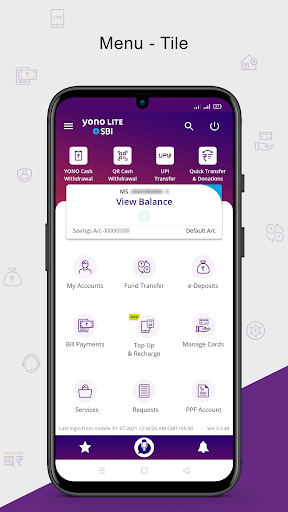
My Accounts
• Detailed account information (Transaction / Deposit /Loan / PPF / SSA accounts)
• Mini Statement (Last 10 transactions)
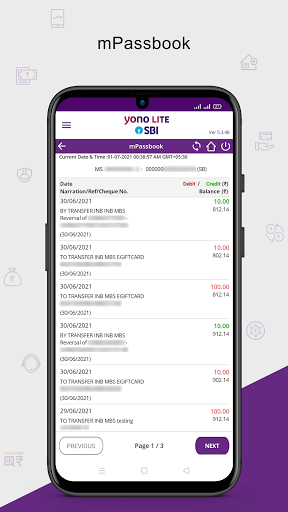
• mPassbook (upto 150 transactions)
• View /Download statement
• eStatement Subscription
• PPF Accounts
Fund Transfer
• Funds Transfer within Self Accounts
• Third Party Transfer within SBI
• Inter-Bank Transfer (RTGS / NEFT /IMPS)
• Quick Transfer to Unregistered Beneficiaries using QR Code
• IMPS Transfer (using IFSC & Account Number or Mobile Number & MMID)
• Transfer to mobile number or email id using mCash
• Schedule Transactions
• Add / Manage Beneficiary
eDeposits
• Open Fixed Deposit
• Open Recurring Deposit
• Open Multi option deposit
UPI
• Fund Transfer to Unregistered beneficiaries through beneficiary VPA
• Fund Transfer to registered beneficiaries using Account No & IFSC code
• Dispute Status
• Set UPI transaction limit within overall daily limit
• Enable/ Disable UPI
Manage Cards
• Physical Debit Cards
• Virtual Debit Cards
• Prepaid Cards
Bill / Merchant Payments
• Pay Bills
• SBI Life Premium
• Credit Card (VISA) Transfer
• Bill Payment History
SBI Voice Assist
• Voice assisted functionality to know Balance, mini-statement, Mobile & DTH recharge and Quick Transfer using voice instructions
Top-up and Recharge options are available under 'Bill Payments' Menu
• Mobile Recharge
• DTH Recharge
• Top-up of State Bank Prepaid Cards
• Google Pay Recharge Code
• Gift Voucher
Requests
• IPO
• Get MMID
• Cancel MMID
• Cheque book
• Positive Pay System
• TDS Enquiry
Services
• Standing Instruction
• Online Nomination
• Submit 15 GH
• Transfer of Savings account
• eLocker
• My Certificates
Facility of QR based Cash withdrawal from ATMs.
- User can withdraw cash by scanning the QR displayed on ATM screen through Yono Lite app.
Quick Transfer and Donations
• Send Money using Account Details
• Donations
Facility of Yono Cash for Card less cash withdrawal through ATMs
Prelogin
• Bhim SBI Pay
• Bharat QR
• FasTag
• SBI Collect
• Donations to Religious Entities
• Bharat Bill Pay
• SBI Finder
• Complaints
• Lock/Unlock User ID
• Apply for Loan
• FAQs
• Ask SIA
• Branch/ATM
• Cyber Crime Helpline
• Transit Cards
• Complaints of Unauthorized Transactions
What's New
Version Information
- Version
- 8.2.0
- Downloads
- 50M+
- Updated on
- Dec 22, 2025
- Released
- Mar 13, 2014
- Requires
- Android 12
Statistics
Google Play Rating History
Rating Distribution
Downloads Over Time
Yono Lite SBI - Mobile Banking has been downloaded times. Over the past 30 days, it averaged downloads per day.
Shaded area shows 30-day prediction based on historical trends
Historical data collection started recently. More data points will be available over time.
Yono Lite SBI - Mobile Banking users say on Google Play
 Devesh Kumar Dixit
best app of sbi everything is here too much processing and easy, always like it
 M Redmi
I choose to create FDR (Non Cumulative) but after creating the FDR, The receipt shows interest will be paid at maturity!! I selected to map the existing nominee but after creating the FDR there is no nominee mapped!! What happened to this awesome app??
 A Google user
06Sep21,after the update,i CANNOT use it for my two accounts in SBI as it is allowing only one user registration, although the mobile no.is same for both accounts.Pls Help! 9April19- working great now. this time update went smooth so changing my review to 5* On22 feb 19 after update, my review was-1* what a trouble, this app doesn't open if u don't update and if you update, you have to re register yourself(the only app i have seen which requires this on update) ,which is a big task in this app.
 Bakreswar
good
 Nature Devine
I tried to login unable . very poor performance rather than others online banking.after updation not working
ApkTrusted Ratings & Reviews
More from State Bank of India
See more apps
YONO US New York
Free

Yono Business
Free

YONO SBI Maldives
Free

YONO Nepal SBI
Free
YONO SBI Canada
Free
SBI Secure OTP
Free

YONO SBI Sri Lanka
Free

YONO SBI Mauritius
Free

SBI Global Smart OTP
Free

YONO SBI Europe
Free

YONO SBI Singapore
Free

YONO SBI UK
Free

YONO SBI Bahrain
Free

YONO SBI South Africa
Free

YONO SBI Bangladesh
Free
YONO US Chicago
Free
Similar Apps





Scan this QR code to download

Forwarding you to the page at Google Play market in seconds...
Open Google Play market now