
USB Backup vVARY
Samsung R&D Institute India Noida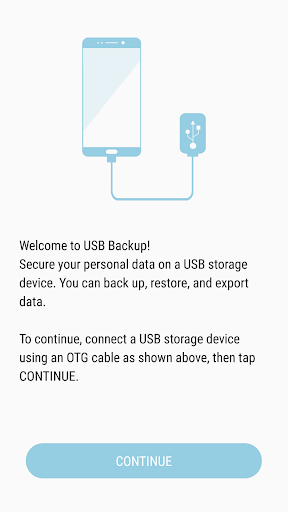


About this app
Developer Description
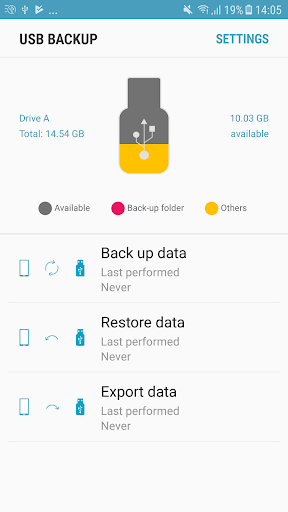
Backup, restore and export your personal data on a USB storage device.
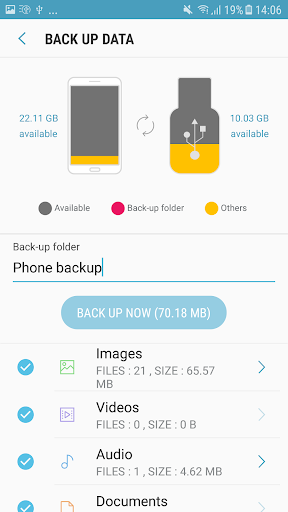
Application gives option to select folder level and individual files Images, Videos, Audio's, Documents files to take back up / Import / Export.
Application mitigate worries about privacy issue and data cost incurred on each back up on cloud storage.
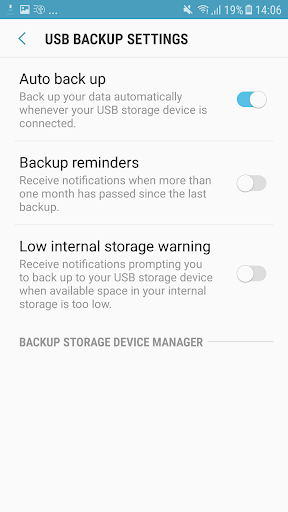
Turn ON/OFF settings for features,
1. Auto back up ON,such that next time when ever familiar USB got connected via OTG cable back up will start automatically without user intervention.
2. Notifications ON when more than one month has passed since the last backup.
3. Notifications ON prompt to backup to your device when available space in your internal storage is too low.
4.USB backup allows the user to create profile in TV and mobile so that whenever the user comes into proximity of TV incremental data(images,videos) will be backed up.
Version Information
- Version
- -
- Downloads
- 100M+
- Updated on
- -
- Released
- Feb 4, 2026
- Requires
- Android Varies with device
Statistics
Google Play Rating History
Rating Distribution
Downloads Over Time
USB Backup has been downloaded times. Over the past 30 days, it averaged downloads per day.
Shaded area shows 30-day prediction based on historical trends
Historical data collection started recently. More data points will be available over time.
USB Backup users say on Google Play
 Rahul kumar jangid
Not showing the USB connected pen drive
 Sachinthaka Wijerathna
I cant connect UTB ???
 Praveen Kumar
Dear Team, I had made a back using this usb back up and went to asc and asc updated my device software. As per concern after software update my trying to restore my back up data but not getting and back up information over the app. I checked with my device my file app and found my device back file there arround of 9 GB. I try to share email on mentioned developer contact but mail no sent. Please assit me with this because i have many important file over the back up. waiting fir revert
 Dinesh Joshi
not working back up
 AJain USA
Why do you need this because when you connect the phone to your computer it will start to backup all your media. So why you need this
ApkTrusted Ratings & Reviews
More from Samsung R&D Institute India Noida
See more apps



Scan this QR code to download

Forwarding you to the page at Google Play market in seconds...
Open Google Play market now