
SugarSync v5.6.0.184
Livedrive Internet Ltd


About this app
Developer Description
SugarSync for Android
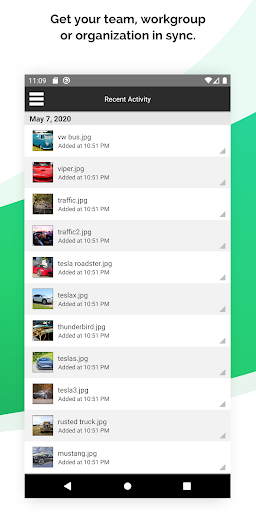
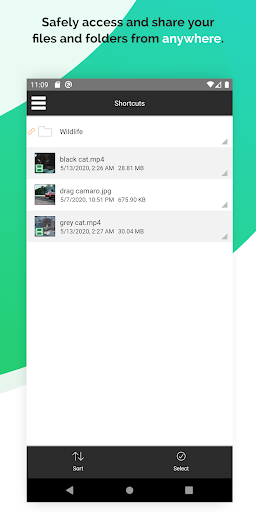
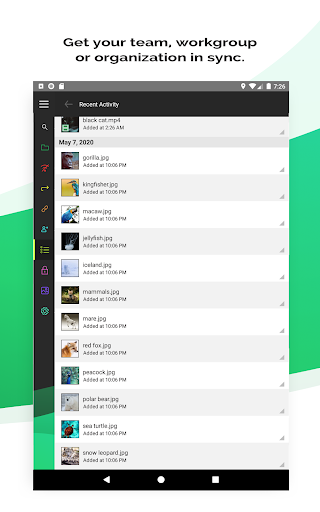
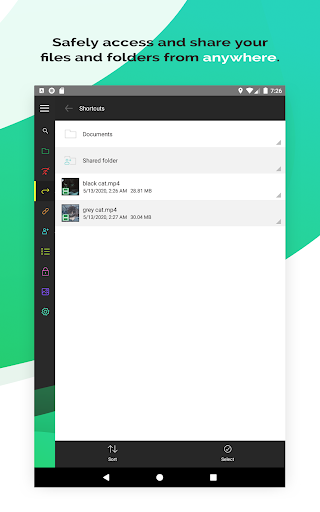
Use SugarSync to securely sync and backup your files, photos, music, and more on any device. We add a layer of security to all of your file syncing and storing so you can keep your digital life private and organized. Easily sync and send files from one device to another, collaborate with team members, and enjoy seamless file syncing across your devices with minimal effort.
Features:
• Automatically sync your files to the cloud
• Instantly backup photos taken on your Android
• Sync multiple folders at once
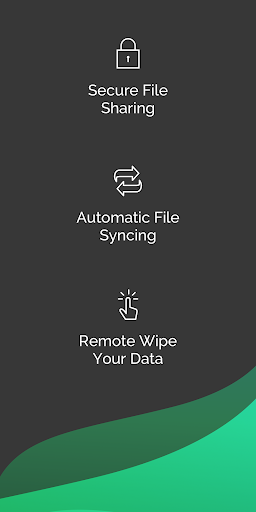
• Remotely wipe your data in the case of device theft or loss
Complete Data Security
SugarSync makes security a priority. We use industry-standard encryption to protect your files and data while they sync to our servers, and store them in the cloud in an encrypted format.
Android Photo Syncing
Skip using a cable to upload your Android photos. SugarSync lets you automatically upload photos from your Android to your computer so you can have all of your important memories and more in one secure place.
Auto-Syncing Across Devices
SugarSync makes it easy to keep all of your devices synced. You can automatically sync files across computers, devices, and platforms, and all changes made in the cloud will be automatically applied to all of your synced devices.
Flexible File Sharing
Sharing files and folders has never been easier. SugarSync lets you control how and what you want to share, whether it’s a small read-only file or a large folder with editing permissions — it’s up to you.
Easy Restoration
Never worry about losing your important files, photos, and documents again. Our Protected Folders option lets you easily roll back your folder to a previous date in time so you can recover all files within it at once.
Enjoy a free 30-day trial when you sign up for SugarSync. Choose from our 100 GB, 250 GB, and 500 GB personal plan options, or choose our business plan which offers 10000 GB of space. We also offer custom business plans for teams looking for the right cloud storage for their needs.
Learn more about SugarSync here: https://www.sugarsync.com/
Terms of Service: https://www.sugarsync.com/terms/
Privacy Policy: https://www.sugarsync.com/privacy/
Version Information
- Version
- 5.6.0.184
- Downloads
- 1M+
- Updated on
- Oct 4, 2024
- Released
- Feb 1, 2026
- Requires
- Android 4.1
Statistics
Google Play Rating History
Rating Distribution
Downloads Over Time
SugarSync has been downloaded times. Over the past 30 days, it averaged downloads per day.
Shaded area shows 30-day prediction based on historical trends
Historical data collection started recently. More data points will be available over time.
SugarSync users say on Google Play
 Patryk Carwinski
Great Backup App! I've used this app for years now. It works seemlessly backuping up specific folders on my computers and syncing files across machines while allowing me to pull anything up remotely on my phone. Backs up phone photos too. Recent intro of 2FA is a key feature. I prefer this platform to any other I've used. Best cloud backup for my needs. I don't get all the complainers on here.
 Marc D
So far so good... But why cant i delete a folder i created in the folders section (right under the my sugarsync folder)? Kinda irritating. Or i would give this 5 stars. Please fix this. Thanks.
 Don Zee (Zee)
I tried to use this app to backup my photos and videos, but it just didn't cut it. The app has multiple major bugs. 1. The Sync function isn't reliable at all. Lots of files get missed. 2. The Android version of the app doesn't upload original photos. The location exif information is removed when the image is uploaded. Bug #2 doesn't exist in the iOS version.
 Nathan Yardley
I was told 2 months ago that the issue with adding folders was being reviewed, but no update or additional follow up. So I've basically been unable to use the service for 15% of the yearly package I pay for. Summary of feature requests from prior review (2017): Option to restrict syncing to specific times (eg, sync when my network isn't in use at night when I'm asleep). Option to exclude subfolders (I don't need the thumbnail folder on my phone to sync to the cloud/my computer).
 A Google user
I downloaded the app, even bought a plan and then the app won't even open so that I can back up my phone. I have tweeted them on Twitter and sent them a DM. I have waited a day and a half for their app to even open and still no response from customer service. If they try to take out money after they didn't even help me use their product then I'm reporting for fraud.
ApkTrusted Ratings & Reviews
More from Livedrive Internet Ltd
See more apps



Similar Apps

WaiverForever - Online Waiver
Free

Cardata Mobile
Free

Smart Switch - File Transfer
Paid

Intellifi by Adtran®
Free

Aegis Authenticator - 2FA App
Free

Content - Workspace ONE
Free

AppDash: App Manager & Backup
Free

eloomi
Free
ChargeNow
Free

My CenturyLink
Free

Dokobit
Free

Verizon Call Filter
Free

DAVx⁵ – CalDAV CardDAV WebDAV
Paid

Simpro Mobile
Free

One Key: password manager
Free

Direct Energy Account Manager
Free
Scan this QR code to download

Forwarding you to the page at Google Play market in seconds...
Open Google Play market now