
My CenturyLink v5.4.9
CenturyLink, Inc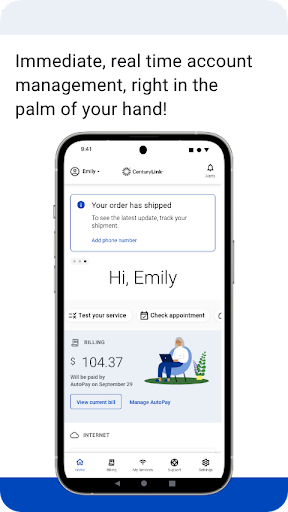


About this app
The My CenturyLink app solves the problem of managing multiple services and accounts in one place, benefiting CenturyLink customers who want a streamlined experience. Compared to other productivity apps, My CenturyLink stands out for its focus on account management, but may fall short in terms of feature diversity. With a good user rating of 3.9/5 and over 1 million downloads, it's a reliable choice for those invested in the CenturyLink ecosystem. However, its lack of additional features beyond account management may limit its appeal to a broader audience.
Pros
- The app's high download numbers and positive user rating indicate a well-received and reliable tool for managing CenturyLink services, suggesting a strong social proof.
- As a free app with no ads or in-app purchases, My CenturyLink provides an uninterrupted user experience, which is a significant advantage in the productivity category.
- The developer, CenturyLink, Inc., is a reputable company, which lends credibility to the app's quality and support, making it a trustworthy choice for users.
- The app requires no permissions, which is a significant pro in terms of privacy and security, as it minimizes potential data collection and reduces the risk of unauthorized access.
- Regular updates, as indicated by the version history, suggest that the developer is actively maintaining and improving the app, which is essential for a productivity tool.
Cons
- One concern is the app's limited functionality beyond account management, which might not be sufficient for users looking for a more comprehensive productivity solution.
- Although the app has a good rating, some users might experience issues, as indicated by the less-than-perfect rating, which could be due to various factors such as compatibility or performance problems.
- The lack of offline capability could be a drawback for users who need to access their account information without an internet connection, limiting the app's usability in certain situations.
- There is a potential for the app to be less useful for users who do not have multiple CenturyLink services, as its features might not be fully utilized, making it less appealing to a broader audience.
Best for: The ideal user for the My CenturyLink app is a CenturyLink customer, likely an adult with basic technical skills, who needs a convenient and centralized way to manage their CenturyLink services, such as billing, plans, and support, and values a straightforward, ad-free experience.
Developer Description
Management of your account and services into one easy place.
You can use the app to:
• Connect your new service quickly with modem self-install.
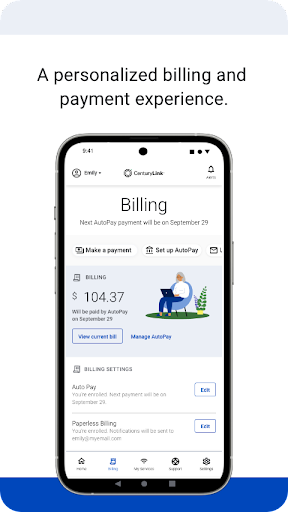
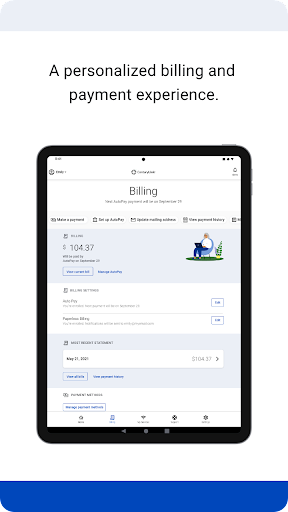
• View and manage your bill payment with convenience and ease.
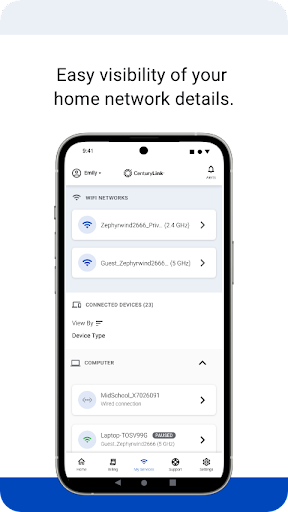
• Check your services, upgrade your Internet speed (if available in your area).
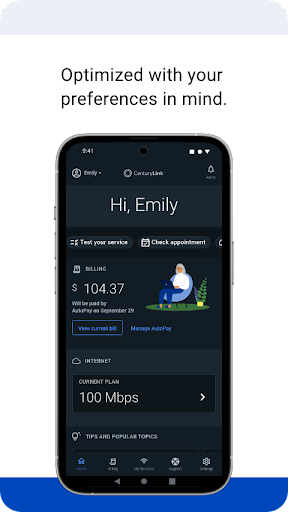
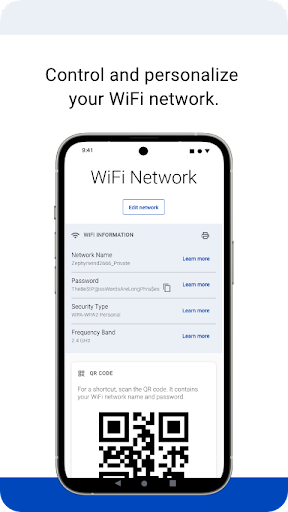
• Manage your settings.
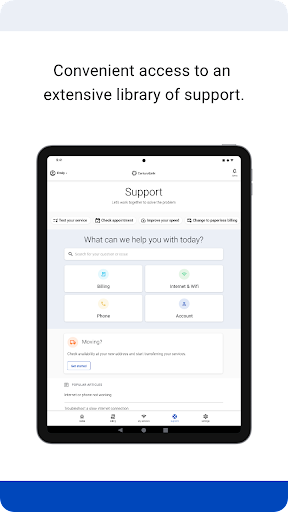
• Visit Support to troubleshoot or optimize your service through self-help tools and videos.
• Get personalized alerts, so you can see the status of your order, or find out if there is an interruption to your Internet service.
• Plus, so much more.
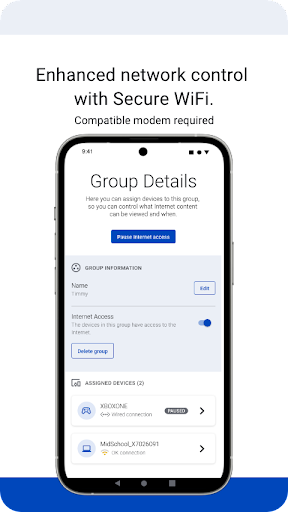
Additional features for our Secure WiFi customers (Secure WiFi is available on compatible modems leased from CenturyLink):
• Parental controls to guard against inappropriate web content.
• Pause and resume internet access of devices on our WiFi.
• Schedule online and offline times for devices and users.
Learn more about Secure WiFi by visiting https://centurylink.com/home/help/internet/secure-wifi
We're here to help! You can get in touch via http://www.centurylink.com/contact
Privacy
Given that the app requires no permissions, the risk of data collection or unauthorized access is minimal, which is a significant advantage in terms of privacy and security. However, users should still be cautious when accessing sensitive account information and ensure they are using the app on a secure network. Additionally, users should regularly review the app's terms of service and privacy policy to stay informed about any potential changes.
Tips
To get the most out of the My CenturyLink app, users should first ensure they have all necessary account information readily available for setup, and then explore the app's features to understand how to manage their services effectively. Additionally, users can optimize performance by keeping the app updated and closing unnecessary background apps to minimize battery drain. Regularly checking for updates can also help users stay informed about new features or improvements.
What's New
• Minor updates and stability fixes.
As always, we're here to help! If you've encountered a problem, want to provide feedback, or require support, you can get in touch via https://www.centurylink.com/contact or on Twitter @CenturyLinkHelp
Version Information
- Version
- 5.4.9
- Downloads
- 1M+
- Updated on
- Jan 9, 2026
- Released
- Sep 10, 2015
- Requires
- Android 7.0
Statistics
Google Play Rating History
Rating Distribution
Downloads Over Time
My CenturyLink has been downloaded times. Over the past 30 days, it averaged downloads per day.
Shaded area shows 30-day prediction based on historical trends
Historical data collection started recently. More data points will be available over time.
My CenturyLink users say on Google Play
 Samuel Ganson Snyder
CenturyLink made it so easy to make a payment unlike other companies whose sole goal evidently is to waste your time and frustrate you. So many thanks!
 Kassaye Hailemariam
Disconectit
 Tim Imanaka
APP/website clunky and unresponsive.
 Robert Pierson
used when my network was down, while diagnosing it timed out, not sure this is a desired feature!
 Darlene Klaasen
Centurylink has the worst customer service we have ever encountered. if you schedule an appointment we can say they won't arrive or let you know they won't come. you have to go onto their app to find out you were missed even though they never attempted to show up. Currently out of the 6 appointments made, only one showed up (the 3rd one) who said they fixed our issue only to make it worse. Currently they have us at 19 days of no internet and they do not seem to care.
ApkTrusted Ratings & Reviews
More from CenturyLink, Inc
See more apps


Similar Apps

Aetna Health
Free

SchoolsFirst FCU Mobile
Free

Oriental Bank
Free

TruStone Home Mortgage App
Free
Direct Energy Account Manager
Free
SmartHub
Free

myCigna
Free

Benefits Pro
Free

SDFCU Digital Banking
Free

Westlake MyAccount
Free

Halo Collar
Free

Truist Mobile
Free

Citi Mobile®
Free
Reliant
Free

TracFone My Account
Free

Regions Bank
Free
Scan this QR code to download

Forwarding you to the page at Google Play market in seconds...
Open Google Play market now