eDrawings v33.3.0008
SolidWorks









About this app
Developer Description
Experience and share your SolidWorks designs on your Android® phone and tablet.
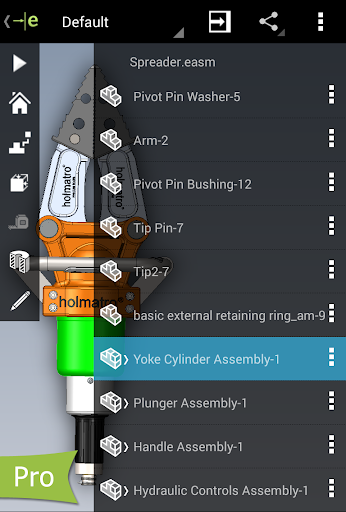
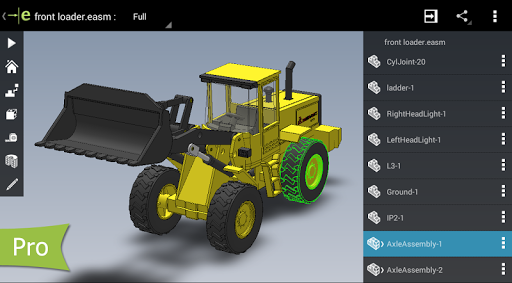
eDrawings® is the only CAD viewer on Android phones and tablets that allows you to view native eDrawings files as well as native SolidWorks® parts, assemblies and drawings files.
eDrawings is the email-enabled communication tool that dramatically eases sharing of product design information. You can load and send files via email to collaborate more effectively with everyone involved in product development, including people who are not regular CAD software users to interpret and understand 2D and 3D designs.
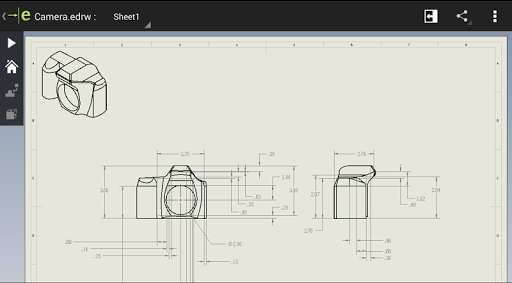
Multi-touch gestures let you pan, zoom, and rotate models easily. eDrawings also supports drawing sheets, and exploded views for eDrawings files published from SolidWorks®.
Features:
* Intuitive and easy-to-use user interface
* Open 3D (EASM, EPRT, SLDASM, SLDPRT, IGES, IGS, JT, STEP, STP, IFC), 2D (EDRW, SLDDRW, DWG, DXF) and associated files from any source: email attachments, cloud storage services (Dropbox™, SkyDrive®, Google Drive, Hightail®, and others), web and FTP sites and network folders.
* Zoom, pan and rotate your 2D or 3D CAD data using multi-touch
* Animate 3D standard views
* Browse your 2D drawing sheets
* View your designs in full screen and double tap to fit it on screen
* Sample files included
Upgrade to eDrawings Pro using In-app purchase and enable new capabilities :
* Measure your designs (distance, angles, lengths, point to point and more)
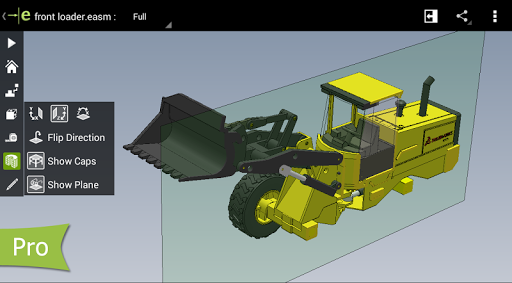
* Dynamically view cross sections of your models in XY, YZ, or ZX directions from both sides and easily drag the cross section plane
* Create markups in your designs, including text notes and freehand notations
* Share marked up eDrawings files with others for review and further comments. All markups with history are saved within the eDrawings file.
Thanks for using eDrawings! Don't forget to review the app. Your feedback is important to us! Please reach out to support@edrawingsviewer.com with any suggestions.
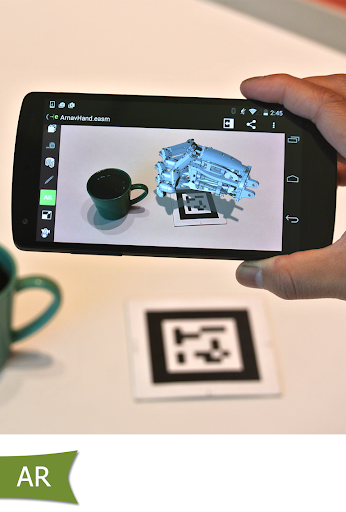
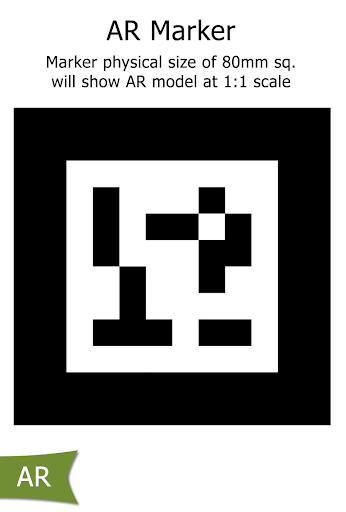
Known Issue with Augmented Reality:
Some devices clipped the Get Marker buttons and made them unavailable, you can now access them from the settings button in the top right corner when in AR mode
For more information, visit http://www.solidworks.com or http://www.edrawingsviewer.com
What's New
In-app purchases
$7.99 per item
Version Information
- Version
- 33.3.0008
- Downloads
- 100K+
- Updated on
- Apr 9, 2025
- Released
- Aug 11, 2013
- Requires
- Android 10
Statistics
Google Play Rating History
Rating Distribution
Downloads Over Time
eDrawings has been downloaded times. Over the past 30 days, it averaged downloads per day.
Shaded area shows 30-day prediction based on historical trends
Historical data collection started recently. More data points will be available over time.
eDrawings - Google Play Rankings
Top Rankings
| Rank | Country | Category | List | Change |
|---|---|---|---|---|
| — |
Ranking History in
No ranking data available yet. Rankings are updated daily.
#26 in Top Paid Productivity in United States
#1 in Top Paid Productivity in Italy

#3 in Top Paid Productivity in Spain

#3 in Top Paid Productivity in Canada


eDrawings users say on Google Play
 M8
M8
Simply an amazing app. Dont know why it got bad reviews. It is exactly like I expected. Cost a bit to get the measure and section tools but it was worth it. Have the files locally on the phone or google drive. Some options I wish was in the app is; 1. On the start screen have the option to choose "recent files" or "specify a directory", the app then list all files in that directory. 2. When you press add file it either defaults you to "latest used directory" or option to choose default folder.
 Brian Michaud
Used to work ok, will no longer update. I uninstalled and tried to reinstall... Now I'm screwed, it can no longer install! Ugh, I need this for work. Why does this app no longer install on Pixel 4XL, Android 12, latest update 12/2021? Update 02/07/22: Fixed! Thank you.👍🏻👍🏻
 Ruairi Trainor
Was great up until recently..it will no longer open a file and just goes to a black screen.
 Alan Metcalfe
Fails to open a 6.74MB then crashes. Can't find anything on file size limitation. Also have the Pro version on my PC with SolidWorks Pro and the paid for version on my previous Android tablet, yet this version does not recognise me and still wants to charge me for the Android Pro version I already have paid for.
 Laurin OS
Now you can't even delete the sample files, making it messy and unorganised. On top of that every time you are in the menu you get a pop up for the pro version. Bad! It has been years now and the app has somehow got worse. There is basically no functionality left. I loaded a drawing file into the viewer and it was distorted. You can upgrade to the pro version but you don't know how much that will cost or what the advantages are. Whoever is in charge of this project should be fired and replaced.
ApkTrusted Ratings & Reviews
Similar Apps

Thingiverse Printables | 3Drop
Free
ZWCAD Mobile - DWG Viewer
Free

Bambu Handy
Free

DreamBuild: Sketch to 3D
Paid

KIRI Engine: 3D Scanner App
Free

ArcSite
Free
AutoCAD - DWG Viewer & Editor
Free
OfficeSuite Pro + PDF
Paid

Noteshelf - Notes, Annotations
Paid

Polycam: 3D Scanner & Editor
Free

Design Space: DIY with Cricut
Free
Creality Cloud - 3D Printing
Free

Bamboo Paper
Free

EdrawMind: AI Mind map & Note
Free
Handy Art Reference Tool
Paid

BimmerCode for BMW and MINI
Free
Scan this QR code to download

Forwarding you to the page at Google Play market in seconds...
Open Google Play market now