
Chevron vVARY
Chevron U.S.A. Inc.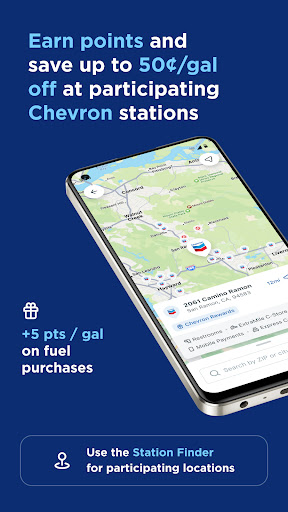








About this app
The Chevron app solves the problem of convenient fuel payment by allowing users to pay from the comfort of their car, benefiting frequent drivers and commuters who value ease and speed. Compared to alternatives in the Auto And Vehicles category, Chevron's app stands out with its high user rating and download numbers, indicating a well-designed and reliable experience. However, its limited functionality might make it less appealing to those seeking a more comprehensive automotive app. Overall, the app's simplicity and strong developer reputation make it a solid choice for Chevron customers.
Pros
- With over 1 million downloads and a 4.8-star rating, the Chevron app has demonstrated its reliability and user satisfaction, making it a trustworthy choice for fuel payment.
- The app's zero-permission requirement is a significant advantage, ensuring that users' data and device security are not compromised for the app's basic functionality.
- As a free app with no ads or in-app purchases, Chevron provides an uninterrupted and hassle-free experience, aligning with its goal of convenient fuel payment.
- The developer's reputation, being a well-established energy company, adds credibility to the app and ensures that it is regularly updated and maintained.
- The app's simplicity and focus on a single task make it highly accessible and easy to use, even for those with limited technical skills.
Cons
- One concern is the app's limited functionality, which might not appeal to users seeking a more comprehensive automotive app that includes features like vehicle tracking, maintenance reminders, or route planning.
- Although the app has a high rating, some users might experience issues with payment processing or compatibility, which could be frustrating and impact the overall user experience.
- The lack of additional features or rewards for frequent users might make the app less engaging over time, potentially leading to decreased usage and loyalty.
- The app's variability in size and Android requirement might indicate inconsistent optimization across different devices, which could affect performance and user experience.
Best for: The ideal user for the Chevron app is a frequent driver, likely a commuter or someone who regularly travels for work, with a medium to high level of technical skill, seeking a convenient, secure, and reliable method for fuel payment that integrates well with their existing Chevron account and does not require extensive setup or maintenance.
Developer Description
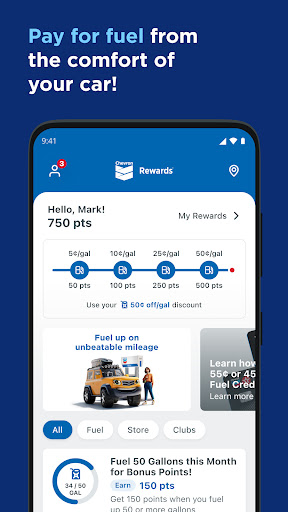
The Chevron App allows you to pay for fuel from the comfort of your car!
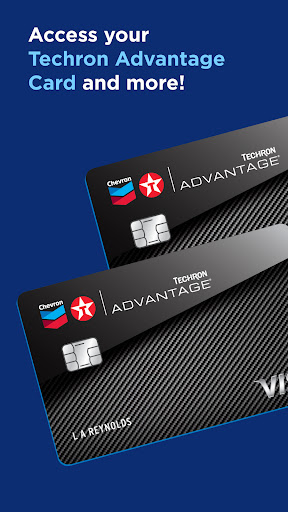
Chevron, Texaco, and ExtraMile apps all have the same features and functions, all accessing the same points and rewards balances. Get exclusive offers, track Club Program card punches, earn points for rewards on Chevron and Texaco fuel and enjoy mobile pay. PLUS, receive an EXTRA special Welcome offer!
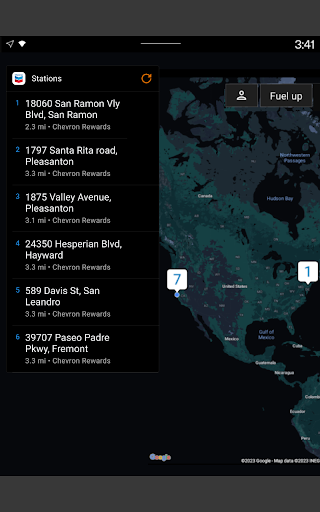
Use the station finder to find a participating station near you by filtering for Rewards Programs. For additional information, see http://chevrontexacorewards.com.
How to save on gas or diesel with the Chevron app:
∙ Sign up and complete your enrollment in the app.
∙ Earn points on fuel and select in-store purchases. Redeem rewards for up to 50¢ off per gallon on qualifying fuel purchases at participating locations.
How to Fuel Up via the Chevron app:
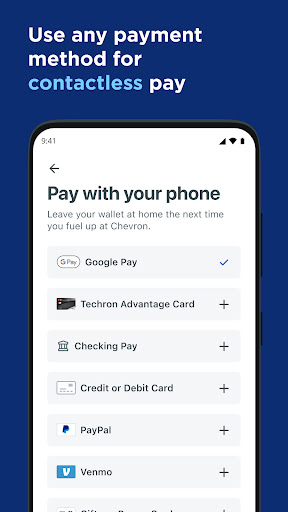
∙ Before heading to the location, link an accepted payment method to your User Account.
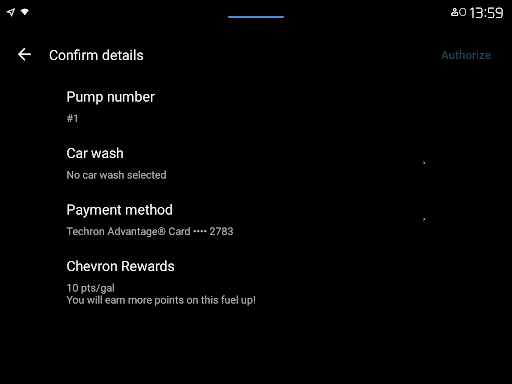
∙ At the location, use the app to reserve your pump and select the payment method from your driver’s seat.
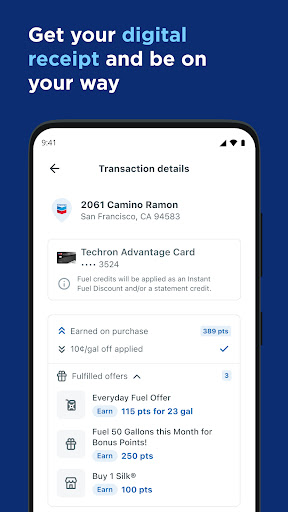
∙ When prompted, fill up at the pump and go. Your receipt will be waiting for you in the app!
Easy ways to stay connected:
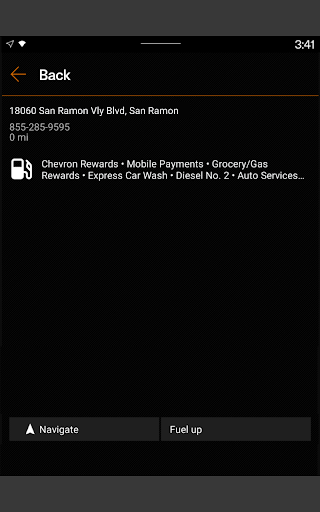
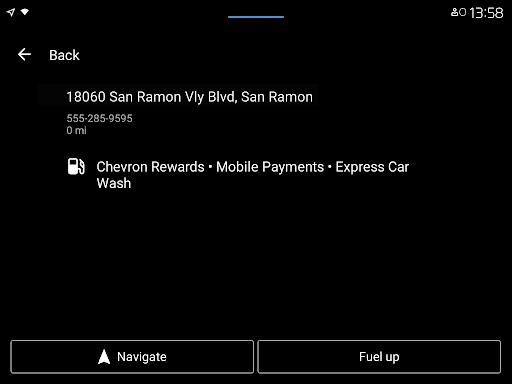
∙ Connect your mobile phone to the car’s dashboard and open the app to find locations, redeem rewards, add a car wash, and pay for fuel. This feature is available for Android Auto users.
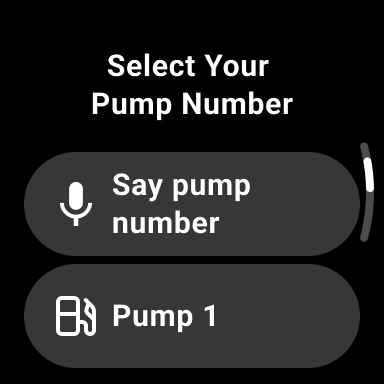
∙ Use your Wear OS device to fuel up and redeem your rewards at participating locations that accept mobile payments.
Additional features to help keep you going:
∙ View your available rewards and information under My Rewards.
∙ Find lower-carbon-intensity products like renewable diesel blends and compressed natural gas.
∙ Filter through amenities such as Convenience Store, Restrooms, Full-Service Car Wash, Amazon Pickup, EV Charging, and more.
∙ View in-app receipts for mobile payments.
∙ Get answers to frequently asked questions anytime and anywhere in the app with our Mobi digital chatbot.
Privacy
Given the app's zero-permission requirement, users can be confident that their data and device security are not compromised. However, as with any financial transaction app, it's essential to ensure that the device and app are updated regularly and that transactions are monitored for any suspicious activity. Users should also be cautious when using public Wi-Fi for transactions.
Tips
For first-time setup, users should ensure their Chevron account is linked correctly to the app to facilitate seamless transactions. To optimize performance, closing unnecessary background apps can help, and users should also check for updates regularly to ensure they have the latest features and security patches. Additionally, utilizing the app's simple and intuitive interface can help reduce errors and make fuel payment quicker.
What's New
Update to the latest version so you can have the best experience!
Version Information
- Version
- -
- Downloads
- 1M+
- Updated on
- Dec 29, 2025
- Released
- Apr 17, 2019
- Requires
- Android Varies with device
Statistics
Google Play Rating History
Rating Distribution
Downloads Over Time
Chevron has been downloaded times. Over the past 30 days, it averaged downloads per day.
Shaded area shows 30-day prediction based on historical trends
Historical data collection started recently. More data points will be available over time.
Chevron - Google Play Rankings
Top Rankings
| Rank | Country | Category | List | Change |
|---|---|---|---|---|
| — |
Ranking History in
No ranking data available yet. Rankings are updated daily.
#16 in Top Free Auto And Vehicles in United States

Chevron users say on Google Play
 Michael Brakeman
I changed my rating from 4-star to 5-star because they have one of the best, most responsive, customer service systems and staff ever! They have been insanely quick in handling multiple customer service tickets for me. I could not be more satisfied with a program, company or credit card! Thank you very much for setting the bar, and keep up the great work!
 Yvonne Montes
I love how you can pay right from your phone at the pump if you have some sort of payment set up on your phone, such as your debit card, credit card, even chevron gift cards. you can earn member points even that can be used to get money off and so on! worth checking out!
 Reed Allen
if it was easier to navigate and set the store location you're at so you feel more comfortable selecting the pump number being that it's all digital and nothing is done inside, I'd give the site a 4 or 5 star review but as it stands the app is just to all over the place to trust putting the amount of money I use in gas and feel it's safe and I won't screw up when adding money or linking my bank card. if there is an update and they change how you select your store before pumping I'd like it more.
 Ash T
Ash T
I moved to using the shell app exclusively. something that would be great if Chevron had that shell does well: if you pay at the pump there's no hold from Shell you only pay what you use, shell also has an option to input the amount that you want to pump if you don't want to fill up. Shell has a fill up option and it will only charge what you fill. This is easy if you are traveling after hrs and they are closed inside or you can't pay in store or don't want to go in.
 Jason Richardson
doesn't work anymore. I pull up to gas station, and doesn't allow me to pay. even with WiFi scanning on. *note WiFi scanning is so they can sell your personal data.
ApkTrusted Ratings & Reviews
More from Chevron U.S.A. Inc.
See more apps





Similar Apps
QuikTrip: Food, Coupons & Fuel
Free
Shell: Fuel, Charge & More
Free
Safeway Deals & Delivery
Free

Dairy Queen® Food & Treats
Free
Food Lion
Free
Dunkin’
Free
Carl's Jr.®
Free

Upside: Gas & Food Cash Back
Free

Waymo
Free
Casey's
Free

Sheetz Food Delivery & Rewards
Free

Target: Shop Deals & Trends
Free
BJ's Wholesale Club
Free
Subway®
Free
Starbucks
Free
Panda Express
Free
Scan this QR code to download

Forwarding you to the page at Google Play market in seconds...
Open Google Play market now