
Password Manager - SecureX v1.5.4
Texode Technologies LLC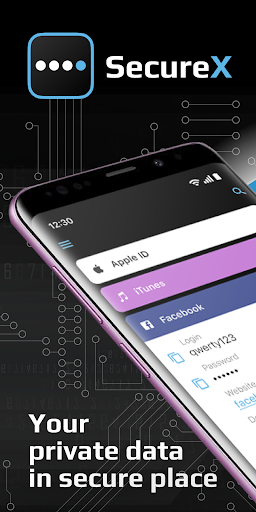

About this app
The Password Manager - SecureX app solves the problem of securely storing sensitive information such as passwords, notes, and credit card details, benefiting individuals who value digital security and organization. Compared to alternatives in the Tools category, SecureX stands out with its encryption features and Photo Vault, but falls short in terms of a relatively low download count, which may raise concerns about community support. The app's simple and organized interface makes it accessible to a wide range of users. Its developer, Texode Technologies LLC, appears to be committed to user security and privacy, given the app's zero-permission requirement.
Pros
- With a 4.0/5 user rating and over 50,000 downloads, Password Manager - SecureX demonstrates a good level of social proof and user satisfaction, indicating a well-received and reliable app.
- The app's encryption and secure storage features provide users with peace of mind when storing sensitive information, making it an attractive option for those prioritizing digital security.
- The absence of ads within the app enhances the user experience, reducing distractions and potential security risks associated with third-party advertising.
- The developer's commitment to frequent updates, as indicated by the version history, suggests a proactive approach to maintaining and improving the app's security and functionality.
- The app's offline capability allows users to access their stored information even without an internet connection, enhancing its usability and convenience.
Cons
- One concern with Password Manager - SecureX is its monetization model, which includes in-app purchases ranging from $7.99 to $49.99, potentially making some features inaccessible to users who are not willing or able to pay.
- Despite the app's strong focus on security, the relatively low number of downloads compared to other password managers may raise questions about the size and activity of its user community and the potential for future support and updates.
- The lack of detailed information about the encryption methods used by the app might be a concern for users who require high-level security and transparency about how their data is protected.
- Some users may find the app's feature set to be limited compared to more comprehensive password managers, potentially making it less appealing to power users or those with complex password management needs.
Best for: The ideal user for Password Manager - SecureX is likely an individual with a moderate to high concern for digital security, possibly with some technical knowledge but not necessarily an expert, who values simplicity, organization, and strong encryption for storing personal and sensitive information, and is willing to pay for premium features to enhance their security experience.
Developer Description
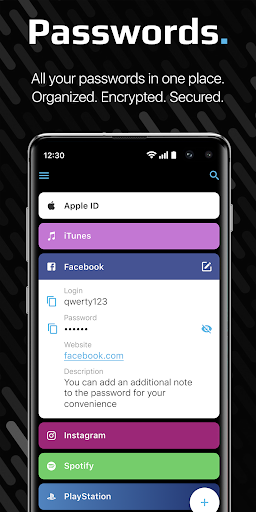
Storage of your passwords, notes, cards, and Photo Vault. Organized. Encrypted.
WHY OUR PASSWORD MANAGER IS SAFE?
We use AES encryption with a key length of 256 bits. This key is generated on your device and without it, no one will be able to access your data that is stored locally on the device (in encrypted form) or on your cloud storage (with active synchronization).
The keys are stored in the Android Keystore, which prevents anyone (even the application itself) from exporting the keys. On some devices, the Keystore may reside in a chip specifically designed for this purpose. Therefore, when the device is flashed, data may be lost. Data is not sent to the network, is not stored and is not processed on our servers. Therefore, for the safety of your data, we recommend using synchronization with your cloud storage.
Important : If you lose your PIN or Master Password, - it will be impossible to restore your data (Due the security policy); However, if you activated Sync and have your Master Password, you can restore your data on any device.
Despite the serious internal structure, the application interface is simple, intuitive and understandable. There are no restrictions on the storage of data in the free version.
Selected by SecureNews as The best password manager for mobile platforms : "A convenient, reliable, optimized for 9 languages application, fully made for mobile devices."
SecureX advantages:
PHOTO VAULT
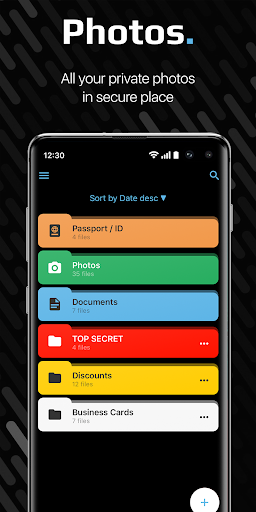
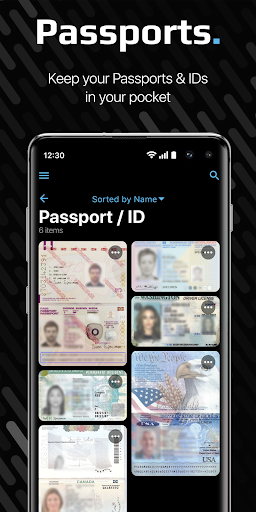
You can keep your photos, documents, passports, IDs and other photos that you don't want others to see! Photos are stored encrypted and secure!
OFFLINE MODE
Just download and use it without registration. You do not need the Internet to work with SecureX. Wherever you are, data is always in your pocket!
CONVENIENT ADDING OF DATA
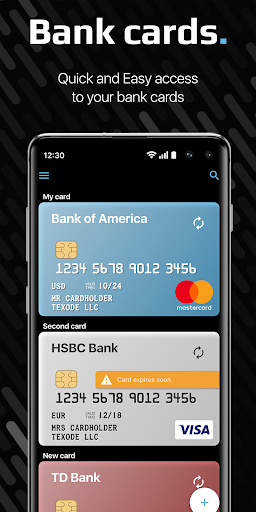
Filling our SecureX is very convenient. Create complex and unique passwords using the Password Generator. Add your credit card details using your device’s camera and NFC.
SENDING DATA
Share your passwords, notes, credit cards as a text message through instant messengers, social. network, SMS or e-mail.
SEARCH AND SORTING
Convenient sorting and search by item name.
AUTOFILL
Autofill passwords on websites and in mobile applications, as well as filling in the payment information of bank cards.
SECURITY
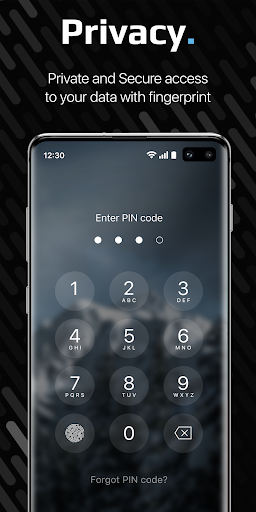
Protecting your data from the curious: access via fingerprint or pin code. Additional functions: Face Down Lock (opening another application of your choice when the screen is rotated), Emergency Pin (entering a code that will delete all your data), deleting data when you enter an incorrect PIN more than 10 times, etc. We won’t be able to get access to your data, even if we want to. The key is stored only on your device and we won’t be able to get access to the key.
SYNCHRONIZATION
Use our password keeper on multiple devices by connecting your Dropbox and Google Drive cloud storage. We do not have access to your data and do not see them. Use synchronization to keep your data relevant on all devices!
Free Password Manager
SecureX in the free version has no restrictions on the number of elements. Keep your data unlimited.
TRY A PREMIUM
Try for free 1 week all the features of our application: additional security features and synchronization on your cloud storage. Synchronization allows you to protect data from loss and share it between devices on different platforms.
Privacy
Given that Password Manager - SecureX requires zero permissions, it appears to be a secure choice for storing sensitive information, as it does not request access to potentially sensitive device data. However, users should still be cautious about the data they store and ensure they understand the app's encryption methods and any potential vulnerabilities. Regularly reviewing and updating stored passwords and information is also advisable to maintain maximum security.
Tips
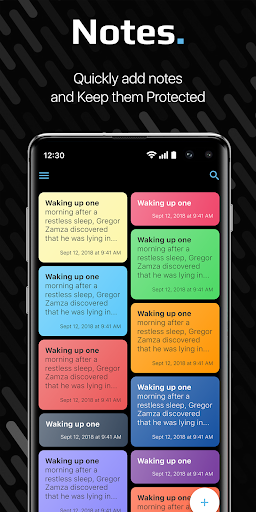
To get the most out of Password Manager - SecureX, users should start by thoroughly reviewing the app's features and settings to understand its full capabilities, including the Photo Vault and note-taking functions. Regularly backing up stored data and ensuring that the app is updated to the latest version can help maintain security and access to new features. Additionally, users should consider integrating SecureX with other security practices, such as two-factor authentication, for enhanced protection.
In-app purchases
$7.99 - $49.99 per item
Version Information
- Version
- 1.5.4
- Downloads
- 50K+
- Updated on
- Sep 7, 2025
- Released
- May 17, 2019
- Requires
- Android 8.0
Statistics
Google Play Rating History
Rating Distribution
Downloads Over Time
Password Manager - SecureX has been downloaded times. Over the past 30 days, it averaged downloads per day.
Shaded area shows 30-day prediction based on historical trends
Historical data collection started recently. More data points will be available over time.
Password Manager - SecureX users say on Google Play
 A Google user
Great app. Easy to use. More power!
A Google user
it would be better if the notes section is able to store images as well
A Google user
This really is the note/password safe done right. The UI is beautiful and intuitive, it has color coding and thumb-reachable controls... but the price is insane. Monthly subscription or $55 lifetime for a text encryption app? I like this app so much, but I'll have to pass.
 k2 roboto
Update: I resend my feedback again more than 2 weeks ago. No response after 2 weeks? I standby my review below. The concept of the app is good but the implementation from usability point of view is bad. I must add that I did not try the password manager feature. I wrote an email to Texode to provide feedback. As of today, I have yet to receive even an acknowledgement of the email. From my point of view, this says a lot about the company. Enough said.
 Simon Swinton
This is proving to be the most useless app ever, and I trusted them with all my passwords. I hope I can somehow recover them. No response from the developer for months! It keeps saying I'm not subscribed, but I am!
ApkTrusted Ratings & Reviews
More from Texode Technologies LLC
See more apps

Similar Apps

Enpass Password Manager
Free
Applock - lock apps - pin lock
Free

One Key: password manager
Free
App Lock: Fingerprint, Pattern
Free

LastPass Password Manager
Free
2FA Authenticator (2FAS)
Free

LockTrip
Free

RoboForm Password Manager
Free
1Password: Password Manager
Free
Champ Scientific Calculator
Free
AppLock - Fingerprint
Free

TTLock
Free
Calculator Lock - Hide Photo
Free

SafeInCloud 1
Paid

F-Secure Mobile Security
Free

Twilio Authy Authenticator
Free
Scan this QR code to download

Forwarding you to the page at Google Play market in seconds...
Open Google Play market now