2FA Authenticator (2FAS) icon

2FA Authenticator (2FAS) v5.5.2

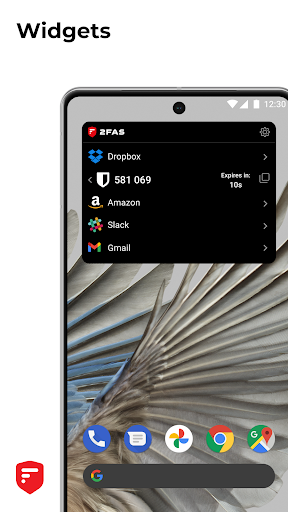
2FA Authenticator (2FAS) screenshot 0 2FA Authenticator (2FAS) screenshot 1 2FA Authenticator (2FAS) screenshot 2 2FA Authenticator (2FAS) screenshot 3 2FA Authenticator (2FAS) screenshot 4 2FA Authenticator (2FAS) screenshot 5 2FA Authenticator (2FAS) screenshot 6 2FA Authenticator (2FAS) screenshot 7 2FA Authenticator (2FAS) screenshot 8 2FA Authenticator (2FAS) screenshot 9

About this app

The 2FA Authenticator (2FAS) app solves the problem of securely managing two-factor authentication codes for users who require an additional layer of security for their online accounts. This app benefits most those who frequently use online services that support 2FA, such as banking, email, and social media platforms. Compared to alternatives in the Tools category, 2FAS stands out due to its open-source nature and lack of permissions, making it a highly secure option. However, its simplicity may fall short for users seeking more advanced features or integration with other security tools.

Pros

  • With over 5 million downloads and a 4.3-star rating, 2FAS has demonstrated its reliability and effectiveness in providing a simple and safe 2FA experience, which is a significant advantage for users seeking a trustworthy authenticator app.
  • The app's open-source nature and zero permissions required ensure that user data is highly secure, as there are no potential backdoors or data collection mechanisms, making it an excellent choice for privacy-conscious users.
  • The absence of ads and in-app purchases means that users can enjoy an uninterrupted experience without any monetization-related distractions, which is a significant pro for users who value a clean and straightforward app interface.
  • The developer's commitment to regular updates, as evidenced by the version history, suggests a dedication to maintaining and improving the app, which is essential for an app that handles sensitive security information.
  • The app's compatibility with Android 6.0 and above ensures that a wide range of devices can utilize the app, making it accessible to a broad user base.

Cons

  • One concern is that the app's simplicity may not appeal to power users who require more advanced features, such as customizable token lifetimes or support for additional authentication protocols, which might limit its adoption among more demanding users.
  • Although the app has a high rating, some users may experience issues with specific services or tokens, which could lead to frustration if not promptly addressed by the developer, highlighting the need for responsive support.
  • The lack of a comprehensive user guide or tutorial within the app might make it challenging for new users to set up and understand the full capabilities of the app, potentially leading to a steeper learning curve.
  • There is a risk that the app's open-source nature could be exploited by malicious actors if the code is not properly audited and maintained, which could compromise user security.

Best for: The ideal user for 2FAS is a technically savvy individual or organization seeking a straightforward, secure, and open-source solution for managing two-factor authentication across multiple online services, who values privacy and security above advanced features and is comfortable with the potential limitations of a simple, permission-free app.

Developer Description

Simple, safe and open source 2FA Authenticator app!

2FAS is the easiest way to enable two-factor authentication (or multi-factor authentication) to verify your identity and securely log in to accounts to keep your personal data and passwords protected from cyber threats — all from one app, 100% free!

The world’s most secure, private, and simple 2FA app.

Secure:
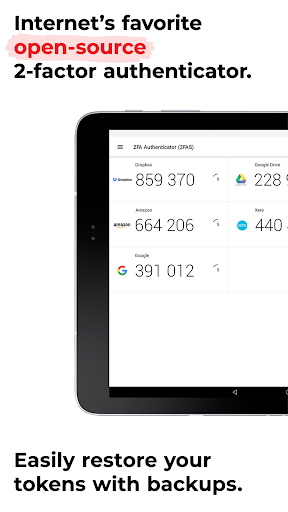
Easily restore your tokens with backups.
Add app protection with your passcode or biometrics.
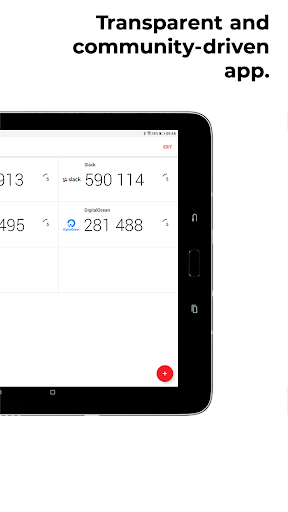
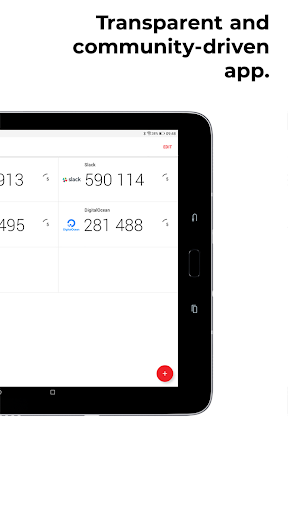
2FAS is open-source, transparent, and community-driven.

Private:
2FAS syncs across your mobile devices.
An interface designed for simplicity.
One-tap authentication with 2FAS Browser Extensions.
Multi-language support.
Quick guides for setup and support. (COMING SOON)

Simple:
2FAS works offline.
2FAS doesn't store any passwords or metadata.
100% anonymous use, no account required.

It’s not too late to protect your data, so what are you waiting for? Protect your online accounts and services now with TOTP and HOTP algorithms.

Start using the 2FAS authenticator app today!

If you have any questions, talk with us on our Discord server: https://2fas.com/discord

Learn more about 2FAS:

Check our GitHub repository: https://github.com/twofas
Visit our website at: https://2fas.com/
Follow us on Twitter: https://twitter.com/2FAS_com
Subscribe on YouTube: https://www.youtube.com/@2FAS

Privacy

Given that 2FAS requires zero permissions, the risk of data collection or unauthorized access is significantly minimized, making it a highly secure choice for 2FA management. However, users should still ensure they securely store their 2FA secrets and keep their device and app up to date to prevent any potential vulnerabilities. It's also advisable to review the app's open-source code or rely on audits from security experts to further verify its security claims.

Tips

To get the most out of 2FAS, users should start by carefully reading the setup instructions provided by the services they wish to secure with 2FA, as the process can vary. Additionally, users can optimize performance by ensuring their device's clock is accurately set, as 2FA codes are time-sensitive. For enhanced security, users should also consider using a password manager in conjunction with 2FAS to protect their account credentials.

What's New

- Increase import file size limit
- Upgrade project and target SDK 36
- Improve notifications system
- Update icons
- Update strings

Version Information

Version
5.5.2
Downloads
5M+
Updated on
Dec 9, 2025
Released
Aug 3, 2017
Requires
Android 6.0

Statistics

Google Play Rating History

Current
Average
Range

Rating Distribution

Total Ratings:

Downloads Over Time

2FA Authenticator (2FAS) has been downloaded times.

Total Downloads
Last 30 Days
Avg Daily Est.

Shaded area shows 30-day prediction based on historical trends

Historical data collection started recently. More data points will be available over time.

2FA Authenticator (2FAS) users say on Google Play

★★★★★
RIYAD HOSSAIN HUZAIFA RIYAD HOSSAIN HUZAIFA

This is, without a doubt, one of the best 2FA apps available. The interface is incredibly clean and user-friendly. Setting up new accounts is super fast, either by scanning a QR code or manual entry. The best feature is the cloud backup, which saved me when I switched phones – restoring all my codes was effortless. It's completely free without any annoying ads. For anyone serious about online security, this app is an absolute must-have. It gives me peace of mind.

24 Jul 4, 2025
★★★★
Yoojun Zhou (NotYoojun.!) Yoojun Zhou (NotYoojun.!)

Love the grouping and customizable icons! However it would be perfect if: 1. Add a "Backup immediately" option in the Android app 2. Make the browser extension, or a desktop app that works exactly like the Android one (filling OTPs without touching my phone!)

15 Aug 10, 2025
★★★
Barbara Blumsohn Barbara Blumsohn

no way on modern Android devices to export the database there are simply no permissions for any allowable folder. this creates a serious vulnerability and potential for data loss. the only parent way to back up data is via Google drive - nothing else is apparently possible. the only other alternative is to copy the secret key to the clipboard for each individual entry which is obviously problematical.
0 Dec 11, 2025
★★
D Powell D Powell

I dont know if im slow or just not getting it cause, I did this with my cod account and now im not able to get into unless I have the code from a authenticator app, which was this one and I aint got no codes or no way to even get them it seems. Why I never wanted to do it, knew if my phone broke or something id lose everything.

2 Aug 15, 2025
Satya Satya

Didn't show any codes for using and it's asking you can download codes from external sources

0 Dec 10, 2025

ApkTrusted Ratings & Reviews

0.0
0 ratings
5
0
4
0
3
0
2
0
1
0
✓ Thank you! Your review has been submitted and will be published after admin approval.
Be the first to write a review...

More from 2FAS

See more apps

Similar Apps

Explore Tags

Browse all tags