
HMKWatch Analog 264 vVARY
HMKWatch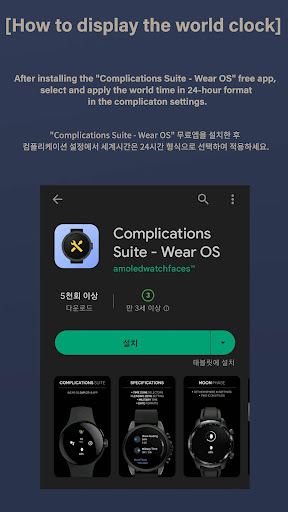











About this app
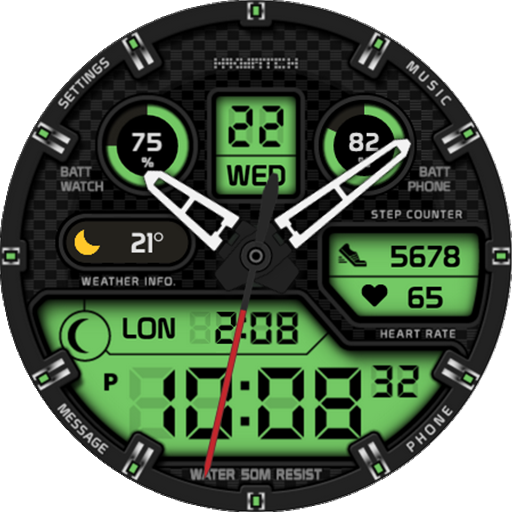
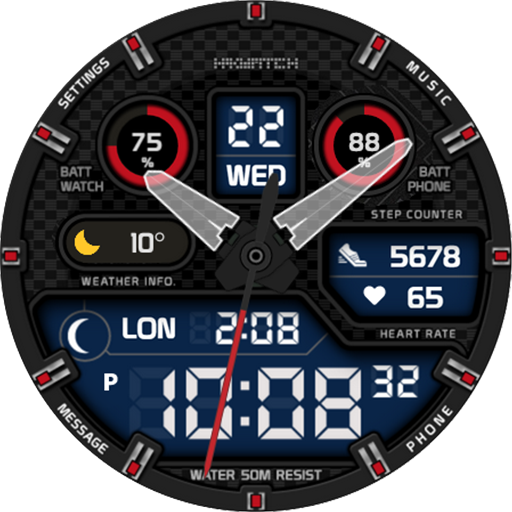
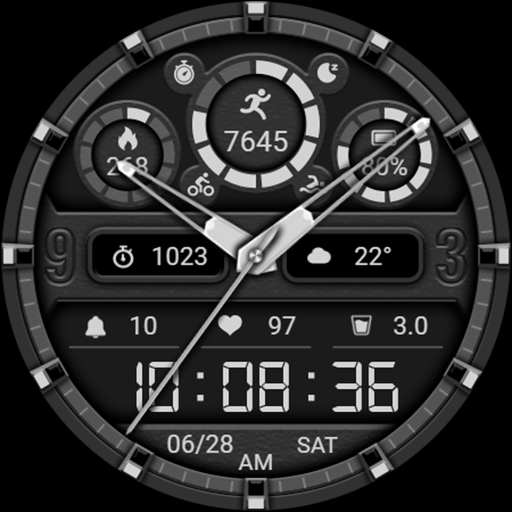
The HMKWatch Analog 264 app solves the problem of customization for Android users looking for a clear and comfortable analog watch face, benefiting those who value simplicity and elegance in their device's appearance. Compared to alternatives in the Personalization category, this app stands out due to its minimalistic design and lack of unnecessary features, which can be seen as both a positive and a negative aspect. The app's high user rating and modest download numbers indicate a well-received product, albeit with limited data available. Its straightforward design makes it a good option for those seeking a hassle-free watch face experience.
Pros
- The app has a high user rating of 4.0 out of 5, indicating a generally positive user experience and suggesting that the developer has been successful in meeting user expectations.
- With no permissions required, the app presents minimal risk in terms of data privacy, making it a secure choice for users concerned about their personal information.
- The absence of ads and in-app purchases enhances the user experience, providing an uninterrupted and clutter-free interaction with the watch face.
- The developer's presence on social media, such as Instagram, provides a channel for feedback and updates, which can be beneficial for users looking for support or new features.
Cons
- The limited download numbers and lack of extensive user reviews may indicate a relatively small user base, potentially limiting the app's visibility and community support.
- The paid model, although not aggressive, might deter some users who are accustomed to free alternatives, especially considering the app's basic functionality.
- The app's simplicity, while a pro for some, might also be seen as a lack of features or customization options for users who prefer more complex or interactive watch faces.
Best for: The ideal user for the HMKWatch Analog 264 app is likely an individual who values simplicity and elegance in their Android device's watch face, possibly someone who is not highly tech-savvy but appreciates a clean and intuitive design, and is willing to pay a small fee for a high-quality, ad-free experience.
Developer Description
Comfortable and clear analog watch face.
* Please install additional apps by referring to 'About this app'.
* Does not support square watches.
=======================================================
Transform your smartwatch with style and power!
Packed with customization options, this watch face adapts perfectly to your lifestyle.
✨ Key Features
⏰ 12h / 24h time mode
🌙 8-step moon phase
⚡ Preset Shortcuts: Settings, Battery status, Calendar, Music player, Steps, Heart rate, World clock, Message, Alarm, Phone
🔧 Up to 4 custom complications
🎨 Customization Options
30 color themes
10 background colors
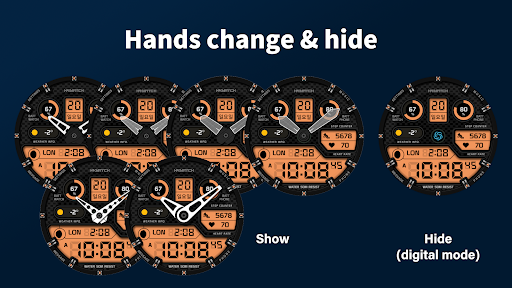
7 hand styles & digital mode
10 second hand styles
AOD mode On/Off
👉 More than just a watch face — it’s your personal style on your wrist!
=======================================================
[How to install]
Make sure your watch is selected first before you press the payment button.
Press the small black triangle next to the Payment button to select the watch.
If you don't follow the above method, you can use Chrome or Samsung browser on your PC or smartphone.
After entering the store with a web browser, click Install on another device to install it on the watch.
After the release of Watch 5, a new UI was applied to Watch 4.
The newly installed watchface can be found in the following ways.
1. Press and hold the watch screen to enter the 'Frequently Used Watch Face List'.
2. Turn it to the rightmost and press 'Add watchface'.
3. Then, enter the 'Installed Watchface List'.
4. Find and select the watch face you purchased.
=======================================================
[Additional installation app]
1. Smart phone battery app (Free app)
Please install the additional app of the link below on the watch and smartphone, and set up the complication.
If the link does not open, please search for the 'Phone Battery Complication' app and install it.
https://play.google.com/store/apps/details?id=com.weartools.phonebattcomp
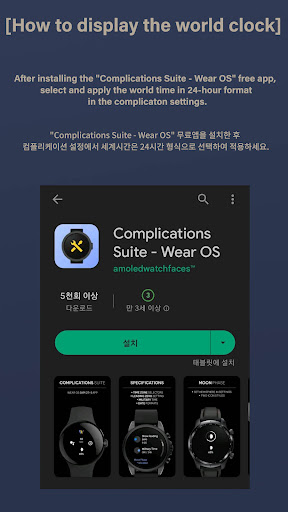
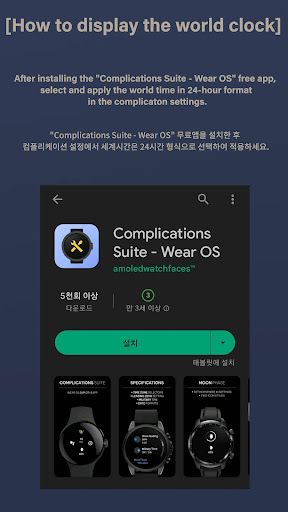
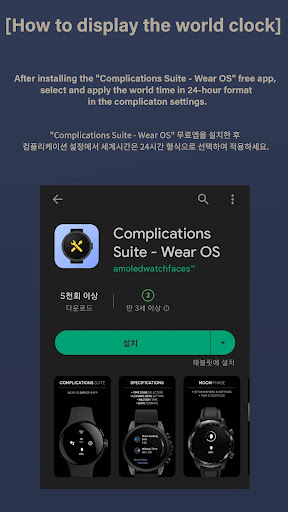
2. Complications Suite - Wear OS (Free app)
https://play.google.com/store/apps/details?id=com.weartools.weekdayutccomp
3. Heart Rate Complication (Paid app)
https://play.google.com/store/apps/details?id=com.weartools.heartratecomp
4. Health Services Complications (Paid app)
https://play.google.com/store/apps/details?id=com.weartools.hscomplications
All credits goes to original app creator:
amoledwatchfaces - https://play.google.com/store/apps/dev?id=5591589606735981545
=======================================================
Get new news from my Instagram.
www.instagram.com/hmkwatch
https://hmkwatch.tistory.com/
Please send me an email if you have any errors or suggestions.
hmkwatch@gmail.com
Privacy
Given that the HMKWatch Analog 264 app requires no permissions, it poses minimal risk to user data and privacy. However, users should always be cautious when downloading apps, ensuring they are from trusted sources like the Play Store. Regularly reviewing the app's permissions and updates can also help maintain device security.
Tips
For the best experience with HMKWatch Analog 264, users should first ensure their device is compatible with the app. Setting up the watch face is straightforward, but exploring the app's settings can reveal options for customization, if available. Additionally, users can optimize the app's performance by closing unnecessary background apps and ensuring their device's software is up to date.
Version Information
- Version
- -
- Downloads
- 10K+
- Updated on
- Jul 2, 2025
- Released
- Feb 20, 2022
- Requires
- Android Varies with device
Statistics
Google Play Rating History
Rating Distribution
Downloads Over Time
HMKWatch Analog 264 has been downloaded times. Over the past 30 days, it averaged downloads per day.
Shaded area shows 30-day prediction based on historical trends
Historical data collection started recently. More data points will be available over time.
HMKWatch Analog 264 users say on Google Play
 S B
S B
Awesome watch face! Tactical g shock vibes. Everything works perfect. You will need the additional app to make the phone charge indicator work! The smoked hands are an awesome touch! This is an underated watch face! Must have for those that like hybrid watch faces. You can also remove hands to make it a digital watch face. Thank you to the developer!
 Ajay Maurya
Awesome watchface but only 1 gripe, if the developer can help. I am using this on Galaxy watch7, for the round complication on right (which should be the phone battery), I can't seem to select phone battery as an option. The options available are none, battery (shows phone battery), chances of rain, UV index or steps. That's it. I would really like to display phone battery but can't seem to have it. Help appreciated.
 Randall Womack
Slows down the watch. Swiping to different screens is very delayed. Otherwise, very nice looking. But, can not use
 Volodymyr Makarchuk
Nice looking screen, but it seems it has bad optimization, I notice screen lagging while trying to swipe from top to bottom, and the battery charge level is reduced faster as usual, it's not how it should on samsung gear 5 pro P. S. This is NOT happening in case I use some other watchface, for example, the one from samsung default watchfaces
 Abbas Alqudsi
Beware, I bought this watch face, and had a discussion with the developer. This watch face is not compatable with Galaxy Ultra2 %100, because aftdrr installation you get stuck on the face and cannot change anything, from settings to complications. The developer assumes it works, but its not, it is not worth to buy, We have a lot better watch faces and cheaper here. I just deleted it, and will never buy from this developer, uncoapretuve.
ApkTrusted Ratings & Reviews
More from HMKWatch
See more apps
HMKWatch Analog 169
Paid
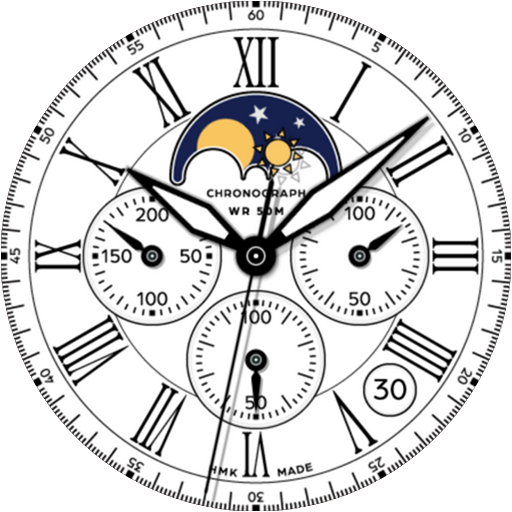
HMKWatch Analog 152
Paid

HMKWatch Analog 268
Paid

HMK WD047
Paid

HMKWatch Christmas 04
Paid

HMKWatch Analog 265
Paid

HMKWatch Analog 266
Paid

HMKWatch Analog 267
Paid

HMKWatch Digital 045
Paid

HMKWatch Analog 160
Paid

HMK AD038
Paid
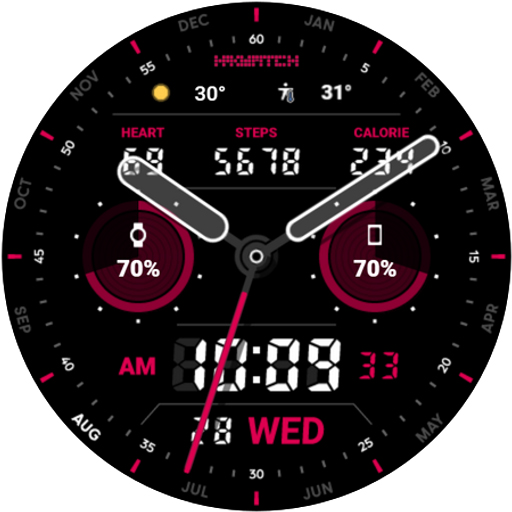
HMK AD039
Paid

HMKWatch Analog 023
Paid

HMKWatch Analog 032
Paid
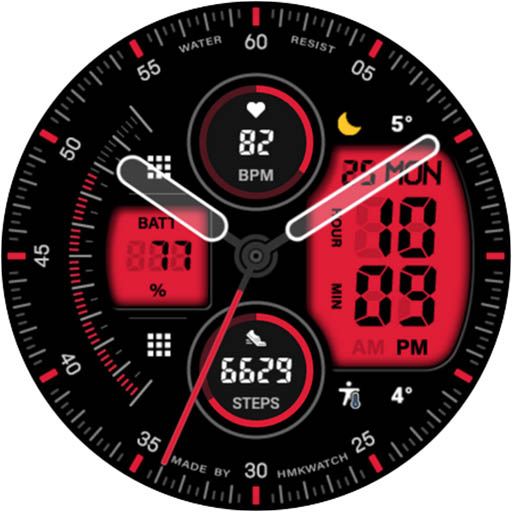
HMKWatch Analog 033
Paid

HMKWatch Analog 034
Paid
Similar Apps
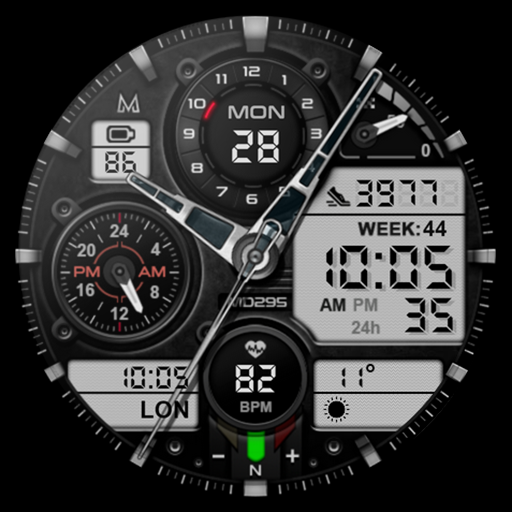
MD295 Analog watch face
Paid

SCARTAK CTS15 Watch face
Paid

Hybrid TRADOR URX23 Watch face
Paid

ILLUMINATOR Hybrid-LCD
Paid

MB281 Analog Watch Face
Free

TROPILA CTS11 Watch face
Paid

JW092 jwstudio
Paid

BRATADO CTS13 Watch face
Paid

Hybrid Sport Watch Face
Paid

Hybrid RUMINT URX33 Watch face
Paid

KF146 watch face
Paid

PROTOCAN CTS34 Watch face
Paid

RAMANOL Sport CTS03 Watch face
Paid
Retro Dim Texture ZKin Watch
Paid

SH021 Watch Face, WearOS watch
Paid

Hybrid KNATUM URX81 Watch face
Paid
Scan this QR code to download

Forwarding you to the page at Google Play market in seconds...
Open Google Play market now