
Marine Droid - digital sport vVARY
Enkei Design




About this app
Developer Description
Modern & highly customizable digital sport watch face for your Wear OS watch!
It was inspired by the overall look and feel of marine vessels, and their efficient use of small space.
Focused on functionality with a unique modern design & excellent visibility.
Colors, backgrounds and various indicators can all be customized allowing you to create your ideal layout!
Powered by Watch Face Format - offering expanded customization options and useful features!
Made only for devices running Wear OS 5.0 and newer versions (API 34+)
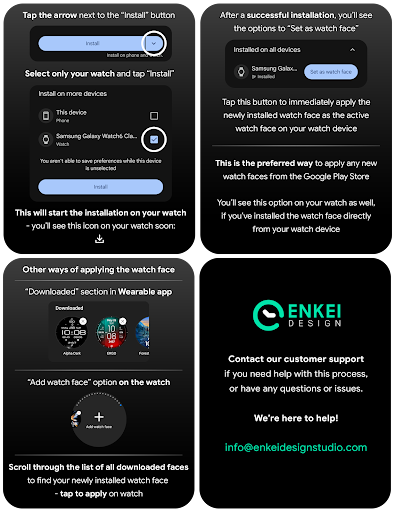
Please install only to your watch device.
Phone companion app serves only to help direct installation to your watch device.
Buy-One-Get-One PROMOTION
https://www.enkeidesignstudio.com/bogo-promotion
FEATURES:
- Digital clock - 12h/24h
- Month, Date and Weekday - Multi-language
- TAP to open Calendar
- Watch battery % - Indicator and slider
- Moon phase - Detailed Moon phase indicator
- BPM indicator - Measures and syncs automatically
- TAP to open BPM info
- Steps goal % -Syncs with the health app
- TAP to open Steps
- 3 Customizable short-text indicators
- Next event by default
- Sunrise/Sunset by default
- Steps by default
- 4 Customizable app shortcuts
- 2 visible icons at the top
- 2 hidden ones - Moon phase & Enkei logo
- Battery efficient AOD
- Uses just 5.5% - 7.5% active pixels
- Long-press to access Customize menu:
- Color - 30 main options
- Background - 10 variations
- Index - 9 styles
- Complications
- 3 Custom indicators
- 4 Custom app shortcuts
INSTALLATION TIPS:
https://www.enkeidesignstudio.com/how-to-install
CONTACT:
info@enkeidesignstudio.com
E-mail us for any questions, issues or general feedback. We're here for you!
Customer satisfaction is our main priority, we make sure to respond to each e-mail within 24 hours.
More watch faces:
https://play.google.com/store/apps/dev?id=5744222018477253424
Website:
https://www.enkeidesignstudio.com
Social media:
https://www.facebook.com/enkei.design.studio
https://www.instagram.com/enkeidesign
Thank you for using our watch faces.
Have a great day!
What's New
Update 1.8.1 for Wear OS (Watch face)
- Upgraded the Moon phase indicator, now it refreshes every day
- Powered by Watch Face Format
- Target API level 34
HELP/INFO:
info@enkeidesignstudio.com
Thank you!
Version Information
- Version
- -
- Downloads
- 1K+
- Updated on
- Aug 11, 2025
- Released
- May 12, 2023
- Requires
- Android Varies with device
Statistics
Google Play Rating History
Rating Distribution
Downloads Over Time
Marine Droid - digital sport has been downloaded times. Over the past 30 days, it averaged downloads per day.
Shaded area shows 30-day prediction based on historical trends
Historical data collection started recently. More data points will be available over time.
Marine Droid - digital sport users say on Google Play
 Ankit Kamal
This wf is effing sexy.. The whole vibe is really bold. And majestic.. Has all the info I need.. One of the best you have made till date..
 Sevi
Sevi
Dont really like digital faces but this is nice.
 Jorge Almeida
Paid, installed, tried to open, refreshed, it didn't work
ApkTrusted Ratings & Reviews
More from Enkei Design
See more apps
Cyber Cargo - animated health
Paid
Dark Sunset hybrid watch face
Paid

Cyber Agent - health animated
Paid
Bear Accessory - watch face
Paid

Christmas Magic - watch face
Paid

Cyberoid Ultra - watch face
Paid

Boop Lite - colorful hybrid
Free
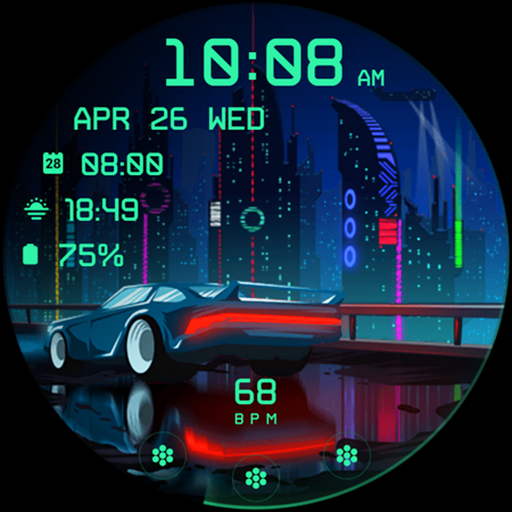
Cyberpunk Ambient - watch face
Paid

Bond 3.0 - digital minimalist
Free

Boop - colorful hybrid watch
Paid
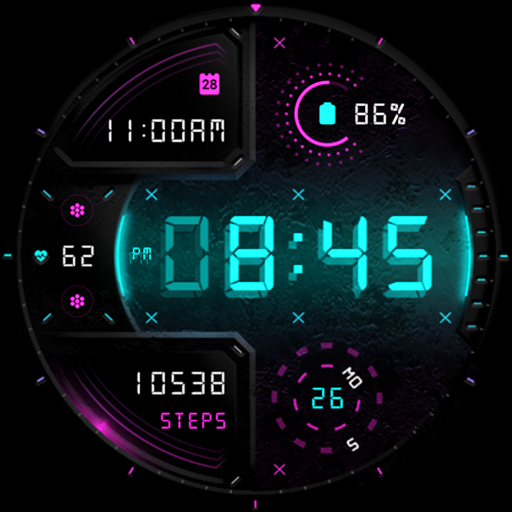
Cyber Digit - digital colorful
Paid

Cyber Phantom - watch face
Paid
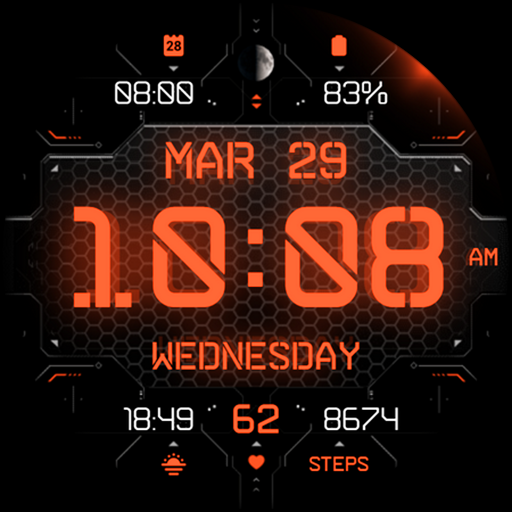
Cyber Carbon - digital health
Free

Alpha Dark - modern minimalist
Free

Archeus - analog animated
Paid

Ambient Lights - animated
Paid
Scan this QR code to download

Forwarding you to the page at Google Play market in seconds...
Open Google Play market now