
The Misthios Watch Face BASIC v1.0.3
SPRAKENTURN
About this app
Developer Description
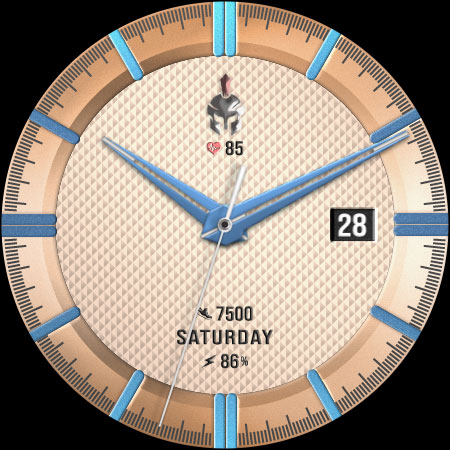
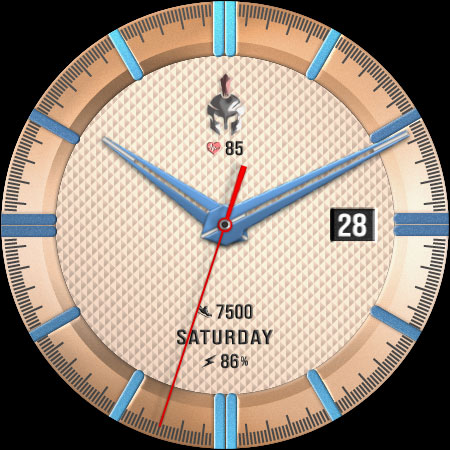
The Misthios is a analog watch face for your Wear OS watch
FEATURES:
- Analog watch with day and week display
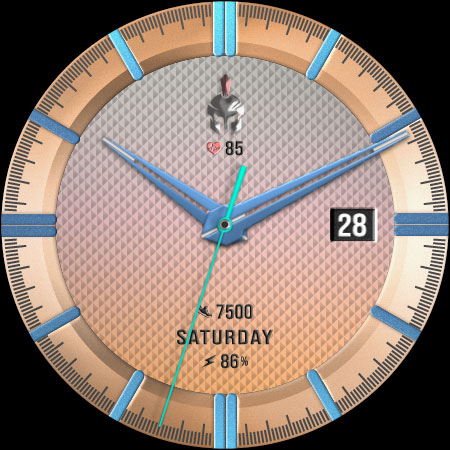
- Background(2) and seconds hand color
- Steps, battery, heart rate information
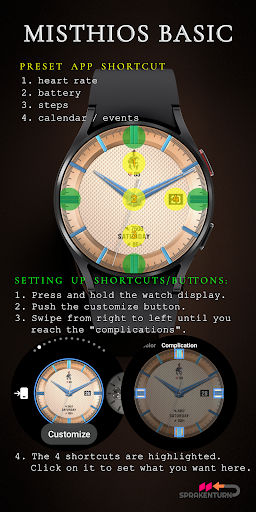
- 4 preset app shortcut (heart rate, battery, steps and calendar/events)
- 4 app shortcuts
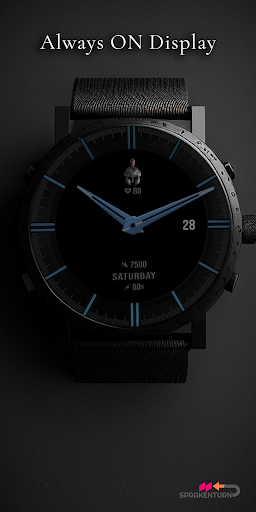
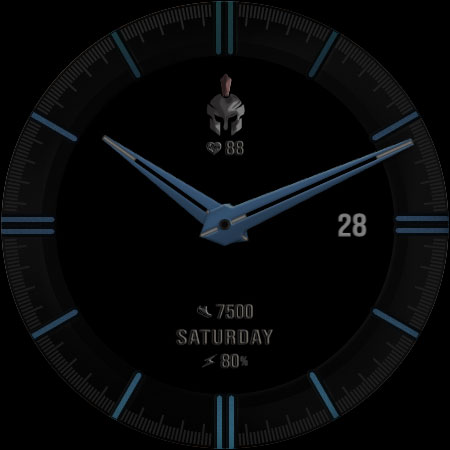
- Always On Display (AOD) supported
SETTING UP SHORTCUTS/BUTTONS:
1. Press and hold the watch display.
2. Push the customize button.
3. Swipe from right to left until you reach the "complications".
4. The 4 shortcuts are highlighted. Click on it to set what you want.
INSTALLATION:
1. Make sure your watch is connected to your smartphone and both are using the same GOOGLE account.
2. On Play Store App, use the drop-down menu and select your watch as target device. After a few minutes, the watch face will be installed on your watch.
3. After installation, immediately check your watch face list in your watch by pressing and hold display then swipe to the very end and click Add watch face. There you can see the newly installed watch face and just activate it.
Activate the watch face by checking the installed watch faces on your watch. Long press your watch screen, swipe left until "+ add watch face" and search and select the downloaded watch face to activate it.
Alternatively, you can use your PC/Mac web browser to visit Play Store website and login with your connected account to install the watch face then active it (step 3).
FAQ:
Q: Why is the watch face not installed/missing on my actual watch?
A-1: Please check your watch face list by pressing and holding your watch display then swipe to the very end until '+ Add watch face". There you will see the newly installed watch face and just activate it.
A-2: Ensure that you're using the same google account on your watch and hand phone to avoid purchase issue.
For support, you can e-mail me at sprakenturn@gmail.com
What's New
- technical : updated target SDK requirement
Version Information
- Version
- 1.0.3
- Downloads
- 1K+
- Updated on
- Jul 6, 2025
- Released
- Oct 14, 2023
- Requires
- Android Varies with device
Statistics
Google Play Rating History
Rating Distribution
Downloads Over Time
The Misthios Watch Face BASIC has been downloaded times. Over the past 30 days, it averaged downloads per day.
Shaded area shows 30-day prediction based on historical trends
Historical data collection started recently. More data points will be available over time.
The Misthios Watch Face BASIC users say on Google Play
 Victoria McAleer
Very stylish design.
ApkTrusted Ratings & Reviews
More from SPRAKENTURN
See more apps
Rogue Moon Phase Watch Face
Paid
The Misthios Watch Face
Paid

Bangkero Panda Watch Face
Paid

SPRAK Icarus Blaze Watch Face
Paid

Icarus Watch Face
Paid

SPRAK Lagoon Watch Face
Paid

Misthios Panda Watch Face
Paid

SPRAK Phantom Watch Face
Paid

SPRAK 925 Ag Moon Watch Face
Paid

SPRAK 143 Dark Moon Watch Face
Paid

Misthios Chronograph WatchFace
Paid

Rogue Watch Face
Paid
Similar Apps

DM140 Elegant Watch Face
Paid

CLA010 Analog Classic
Paid

Diver Classic 19 Wear OS 4+
Free

OT | Analog Watch Face 7 2
Paid
W-Design WOS029 - Watch Face
Paid

Executive realistic UN-LMTD
Paid
![AE MOTORSPORT [DRIVER TRAINER] icon](https://play-lh.googleusercontent.com/L9ZoqT8eBt2Bgrw8ymRiNqs3IVnTR654TeU5RkUFKaM3pfuv84FRySTybK_9vdr3IYc)
AE MOTORSPORT [DRIVER TRAINER]
Free

Retro Aesthetics Watch Face
Paid
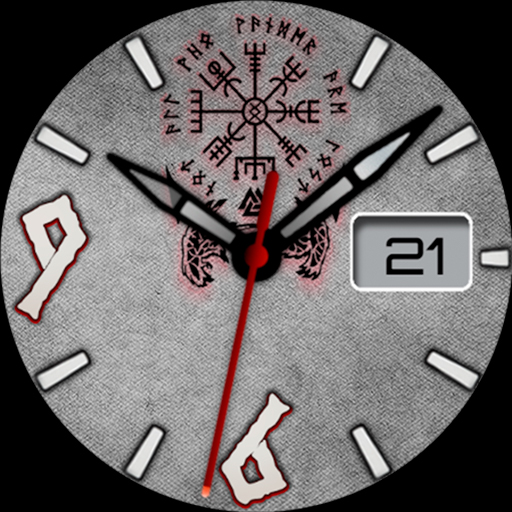
Analog Vikings LX22 - Luxsank
Paid
![AE TITANEA [SUPANOVA] icon](https://play-lh.googleusercontent.com/A6fNeqf4Xf8RXKfTuKqz5dwZuYryQgQwOxVBMx-jmSRqwIl4c_vzSv7GTTItjW1Y9g)
AE TITANEA [SUPANOVA]
Paid

OT | Analog Watch Face 7
Paid
![AE MOTORSPORT [SEPANG] icon](https://play-lh.googleusercontent.com/I3l_WxfMfI05PCi_YKUcCalxeyt2dvynAMGKYB26ZgEHLLGS3exJwYiSZU2AdFbHjWs)
AE MOTORSPORT [SEPANG]
Free

Basel Partridge Watch Face V31
Free

Iris546 Classic Analog Watch
Paid

Hybrid Finder Watch Face
Paid
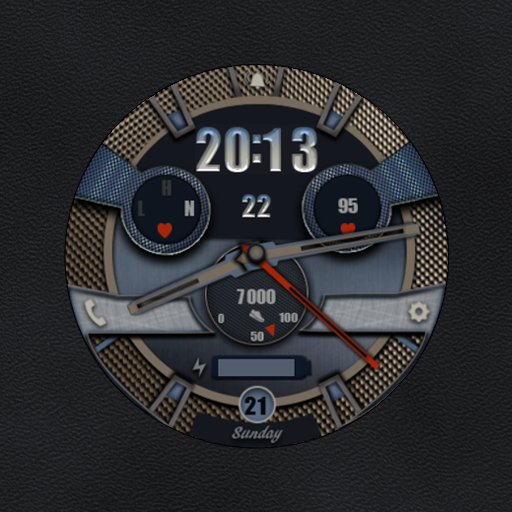
W-Design WOS040 - Watch Face
Free
Scan this QR code to download

Forwarding you to the page at Google Play market in seconds...
Open Google Play market now