
Air Navigation Pro v8.4.105.512030601
Air Navigation SA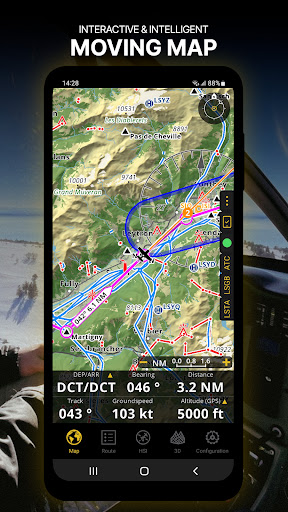



About this app
Developer Description
Fly safely and easily with our flight planning & real time navigation app!
- Everything you need to fly around the world
- Plan your flight in a few minutes
- Fly relaxed with up-to-date information
Air Navigation Pro is a high-quality flight assistant app for pilots worldwide. Benefit from the following main features:
MOVING MAP
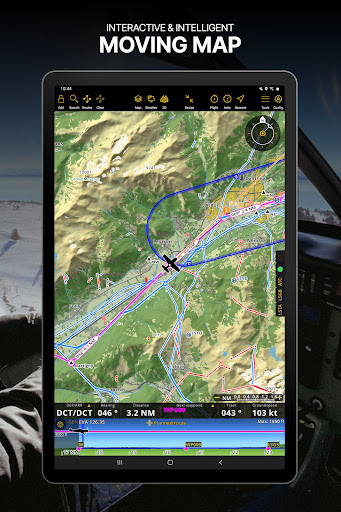
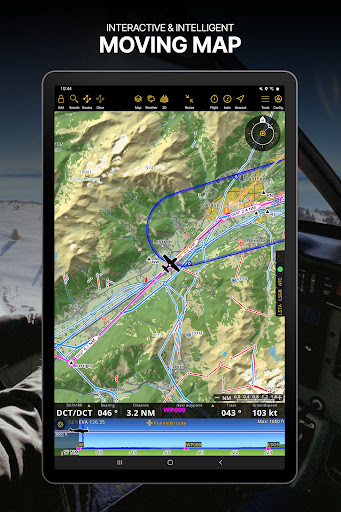
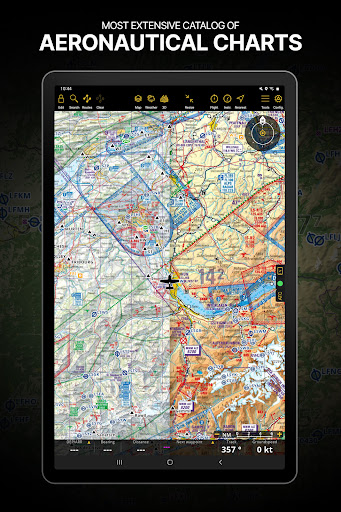
Plan and navigate using our interactive moving map. Choose between aeronautical charts, satellite or our vector map as a background. On top of that, the moving map displays waypoints, NOTAM, obstacles and airspaces from our comprehensive, always up-to-date worldwide aeronautical database. Tap on any waypoint directly on the map to easily create a route. Personalize the values shown on the navbar to have exactly the information you need: altitude, vertical speed, bearing, distance to the next waypoint, ETA calculations, etc. Choose the airport departure and arrival procedures for your route to have them also displayed on top of the moving map.
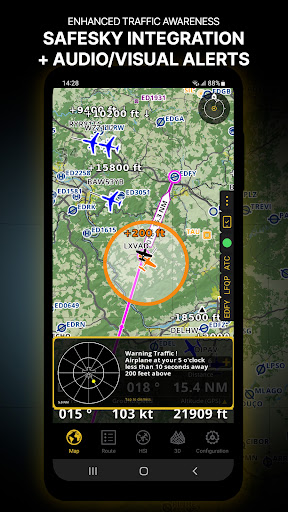
ENHANCED TRAFFIC AWARENESS
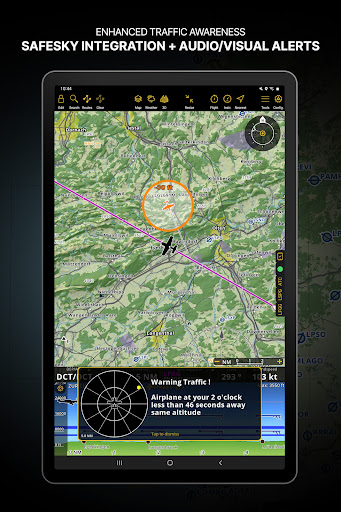
Get visual and audio alerts in all languages for nearby conflicting traffic. Choose your preferred traffic icon between generic, aircraft or TCAS symbols. Your safety is important to us, which is why we partnered with SafeSky to ensure our users have live traffic data during their flight. Benefit from the native integration with SafeSky included in our new Smart Lite, Smart Classic and Smart Advanced subscriptions—a two-in-one package!
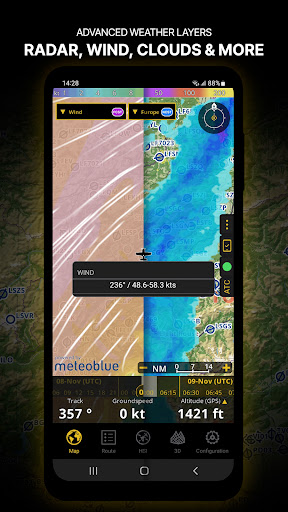
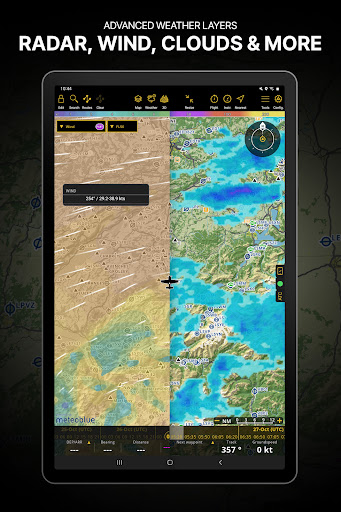
ADVANCED WEATHER LAYERS
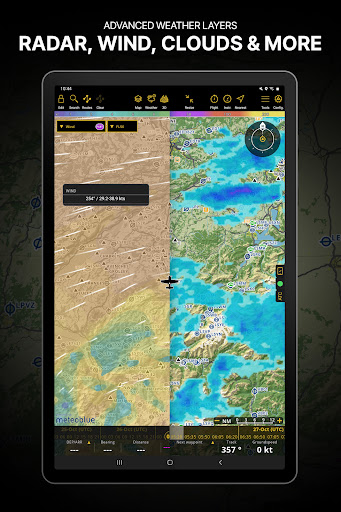
In addition to the basic weather reports of winds and TAF/METAR for your flight, subscribers of the Smart Advanced plan can activate see-through weather layers on top of the moving map. Available layers include rain radar, wind, pressure, clouds and rain, visibility, gust and additionally for Germany, Switzerland, Austria and the Balkans, GAFOR reports. Tap on any point on the map to see the weather information for that area. Review the weather forecast for up to three days ahead.
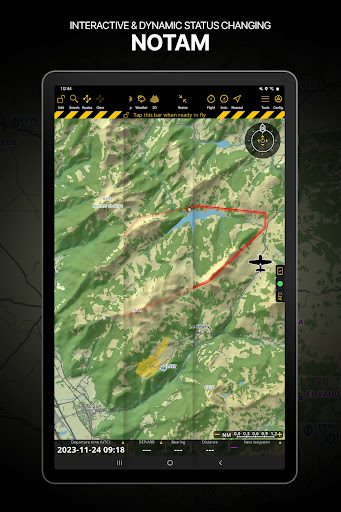
NOTAM
After creating your route, set the departure time in the future to have the moving map display the NOTAM active for that specific time. NOTAM on the map change color dynamically based on their status.
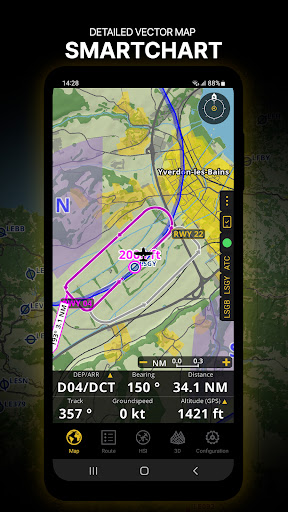
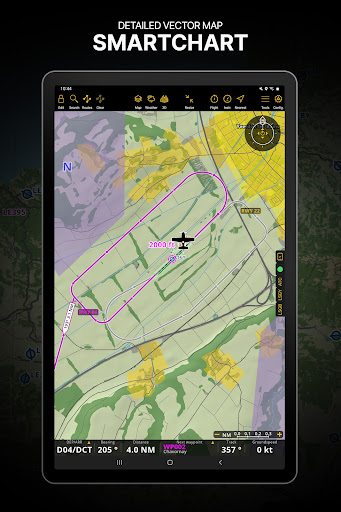
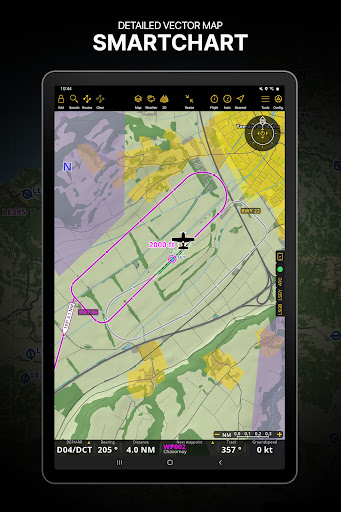
SMARTCHART
Our cutting-edge SmartChart is a highly detailed and intelligent vector-based map that adapts to your needs, providing you with adequate information at any zoom level. The SmartChart optimizes the display of shadows to easily distinguish between valleys and mountains, and the text remains perfectly aligned, guaranteeing optimal readability. Including the latest significant improvements with forests and detailed airport information.
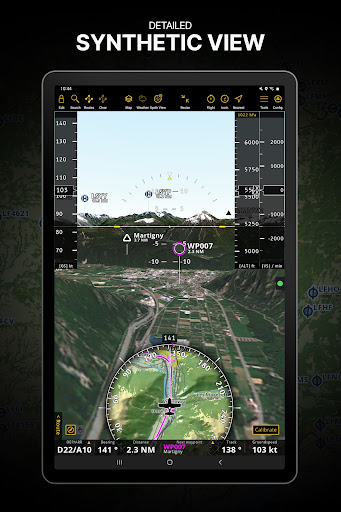
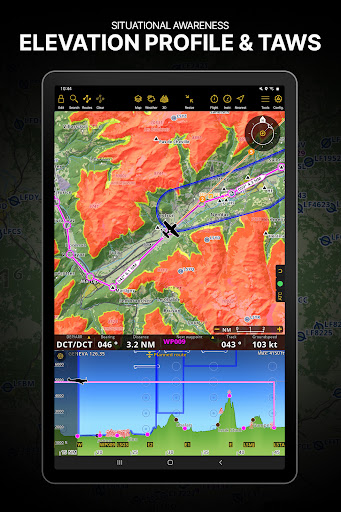
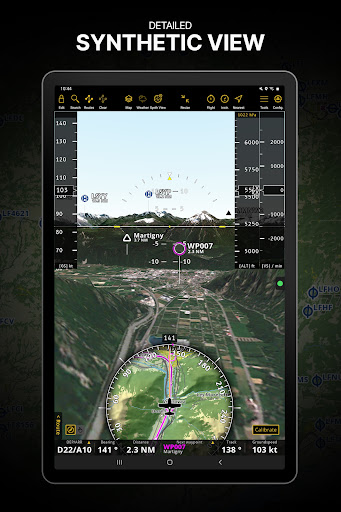
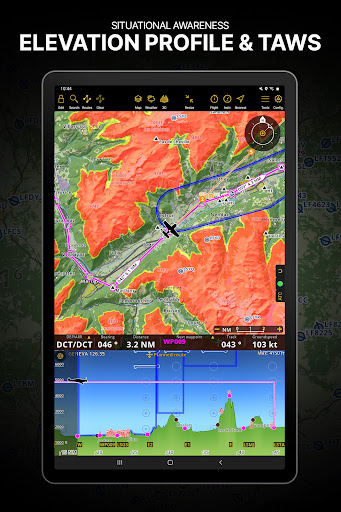
ELEVATION PROFILE & SYNTHETIC VIEW
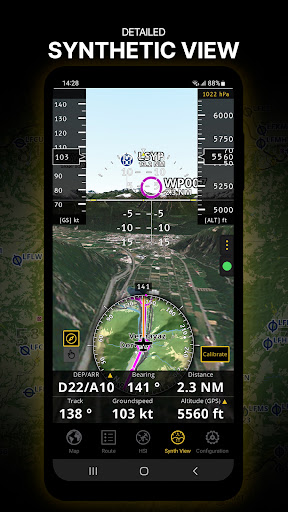
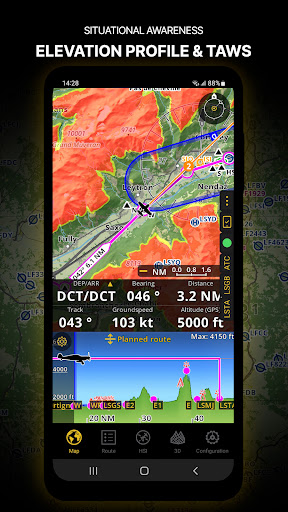
Enable the profile view below the navbar for enhanced situational awareness of the elevation ahead of you or along your route. Choose the corridor width between 0 to 5 NM and overlay options: airspaces, NOTAM, obstacles, wind components, populated places, etc. Switch to the synthetic view for additional terrain information, plus an artificial horizon with altitude and vertical speed indicators. This function can also be used to pan around while preparing for your flight. Activate TAWS on the moving map as well as on the synthetic view.
AERONAUTICAL CHARTS & APPROACH CHARTS
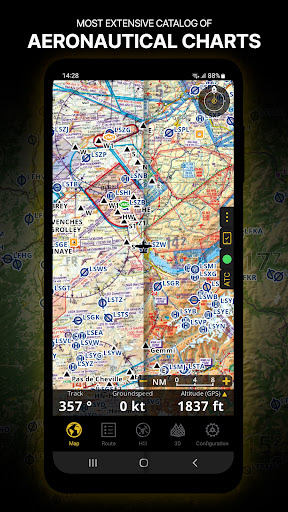
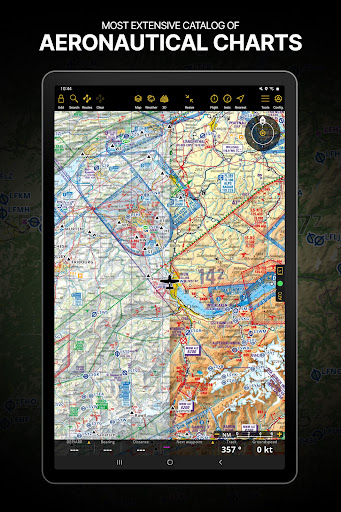
We offer the most extensive worldwide catalog of aeronautical charts, including the ICAO charts. Have the georeferenced approach charts displayed on top of the moving map or the synthetic view.
BRIEFING
Prepare your flight with our briefing section by creating documents with NOTAM and weather charts & stations relevant to your planned route. Optimize time by creating an aircraft profile which will be used in the Briefing section to pre-fill for you the ATC Flight Plan and calculate the W&B.
AND SO MUCH MORE!
A subscription allows you to use the app on three devices. We recommend creating an Air Navigation account for improved device management. Refer to our user manual on our website: www.airnavigation.aero for more information.
What's New
• ATZ-type airspaces are now always visible (even when their class is G, F, or E) and can be shaded like CTRs
• Stability fixes and performance improvements
In-app purchases
$0.99 - $314.99 per item
Version Information
- Version
- 8.4.105.512030601
- Downloads
- 100K+
- Updated on
- Dec 3, 2025
- Released
- Mar 28, 2012
- Requires
- Android 8.0
Statistics
Google Play Rating History
Rating Distribution
Downloads Over Time
Air Navigation Pro has been downloaded times. Over the past 30 days, it averaged downloads per day.
Shaded area shows 30-day prediction based on historical trends
Historical data collection started recently. More data points will be available over time.
Air Navigation Pro - Google Play Rankings
Top Rankings
| Rank | Country | Category | List | Change |
|---|---|---|---|---|
| — |
Ranking History in
No ranking data available yet. Rankings are updated daily.
#10 in Top Grossing Maps And Navigation in Spain


#11 in Top Grossing Maps And Navigation in India


#15 in Top Grossing Maps And Navigation in Mexico


#20 in Top Grossing Maps And Navigation in Indonesia


Air Navigation Pro users say on Google Play
 Daniel Kleinberg
I've been using Air Navigation Pro for a very long time and have checked the competition many times and always come back. It is super easy to use yet full of features. I use it for flying around without a particular destination as well as for more complex navigation scenarios in which it definitely excels! Highly recommended! Also, their maps are always updated super quickly!
 Muhammad Hammad Khizar
my app is crashing after recent update
 Nishan Manandhar
Airspace and Nav data of Nepal still outdated even though it shows its upto date. Fix soon. Using it as a pilot.
 Cassidy Jitien
Hi, I have purchased this app on 2015. Not using the app for quite some time. But now when I try to reinstall this app, it's ask me to try for trial and may be charge after the trial. Seek for help. Tq
 Pieter Roets
For an app that is used in flight it is overly dependent on Internet connection for use in an area where reception is intermittent to bad in general. Are you trying to make the app worse while forcing people to pay for it. It was better quality and more reliable with better support when it was free...
ApkTrusted Ratings & Reviews
Similar Apps

VesselFinder
Free

Gaggle Paragliding, Ultralight
Free

DeRadar
Paid

Plane Finder - Flight Tracker
Free

Planes Live - Flight Tracker
Free

MarineTraffic - Ship Tracking
Free

ShipAtlas - Ship Tracker
Free

Flightradar24 Flight Tracker
Free

TravelAnimator・Journey Route
Free

Skratch: Travel Map & eSIM
Free

MarineRadar: Vessel Tracker
Free

Wanderz - Travel Guides
Free

Holland America Line Navigator
Free

GPS Essentials
Free

Orca: Boat GPS, Charts, Routes
Free

Airhead ATPL
Free
Scan this QR code to download

Forwarding you to the page at Google Play market in seconds...
Open Google Play market now