
Zoho Projects v3.9.56
Zoho Corporation



About this app
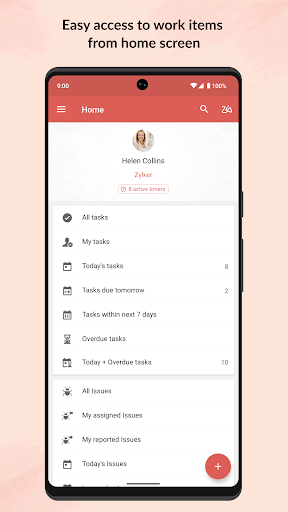
Zoho Projects is a robust project management tool that helps teams and individuals organize and track their projects on-the-go, solving the problem of disjointed workflows and missed deadlines. It benefits most businesses and teams who require a centralized platform to manage tasks, track progress, and collaborate. Compared to alternatives in the Productivity category, Zoho Projects stands out with its comprehensive feature set and seamless integration with other Zoho apps. However, its complexity might be overwhelming for small projects or personal use, making it fall short in terms of simplicity.
Pros
- With over 500,000 downloads and a 4.3/5 rating, Zoho Projects has demonstrated its effectiveness and reliability in managing projects, backed by social proof and a strong reputation.
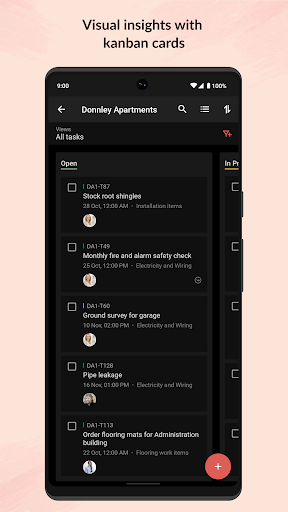
- The app's feature set is comprehensive, covering project planning, task management, time tracking, and team collaboration, making it a one-stop solution for project managers.
- Zoho Corporation's reputation for developing high-quality productivity apps adds to the trustworthiness of Zoho Projects, ensuring regular updates and support.
- The absence of ads and a fair in-app purchase model contribute to a distraction-free and cost-effective user experience, allowing teams to focus on their projects without interruptions.
- Zoho Projects' compatibility with Android 7.0 and above ensures that a wide range of devices can utilize the app, making it accessible to a broad audience.
Cons
- Despite its comprehensive feature set, Zoho Projects might be too complex for small projects or personal use, potentially overwhelming users who only need basic project management tools.
- The in-app purchase model, while fair, might lead to additional costs for teams requiring advanced features, which could be a concern for budget-sensitive users.
- The lack of permissions requested by the app could be seen as a positive aspect, but it also raises questions about how the app collects and utilizes user data, potentially impacting privacy.
- Some users might find the app's interface and functionality to be less intuitive compared to more specialized or simplified project management tools.
Best for: The ideal user for Zoho Projects is a project manager or team leader in a business setting, likely with intermediate to advanced technical skills, who requires a comprehensive and integrated platform to manage complex projects, collaborate with team members, and track progress, and is willing to invest time in learning the app's features to maximize its benefits.
Developer Description
Zoho Projects helps you manage your projects and track progress on the go.
Zoho Projects is a modern and flexible project management software preferred by more than a million users worldwide. The mobile apps complement the web version enabling you to act quickly and stay updated wherever you are.
- If you are new to Zoho Projects, you can sign up right away from your mobile.
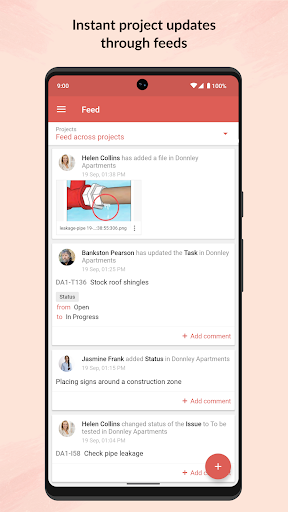
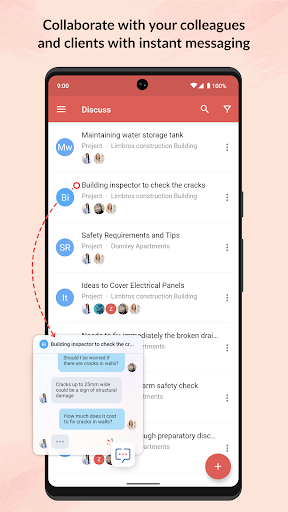
- Get a quick view of ongoing discussions, tasks, comment threads and much more by skimming through Feeds.
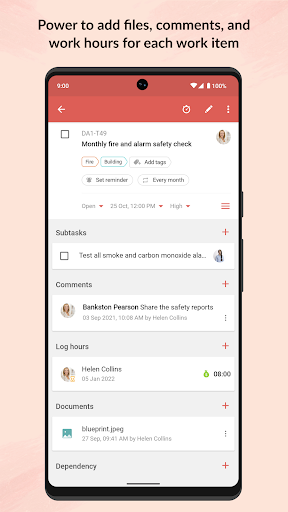
- Jump in and create new tasks, milestones, post a status or a forum, upload files from your mobile, or even submit a bug that needs to be swatted.
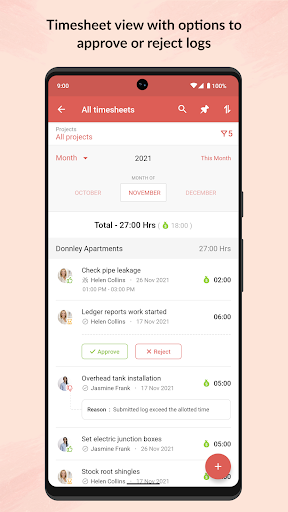
- As you toil away from your desk, record all your work hours in the timesheet module. The Timesheet module gives you a daily, weekly and monthly view of hours logged by you and your team.
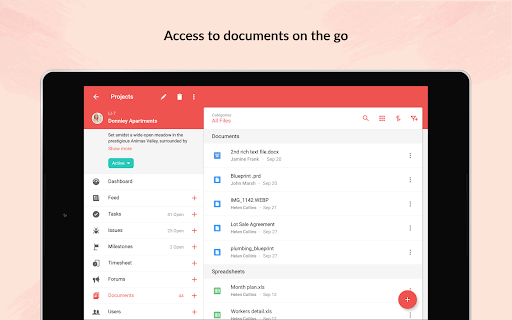
- View all your project related documents at the touch of your finger tips. You can also upload new documents or new versions of existing documents. You can choose to display them as lists or thumbnails.
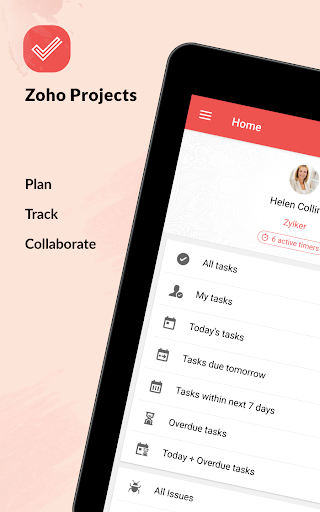
- Enjoy better viewing experience in your tablet with split screen design.
Privacy
Given that Zoho Projects does not request any permissions, users should be aware of how their data is collected and used by the app, especially considering its integration with other Zoho services. It is essential to review Zoho's privacy policy to understand data handling practices. Users should also ensure they are using the latest version of the app to benefit from the latest security updates and features.
Tips
To get the most out of Zoho Projects, users should start by thoroughly exploring the app's features and settings during the first-time setup, including integrating it with other Zoho apps for a unified experience. Utilizing the task management and time tracking features can significantly enhance project organization and productivity. Regularly updating the app will also ensure access to new features and security patches, optimizing performance and data protection.
What's New
In-app purchases
$17.99 - $149.99 per item
Version Information
- Version
- 3.9.56
- Downloads
- 500K+
- Updated on
- Jan 12, 2026
- Released
- Mar 25, 2013
- Requires
- Android 7.0
Statistics
Google Play Rating History
Rating Distribution
Downloads Over Time
Zoho Projects has been downloaded times. Over the past 30 days, it averaged downloads per day.
Shaded area shows 30-day prediction based on historical trends
Historical data collection started recently. More data points will be available over time.
Zoho Projects users say on Google Play
 Tanmay Mishra
💬 Comment: "Zoho is truly a game-changer! Proud to use an Indian company’s app that helps me stay organized, plan strategically, and achieve my goals every day. Inspires me to work harder and smarter!"
 Damien Robitaille
this is a wonderful app for integration into the Zoho universe, it's not quite as fluid to use as others, but it's good enough and easy enough and the functionality more than makes up for this.
 Jaluna Rolik
It doesn't properly show added tasks and such until I reopen the app.
 Anand
Anand
can't sign in, say enter captcha, but space to enter it nor no captcha displayed
 ಹರಿ ಓಂ
Good Start, it provides 3 free Projects, need pro for more than 3. Which makes it unusable, i feel pro cap must be applied on how many collaborator we can add & not on how many projects we can add. The goal must be keeping it free for personal use & subscription for commercial usage. This way the app can gain more users (personal) & as they get used to this, later their prefer this in their work place too (Concept Microsoft). Good Luck
ApkTrusted Ratings & Reviews
More from Zoho Corporation
See more apps
Barcode & QR Code Generator
Free

Arattai Messenger
Free

Customer App - Zoho Assist
Free

Site24x7
Free
Card Scanner - business cards
Free

Zoho Scanner–Document PDF OCR
Free

Zoho Assist - Remote Desktop
Free
Zoho Backstage for Organizers
Free

Zoho One Admin
Free

Authenticator App - OneAuth
Free
Zoho Calendar
Free

Search across Zoho- Zia Search
Free

Zoho Backstage for Attendees
Free

Zoho POS (Formerly Zakya)
Free

Business Manager by Zoho POS
Free

Pannai - Farm Management App
Free
Similar Apps

monday.com - Work Management
Free

Asana: Work Management
Free

Microsoft Planner
Free

Smartsheet: Projects & Teams
Free
Microsoft Power BI
Free

Jira Cloud by Atlassian
Free

HubSpot
Free

ClickUp: Tasks, Chat, Docs, AI
Free

Basecamp - Project Management
Free

Microsoft To Do: Lists & Tasks
Free
Microsoft SharePoint
Free
Pocket CRM - Customers & Leads
Free

MeisterTask - Task Management
Free

Trello: Organize anything!
Free

Homebase: Employee Scheduling
Free

Any.do - To do list & Calendar
Free
Scan this QR code to download

Forwarding you to the page at Google Play market in seconds...
Open Google Play market now